Introduzzjoni
Thank you for choosing the Peakeep Battery Operated Digital Alarm Clock. This cordless alarm clock features large, easy-to-read numbers, adjustable brightness, and a loud alarm with volume control, making it ideal for bedrooms, especially for seniors and heavy sleepers. Its battery-powered design ensures functionality during power outages and offers placement flexibility without the need for power outlets.

Immaġni: Quddiem view of the Peakeep Digital Alarm Clock displaying green digits.
Informazzjoni Importanti dwar is-Sigurtà
- Qualified alkaline batteries from a major brand are recommended for optimal performance and battery life.
- Tużax batteriji rikarikabbli b'dan l-apparat.
- Ensure that the batteries are installed correctly by aligning the anode and cathode as indicated in the battery compartment.
- Keep the clock away from water or excessive moisture.
- Avoid exposing the clock to extreme temperatures or direct sunlight for prolonged periods.
Setup
Installazzjoni tal-batterija
- Sib il-kompartiment tal-batterija fuq wara tal-arloġġ.
- Iftaħ l-għatu tal-kompartiment tal-batterija.
- Insert 4 AA alkaline batteries (not included) into the compartment, ensuring correct polarity (+ and -) as marked.
- Agħlaq l-għatu tal-kompartiment tal-batterija sew.

Image: Product dimensions and battery installation guide, showing the clock requires 4 AA batteries.

Immaġni: Wara view of the clock, highlighting the battery compartment and control buttons for easy setup.
Istruzzjonijiet Operattivi
Ħin tal-issettjar
- Agħfas u żomm il- IL-ĦIN IPPOST Agħfas il-buttuna għal 2 sekondi biex tidħol fil-modalità tal-issettjar tal-ħin. Iċ-ċifri tas-sigħat jibdew jteptep.
- Uża l- + or - buttuni biex taġġusta s-siegħa.
- Agħfas IL-ĦIN IPPOST Agħfas mill-ġdid biex tikkonferma s-siegħa u tmur għall-issettjar tal-minuti. Iċ-ċifri tal-minuti se jteptpu.
- Uża l- + or - buttuni biex jaġġustaw il-minuti.
- Agħfas IL-ĦIN IPPOST once more to exit time setting mode.
Issettjar ta' Allarm
- Agħfas u żomm il- SET TA 'ALLARM Agħfas il-buttuna għal 2 sekondi biex tidħol fil-modalità tas-settings tal-allarm. Iċ-ċifri tas-siegħa tal-allarm se jteptpu.
- Uża l- + or - buttuni biex taġġusta s-siegħa tal-allarm.
- Agħfas SET TA 'ALLARM again to confirm the alarm hour and move to alarm minute setting. The alarm minute digits will flash.
- Uża l- + or - buttuni biex taġġusta l-minuti tal-allarm.
- Agħfas SET TA 'ALLARM once more to exit alarm setting mode.
- Biex tixgħel jew titfi l-allarm, sempliċement agħfas il-buttuna ALLARM ON / OFF buttuna. Ikona ta' allarm tidher fuq id-displej meta l-allarm ikun attiv.
Adjusting Brightness (Dimmers)
The clock offers 3 different brightness settings (L01, L02, L03) and an "OFF" mode for a completely dark display.
- Agħfas il- DIMMER button repeatedly to cycle through the brightness levels: L03 (brightest) → L02 → L01 (dimmest) → OFF.

Image: The clock display at various brightness settings (L03, L02, L01, and OFF) to suit different lighting conditions.
Aġġusta tal-Volum tal-Allarm
The alarm volume can be adjusted to 5 different levels, from quiet to super loud.
- Agħfas il- VOL button repeatedly to cycle through the 5 volume levels (U01 to U05).
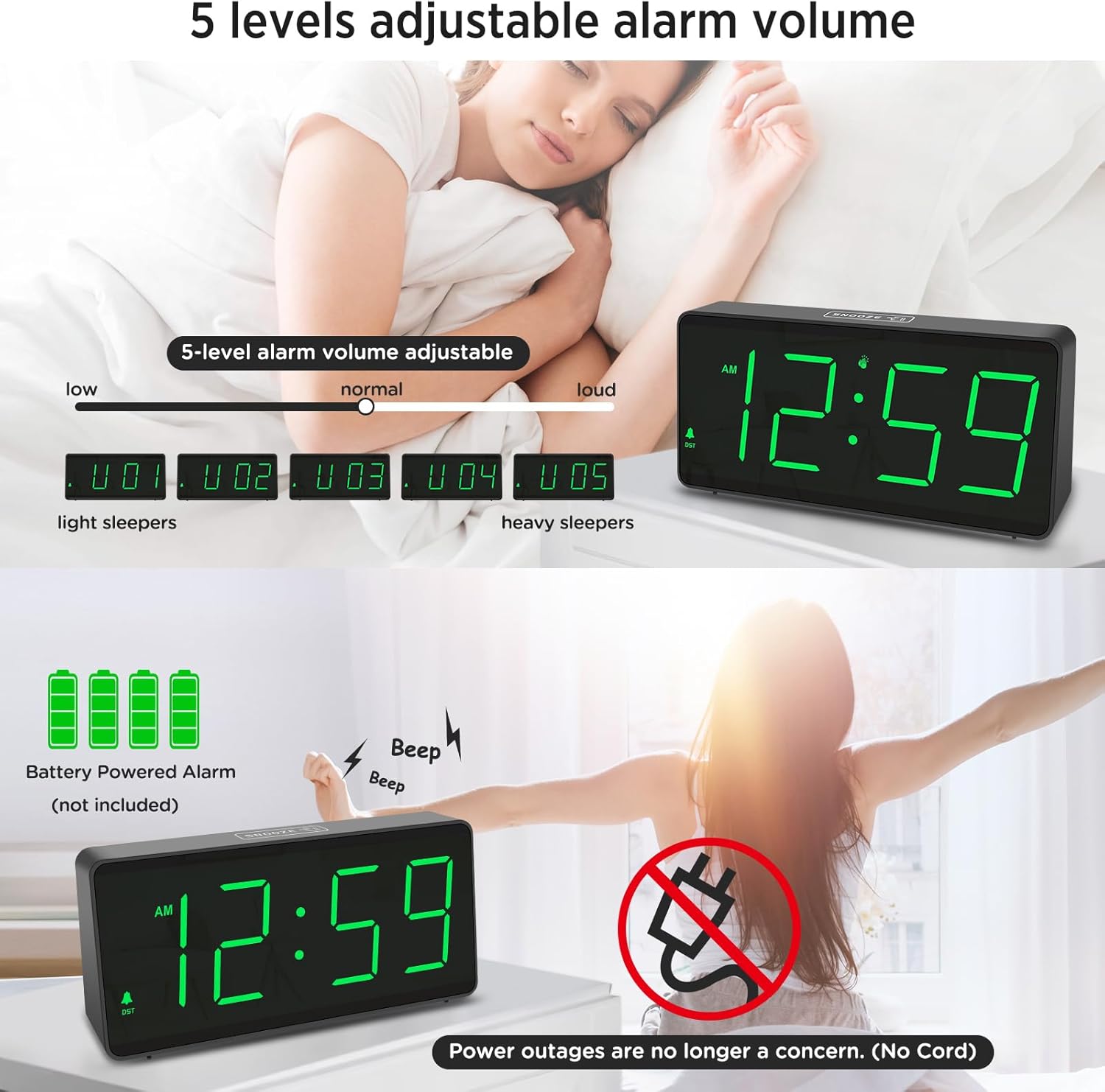
Image: Illustration of the 5-level adjustable alarm volume, catering to both light and heavy sleepers.
Funzjoni Snooze
The touch-sensitive snooze button is located on the top of the clock.
- When the alarm sounds, gently tap the SNOOZE area on the top of the clock to activate a 9-minute snooze.
- To stop the alarm completely, press any button on the back of the clock.
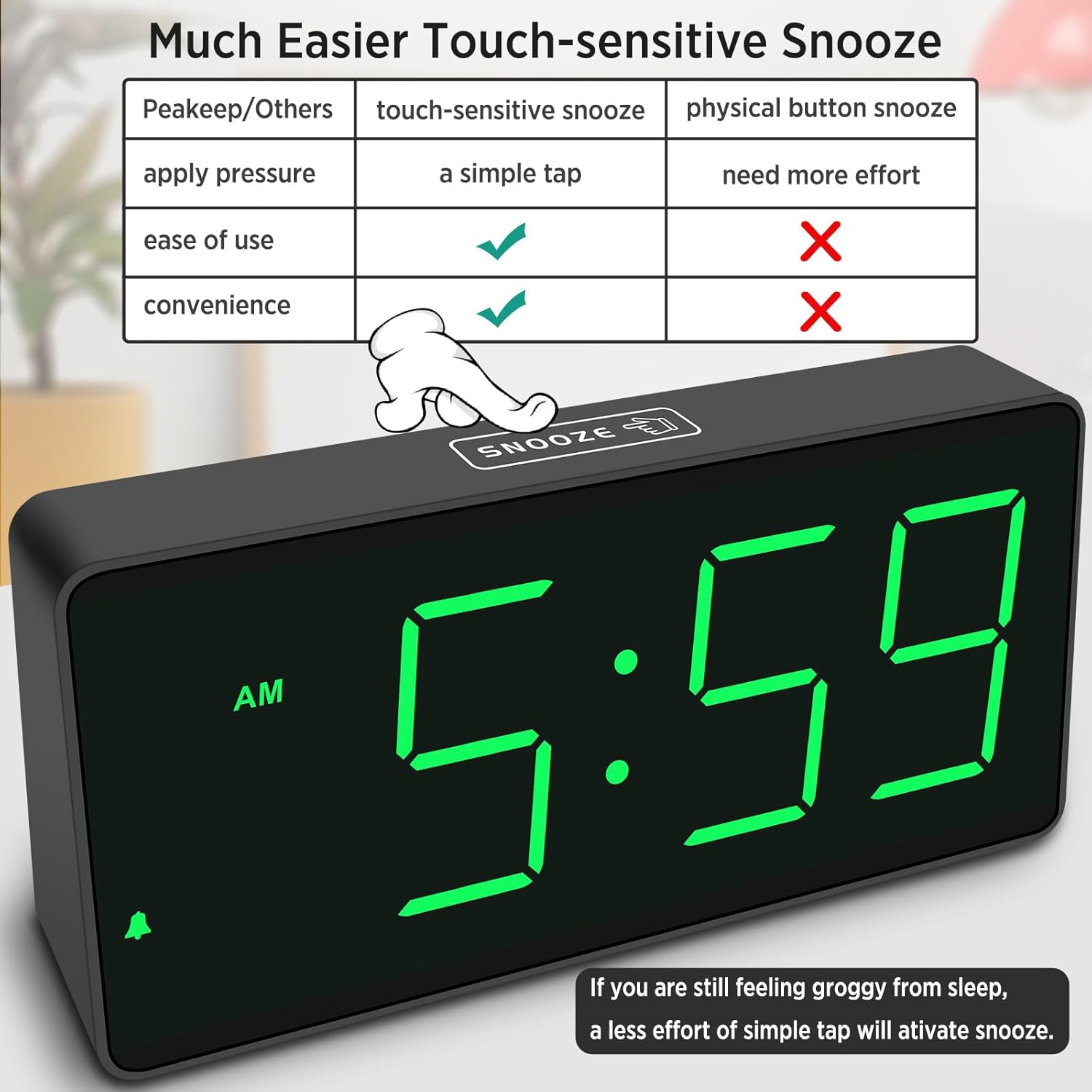
Immaġni: Fuq view of the clock highlighting the touch-sensitive snooze area for easy operation.
Format 12/24 Siegħa
- Agħfas il- 12/24HR button to switch between 12-hour (with AM/PM indicator) and 24-hour (military time) formats.
Ħin tas-Sajf (DST)
- Agħfas il- DST ON / OFF button to manually adjust the time forward or backward by one hour for Daylight Saving Time.
Modalità attivata bil-vuċi
This mode helps conserve battery life by dimming the display to OFF when no sound is detected for 30 seconds. The display will reactivate with a gentle sound.
- To turn the voice-activated mode ON or OFF, press the VOICE-ACTIVATED ON/OFF button. When OFF, the display will remain on continuously.
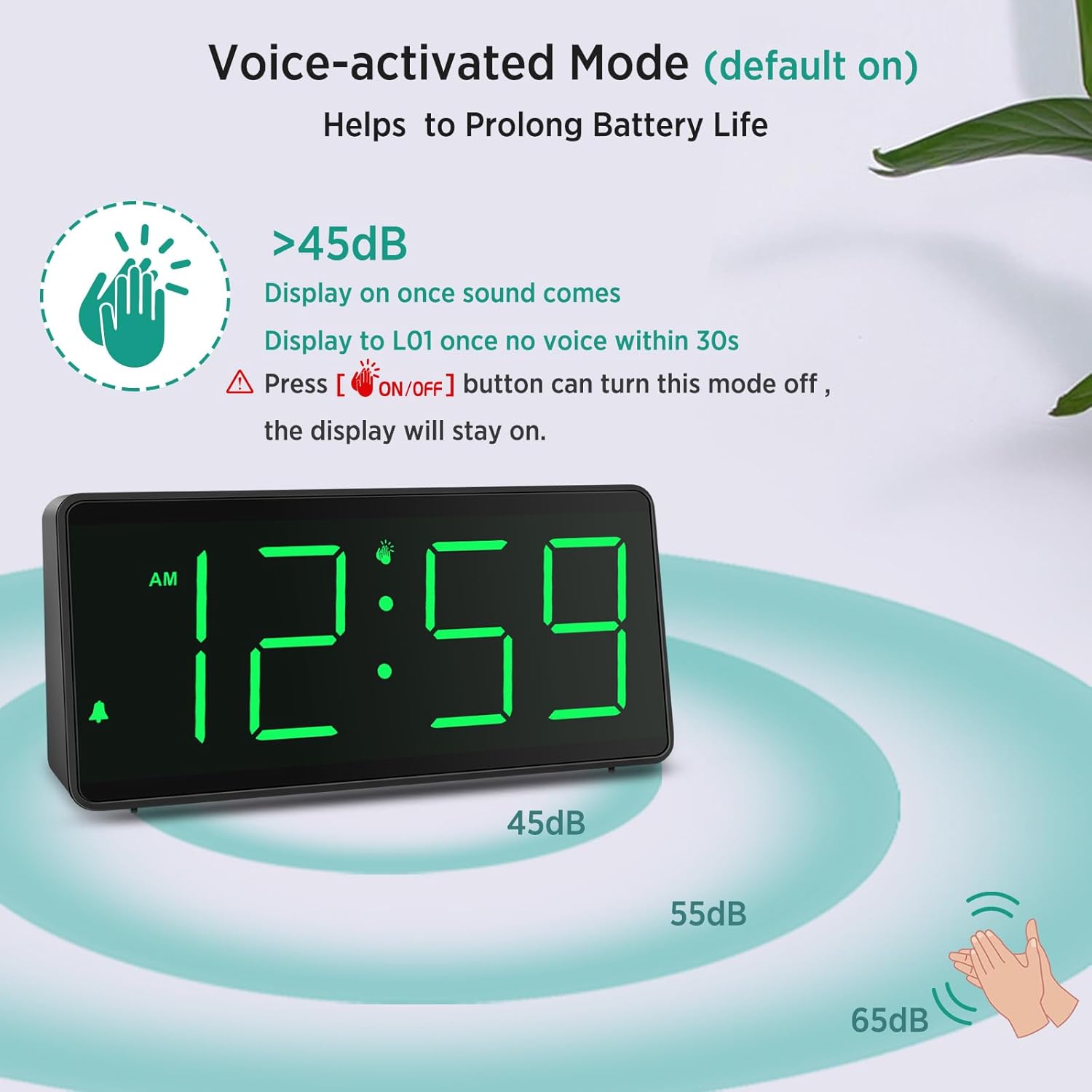
Image: Diagram explaining how the voice-activated mode works, showing the display turning on with sound and dimming after 30 seconds of silence.
Manutenzjoni
- Naddaf l-arloġġ b'ċarruta ratba u niexfa. Tużax prodotti tat-tindif jew solventi li joborxu.
- If the display becomes dim or the alarm weakens, replace all 4 AA batteries with new ones.
- Neħħi l-batteriji jekk l-arloġġ ma se jintużax għal perjodu estiż biex tevita t-tnixxija.
Issolvi l-problemi
| Problema | Kawża / Soluzzjoni Possibbli |
|---|---|
| Id-displej huwa vojt jew mudlam. |
|
| L-allarm mhux qed idoqq jew huwa kwiet wisq. |
|
| Il-ħin mhux korrett. |
|
Speċifikazzjonijiet
| Brand | Peakeep |
| Numru tal-Mudell | MHP6010 |
| Kulur | Ċifri Ħodor |
| Tip ta 'Wiri | Diġitali |
| Sors tal-Enerġija | Imħaddem bil-batterija (meħtieġa 4 batteriji AA, mhux inklużi) |
| Dimensjonijiet tal-Prodott | 7"W x 3.3"Għ |
| Materjal | Plastik |
| Karatteristiċi Speċjali | Cordless, Large Big Numbers, 4 Dimmers, Optional Voice-activated, 12/24 Hour, DST, Easy to Set |
Garanzija u Appoġġ
This Peakeep product comes with an Extended Warranty. For any questions, technical support, or warranty claims, please contact our customer service team.
Servizz tal-Klijent: sales@us-myhome.com


