1. Introduzzjoni
The CHUWI Hi10 XPro is a versatile 10.1-inch Android 14 tablet designed for both productivity and entertainment. Featuring an Unisoc T606 Octa-Core processor, 8GB RAM, and 128GB ROM (expandable up to 1TB), it offers smooth performance for various applications. This tablet supports 4G LTE and 5G WiFi connectivity, includes a 7000mAh battery, and comes with 13MP rear and 5MP front cameras. This manual provides essential information for setting up, operating, and maintaining your device.

Figura 1.1: Quddiem u wara view of the CHUWI Hi10 XPro Tablet.
2. X'hemm fil-Kaxxa
Ivverifika li l-oġġetti kollha huma preżenti fil-pakkett:
- CHUWI Hi10 XPro Tablet
- 5V/2A adapter (PSE, CE, UL, FCC certified)
- Manwal b'ħafna lingwi
- Ċertifikat ta' konformità
- Ċertifikat ta' kwalità
- Karta tal-garanzija
- 128GB Mikro SD Card
3. Setup
3.1 Iċċarġjar inizjali
Before first use, fully charge the tablet using the provided 5V/2A adapter and Type-C cable. The battery indicator on the screen will show charging progress.
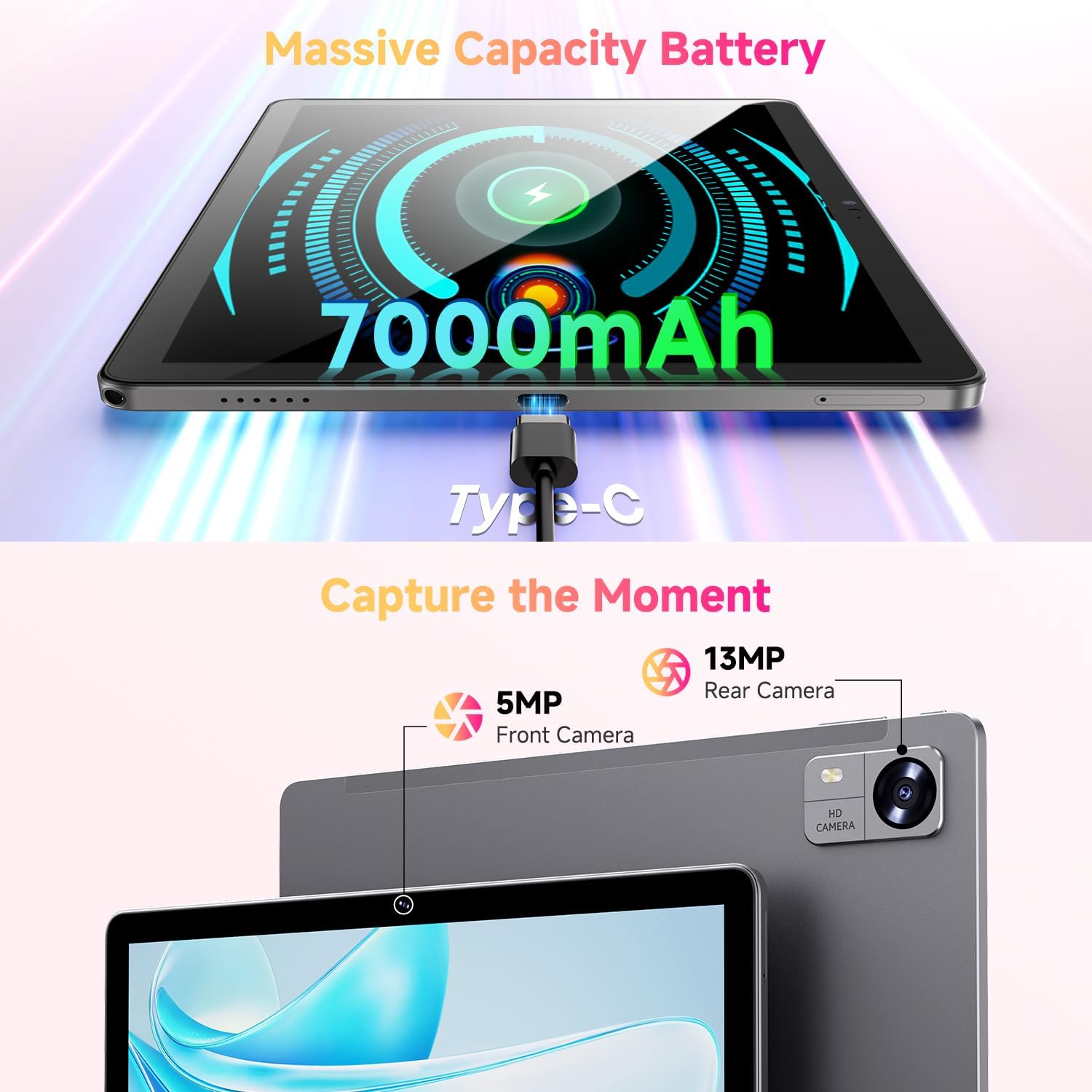
Figure 3.1: Charging the tablet via Type-C port.
3.2 Power On/Off
- Qawwa Mixgħul: Press and hold the Power button on the side of the tablet until the CHUWI logo appears.
- Itfi: Press and hold the Power button until a power-off menu appears. Select "Power off" to shut down the device.
- Ibda mill-ġdid: From the power-off menu, select "Restart" to reboot the device.
3.3 Installazzjoni tal-Karta SIM u l-Karta TF
The tablet supports dual SIM cards and a TF (MicroSD) card for expanded storage. Use the provided SIM ejector tool to open the tray.
- Sib it-trej tal-kard SIM/TF fuq il-ġenb tat-tablet.
- Daħħal l-għodda tal-ejecter tas-SIM fit-toqba ż-żgħira ħdejn it-trej u imbotta bil-mod sakemm it-trej joħroġ 'il barra.
- Poġġi l-kards Nano-SIM u/jew il-kard MicroSD tiegħek fl-islots apposta fuq it-trej, filwaqt li tiżgura orjentazzjoni korretta.
- Imbotta t-trej lura fil-pillola bir-reqqa sakemm tikklikkja f'postu.
*Important Note for Cellular Functionality: Please register the IMEI number of your device with local carriers before using cellular network functions. Failure to do so may result in the SIM card functions (network and calls) being disabled by the carriers after a period of use.
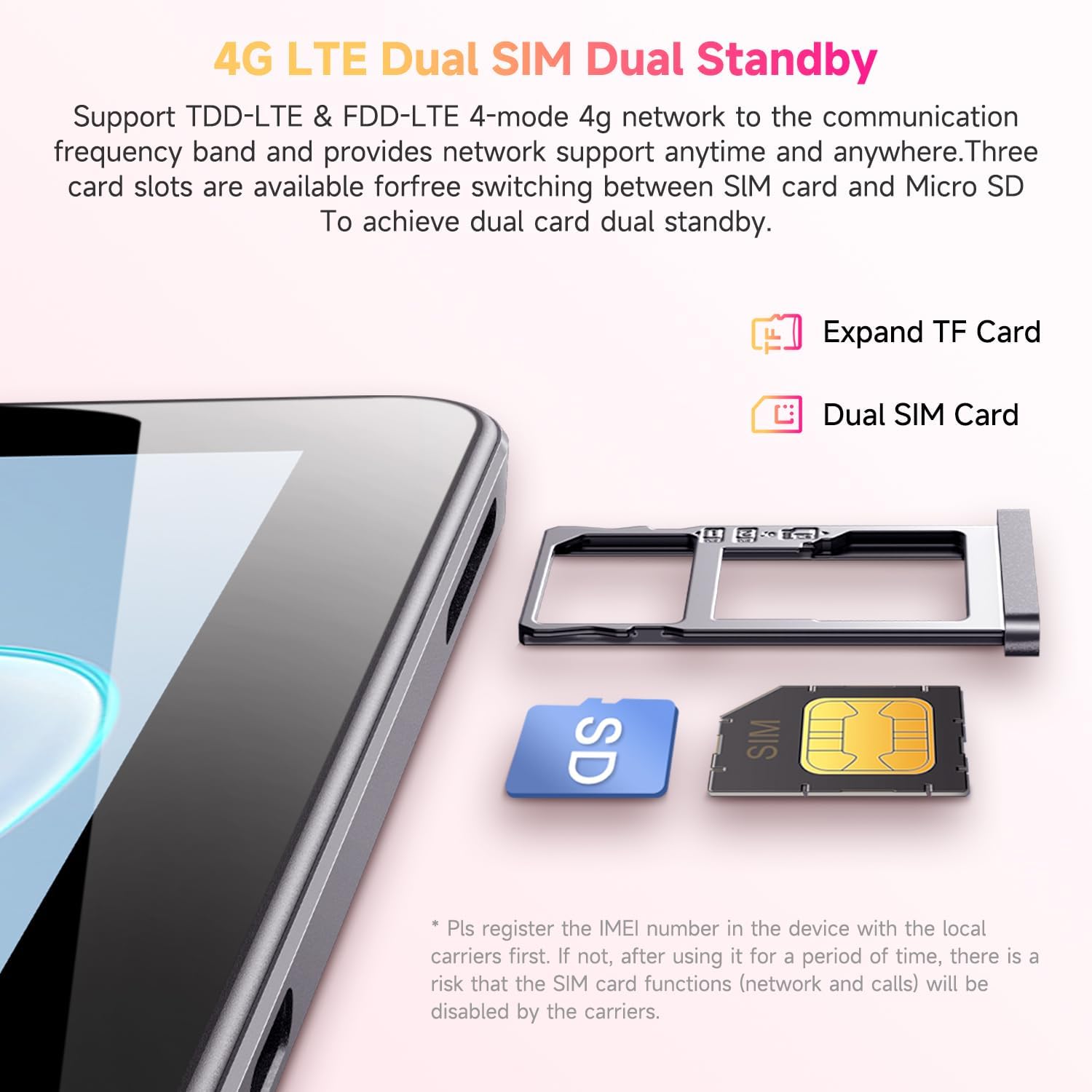
Figure 3.2: Inserting SIM and TF cards into the tray.
3.4 Wizard tas-Setup Inizjali
Malli tixgħelha għall-ewwel darba, it-tablet jiggwidak permezz ta' proċess inizjali ta' setup. Segwi l-istruzzjonijiet fuq l-iskrin biex:
- Agħżel il-lingwa tiegħek.
- Qabbad ma 'netwerk Wi-Fi.
- Idħol bil-kont Google tiegħek jew oħloq wieħed ġdid.
- Issettja l-illokkjar tal-iskrin (PIN, mudell, password).
- Review u aċċetta t-termini u l-kundizzjonijiet.
4. Istruzzjonijiet Operattivi
4.1 Wiri u Navigazzjoni
The CHUWI Hi10 XPro features a 10.1-inch HD IPS touchscreen with a resolution of 1280x800 pixels, providing clear and vibrant visuals. Navigation is primarily touch-based, with gestures and on-screen buttons for home, back, and recent apps.

Figure 4.1: The tablet's 10.1-inch HD IPS display.
4.2 Prestazzjoni u Ħażna
Equipped with a 1.6GHz Unisoc T606 Octa-Core processor and Mali-G57 GPU, the tablet ensures smooth operation for daily tasks, browsing, and light gaming. It comes with 8GB RAM (4GB physical + 4GB virtual) and 128GB of internal storage, expandable up to 1TB via a MicroSD card.

Figure 4.2: Illustration of the Unisoc T606 Octa-Core Processor.

Figure 4.3: Visual representation of storage and connectivity options.
4.3 Konnettività
The tablet supports dual-band 2.4G+5G WiFi (802.11ac) for stable and fast internet connections, and Bluetooth 5.0 for connecting wireless accessories. Dual 4G LTE support allows for mobile data and calls (with proper SIM registration).
4.4 Funzjonijiet tal-Kamera
Capture moments with the 13MP rear camera and take clear selfies or make video calls with the 5MP front camera.
4.5 Ħajja tal-batterija
The built-in 7000mAh battery provides approximately 8-10 hours of usage on a full charge, depending on usage patterns.
4.6 Sistema Operattiva Android 14
The CHUWI Hi10 XPro runs on Android 14, offering enhanced privacy controls, efficient memory management, and multitasking capabilities. It supports Widevine L1 for high-definition streaming on platforms like Netflix, Prime Video, and Disney+.
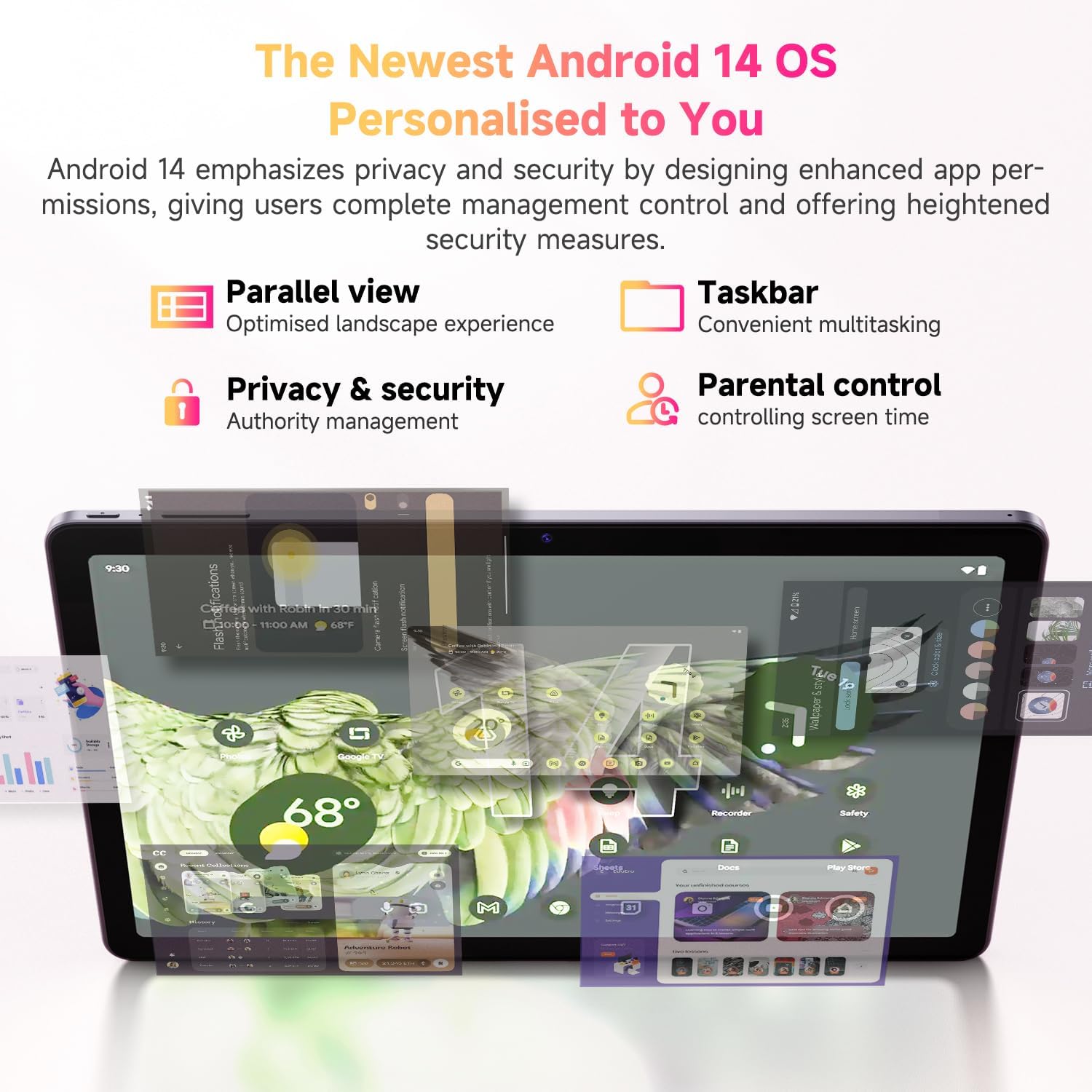
Figure 4.4: Key features of the Android 14 operating system.
4.7 Vidjo Uffiċjali tal-Prodott
Vidjo 4.1: Wirja uffiċjali tal-vidjo tal-prodottasing the CHUWI Android 13 Tablet Hi10 XPro Tablet 10.1 Inch 8+128GB. This video highlights various features and usage scenarios of the tablet, including its sleek design, display quality, and performance capabilities.
5. Speċifikazzjonijiet
| Karatteristika | Speċifikazzjoni |
|---|---|
| Brand | CHUWI |
| Isem tal-Mudell | Hi10 XPro |
| Daqs tal-wiri tal-iskrin wieqaf | 10.1 Pulzier |
| Riżoluzzjoni tal-Iskrin | 1280 x 800 pixel |
| Proċessur | 1.6 GHz Unisoc T606 Octa-Core |
| Koproċessur tal-Grafika | Mali-G57 |
| RAM | 8GB (4GB+4GB virtual) |
| Daqs tal-Hard Drive / Memorja Flash | 128 GB SSD |
| Ħażna espansibbli | Sa 1TB b'karta MicroSD |
| Sistema Operattiva | Android 14 |
| Tip bla fili | 802.11ac (2.4G+5G WiFi), Bluetooth 5.0 |
| Konnettività Ċellulari | Dual 4G LTE |
| Wara WebCam Riżoluzzjoni | 13 MP |
| Riżoluzzjoni tal-Kamera ta 'quddiem | 5 MP |
| Kapaċità tal-batterija | Polimer tal-Litju 7000mAh |
| Ħajja Medja tal-Batterija | 8-10 Sigħat |
| Piż tal-oġġett | 15.5 uqija (madwar 438g) |
| Dimensjonijiet tal-Prodott | 9.41 x 6.2 x 0.29 pulzieri (madwar 239.3 x 158 x 7.5 mm) |
| Kulur | Iswed |
| Funzjoni tal-GPS | Supported (GPS, Glonass, Galileo, Beidou) |
| Widevine Certification | L1 Supported |
6. Manutenzjoni
- Tindif: Uża drapp artab u mingħajr suf biex tnaddaf l-iskrin u l-qafas tat-tablet. Evita li tuża kimiċi ħarxa jew materjali li joborxu.
- Aġġornamenti tas-Software: Periodically check for system updates in the tablet's settings to ensure optimal performance and security.
- Kura tal-batterija: Biex ittawwal il-ħajja tal-batterija, evita temperaturi estremi u tħallix il-batterija tixxotta kompletament ta' spiss.
- Ġestjoni tal-Ħażna: Neħħi regolarment bla bżonn files and apps to maintain sufficient free storage space for smooth operation.
- Protezzjoni: Consider using a screen protector and a protective case to guard against scratches and accidental damage.
7 Issolvi l-problemi
7.1 Tablet Does Not Power On
- Kun żgur li t-tablet huwa ċċarġjat biżżejjed. Qabbadha mal-ċarġer għal mill-inqas 30 minuta.
- Agħfas u żomm il-buttuna tal-Power għal 10-15-il sekonda biex terġa' tibda.
7.2 Kwistjonijiet ta' Konnessjoni tal-Wi-Fi
- Check if Wi-Fi is enabled in the tablet's settings.
- Erġa' ibda r-router tal-Wi-Fi tiegħek.
- Insieh in-netwerk fis-settings tat-tablet u erġa' qabbad.
- Kun żgur li tinsab fil-firxa tas-sinjal tal-Wi-Fi.
7.3 Prestazzjoni bil-mod
- Agħlaq applikazzjonijiet fl-isfond mhux meħtieġa.
- Neħħi l-cache u d-dejta għall-apps użati ta' spiss.
- Kun żgur li jkun hemm biżżejjed spazju ħieles għall-ħażna.
- Ibda mill-ġdid il-pillola.
7.4 L-Applikazzjonijiet Jikkraxxjaw jew Ma Jirrispondux
- Force close the app from recent apps or app settings.
- Clear the app's cache and data.
- Iddiżinstalla u installa mill-ġdid l-app.
- Kun żgur li s-softwer tat-tablet huwa aġġornat.
8. Garanzija u Appoġġ
CHUWI offers a One-year reassuring quality assurance for the Hi10 XPro tablet. This includes long-term technical support and 24-hour online customer service.
For technical assistance or warranty claims, please contact CHUWI customer service. You can typically find contact information by logging into your Amazon account, finding your order, and selecting "Contact the seller."
For more information, visit the official CHUWI website or refer to the warranty card included in your product package.


