1. Introduzzjoni
Thank you for choosing the Choetech True Wireless Earbuds. This manual provides detailed instructions on how to set up, operate, and maintain your earbuds to ensure optimal performance and longevity. Please read this manual carefully before using the product and keep it for future reference.
2. Kontenut tal-Pakkett
- Choetech True Wireless Earbuds (Left & Right)
- Kawża tal-Iċċarġjar
- Cable tal-Iċċarġjar tal-USB
- Daqsijiet Multipli ta' Eartips
- Manwal għall-Utent
3. Prodott Aktarview
Familiarize yourself with the components of your Choetech True Wireless Earbuds.

Image: The Choetech True Wireless Earbuds and their compact charging case.

Image: The earbuds placed inside the open charging case, showing the charging contacts.
Komponenti tal-Earbud:
- Żona tal-Kontroll tal-Messi: Għall-immaniġġjar tal-plejbek, is-sejħiet, u l-assistent tal-vuċi.
- Indikatur LED: Shows pairing status and battery level.
- Mikrofonu: Għal sejħiet u kmandi tal-vuċi.
- Kuntatti tal-Iċċarġjar: Għall-iċċarġjar ġewwa l-kaxxa.
Komponenti tal-Kaxxa tal-Iċċarġjar:
- Slots tal-Iċċarġjar tal-Earbuds: Iżomm u jiċċarġja l-earbuds b'mod sigur.
- Charging Case LED Indicator: Shows case battery status.
- Port tal-Iċċarġjar tal-USB: Għall-iċċarġjar tal-każ.
4. Setup
4.1 Iċċarġjar tal-Earbuds u l-Kaxxa
Qabel l-ewwel użu, iċċarġja kompletament kemm il-earbuds kif ukoll il-kaxxa tal-iċċarġjar.
- Poġġi l-earbuds fil-kaxxa tal-iċċarġjar, waqt li tiżgura li jkunu f'posthom sew.
- Connect the USB charging cable to the charging port on the case and a power source (e.g., USB wall adapter, computer USB port).
- The LED indicators on the earbuds and case will show charging status. They will turn off or change color when fully charged.
A full charge provides over 5 hours of playback time for the earbuds, and the charging case extends total usage to approximately 120 hours in standby mode.

Image: Visual representation of the earbuds' long battery endurance, indicating playback, talk, and standby times.
4.2 Pairing with Your Device (Bluetooth 5.2)
The earbuds utilize advanced Bluetooth 5.2 technology for a fast and stable connection.
- Open the charging case. The earbuds will automatically power on and enter pairing mode. The earbud LED indicators will flash, indicating they are ready to pair.
- Fuq l-apparat tiegħek (smartphone, tablet, eċċ.), attiva l-Bluetooth.
- Fittex għal available Bluetooth devices and select "Choetech BH-T06" from the list.
- Once connected, the earbud LED indicators will stop flashing. You will hear a confirmation tone.
The earbuds support seamless switching, allowing each earbud to independently fast switch between two different audio devices.
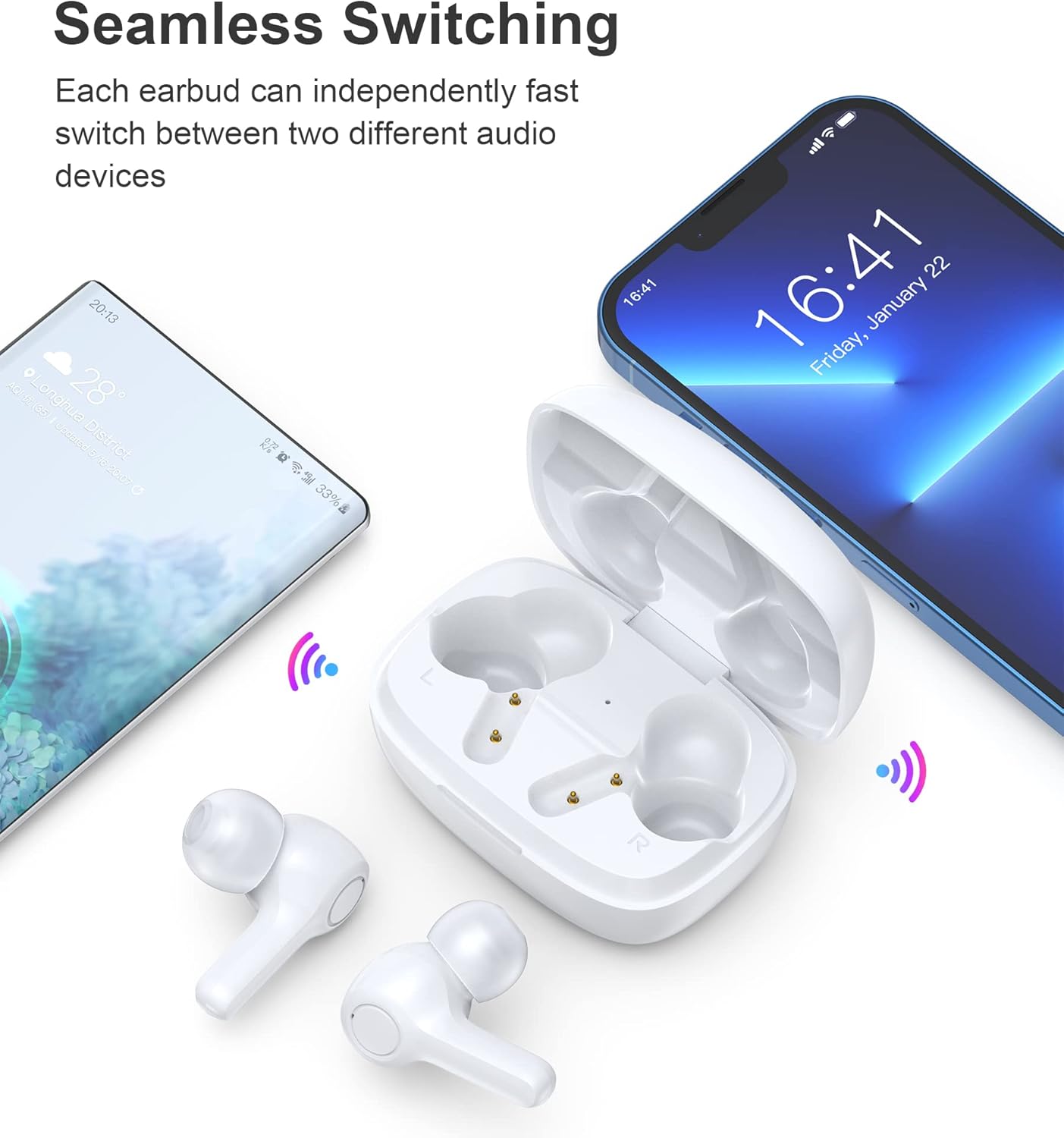
Image: Illustration demonstrating the seamless switching capability between a smartphone and another device.
Nota: Wara l-ewwel tqabbil, il-earbuds jikkonnettjaw awtomatikament mal-aħħar apparat imqabbad meta jinħarġu mill-kaxxa, sakemm il-Bluetooth ikun attivat fuq l-apparat.
5. Istruzzjonijiet Operattivi
5.1 Power On/Off
- Qawwa Mixgħul: Iftaħ il-każ tal-iċċarġjar, u l-earbuds jinxtegħlu awtomatikament.
- Itfi: Poġġi l-earbuds lura fil-kaxxa tal-iċċarġjar u agħlaq l-għatu. Dawn jintfew awtomatikament u jibdew jiċċarġjaw.
5.2 Kontrolli touch
The earbuds feature sensitive touch controls for easy operation.
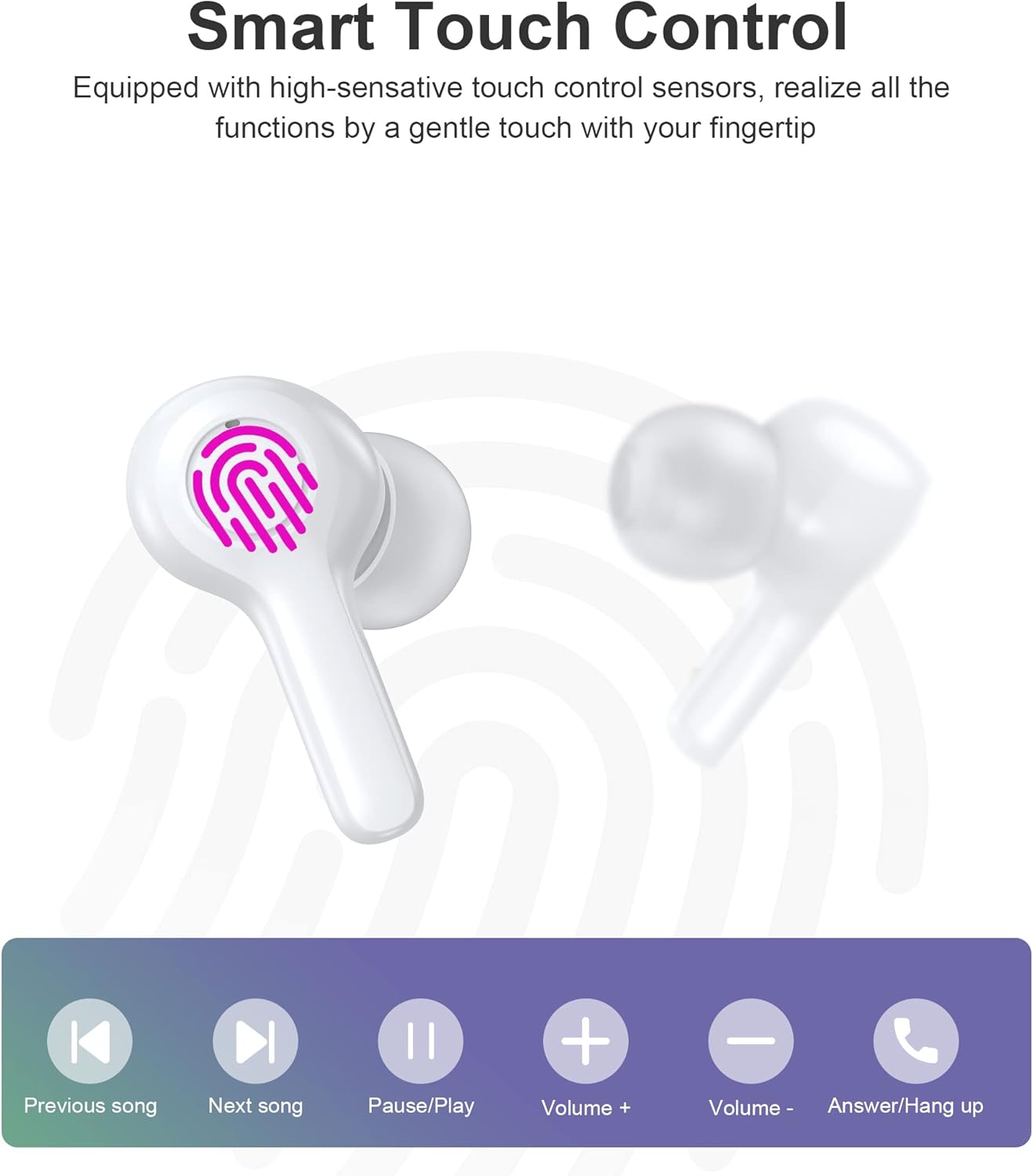
Image: Diagram illustrating the various touch control functions on the earbuds, including playback, volume, and call management.
| Azzjoni | Earbud tax-Xellug | Earbud tal-lemin |
|---|---|---|
| Play/Pawsa | Tektek Uniku | Tektek Uniku |
| Kanzunetta li jmiss | Tektek Doppju | |
| Kanzunetta Preċedenti | Tektek Doppju | |
| Volum Up | Tektek triplu | |
| Volum 'l isfel | Tektek triplu | |
| Tweġiba/Tmiem Sejħa | Tektek Uniku | Tektek Uniku |
| Irrifjuta Sejħa | Pressa twila (2s) | Pressa twila (2s) |
| Attiva l-Assistent tal-Vuċi | Pressa twila (2s) | Pressa twila (2s) |
Nota: Specific touch control functions may vary slightly depending on your connected device and its operating system.
6. Manutenzjoni
6.1 Tindif
The earbuds are IPX8 waterproof, making them resistant to sweat and water. They can be easily cleaned.
- Imsaħ il-earbuds u l-kaxxa tal-iċċarġjar b'ċarruta ratba, niexfa u mingħajr suf.
- Għal ħmieġ iebes, neħħi ftitampLaħlaħ id-drapp bl-ilma. Tużax kimiċi ħarxa jew materjali li joborxu.
- Ensure the charging contacts on both the earbuds and the case are clean and dry to prevent charging issues.

Image: Visual representation of the earbuds' IPX8 waterproof protection, showing them submerged in water.
6.2 Ħażna
- Meta ma tkunx qed tużahom, aħżen il-earbuds fil-kaxxa tal-iċċarġjar tagħhom biex tipproteġihom u żżommhom iċċarġjati.
- Aħżen il-prodott f'post frisk u niexef, 'il bogħod minn temperaturi estremi u dawl tax-xemx dirett.
7 Issolvi l-problemi
Jekk tiltaqa' ma' xi problemi, jekk jogħġbok irreferi għas-soluzzjonijiet komuni li ġejjin:
- Il-earbuds mhux qed jitqabbdu: Ensure both earbuds are out of the case and in pairing mode. Turn off and on your device's Bluetooth. Try forgetting the device in your Bluetooth settings and re-pairing.
- Earbud wieħed biss jaħdem: Poġġi ż-żewġ earbuds lura fil-kaxxa tal-iċċarġjar, agħlaq l-għatu, stenna ftit sekondi, imbagħad oħroġhom mill-ġdid. Dan spiss jerġa' jissinkronizzahom.
- Ebda ħoss: Check the volume level on your device and the earbuds. Ensure the earbuds are properly connected to your device.
- Kwistjonijiet tal-iċċarġjar: Clean the charging contacts on both earbuds and the case. Try a different USB cable and power source.
- Kwalità fqira tas-sejħiet: Ensure the microphones are not obstructed. Move closer to your device. The smart noise reduction technology helps provide clear calls, but extreme noisy environments may still affect quality.

Image: Visual representation of the noise reduction technology, showing sound waves being processed for clearer audio.
Jekk il-problema tippersisti, jekk jogħġbok ikkuntattja l-appoġġ għall-klijenti.
8. Speċifikazzjonijiet
| Karatteristika | Dettall |
|---|---|
| Mudell | BH-T06 |
| Verżjoni Bluetooth | 5.2 |
| Klassifikazzjoni li ma jgħaddix ilma minnha | IPX8 (Reżistenti għall-ilma sa metru 1 għal 30 minuta) |
| Kapaċità tal-Batterija tal-Earbud | 40mAh (kull earbud) |
| Kawża tal-Iċċarġjar Kapaċità tal-Batterija | 300mAh |
| Ħin tal-daqq | ~5+ hours (earbuds) |
| Standby Time (with case) | ~ sagħtejn |
| Daqs tal-Kelliem | 8mm |
| Mikrofoni | 4 (għal sejħiet ċari) |
| Teknoloġija tal-Konnettività | Wireless (Bluetooth) |
| Kontroll tal-Ħoss | Automatic Noise Reduction |
9. Informazzjoni dwar is-Sigurtà
- Żarmax jew timmodifikax il-prodott.
- Żomm 'il bogħod minn temperaturi estremi, dawl tax-xemx dirett, u fjammi miftuħa.
- Evita li twaqqa' jew tissuġġetta l-prodott għal impatti qawwija.
- Żomm fejn ma jintlaħaqx mit-tfal u l-annimali domestiċi.
- Tużax il-earbuds f'volumi għoljin wisq għal perjodi twal biex tevita ħsara lis-smigħ.
10. Garanzija u Appoġġ
Choetech products come with a standard warranty. Please refer to the warranty card included in your package or visit the official Choetech website for detailed warranty terms and conditions. For technical support, troubleshooting assistance, or any inquiries, please contact Choetech customer service through their official channels.


