1. Introduzzjoni
This manual provides detailed instructions for the installation, operation, and maintenance of your TAFFIO Digital Instrumental Cluster Speedometer, model TAFC-1311. Please read this manual thoroughly before installation and use to ensure proper function and to avoid damage.
The TAFFIO Digital Instrumental Cluster is designed to replace the original speedometer in compatible BMW X1 E84 models, offering enhanced digital display features and customizable themes.
2. Kompatibilità
- Mudell tal-Vettura: BMW X1 E84
- Snin Mudell: 2009 sa 2015
- Head-Up Display: Compatible with models both with and without a head-up display.
- Tip ta' Magna: Suitable for both Gasoline and Diesel models.
3. Kontenut tal-Pakkett
Iċċekkja li l-oġġetti kollha elenkati hawn taħt huma inklużi fil-pakkett tiegħek:
- 1x TAFFIO Digital Speedometer (TAFC-1311)
- 1x Cluster Cover
- 1x USB Cable (for software updates)
- 1x Warranty Certificate
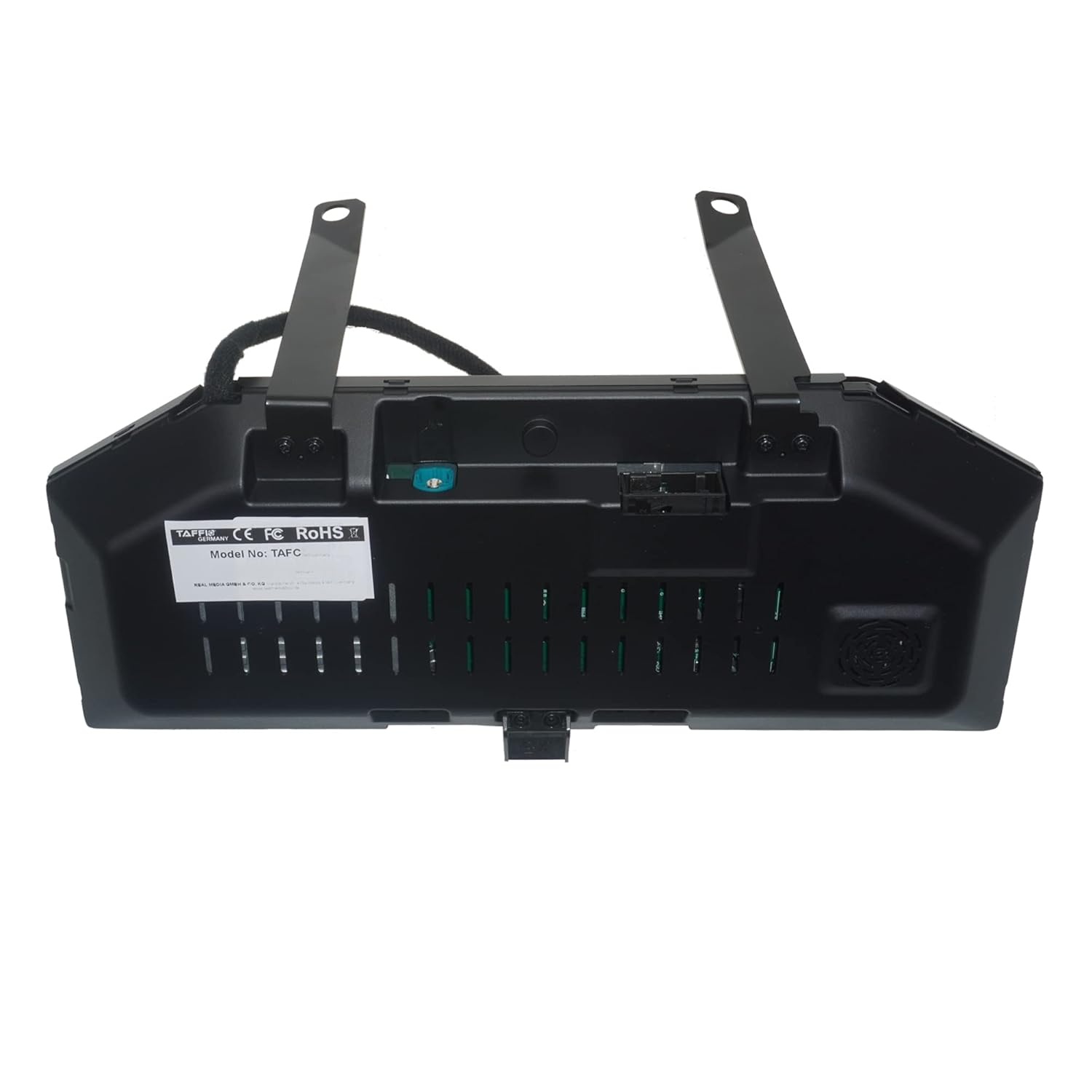
Image: Contents of the TAFFIO Digital Cluster package, showing the digital cluster unit, a cluster cover, and a USB cable.
4. Setup u Installazzjoni
The TAFFIO Digital Instrumental Cluster is designed for a plug-and-play installation, requiring no additional adapters or mounting frames. No coding is necessary; simply replace the original speedometer unit.
4.1 Passi ta' Installazzjoni (Ġenerali Fuqview)
- Kun żgur li l-ignition tal-vettura tkun mitfija u l-batterija tkun skonnettjata qabel tibda l-installazzjoni.
- Carefully remove the original speedometer unit from the dashboard. Consult your vehicle's service manual for specific removal instructions.
- Connect the TAFFIO Digital Instrumental Cluster to the vehicle's existing wiring harness. The connections are designed to match the original ports.
- Secure the new digital cluster in the dashboard opening.
- Reconnect the vehicle battery and turn on the ignition to test the unit.
- If necessary, use the provided USB cable to perform any software updates.

Immaġni: Wara view of the TAFFIO Digital Instrumental Cluster, highlighting the connection ports for plug-and-play installation.

Immaġni: Quddiem view of the TAFFIO Digital Instrumental Cluster, displaying a default theme with speedometer, tachometer, and vehicle information.
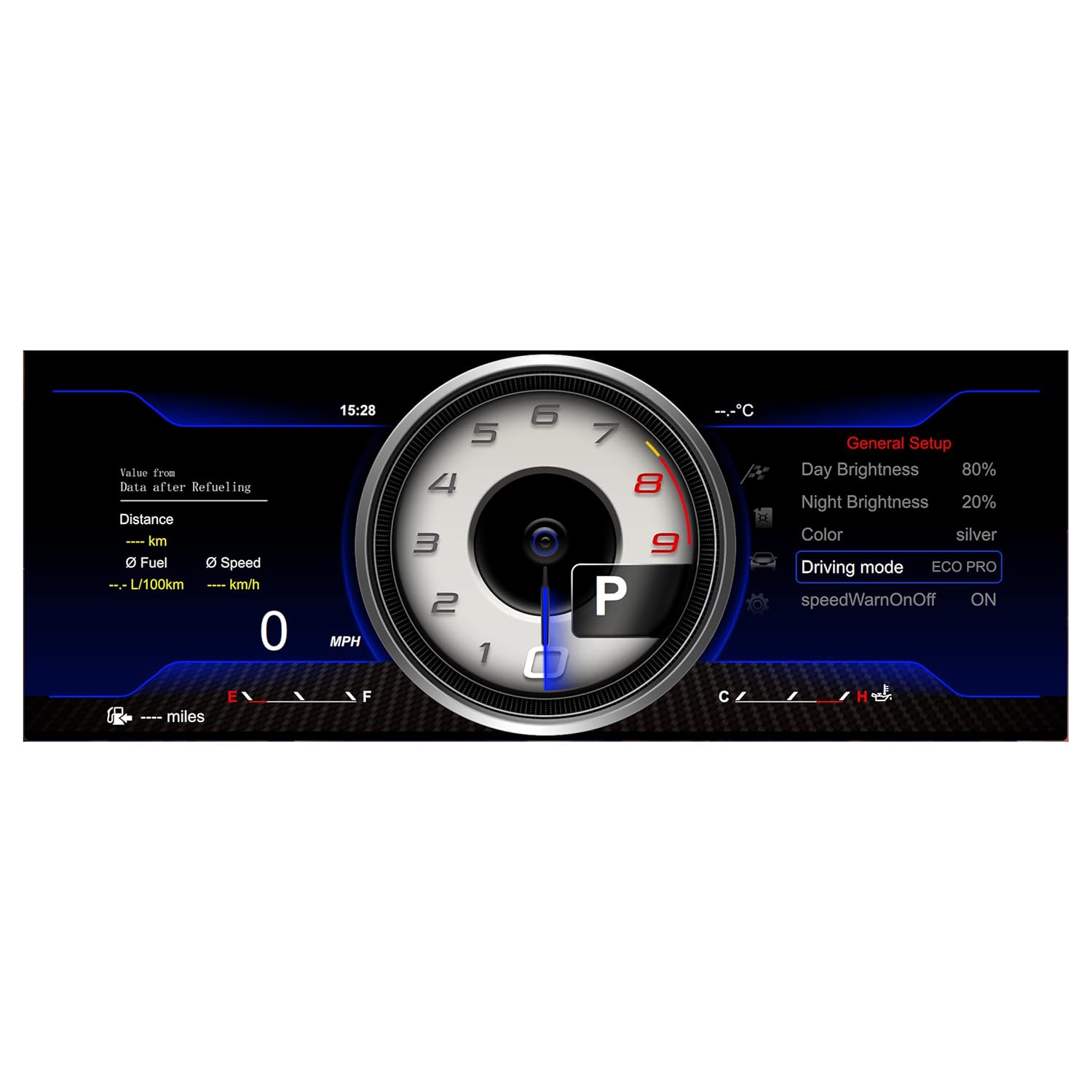
Image: The TAFFIO Digital Instrumental Cluster seamlessly integrated into a BMW X1 E84 dashboard, viewed from the driver's perspective.
5. Istruzzjonijiet Operattivi
The digital cluster retains all original functions and provides additional customization options.
5.1 Navigazzjoni u Kontroll
The speedometer is operated using the vehicle's existing BC button (Board Computer button), typically located on the turn signal stalk. Pressing the BC button allows you to scroll through menus and options. Pressing and holding the BC button selects a function or confirms a setting.

Image: Illustration showing various display themes and the operation of the BC button on the turn signal stalk to navigate the digital cluster menus.
5.2 Display Themes
The digital cluster offers multiple themes to personalize your driving experience. You can switch between these themes via the menu system using the BC button.

Image: Display showing a red-themed classic gauge layout with real-time vehicle information.

Image: Display showing a red-themed digital bar graph layout with system settings and real-time information.

Image: Display showing a blue-themed classic gauge layout with real-time vehicle information.

Image: Display showing a blue-themed digital bar graph layout with general setup options and real-time information.
5.3 Wiri ta' Informazzjoni
The cluster provides all important vehicle information at a glance, including:
- Speed (MPH/KMH)
- RPM tal-magna
- Livell tal-Fjuwil
- Temperatura tal-likwidu li jkessaħ
- Temperatura taż-Żejt
- Distance (Odometer/Trip)
- Konsum tal-Fjuwil (L/100km)
- Driving Mode (e.g., ECO PRO, SPORT+)
- Time and Ambient Temperature
- Supports Mileage and Fahrenheit (°F) Display.
6. Manutenzjoni
To ensure the longevity and optimal performance of your digital cluster, follow these maintenance guidelines:
- Tindif: Use a soft, lint-free cloth to clean the display. Avoid abrasive cleaners or solvents that could damage the screen surface.
- Aġġornamenti tas-Software: Iċċekkja perjodikament il-manifattur website for available software updates. Updates can improve performance, add features, or resolve issues. Use the provided USB cable for this purpose.
- Kundizzjonijiet Ambjentali: Avoid exposing the unit to extreme temperatures or direct sunlight for prolonged periods when the vehicle is parked.
7 Issolvi l-problemi
If you encounter issues with your TAFFIO Digital Instrumental Cluster, refer to the following common troubleshooting steps:
- Ebda Wiri/Qawwa: Ensure all connections are secure and the vehicle battery is properly connected. Check vehicle fuses related to the instrument cluster.
- Qari Skorrett: Verify that the unit is correctly installed and that no error messages are displayed. If issues persist, a software update might be required.
- Messaġġi ta' Żball: The unit is designed to operate without error or fault messages. If an error appears, consult the vehicle's diagnostic system or contact technical support.
- Kwistjonijiet ta' Funzjonalità: If certain functions are not working as expected, try restarting the vehicle. If the problem persists, consider performing a software update.
For persistent issues not resolved by these steps, please contact TAFFIO customer support.
8. Speċifikazzjonijiet
| Numru tal-Mudell | TAFC-1311 |
| Kompatibilità | BMW X1 E84 (2009-2015) |
| Installazzjoni | Plug-and-play, no coding required |
| Karatteristiċi tal-Wiri | Multiple themes, real-time vehicle data, mileage, Fahrenheit (°F) support |
| Manifattur | Real Media GmbH & Co KG |
9. Garanzija u Appoġġ
Your TAFFIO Digital Instrumental Cluster comes with a 2-year warranty from the date of purchase. Please retain your invoice or proof of purchase for warranty claims.
For technical support, warranty inquiries, or further assistance, please contact the seller, Real Media Shop, or refer to the contact information provided with your product or on the TAFFIO official websit.


