1. Introduzzjoni
Grazzi tax-xiriasing the LODADRA 20'' Low Profile Ceiling Fan with Light and Remote. This modern and space-saving ceiling fan is designed to provide optimal air circulation and adjustable lighting for various rooms, including bedrooms, living rooms, and kitchens. Equipped with a quiet DC motor and versatile features, it ensures comfort and convenience. Please read this manual thoroughly before installation and operation to ensure safe and efficient use.
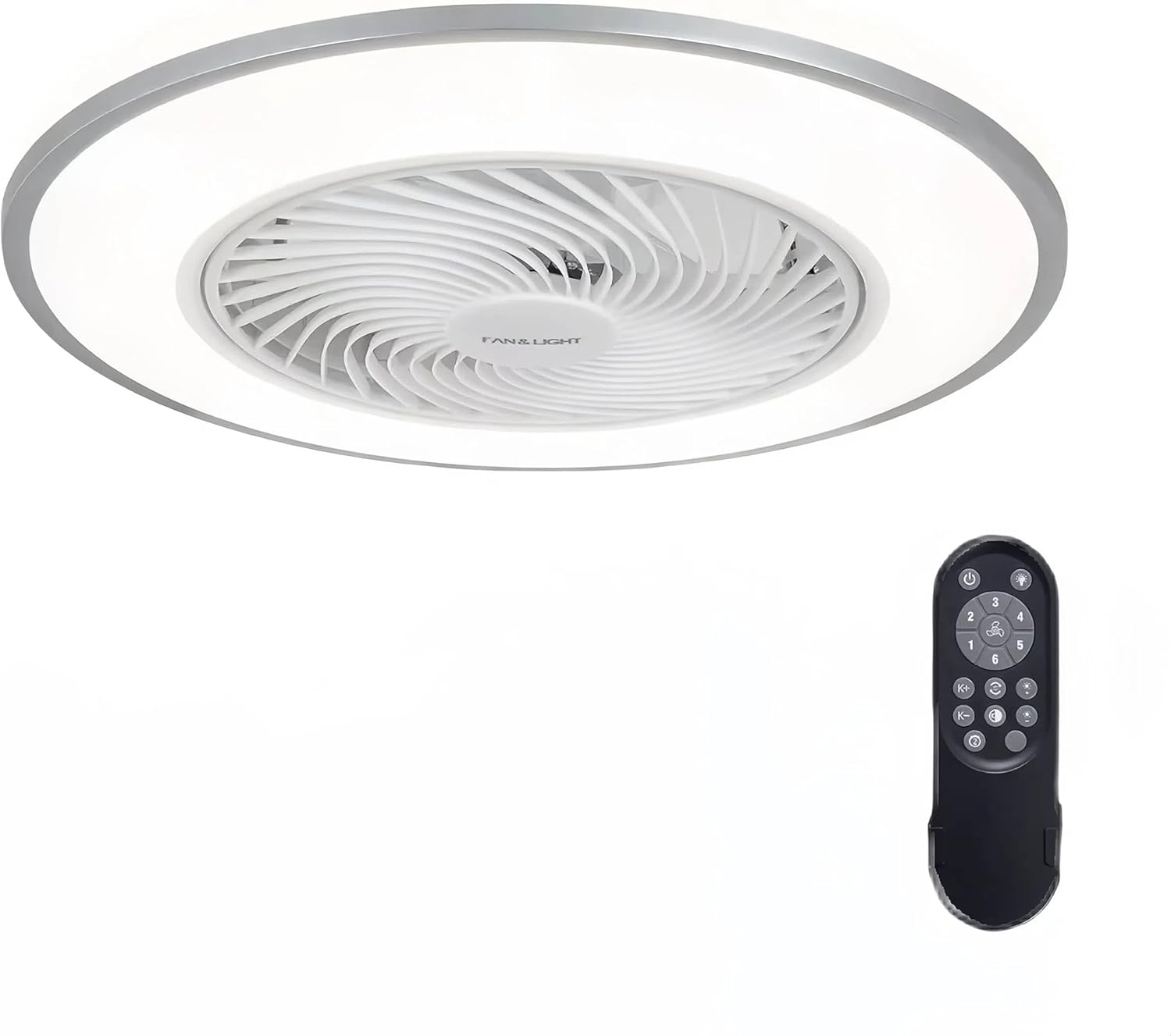
Figure 1: LODADRA 20'' Low Profile Ceiling Fan with Light and Remote.
2. Informazzjoni dwar is-Sigurtà
TWISSIJA: Biex tnaqqas ir-riskju ta’ nar, xokk elettriku, jew korriment personali, dejjem segwi dawn il-prekawzjonijiet bażiċi:
- Aqra l-istruzzjonijiet kollha qabel ma tinstalla l-fann.
- L-installazzjoni għandha ssir minn elettriċista kwalifikat.
- Ensure the power is OFF at the circuit breaker before installation or maintenance.
- Il-wajers kollha għandhom ikunu skont il-kodiċijiet elettriċi nazzjonali u lokali.
- The mounting structure must be capable of supporting the fan's weight.
- Ddaħħalx oġġetti fix-xfafar tal-fann waqt li l-fann ikun qed jaħdem.
- Żomm it-tfal u l-annimali domestiċi 'l bogħod mill-fann waqt it-tħaddim.
- Dan il-prodott huwa ddisinjat għall-użu fuq ġewwa biss.
3. Kontenut tal-Pakkett
Ivverifika li l-komponenti kollha huma preżenti u mhux imħassra qabel tibda l-installazzjoni:
- Pro baxxfile Ceiling Fan (1)
- Kontroll mill-bogħod (1)
- Installation Hardware Kit (screws, wire nuts, etc.)
- Manwal għall-Utent (dan id-dokument)
4. Speċifikazzjonijiet
| Karatteristika | Speċifikazzjoni |
|---|---|
| Brand | LODADRA |
| Isem tal-Mudell | Pro baxxfile Fann tas-Saqaf bid-Dawl |
| Numru tal-Mudell tal-Oġġett | LA04 |
| Kulur | White+Silver |
| Materjal | Ram, plastik |
| Dimensjonijiet tal-Prodott | 19.2"T x 19.2"W x 8.7"Għ |
| Daqs | 20'' |
| Sors tal-Enerġija | DC |
| Voltage | 110 Volts |
| Wattage | 36 watt |
| Tip ta' Sors tad-Dawl | LED |
| Temperatura tal-Kulur Dawl | 3000K-6000K (Warm, Neutral, White) |
| Veloċitajiet tal-fann | 6 Veloċità |
| Metodu ta' Kontroll | Kontroll mill-bogħod |
| Karatteristiċi Speċjali | Remote Controlled, LED Light, Bladeless, Reversible Blades, Memory Function, Smart Timing |
| Tip ta' Installazzjoni | Immonta bil-flus |
| Użu fuq ġewwa/barra | Ġewwa |
5. Konfigurazzjoni u Installazzjoni
The LODADRA ceiling fan is designed for semi-flush mount installation, with most functional parts pre-assembled for quick and easy setup. Ensure power is off at the circuit breaker before starting.
- Ipprepara l-Bracket tal-Immuntar: Secure the mounting bracket to the ceiling junction box using the provided screws. Ensure it is firmly attached and can support the fan's weight.
- Qabbad il-Wiring: Connect the fan's electrical wires to the household wiring according to the wiring diagram in the detailed assembly instructions. Use appropriate wire nuts to secure connections.
- Attach the Fan Body: Carefully lift the fan body and align it with the mounting bracket. Secure the fan body to the bracket using the designated screws.
- Kontrolli Finali: Once secured, ensure all connections are tight and the fan is stable. Restore power at the circuit breaker.

Figure 2: Visual guide for connecting wires and mounting the fan.
Video 1: Official installation and feature overview of the LODADRA Low Profile Ceiling Fan with Light. This video demonstrates the ease of installation and highlights key functionalities.
6. Istruzzjonijiet Operattivi
Your LODADRA ceiling fan comes with a remote control for convenient operation of all its features.
6.1. Kontroll tad-Dawl
- Power On/Off: Use the dedicated light button on the remote to turn the light on or off.
- Aġġustament tat-Temperatura tal-Kulur: Cycle through three color temperatures (3000K Warm, 4000K Neutral, 6000K White) using the remote.
- Aġġustament tal-luminożità: Adjust brightness from 10% to 100% steplessly by holding the light button.
- Funzjoni tal-memorja: The fan remembers your last light color temperature and brightness setting when turned off via the remote, restoring it upon the next power-on.

Figure 3: Demonstrates the adjustable color temperature and brightness of the LED light.

Figure 4: Stepless dimming feature allows precise control over light intensity.

Figure 5: The memory function retains your preferred light settings.
6.2. Kontroll tal-fann
- Veloċità tal-fann: Select from 6 fan speeds using the remote control to achieve your desired airflow.
- Xfafar riversibbli: The fan features a reversible motor for year-round comfort.
- Modalità tas-Sajf (Fluss tal-Arja 'l isfel): Joħloq riħ frisk.
- Modalità tax-Xitwa (Fluss tal-Arja 'l Fuq): Jiċċirkola arja sħuna maqbuda ħdejn is-saqaf.
- Issettjar tat-Timer: Utilize the sleep timer settings for automatic fan shut-off.

Figure 6: Illustration of the fan's reversible airflow for seasonal use.

Figure 7: The 6-speed fan offers various airflow options from low to high.

Figure 8: Easily switch between summer and winter modes for optimal comfort.
7. Manutenzjoni
Manutenzjoni regolari tgħin biex ittawwal il-ħajja u l-prestazzjoni tal-fann tas-saqaf tiegħek.
- Tindif: Biex tnaddaf il-fann, imsaħ b'ċarruta ratba u damp drapp. Tużax prodotti tat-tindif jew solventi li joborxu. Kun żgur li l-elettriku jkun mitfi qabel ma tnaddaf.
- It-tfarfir: Regularly dust the fan and light fixture to prevent dust buildup, which can affect performance and light output.
- Ebda Lubrikazzjoni meħtieġa: Il-mutur tal-fann huwa llubrikat b'mod permanenti u ma jeħtieġx żejt.
8 Issolvi l-problemi
If you encounter issues with your LODADRA ceiling fan, refer to the following common problems and solutions:
| Problema | Kawża Possibbli | Soluzzjoni |
|---|---|---|
| Il-fann ma jaħdimx | L-ebda enerġija għall-fann; Konnessjonijiet tal-wajers maħlula; Batterija tal-kontroll remot baxxa jew mhux imqabbda. | Check circuit breaker and wall switch; Verify all wire connections are secure; Replace remote battery or re-pair remote with fan (refer to remote pairing instructions in full manual). |
| Id-dawl ma jixgħelx | Loose wire connection to light; LED module failure; Remote control issue. | Check light wiring connections; Contact customer support if LED module is faulty; Ensure remote battery is good and remote is paired. |
| Il-fann jagħmel ħoss eċċessiv | Loose mounting screws; Internal component issue. | Tighten all mounting screws; If noise persists, contact customer support. |
| Il-kontroll mill-bogħod ma jaħdimx | Low battery; Not paired with fan; Obstruction between remote and receiver. | Replace battery; Re-pair remote with fan; Ensure clear line of sight to fan. |
9. Garanzija u Appoġġ
LODADRA products are manufactured to the highest quality standards. This product comes with a standard manufacturer's warranty covering defects in materials and workmanship. For specific warranty details, claims, or technical support, please refer to the warranty card included with your purchase or contact LODADRA customer service directly.
Servizz tal-Klijent: Please visit the official LODADRA website or contact your retailer for support information.

