1. Prodott Aktarview
The Anpviz 4MP PoE Dome Security Camera (IPC-D240W-S) is a versatile surveillance solution designed for both indoor and outdoor use. It features a 4-megapixel high-definition resolution, Power over Ethernet (PoE) for simplified installation, and a 2.8mm wide-angle lens providing a 108° field of view. Equipped with IR night vision up to 30 meters and a built-in microphone for one-way audio, this camera offers comprehensive monitoring capabilities. Its IP66 weatherproof metal housing ensures durability in various environmental conditions.
Immaġni: Fuqview of the Anpviz 4MP PoE Dome Security Camera, highlighting its dimensions and key features such as 4MP resolution, motion detection, IR night vision, built-in mic, 2.8mm lens, 1/3" CMOS sensor, H.265 compression, IP66 waterproof rating, and IK10 vandal proofing.
2. X'hemm fil-Kaxxa
Malli tiftaħ il-pakkett, jekk jogħġbok ivverifika li l-komponenti kollha li ġejjin huma inklużi:
- Anpviz 4MP PoE Dome IP Camera (IPC-D240W-S)
- Għatu li ma jgħaddix ilma minnu
- Viti ta 'installazzjoni
- Quick Operation Guide / Manual
- Warning Sticker (Video Surveillance)
- Mounting Kit (includes Allen key)
- Network Port Waterproof Kit
- Karta tas-Servizz

Image: A visual representation of all items included in the Anpviz 4MP PoE Dome Security Camera package, laid out on a white surface.
3. Setup u Installazzjoni
3.1 Metodi ta' Konnessjoni
The Anpviz 4MP PoE Dome Security Camera offers flexible connection options:
- Connect via Anpviz NVR PoE: Connect the camera directly to an Anpviz Network Video Recorder (NVR) with PoE ports using an Ethernet cable. The NVR will provide both power and data.
- Qabbad permezz tal-Provvista tal-Enerġija DC12V: Use a standard DC12V power adapter (not included) to power the camera, and connect it to your router via an Ethernet cable for data.
- Qabbad permezz ta' PoE Injector jew PoE Switch: Use a PoE injector or a PoE switch to provide power and data to the camera through a single Ethernet cable, then connect the injector/switch to your router.
Video: This video demonstrates three different methods to connect your Anpviz Uprime Series PoE IP Camera: directly to an NVR, using a DC12V power supply, or via a PoE injector/switch.

Image: A detailed diagram illustrating how to connect the Anpviz PoE camera to an NVR system, including connections for monitor, mouse, router, and power.
3.2 Installazzjoni tas-Softwer u Konfigurazzjoni Inizjali
Li jamministra u view your camera, you will need to install the appropriate software:
- Niżżel is-softwer: Żur is-Sigurtà tal-Anpviz websit (www.anpvizsecurity.com) and navigate to the 'Download' section. Download the 'SearchTool' and 'LMS Client' software for your operating system (Windows/Mac).
- Find Camera IP Address: Use the 'SearchTool' to discover your camera's IP address on your local network.
- Aċċess Camera Web Interface: Iftaħ a web browser (e.g., Firefox, Google Chrome, Edge) and enter the camera's IP address to log in. The default username and password can be found in your user manual.
- P2P Setup for Mobile App: Fil-kamera web interface, navigate to the 'Configuration' > 'Network' > 'P2P' section. Enable P2P and locate the QR code.
- Add Camera to Mobile App: Download the 'Danale' mobile app (available on Google Play and App Store). In the app, select to add a new device and scan the QR code displayed on the camera's web interface. Follow the on-screen prompts to name your device and complete the setup.
Video: This video provides a step-by-step guide on how to add your Anpviz camera to the Danale mobile application for live preview u aċċess mill-bogħod.
4. Operazzjoni
4.1 Ħaj View
Once your camera is set up and connected, you can access the live video feed through the Danale mobile app or the LMS Client software on your PC. This allows for real-time monitoring of your premises.

Immaġni: Utent viewing live camera footage on a smartphone, demonstrating remote access capabilities via the VideoLink mobile app and LMS/VideoLink PC client.
4.2 Sejbien tal-Moviment
The camera features real-time motion detection. When movement is detected within the camera's field of view, an alert is triggered. You can configure the system to send alarm notifications directly to your smartphone via the VideoLink app or to your PC.

Image: An illustration of the camera's smart human detection feature, showing a person highlighted in the camera's view and corresponding alert notifications on a smartphone.
Viżjoni bil-Lejl 4.3 IR
The camera is equipped with infrared (IR) night vision, providing clear surveillance even in low-light or complete darkness. The IR night vision range extends up to 30 meters, ensuring continuous monitoring around the clock.

Image: A split image comparing the camera's view during daytime (color) and nighttime (black and white with IR illumination), demonstrating its night vision capabilities.
4.4 Reġistrazzjoni tal-Awdjo
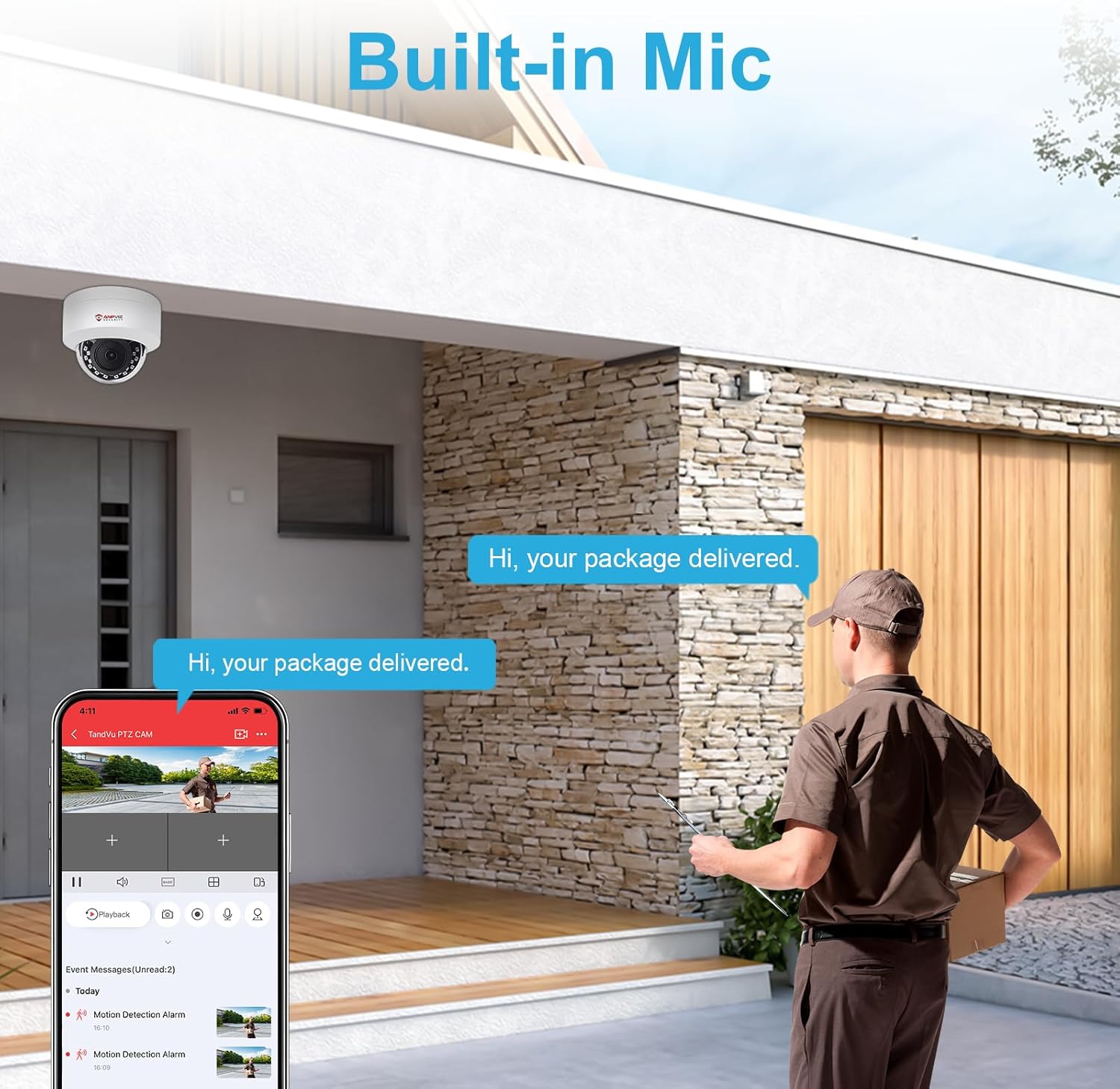
A built-in microphone allows for one-way audio recording, capturing sound from the camera's vicinity. This feature can provide additional context to video footage.

Image: An illustration showing the camera's built-in microphone capturing audio, with a delivery person speaking and the sound being heard through a smartphone app.
5. Manutenzjoni
5.1 Reżistenza għat-Temp
The Anpviz 4MP PoE Dome Security Camera features an IP66 weatherproof metal housing, making it suitable for outdoor use. It is designed to withstand extreme temperatures, dust, and rain, ensuring reliable operation in various weather conditions.
Video: This video demonstrates the IP66 waterproof rating of the Anpviz camera, showing it functioning effectively under rain and snow, and its resistance to extreme temperatures.

Image: The Anpviz camera shown with icons representing sunny, rainy, and snowy conditions, along with a temperature range, indicating its IP66 weatherproof capabilities.
5.2 Tindif
To ensure optimal performance and image clarity, periodically clean the camera lens and housing. Use a soft, damp drapp biex timsaħ it-trab u l-ħmieġ. Evita li tuża kimiċi ħarxa jew materjali li joborxu li jistgħu jagħmlu ħsara lill-lenti jew lill-finitura.
6 Issolvi l-problemi
- Ebda Immaġni/Vidjo: Check all cable connections (Ethernet, power). Ensure the camera is receiving power and the network connection is active. Verify the camera's IP address and network settings using the SearchTool.
- Kwalità Fqira tal-Immaġni: Ensure the lens is clean and free from obstructions. Check network bandwidth if streaming is choppy. Adjust camera settings for resolution and compression if necessary.
- Is-Sejbien tal-Moviment Mhux Taħdim: Verify that motion detection is enabled in the camera's configuration. Adjust sensitivity settings and detection zones to suit your environment.
- Cannot Access Camera Remotely: Ensure P2P is enabled and showing an 'Online' status in the camera's web interface. Check your router's internet connection. Verify that the Danale app is correctly configured and the camera is added.
- Camera Not Found by SearchTool: Ensure the camera and the computer running SearchTool are on the same local network segment. Temporarily disable any firewall software on your computer that might block network discovery.
7. Speċifikazzjonijiet
| Karatteristika | Dettall |
|---|---|
| Numru tal-Mudell | IPC-D240W-S |
| Riżoluzzjoni | 4MP (2560x1440) |
| Lenti | Lenti Fissa 2.8mm |
| ViewIng Angolu | 108 Grad |
| Medda tal-Viżjoni Lejl | 30 Meters (IR) |
| Awdjo | Mikrofonu integrat (awdjo f'direzzjoni waħda) |
| Reżistenza għat-temp | IP66 (Li ma jgħaddix ilma) |
| Materjal | Djar tal-metall |
| Konnettività | Bil-fili (Ethernet, PoE) |
| Provvista tal-Enerġija | PoE (Power over Ethernet) or DC12V (Adapter not included) |
| Temperatura operattiva | -20°C sa 60°C (-4°F sa 140°F) |
| Dimensjonijiet (L x W x H) | 52 x 52 x 25 ċm |
| Piż | 580 g |
| Ċertifikazzjonijiet | CE, FCC, RoHS, UKCA |
8. Garanzija u Appoġġ
Anpviz products come with a standard manufacturer's warranty. For detailed warranty information, technical support, or service inquiries, please refer to the official Anpviz Security webis-sit jew ikkuntattja lis-servizz tal-konsumatur tagħhom direttament. Żomm l-irċevuta tax-xiri tiegħek għal talbiet ta' garanzija.
Riżorsi onlajn:
- Uffiċjali Websit: www.anpvizsecurity.com
- Support Center: Check the website for FAQs, troubleshooting guides, and firmware updates.


