Introduzzjoni
This manual provides detailed instructions for the operation and maintenance of your Hoco HC9 Dazzling Pulse Sports Wireless Speaker. Please read this manual carefully before use to ensure proper functionality and extend the product's lifespan.
Informazzjoni dwar is-Sigurtà
- Tesponix l-ispiker għal temperaturi estremi, umdità, jew dawl tax-xemx dirett.
- Evita li twaqqa’ jew tissuġġetta lill-kelliem għal impatti qawwija.
- Tiżżarmax, issewwiex, jew timmodifikax l-ispiker int stess. Irreferi għal persunal tas-servizz kwalifikat.
- Żomm fejn ma jintlaħaqx mit-tfal.
- Uża biss il-volum tal-iċċarġjar speċifikattage u kurrenti.
Kontenut tal-Pakkett
- Hoco HC9 Wireless Speaker
- Kejbil tal-Iċċarġjar (USB)
- Manwal għall-Utent
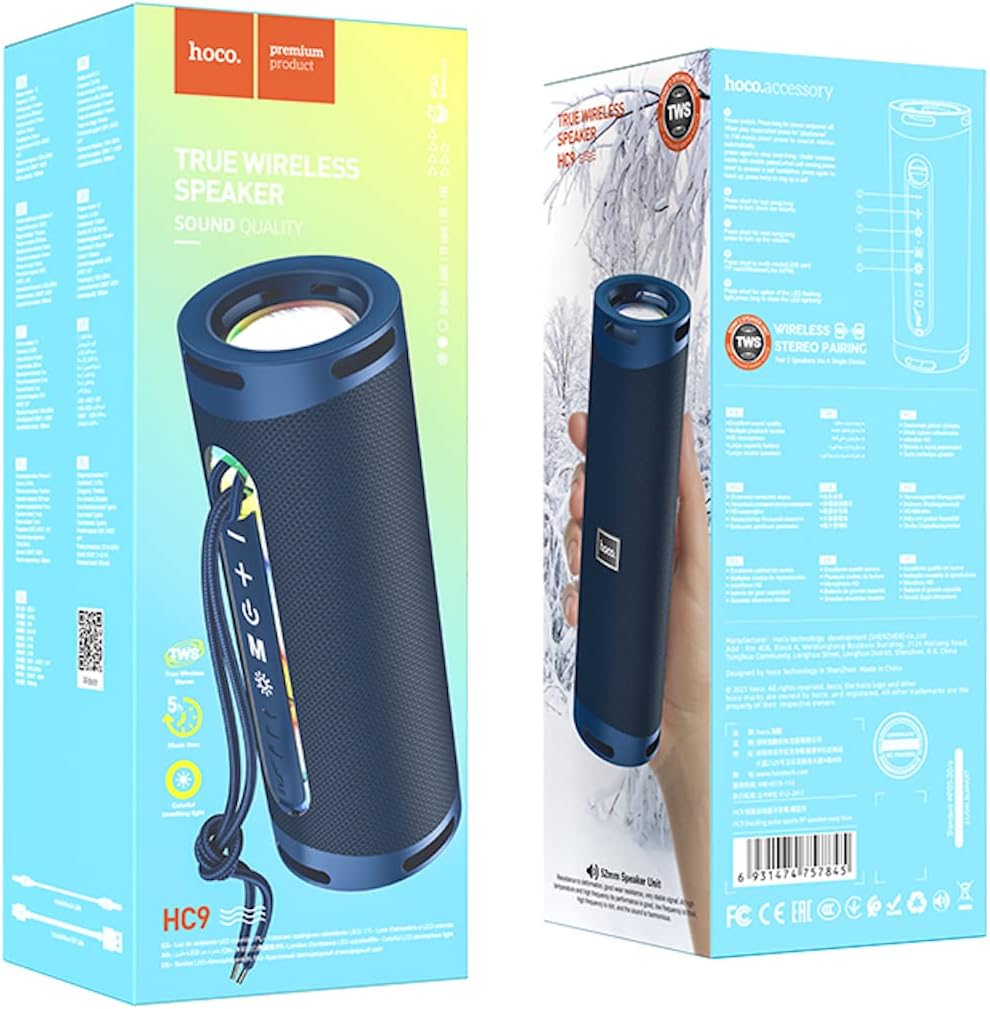
Image: The retail packaging of the Hoco HC9 speaker, illustrating the speaker itself, the included charging cable, and the user manual.
Prodott Overview
Iffamiljarizza ruħek mal-komponenti u l-kontrolli tal-ispiker.
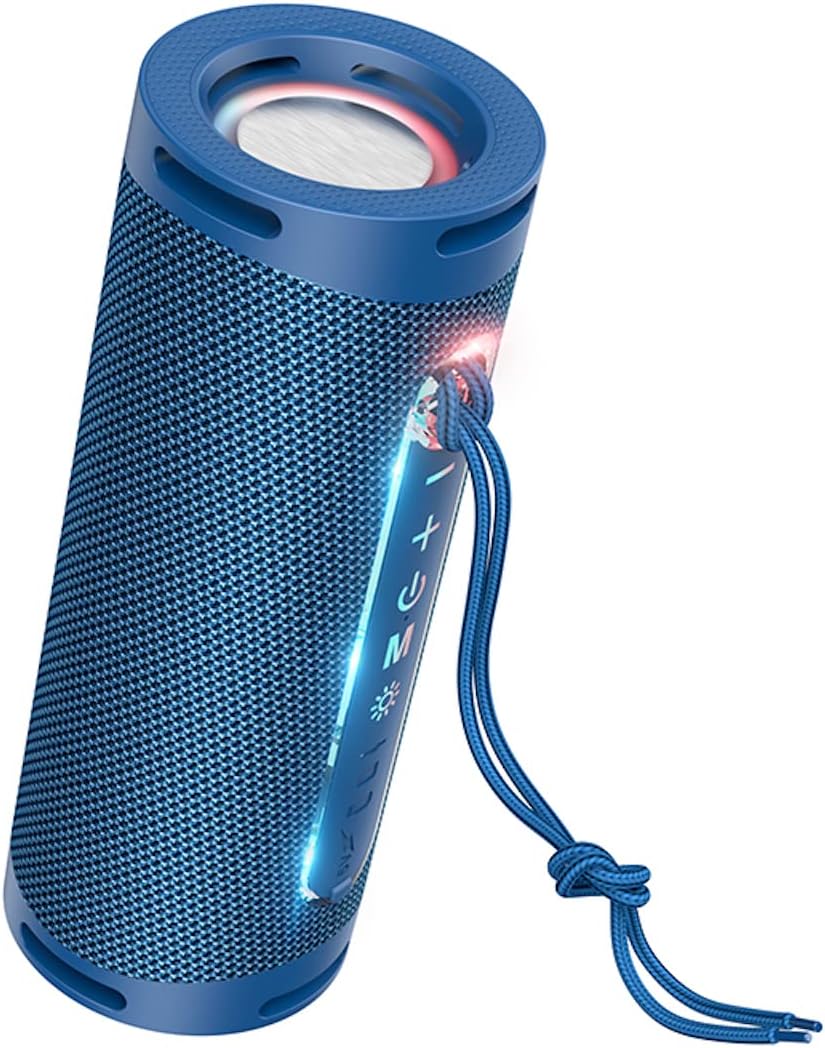
Immaġni: Dettaljata view of the Hoco HC9 speaker, highlighting its control panel with buttons for power, volume, mode, and playback, along with visible ports.
Kontrolli u Portijiet
- Buttuna tal-Qawwa: Agħfas u żomm biex tixgħel/itfi.
- Buttuna Play/Pause: Agħfas biex tilgħab jew twaqqaf il-mużika.
- Buttuna tal-Volum 'il Fuq / tat-Trakka li Jmiss: Agħfas qasir biex tgħolli l-volum, agħfas twil għat-trakka li jmiss.
- Buttuna Volum 'l isfel / Trakka Preċedenti: Agħfas qasir biex tnaqqas il-volum, agħfas twil għat-trakka ta' qabel.
- Buttuna tal-Modalità (M): Press to switch between Bluetooth, TF card, USB, and AUX modes.
- Port tal-Iċċarġjar: Għall-konnessjoni tal-kejbil tal-iċċarġjar USB.
- Slott tal-Karta TF: Għal karti MicroSD.
- Port tal-USB Flash Drive: For USB drives.
- Port AUX: Għal konnessjoni awdjo bil-fili.
- Indikatur LED: Shows power, charging, and connection status.
Setup
Iċċarġjar Inizjali
Qabel l-ewwel użu, iċċarġja l-ispiker kompletament.
- Qabbad il-kejbil tal-iċċarġjar USB ipprovdut mal-port tal-iċċarġjar tal-ispiker.
- Qabbad it-tarf l-ieħor tal-kejbil ma' adapter tal-enerġija USB (5V/1A rakkomandat) jew mal-port USB tal-kompjuter.
- The LED indicator will show charging status (e.g., red light while charging, off when fully charged).
- Il-ħin tal-iċċarġjar huwa madwar sagħtejn.
Qawwa mixgħul/mitfi
Press and hold the Power button for 3 seconds to turn the speaker on or off. A prompt sound will indicate the status.
Istruzzjonijiet Operattivi
Tqabbil tal-Bluetooth
- Ixgħel l-ispiker. Dan jidħol awtomatikament fil-modalità ta' tqabbil Bluetooth, indikat minn LED li jteptep.
- Fuq l-apparat tiegħek (smartphone, tablet, eċċ.), attiva l-Bluetooth u fittex apparati disponibbli.
- Select "Hoco HC9" from the list of found devices.
- Once paired, the LED indicator will stop flashing and a confirmation sound will play.
- The speaker will automatically connect to the last paired device when turned on, if within range.
Modalità TF Card
Insert a TF (MicroSD) card with MP3 audio files fl-islott tal-kard tat-TF. L-ispiker awtomatikament jaqleb għall-modalità tal-kard tat-TF u jibda d-daqq.
Modalità USB Flash Drive
Daħħal flash drive USB b'awdjo MP3 files into the USB port. The speaker will automatically switch to USB mode and begin playback.
Modalità AUX
Connect one end of a 3.5mm audio cable (not included) to the speaker's AUX port and the other end to the audio output of your device. The speaker will automatically switch to AUX mode.
Funzjoni TWS (True Wireless Stereo)
The TWS function allows you to pair two Hoco HC9 speakers together for a stereo sound experience.
- Ensure both Hoco HC9 speakers are turned off.
- Turn on both speakers. They should both be in Bluetooth pairing mode.
- On one of the speakers (this will be the primary speaker), double-press the Mode (M) button. You will hear a prompt sound indicating TWS pairing mode.
- Iż-żewġ kelliema jikkonnettjaw ma' xulxin awtomatikament. Ladarba jkunu konnessi, l-LED tal-kelliem primarju jteptep, u l-LED tal-kelliem sekondarju jixgħel b'mod solidu.
- Issa, qabbad it-tagħmir tiegħek mal-ispiker primarju permezz tal-Bluetooth kif deskritt fit-taqsima "Bluetooth Pairing".
- L-awdjo issa se jindaqq b'mod stereo miż-żewġ kelliema.

Image: Two Hoco HC9 speakers, one in navy blue and another in white, positioned on a wooden table, illustrating the True Wireless Stereo (TWS) capability.
Manutenzjoni
Tindif
Uża drapp artab u niexef biex tnaddaf il-wiċċ tal-ispiker. Tużax prodotti tat-tindif li joborxu, alkoħol, jew solventi kimiċi.
Ħażna
Meta ma tkunx qed tużah għal perjodi twal, aħżen l-ispiker f'post frisk u niexef 'il bogħod mix-xemx diretta u minn temperaturi estremi.
Issolvi l-problemi
- Ebda Qawwa: Kun żgur li l-ispiker huwa ċċarġjat. Qabbad ma' sors ta' enerġija u erġa' pprova.
- Ebda Ħsejjes: Check the volume level on both the speaker and your connected device. Ensure the correct mode (Bluetooth, AUX, etc.) is selected.
- Ma nistax nikkonnettja l-Bluetooth: Ensure the speaker is in pairing mode. Turn off and on the Bluetooth on your device. Clear previous pairings on your device and try again. Ensure no other devices are connected to the speaker.
- Kwalità tal-Ħoss Fqira: Move the speaker closer to your Bluetooth device. Check for interference from other electronic devices. Try a different audio source.
- Falliment ta' Tqabbil tat-TWS: Ensure both speakers are Hoco HC9 models. Make sure both are in Bluetooth pairing mode before initiating TWS pairing. Try resetting both speakers.
Speċifikazzjonijiet
- Mudell: HC9
- Dimensjonijiet: 196 x 74 x 74 mm
- Piż: 487g
- Verżjoni Bluetooth: 5.1
- Ċippa Bluetooth: JL AC6965E
- Kapaċità tal-batterija: 1800mAh
- Ħin tal-Iċċarġjar: Madwar sagħtejn
- Music/Talk Time: Sa 5 sigħat
- Unità tal-Ispeaker: 52mm * 2
- Output tal-Enerġija: 5W * 2 (Total 10W)
- Modi appoġġjati: Bluetooth, TF card, USB flash drive, AUX, TWS
- Karatteristiċi Speċjali: Built-in colorful ambient light
Garanzija u Appoġġ
For warranty information and technical support, please refer to the official HOCO webis-sit jew ikkuntattja lid-distributur lokali tiegħek. Żomm l-irċevuta tax-xiri tiegħek bħala prova tax-xiri.


