1. Informazzjoni Importanti dwar is-Sigurtà
Please read all safety instructions carefully before using the BYINTEK P70 Smart WiFi Projector. Keep this manual for future reference.
- Sors tal-Enerġija: Uża biss l-adapter tal-enerġija pprovdut. Kun żgur li l-volumtage jaqbel mar-rekwiżiti tal-proġettazzjoni.
- Sigurtà tal-batterija: The projector contains a built-in lithium-ion battery. Do not expose to extreme temperatures, puncture, or disassemble.
- Ventilazzjoni: Kun żgur li l-ventilazzjoni madwar il-proġettazzjoni hija xierqa biex tevita li ssaħħan iżżejjed. Timblokkax il-fetħiet tal-ventilazzjoni.
- Sħana: The projector may become warm during operation. This is normal. Avoid touching the lens or vents immediately after use.
- Espożizzjoni għad-dawl: Tħarisx direttament fil-lenti tal-proġettazzjoni meta tkun qed taħdem.amp ikun mixgħul, għax id-dawl qawwi jista’ jikkawża għeja jew ħsara lill-għajnejn.
- Ilma u Umdità: Żomm il-proġettur 'il bogħod mill-ilma, ix-xita, u l-umdità eċċessiva. Tħaddimx b'idejn imxarrbin.
- Tindif: Skonnettja l-provvista tal-enerġija qabel it-tindif. Uża drapp artab u niexef. Tużax prodotti tat-tindif likwidi jew aerosol.
- Tfal: Żomm il-proġettur u l-aċċessorji tiegħu fejn ma jintlaħqux mit-tfal.
2. Prodott Aktarview
The BYINTEK P70 is a portable smart DLP projector designed for versatile entertainment and presentation needs. It features an 8000mAh built-in battery, Android 9.0 operating system, auto-focus, and 3D support.
2.1 Kontenut tal-Pakkett
- BYINTEK P70 Projector x 1
- Kontroll mill-bogħod x 1
- Adapter tal-Enerġija x 1
- Mini Tripod x 1
- Bag tal-Ħażna x 1
- Manwal għall-Utent x 1
2.2 Karatteristiċi ewlenin
- Disinn portabbli: Kompatt u ħfief għal trasport faċli.
- Batterija inkorporata: 8000mAh battery provides 1.5 to 3 hours of playback.
- Smart Android OS: Android 9.0 for app downloads, online streaming, and gaming.
- Auto-Focus: Automatic focus adjustment for clear images.
- Korrezzjoni Keystone 6D: Advanced keystone correction for flexible placement.
- Appoġġ 3D: Enjoy immersive 3D content.
- Konnettività Wireless: Supports wireless screen mirroring from Android, iOS, and PC devices.
- Konnettività bil-fili: USB data cable sync for iOS and select Android devices.
- Daqs tal-Projezzjoni Kbir: Sa 200 pulzier.
- 4K Playback: Supports up to 4K video input.
- LED twil Lamp Ħajja: 30,000 sigħat.
- Kelliema Stereo Doppji: Integrated 2x5W speakers for clear audio.

Image: Infographic detailing the BYINTEK P70's features including 4K support, DLP display, 6D keystone, 8000mAh battery, 3D, Type-C charge, 2G+32G memory, Android OS, and stereo speakers.
3. Setup
3.1 Charging the Projector
Before first use, fully charge the projector. Connect the provided power adapter to the projector's Type-C port and plug it into a power outlet. The charging indicator will show the charging status.

Image: The BYINTEK P70 projector connected to a power bank via a Type-C cable, illustrating its portable charging capability.
3.2 Tqegħid Inizjali
Poġġi l-proġettur fuq wiċċ stabbli u ċatt. Għal użu ottimali viewing, position it directly in front of your projection screen or wall. The included mini tripod can be used for angle adjustments.
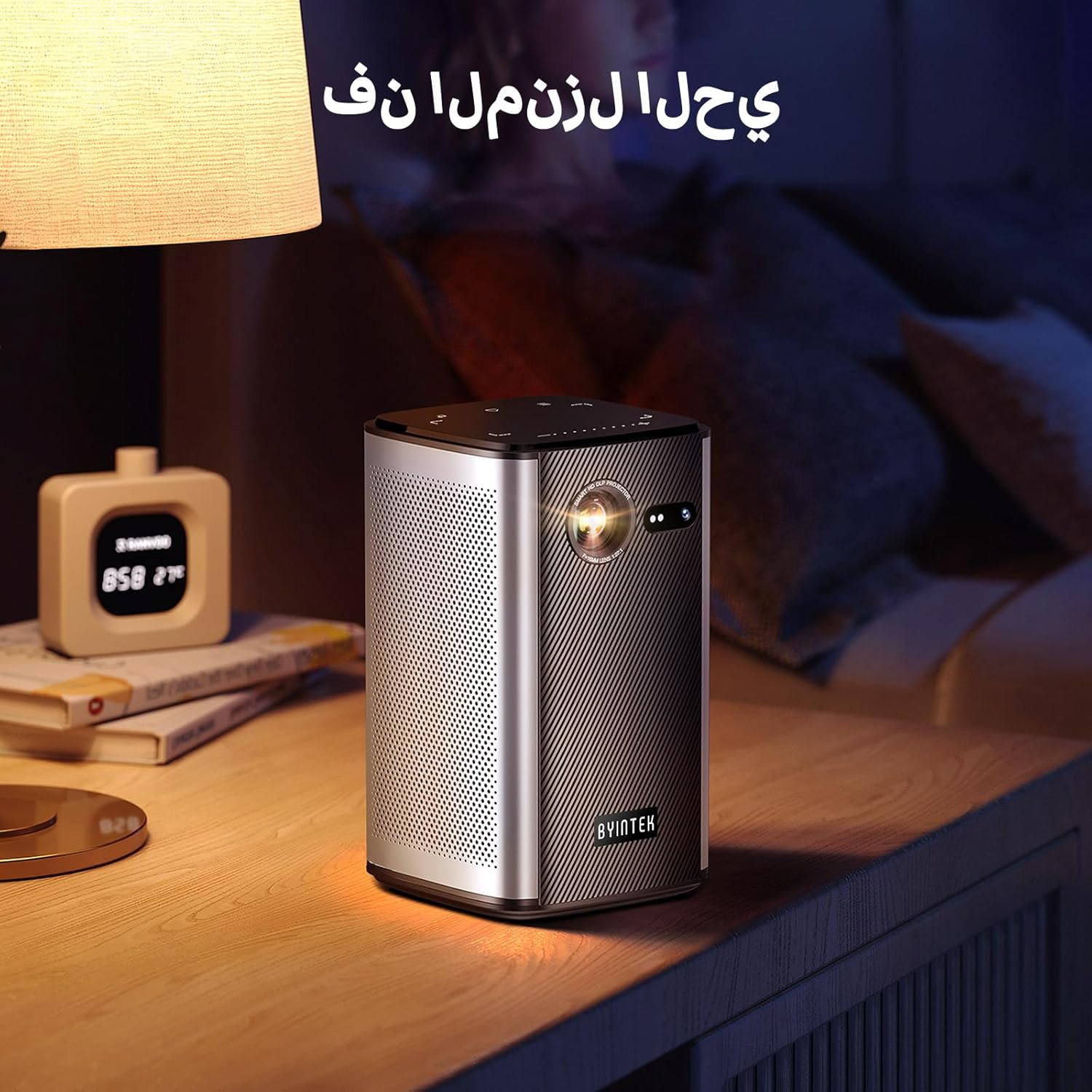
Image: The BYINTEK P70 projector placed on a bedside table, ready for indoor use.
3.3 Tixgħel/Jitfi
Press and hold the power button on the projector or remote control to turn the device on or off.
3.4 Korrezzjoni tal-Fokus u l-Keystone
The BYINTEK P70 features automatic focus. For keystone correction, navigate to the settings menu using the remote control. The 6D keystone correction allows for precise image adjustment, even with side projection.

Image: A visual representation of the projector's auto-focus feature, showing a clear image projected onto a wall.
4. Istruzzjonijiet Operattivi
4.1 Navigazzjoni tas-sistema operattiva Android
Use the remote control to navigate the Android 9.0 interface. The home screen provides access to pre-installed apps and settings. You can download additional applications from the app store.

Image: The projector displaying its Android operating system interface with various application icons like Miracast, Settings, AirPlay, Market, File Explorer, YouTube, and Netflix.
4.2 Mirroring tal-Iskrin mingħajr Fili
The projector supports wireless screen mirroring for Android, iOS, and PC devices. Access the 'Miracast' or 'AirPlay' app on the projector's home screen and follow the on-screen instructions to connect your device.
4.3 Wired Screen Mirroring
For iOS devices and some Android devices, you can use a USB data cable for wired screen synchronization. Connect your device to the projector's USB port using its original data cable.
4.4 3D Playback
The BYINTEK P70 supports 3D content. To enjoy 3D movies, ensure your media file is in a compatible 3D format (e.g., Blu-ray 3D, SBS, TNB) and use active shutter 3D glasses (sold separately).

Image: A family wearing 3D glasses, enjoying a 3D movie projected by the BYINTEK P70, showcasing its 3D capability.
4.5 Żum Diġitali
Adjust the image size from 50% to 100% using the digital zoom function on the remote control. This allows you to fit the image perfectly to your screen without moving the projector.
5. Manutenzjoni
5.1 Tindif tal-Lenti
Uża drapp artab u mingħajr suf iddisinjat speċifikament għal lentijiet ottiċi biex timsaħ bil-mod il-lenti tal-proġettazzjoni. Evita li tuża materjali li joborxu jew kimiċi ħarxa.
5.2 Tindif ta' barra
Wipe the exterior of the projector with a soft, dry cloth. Do not use liquid cleaners or sprays directly on the device.
5.3 Ħażna
When not in use, store the projector in a cool, dry place, away from direct sunlight and extreme temperatures. Use the provided storage bag to protect it from dust and scratches.
5.4 Kura tal-Batterija
Biex ittawwal il-ħajja tal-batterija, evita li tiċċarġja kompletament il-batterija ta' spiss. Jekk taħżinha għal perjodu estiż, iċċarġja l-batterija sa madwar 50% u erġa' iċċarġjaha kull ftit xhur.
6 Issolvi l-problemi
| Problema | Kawża Possibbli | Soluzzjoni |
|---|---|---|
| L-ebda immaġni pproġettata | Projector not powered on; input source not selected; cable not connected. | Ensure projector is on. Select correct input source (HDMI, USB, Wireless). Check cable connections. |
| L-immaġni hija mċajpra | Out of focus; projector too close/far from screen; lens dirty. | Allow auto-focus to adjust. Adjust projector distance. Clean the lens. |
| Il-kontroll mill-bogħod ma jaħdimx | Batteries low/dead; remote not paired; obstruction. | Replace remote batteries. Ensure line of sight to projector's IR receiver. Re-pair remote if necessary (refer to specific pairing instructions in the full manual). |
| L-ebda ħoss | Volume too low; external audio device connected; audio format not supported. | Increase projector volume. Disconnect external audio devices. Check audio format compatibility. |
| Wireless mirroring issues | Poor Wi-Fi signal; device compatibility; firewall settings. | Ensure strong Wi-Fi signal. Check device compatibility with Miracast/AirPlay. Disable firewalls temporarily for testing. |
| Il-proġekter iżżejjed | Blocked ventilation; prolonged use in hot environment. | Kun żgur li l-ventijiet huma nodfa. Ħaddem f'żona ventilata sew. Ħalli l-proġettur jiksaħ. |
7. Speċifikazzjonijiet
| Karatteristika | Speċifikazzjoni |
|---|---|
| Brand | BYINTEK |
| Numru tal-Mudell | P70 |
| Dimensjonijiet tal-Prodott | 8.2 x 8.2 x 14.2 ċm |
| Piż tal-oġġett | 1.58 Kilogrammi |
| Batterija | 1 Lithium Ion battery (included), 8000mAh, 29.6 Wh |
| Sistema Operattiva | Android |
| Riżoluzzjoni tal-Wiri | 960 x 540 |
| Riżoluzzjoni Massima tal-Wiri | 4K Ultra HD Megapixel |
| Teknoloġija tal-Konnettività | Wi-Fi |
| Karatteristiċi Speċjali | Auto-focus, 3D Ready, Built-in Wi-Fi Receiver |
| Użi Rakkomandati | Home Cinema |
| Tip ta 'Wiri | DLP |
| Fattur tal-Formola | Portabbli |
| Tip ta 'Immuntar | Tripod Mount |
| Portijiet USB 3.0 | 1 |
| Portijiet HDMI | 1 |
| Voltage | 12 Volts |
| Wattage | 25 Watts |
| Sors tal-Enerġija | AC & Battery |
8. Garanzija u Appoġġ
The BYINTEK P70 Smart WiFi Projector comes with a standard manufacturer's warranty. For specific warranty details, please refer to the warranty card included in your product packaging or contact BYINTEK customer support.
If you encounter any issues or have questions regarding your projector, please contact BYINTEK customer support through their official website or the contact information provided in your product documentation. Please have your model number (P70) and purchase details ready when contacting support.


