1. Introduzzjoni
Thank you for choosing the WiMiUS 5G WiFi Bluetooth Projector. This projector is designed to provide a superior home cinema experience with its native 1080P Full HD resolution, 4K support, and high brightness of 10000 lumens. Featuring advanced 5G WiFi and Bluetooth 5.1 connectivity, along with versatile image adjustment options like 4D keystone correction and zoom, it offers flexibility and ease of use for various entertainment and professional needs.
Please read this manual thoroughly before operating the projector to ensure proper use and optimal performance.
2. Kontenut tal-Pakkett
Malli tiftaħ il-pakkett, jekk jogħġbok ivverifika li l-oġġetti kollha li ġejjin huma inklużi:
- WiMiUS 5G WiFi Bluetooth Projector
- Kejbil tal-Enerġija
- Cable HDMI
- Kontroll mill-bogħod (batteriji mhux inklużi)
- Borża tal-Ġarr Portabbli
- Manwal għall-Utent
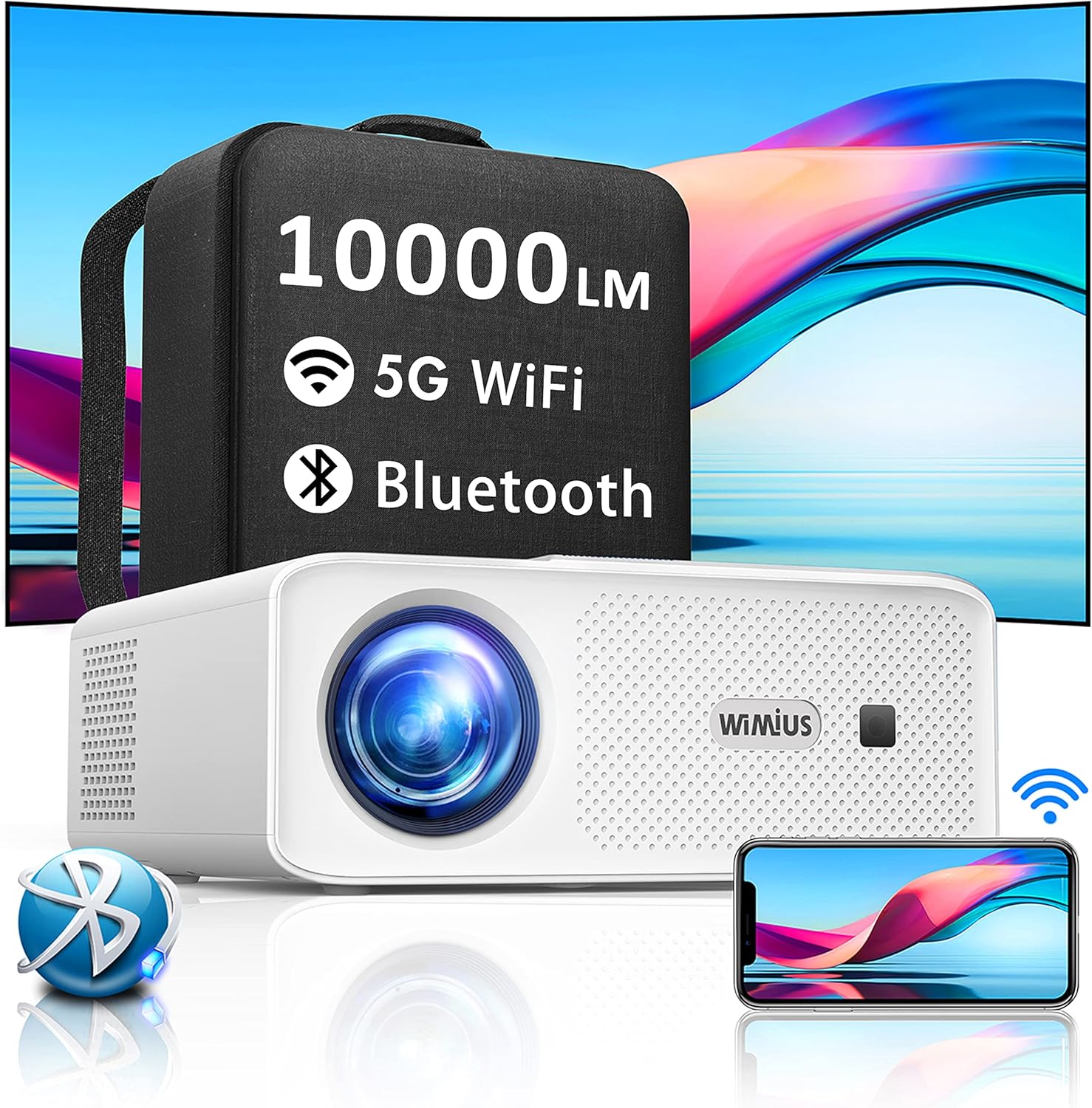
Image: The WiMiUS 5G WiFi Bluetooth Projector shown with its portable carrying bag, highlighting its 10000 Lumens, 5G WiFi, and Bluetooth capabilities.
3. Prodott Aktarview u Komponenti
Iffamiljarizza ruħek mad-diversi partijiet tal-proġettazzjoni tiegħek:
Quddiem View:
- Lenti tal-Projezzjoni
- Riċevitur infrared
Wara View (Portijiet):
- HDMI Port: For connecting devices like laptops, gaming consoles (PS4/PS5), TV sticks.
- USB Port: For connecting USB drives.
- VGA Port: For connecting older computers.
- 3.5mm Audio Output: For connecting external speakers or headphones.
- Input tal-Enerġija
Fuq View (Controls):
- Focus Ring: Adjusts image clarity.
- Keystone Correction Dial/Buttons: Adjusts image shape.
- Buttuni tan-Navigazzjoni
- Buttuna tal-Qawwa
Qiegħ View:
- Marda Aġġustabbli
- Tripod/Ceiling Mount Thread (standard threaded fittings)
4. Setup
4.1 Tqegħid
Choose a flat, stable surface for the projector. Ensure there is adequate ventilation around the unit. The projector can be placed on a table, mounted on a tripod, or ceiling-mounted using the standard threaded fittings on its base.
4.2 Konnessjoni tal-Enerġija
- Qabbad il-kejbil tal-enerġija mal-port tad-dħul tal-enerġija tal-proġettazzjoni.
- Ipplaggja t-tarf l-ieħor tal-kejbil tad-dawl fi żbokk tad-dawl.
- Agħfas il-buttuna tal-qawwa fuq il-proġettazzjoni jew fuq il-kontroll remot biex tixgħelu.
5. Istruzzjonijiet Operattivi
5.1 Initial Image Adjustment
- Fokus: Rotate the focus ring on the projector until the projected image appears clear and sharp.
- Keystone Correction (4D): If the image appears trapezoidal, use the 4D keystone correction function. This allows for horizontal and vertical adjustment (up to ±50°) to make the image rectangular, even if the projector is not perfectly centered. Access this setting via the projector's menu or dedicated buttons.
- Funzjoni Żum: The projector features a zoom function (100% to 50%) to adjust the screen size without moving the projector. This is particularly useful for ceiling projection. Adjust this setting via the projector's menu.

Image: Illustration of the 4D keystone correction and 50% zoom function, demonstrating how to achieve a perfectly rectangular image and adjust screen size.

Image: A visual comparison highlighting the superior color gamut and clarity of the WiMiUS projector's native 1080P, 10000 Lumens, and 15000:1 contrast ratio compared to another projector.
5.2 Apparat li jgħaqqad
5.2.1 Konnessjonijiet bil-Wajers
The projector supports various wired inputs:
- HDMI: Connect your laptop, Blu-ray player, gaming console (PS4/PS5), or TV stick using an HDMI cable. Select the HDMI input source from the projector's menu.
- USB: Daħħal flash drive tal-USB biex tilgħab il-midja files directly. Select the USB input source.
- VGA: Connect older computers using a VGA cable. Select the VGA input source.
- 3.5mm Awdjo Out: Qabbad kelliema esterni jew headphones għal awdjo mtejjeb.
5.2.2 Wireless Connections (WiFi & Bluetooth)
The projector features dual-band 4G and 5G WiFi, and Bluetooth 5.1 for seamless wireless connectivity.
5.2.2.1 WiFi Screen Mirroring
Mirror your smartphone, tablet, or Windows 10 device screen wirelessly to the projector.
- Ensure your projector and device are connected to the same WiFi network.
- On the projector, select the 'Screen Mirroring' or 'Wireless Display' option from the main menu.
- For iOS devices, use 'Screen Mirroring' or 'AirPlay'. For Android devices, use 'Miracast' or 'Smart View'. For Windows 10, use 'Connect' or 'Project to a wireless display'.
- Select the projector's name from your device's list of available devices.

Image: The projector wirelessly mirroring content from iOS, Android, and Windows 10 devices via 5G WiFi, illustrating a seamless, wire-free connection.

Image: A child using the projector for an online learning session, demonstrating its utility for video conferencing and educational purposes.
5.2.2.2 Konnessjoni Bluetooth
Connect Bluetooth-enabled audio devices like headphones or speakers to the projector.
- Ixgħel l-apparat awdjo Bluetooth tiegħek u ssettjah għall-modalità ta' tqabbil.
- On the projector, navigate to the Bluetooth settings in the menu.
- Skennja għal apparati disponibbli.
- Select your Bluetooth audio device from the list to pair.

Image: The projector shown in an environment with various Bluetooth devices such as headphones, earbuds, and smart speakers, illustrating its Bluetooth 5.1 connectivity for audio output.
6. Manutenzjoni
Manutenzjoni xierqa tiżgura l-lonġevità u l-prestazzjoni ottimali tal-proġettazzjoni tiegħek.
- Tindif tal-Lenti: Uża drapp artab u mingħajr suf iddisinjat speċifikament għal lentijiet ottiċi. Tużax prodotti tat-tindif li joborxu.
- Filtru tat-Trab: Regularly check and clean the dust filter to prevent overheating and maintain image quality.
- Sistema tat-tkessiħ: The projector is equipped with an advanced cooling fan system to reduce lamp energy consumption and extend its lifespan. Ensure ventilation vents are not blocked.
- Ħażna: When not in use for extended periods, store the projector in its portable carrying bag in a cool, dry place.
The LED light source has an extended lifespan of up to 200,000 hours.
7 Issolvi l-problemi
Jekk tiltaqa' ma' problemi bil-proġettur tiegħek, irreferi għall-problemi u s-soluzzjonijiet komuni li ġejjin:
| Problema | Kawża Possibbli | Soluzzjoni |
|---|---|---|
| L-ebda immaġni pproġettata | Power cable loose; Incorrect input source; Device not connected properly. | Check power connection; Select correct input source (HDMI, USB, VGA); Reconnect device. |
| L-immaġni hija mċajpra | Il-fokus mhux aġġustat; Il-proġettazzjoni hija qrib/bogħod wisq mill-iskrin. | Adjust the focus ring; Adjust projection distance or use zoom function. |
| L-immaġni hija trapezojdali | Il-proġettur mhux perpendikolari mal-iskrin. | Use 4D keystone correction to adjust the image shape. |
| L-ebda ħoss | Volume too low; External audio device not connected/paired; Audio format not supported. | Increase volume; Connect/pair Bluetooth device; Check audio format. |
| WiFi screen mirroring fails | Not on same network; Device compatibility; Network interference. | Ensure both devices are on the same 5G WiFi network; Restart devices; Try a wired connection if persistent. |
If the problem persists, please contact WiMiUS customer support.
8. Speċifikazzjonijiet
| Karatteristika | Speċifikazzjoni |
|---|---|
| Brand | WiMiUS |
| Mudell | W7 |
| Riżoluzzjoni Nattiva | 1920 x 1080 (Full HD) |
| Riżoluzzjoni Appoġġjata | Sa 4K |
| Luminożità | 10000 Lumens |
| Proporzjon ta' Kuntrast | 16000:1 |
| Tip ta 'Wiri | LED |
| Teknoloġija tal-Konnettività | HDMI, USB, VGA, 3.5mm Audio, 5G WiFi, Bluetooth 5.1 |
| Korrezzjoni Keystone | 4D (Horizontal & Vertical ±50°) |
| Funzjoni Zoom | 100% sa 50% |
| Lamp Ħajja | 200,000 sigħat |
| Fattur tal-Formola | Portabbli |
| Tip ta 'Immuntar | Tripod Mount |
| Kulur | Abjad |
| Piż tal-oġġett | 4 Grams (Note: This weight seems unusually low and might be a data entry error. Please refer to product packaging for accurate weight.) |
9. Garanzija u Appoġġ
The WiMiUS 5G WiFi Bluetooth Projector comes with a garanzija ta 'sena mid-data tax-xiri. Din il-garanzija tkopri difetti fil-manifattura u tiżgura prestazzjoni affidabbli.
WiMiUS also offers appoġġ tekniku tul il-ħajja. If you have any questions, require assistance with setup, or encounter any issues not covered in this manual, please do not hesitate to contact our customer support team. Our dedicated team is ready to provide prompt and helpful solutions.
For warranty claims or technical support, please refer to the contact information provided on the WiMiUS official webis-sit jew id-dokumentazzjoni tax-xiri tiegħek.


