Introduzzjoni
This manual provides detailed instructions for the setup, operation, and maintenance of your Dcorn 10-inch LCD HDMI Digital Microscope. Please read this manual thoroughly before using the device to ensure proper functionality and to maximize your viewing esperjenza.

Figura 1: Dcorn 10-inch LCD HDMI Digital Microscope. This image displays the complete microscope unit, including the 10-inch LCD screen, the adjustable stand, the microscope lens, two flexible LED side lights, a remote control, and a 32GB SD card.
Kontenut tal-Pakkett
Iċċekkja li l-oġġetti kollha elenkati hawn taħt huma inklużi fil-pakkett tiegħek:
- 1 x Dcorn 10-inch Digital Microscope Unit
- 1 x Aluminum Stand
- 1 x Tubu ta 'estensjoni
- 1 x Kontroll mill-bogħod
- 1 x 32GB Mikro SD Card
- 1 x USB Cable
- 1 x Cable HDMI
- 1 x Adapter tal-Enerġija
- 1 x Manwal għall-Utent
- 1 x CD (for PC software/drivers)
Setup Istruzzjonijiet
- Ħoll il-Komponenti: Neħħi bir-reqqa l-komponenti kollha mill-imballaġġ.
- Arma l-Istand: Attach the microscope unit to the aluminum stand. Ensure it is securely fastened. The stand allows for adjustable height and angle.
- Install Extension Tube (Optional): Għal viewing larger objects like entire coins, insert the provided extension tube between the lens and the microscope body.

Figura 2: Comparison of microscope setup with and without the extension tube. The image demonstrates how the 4.7-inch extension tube allows for a wider field of view, enabling the observation of an entire coin, compared to a standard setup.
- Daħħal SD Card: Locate the Micro SD card slot on the microscope unit and insert the included 32GB card. This card is used for storing captured images and videos.
- Qabbad l-Enerġija: Connect the power adapter to the microscope and plug it into a power outlet.
- Aġġusta Dawl: Position the two flexible LED side lights to illuminate your specimen evenly. The main unit also has built-in LEDs.
Istruzzjonijiet Operattivi
1. Power On/Off
Agħfas il- QAWWA button on the microscope unit to turn it on or off. The LCD screen will display the live view.

Figura 3: The 10-inch LCD screen displaying a magnified image of a butterfly, demonstrating the clear visual output of the microscope.
2. Adjusting Magnification and Focus
- Tkabbir: The microscope offers a magnification range of 10X to 1500X. Adjust the height of the microscope unit on the stand to change the initial magnification.
- Fokus: Use the focus wheel on the microscope lens to achieve a clear image. Fine-tune the focus for optimal detail.

Figura 4: Eż. viżwaliamples of different magnification levels (50X, 500X, 1500X) on various specimens, including a plant, an ant, and a coin, illustrating the microscope's zoom capabilities.
3. Adjusting Illumination
The microscope features 6 main LEDs and 2 adjustable side lights. Use the touch controls on the unit or the remote control to adjust the brightness of the LEDs.

Figura 5: Demonstration of the dimmable LED touch control. The image shows how to adjust the lighting from 0% to 100% using the controls, with examples of a gold coin under different illumination levels (OFF, 20%, 50%, 100%).
4. Qbid ta' Stampi u Vidjows
- Qbid tar-Ritratti: Agħfas il- OK button on the unit or the corresponding button on the remote control to take a still image. Images are saved to the Micro SD card.
- Reġistrazzjoni tal-vidjo: Agħfas il- MENU button and navigate to the video recording option, then press OK to start/stop recording. Videos are saved to the Micro SD card.

Figura 6: Icons representing photo and video capture functions, indicating the microscope's capability to record both still images and moving footage.
- Kontroll mill-bogħod: The included remote control allows for hands-free operation, reducing vibrations and ensuring clearer captures.

Figura 7: The remote control for the Dcorn digital microscope, designed to prevent screen flicker and provide a seamless viewing experience by allowing adjustments without touching the main unit.
5. Connecting to External Displays (HDMI/USB)
- Ħruġ HDMI: Connect an HDMI cable from the microscope's HDMI port to an external monitor or TV for a larger viewing esperjenza.
- Output USB: Connect the microscope to a PC (Windows/MacOS) via a USB cable. Install the provided software from the CD for live viewing and advanced controls on your computer.
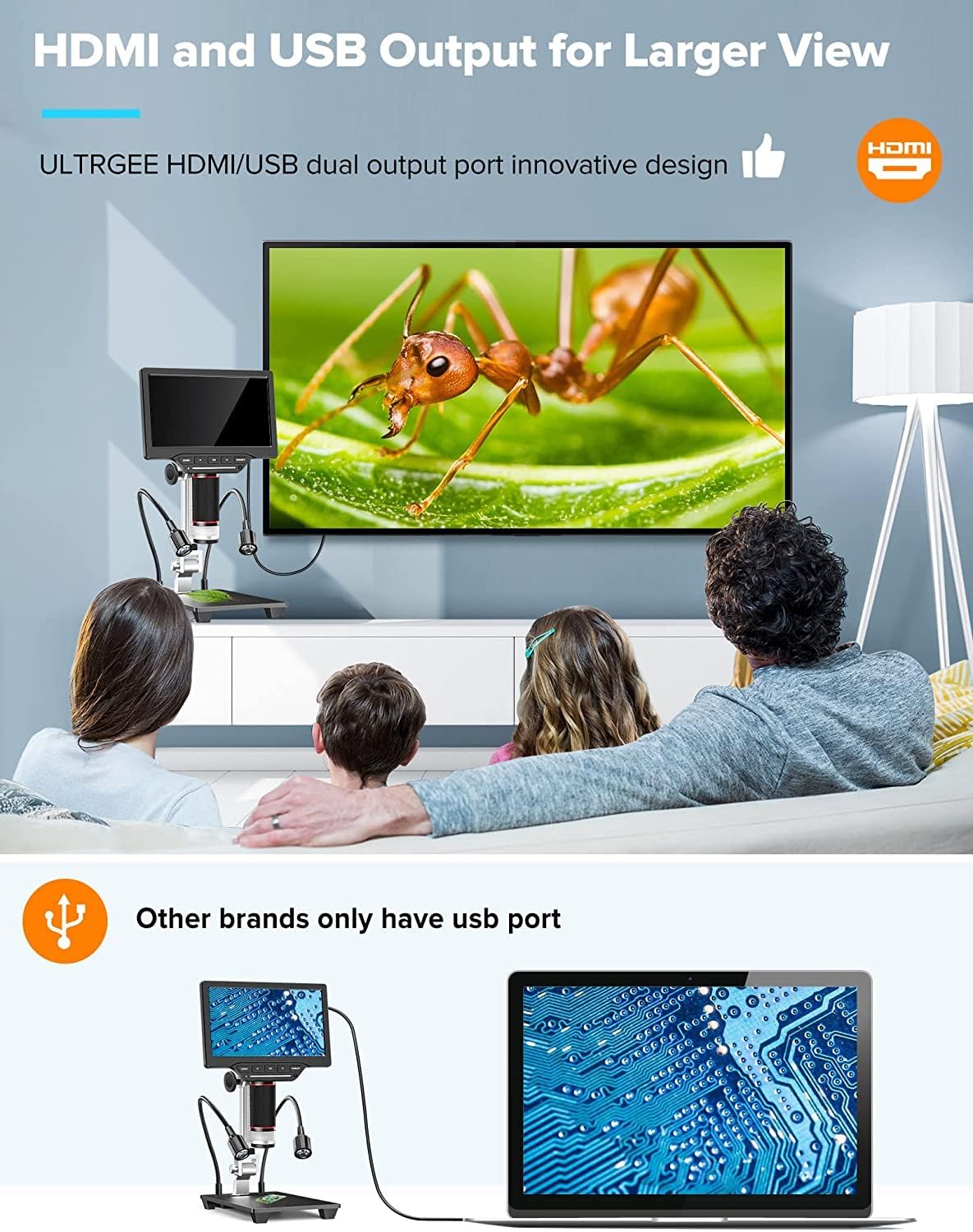
Figura 8: The Dcorn microscope connected to an external monitor via HDMI and to a laptop via USB, illustrating its dual output capabilities for a wider viewing and sharing experience.
Manutenzjoni
- Tindif tal-Lenti: Use a soft, lint-free cloth specifically designed for optical lenses to gently wipe the microscope lens. Avoid using abrasive materials or harsh chemicals.
- Tindif tal-Iskrin: Use a microfiber cloth to clean the LCD screen. If necessary, slightly dampLaħlaħ id-drapp bl-ilma jew b'soluzzjoni għat-tindif tal-iskrin.
- Tindif Ġenerali: Imsaħ il-korp tal-mikroskopju u poġġih fuqu b'ċarruta niexfa jew kemxejn imxarrba.amp drapp.
- Ħażna: When not in use, store the microscope in a clean, dry place, away from direct sunlight and extreme temperatures.
Issolvi l-problemi
| Problema | Kawża Possibbli | Soluzzjoni |
|---|---|---|
| L-ebda immaġni fuq l-iskrin | Power not connected; Microscope not turned on; Lens cap still on. | Ensure power adapter is connected and unit is powered on. Remove lens cap. |
| L-immaġni hija mċajpra | Incorrect focus; Incorrect working distance; Dirty lens. | Adjust the focus wheel. Adjust the height of the microscope. Clean the lens. |
| Ma nistax naqbad ritratti/vidjows | SD card not inserted; SD card full; SD card corrupted. | Insert SD card. Delete unnecessary files or replace SD card. Format SD card (backup data first). |
| No output to external monitor/PC | Cable not connected properly; Incorrect input selected on external display; Driver not installed (for PC). | Check HDMI/USB cable connections. Select correct input source on monitor/TV. Install software/drivers from the provided CD for PC connection. |
| Dwal LED ma jaħdmux | Lights turned off; Brightness set to 0%. | Turn on lights and increase brightness using touch controls or remote. |
Speċifikazzjonijiet
| Brand | Dcorn |
| Numru tal-Mudell | 20230412002 |
| Daqs tal-Iskrin | LCD ta '10 pulzieri |
| Riżoluzzjoni tal-Kamera | 16 Megapixels |
| Medda ta' Tkabbir | 10X - 1500X |
| Riżoluzzjoni tal-vidjo | 1920x1080 30fps, 1280x1020 60fps |
| Riżoluzzjoni tar-Ritratti | Up to 5376x3024 (16MP) |
| Ħażna | 32GB Mikro SD Card (inkluża) |
| Portijiet tal-ħruġ | HDMI, USB |
| Apparati Kompatibbli | Devices with HDMI port, MacOS, Windows PCs |
| Illuminazzjoni | 6 Main LEDs, 2 Side LEDs (Dimmable Touch Control) |
| Materjal | Metall, ABS |
| Dimensjonijiet tal-Prodott (L x W x H) | 11.5 x 20 x 36.5 ċm |
| Livell li ma jgħaddix ilma minnu | Mhux reżistenti għall-ilma |
Garanzija u Appoġġ
The Dcorn 10-inch LCD HDMI Digital Microscope comes with a garanzija ta 'sena. For technical support, warranty claims, or further assistance, please refer to the contact information provided with your purchase or visit the official Dcorn websit.
Disponibbiltà ta' Spare Parts: Informazzjoni mhux disponibbli.
Software Updates Guaranteed Until: Information unavailable.

