1. Introduzzjoni
The Phanteks D30-120 is a high-performance 120mm case fan designed for optimal cooling and aesthetic appeal in modern computer systems. It features integrated D-RGB lighting visible from all sides, a unique fan linking system to reduce cable clutter, and a robust 30mm thick frame with aerodynamic blades for superior airflow and pressure. This manual provides essential information for the proper installation, operation, and maintenance of your Phanteks D30-120 fans.
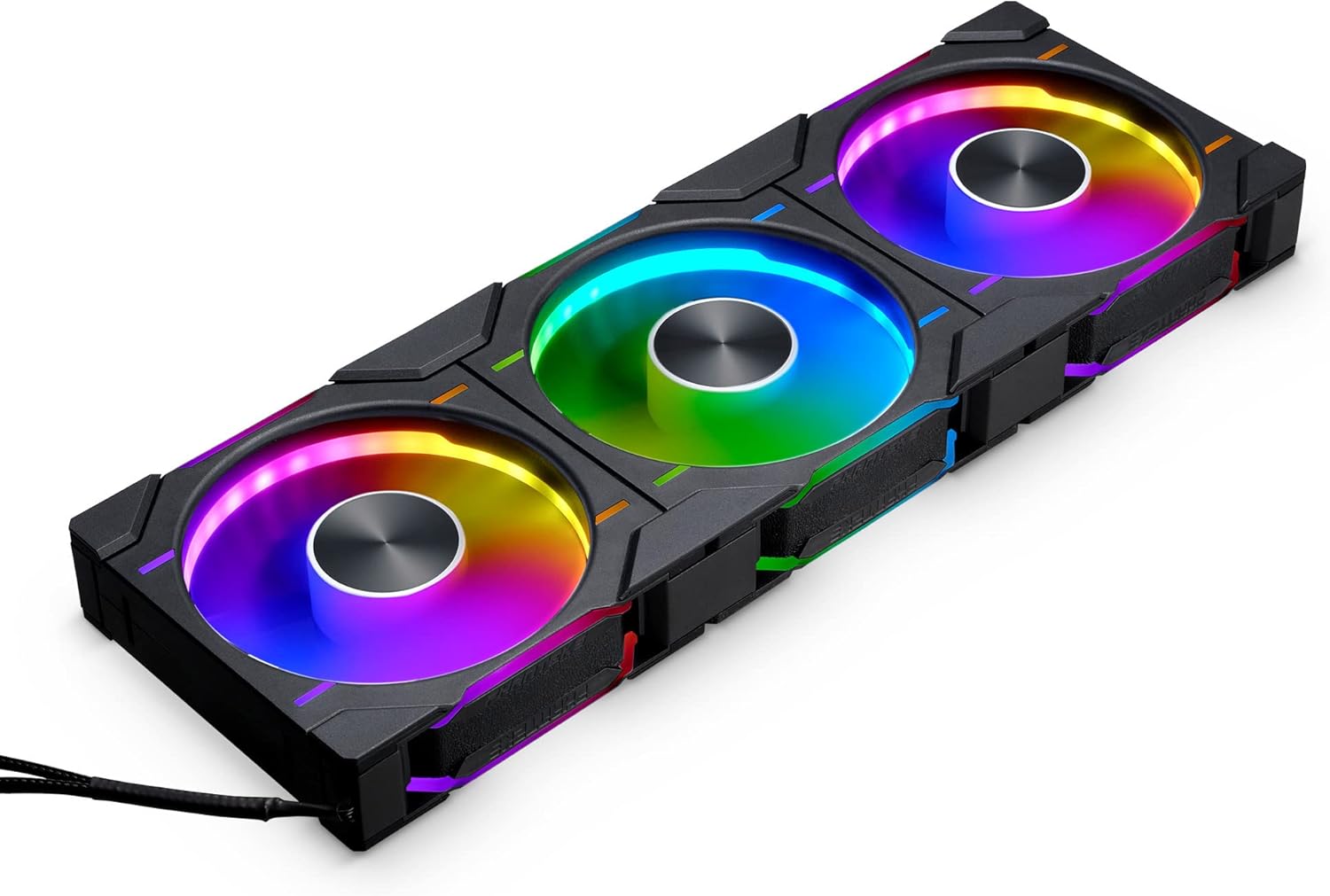
Image: A set of three Phanteks D30-120 fans showcasing their integrated D-RGB lighting and linked design.
2. Karatteristiċi ewlenin
- Dawl D-RGB Integrat: Equipped with D-RGB lighting throughout its frame and blades on all sides, offering vibrant illumination. Compatible with Digital-RGB equipped motherboards and Phanteks Digital-RGB products.
- Easy and Clean Fan Linking System: Multiple D30-120 fan frames can be linked together as one unit using bridge connectors and screw cover plates, significantly reducing cable clutter for a cleaner build.
- Optimized Performance: Features a 30mm thick frame and aerodynamic fan blades, inspired by the T30 fan, to provide excellent air pressure and airflow (up to 64.3 CFM) even through restrictive meshes or radiators.
- Versatile Airflow Models: Available in both regular and reversed airflow models, allowing for flexible fan configurations to suit any system layout without compromising the lighting effect.
- Fluid Dynamic Bearing (FDB): Ensures quiet operation and extended lifespan (MTBF of 50,000 hours at 40°C).
3. Kontenut tal-Pakkett
Qabel l-installazzjoni, jekk jogħġbok ivverifika li l-komponenti kollha huma preżenti fil-pakkett tiegħek:
- Phanteks D30-120 D-RGB PWM Fan(s)
- Viti tal-Immuntar
- Bridge Connectors
- Screw Cover Plates
- PWM Fan Cable (4-Pin)
- D-RGB Cable (3-Pin JST Daisy-chain)
- Manwal ta' Istruzzjoni

Image: Contents of the Phanteks D30-120 fan package, showing three fans, various cables, mounting screws, and linking accessories.
4. Setup u Installazzjoni
Follow these steps for proper installation of your Phanteks D30-120 fans:
- Plan Fan Placement: Determine the optimal placement for your fans within your PC case. Consider airflow direction (intake or exhaust) and choose between regular or reversed airflow models accordingly.
- Link Multiple Fans (Optional): If installing multiple fans together, align them and use the provided bridge connectors to physically link them. This creates a single, cohesive unit and simplifies cable management. Secure the screw cover plates over the bridge connectors for a clean look.

Image: Multiple Phanteks D30-120 fans connected using the easy linking system, minimizing visible cables.
- Mount the Fans: Secure the fan(s) to your PC case or radiator using the provided mounting screws. Ensure the fans are oriented correctly for your desired airflow.
- Qabbad l-Enerġija (PWM): Connect the 4-Pin PWM fan cable from the fan unit (or the last fan in a linked series) to an available 4-Pin fan header on your motherboard. This allows for speed control.
- Connect D-RGB Lighting: Connect the 3-Pin JST D-RGB daisy-chain cable from the fan unit to a compatible 3-Pin Digital-RGB header on your motherboard or a Phanteks D-RGB controller.

Image: The D-RGB and PWM cables of the Phanteks D30-120, illustrating compatibility with Digital-RGB motherboards and Phanteks D-RGB products.
- Ġestjoni tal-Kejbil: Route all cables neatly to ensure optimal airflow and a clean build aesthetic.

Immaġni: Eksample of a perfectly set up PC with Phanteks D30-120 fans, demonstrating their aesthetic integration and D-RGB effects.
5. Istruzzjonijiet Operattivi
Once installed, the Phanteks D30-120 fans operate as follows:
- Kontroll tal-veloċità tal-fann: The 4-Pin PWM connection allows your motherboard or fan controller to dynamically adjust the fan speed (250-2000 RPM) based on system temperature, optimizing cooling performance and noise levels.
- D-RGB Lighting Control: The D-RGB lighting can be controlled via your motherboard's RGB software (e.g., ASUS Aura Sync, MSI Mystic Light, Gigabyte RGB Fusion, ASRock Polychrome Sync) or a dedicated Phanteks D-RGB controller. This allows for customization of colors, effects, and synchronization with other D-RGB components.

Immaġni: Dettaljata view of the D-RGB lighting on the Phanteks D30-120 fan, highlighting its visibility from all angles.
- Direzzjoni tal-fluss tal-arja: Ensure the fans are pushing air in the intended direction for your cooling setup. Regular models typically push air from the front (logo side) to the back, while reversed models push air from the back to the front.
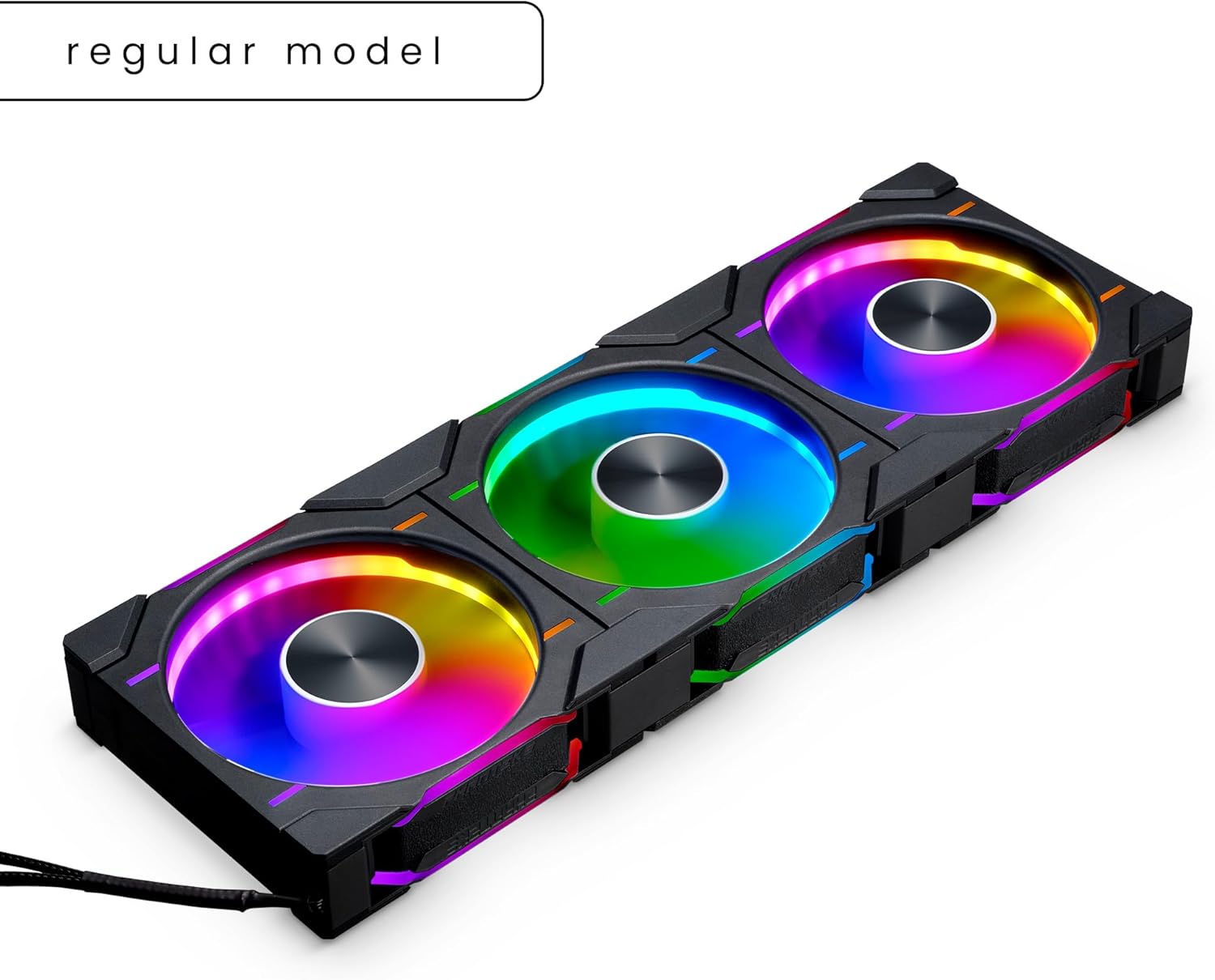
Image: A regular model of the Phanteks D30-120 fan, illustrating its standard airflow direction.
6. Manutenzjoni
To ensure optimal performance and longevity of your Phanteks D30-120 fans, periodic maintenance is recommended:
- Tneħħija tat-Trab: Regularly inspect the fan blades and frame for dust accumulation. Use compressed air or a soft brush to gently remove dust. Ensure the fan is powered off before cleaning.
- Iċċekkja tal-Cable: Periodically check all cable connections (PWM and D-RGB) to ensure they are securely seated.
- Bearing Noise: While Fluid Dynamic Bearings are designed for quiet operation, listen for any unusual noises. Excessive noise might indicate an issue requiring further inspection.
7 Issolvi l-problemi
If you encounter issues with your Phanteks D30-120 fans, refer to the following common troubleshooting steps:
- Il-Fann Mhux Idur:
- Ensure the 4-Pin PWM cable is securely connected to the motherboard fan header.
- Check your motherboard's BIOS/UEFI settings or fan control software to ensure the fan header is enabled and configured correctly.
- Verify that your power supply is providing adequate power to the system.
- D-RGB Lighting Not Working/Incorrect Colors:
- Ensure the 3-Pin JST D-RGB cable is correctly connected to a compatible Digital-RGB header (5V, not 12V RGB).
- Check your motherboard's RGB software or Phanteks D-RGB controller settings.
- If multiple fans are linked, ensure all bridge connectors are properly seated.
- Storbju Eċċessiv:
- Check for any obstructions (cables, dust) interfering with the fan blades.
- Ensure the fan is securely mounted and not vibrating against the case.
- Adjust fan speed settings in your motherboard's BIOS/UEFI or fan control software.
8. Speċifikazzjonijiet
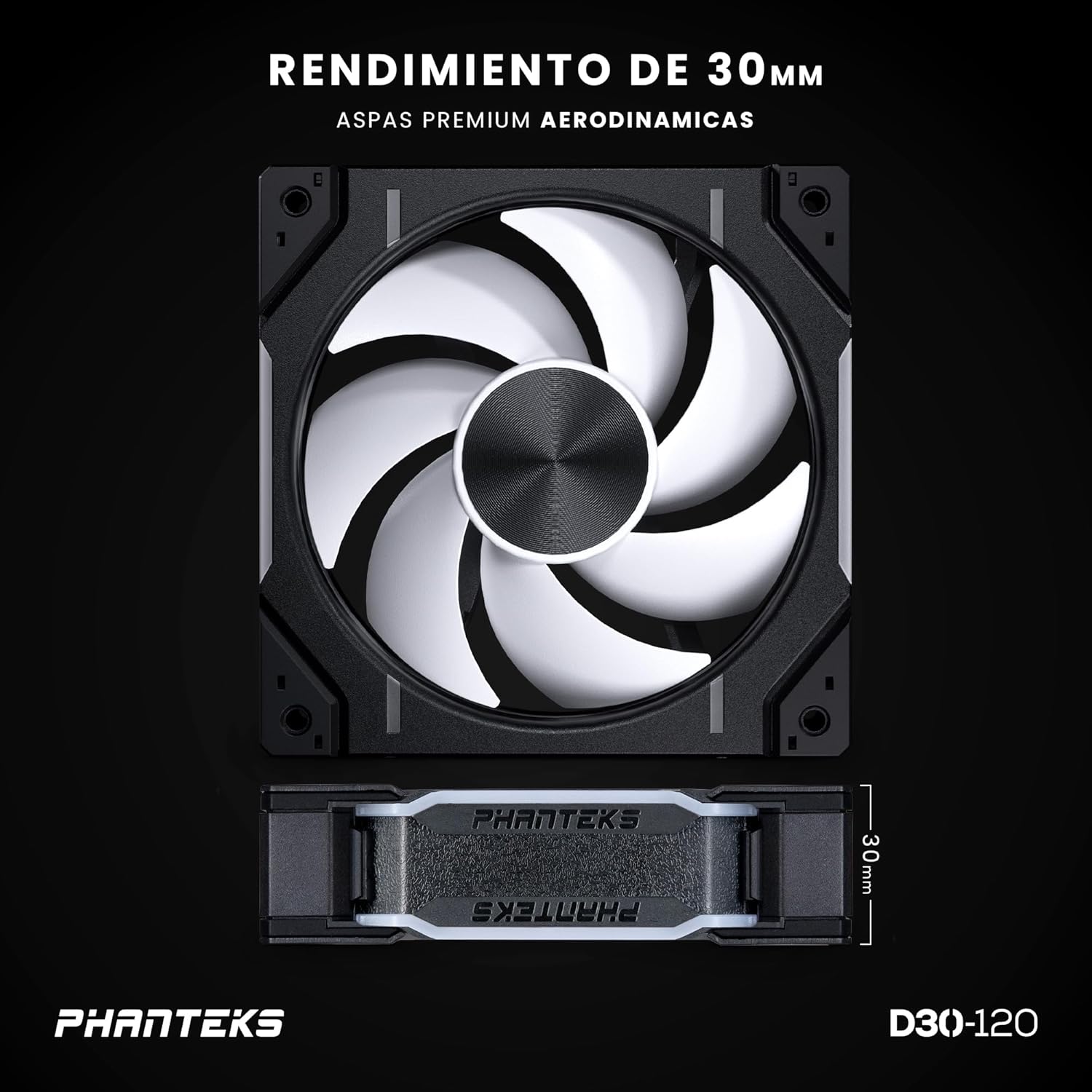
Image: The Phanteks D30-120 fan, highlighting its 30mm thickness and aerodynamic blades for enhanced performance.
| Karatteristika | Speċifikazzjoni |
|---|---|
| Numru tal-Mudell | PH-F120D30_DRGB_PWM_BK01_3P |
| Tip | Fan Każ |
| Daqs tal-fann | 120 x 120 x 30 mm |
| Tip ta 'Bearing | FDB (Fluid Dynamic Bearing) |
| Vol ikklassifikattage (Fan) | 12V |
| Vol ikklassifikattage (LED) | 5V |
| Vol Operattivtage Firxa | 5 ~ 13.2V |
| Kontroll PWM | Iva |
| Kurrent Rated (Fan) | 0.15A |
| Rated Current (LED Max) | 0.45A |
| Konsum tal-Enerġija | ≤ 1.8W |
| Veloċità | 250-2000 ± 10% RPM |
| Max. Fluss tal-arja | 64.3 CFM |
| Max. Pressjoni tal-Arja | 3.01 mm H2O |
| Livell ta' Storbju | 30.2 dB(A) |
| Konnettur tal-Fan | 4-Pin PWM |
| Tul tal-Cable tal-fann | 700 mm / 27.56 pulzieri |
| D-RGB Connector | 3-Pin JST Daisy-chain |
| D-RGB Cable Length | 600+100 mm / 23.62+3.94 in |
| Numru LED | 32 (D-RGB) |
| MTBF (Life Expectancy) | 50,000 hrs at 40°C |
| Materjali | PBT (Polybutylene terephthalate), Copper |
| Kulur | Black (Fan Frame), White Matte (Blade) |
9. Garanzija u Appoġġ
Phanteks products are manufactured to the highest quality standards. This product is covered by a manufacturer's warranty against defects in materials and workmanship. For specific warranty terms and conditions, please refer to the official Phanteks websit jew ikkuntattja lill-appoġġ tal-klijenti tagħhom.
For technical assistance, troubleshooting, or warranty claims, please visit the official Phanteks support page or contact their customer service department. Keep your proof of purchase for warranty validation.
- Phanteks Official Websit: www.phanteks.com
- Kuntatt ta' Appoġġ: Irreferi għat-taqsima tal-appoġġ fuq il-paġna uffiċjali websit għal informazzjoni ta' kuntatt.


