1. Introduzzjoni
Thank you for choosing the Rapoo V16RGB Optical Gaming Wired Mouse. This high-performance gaming mouse is designed for precision and comfort, featuring an ergonomic design, onboard memory, 6 programmable buttons, and up to 12800 DPI for a customizable gaming experience. Its braided cable ensures durability and a hassle-free connection.
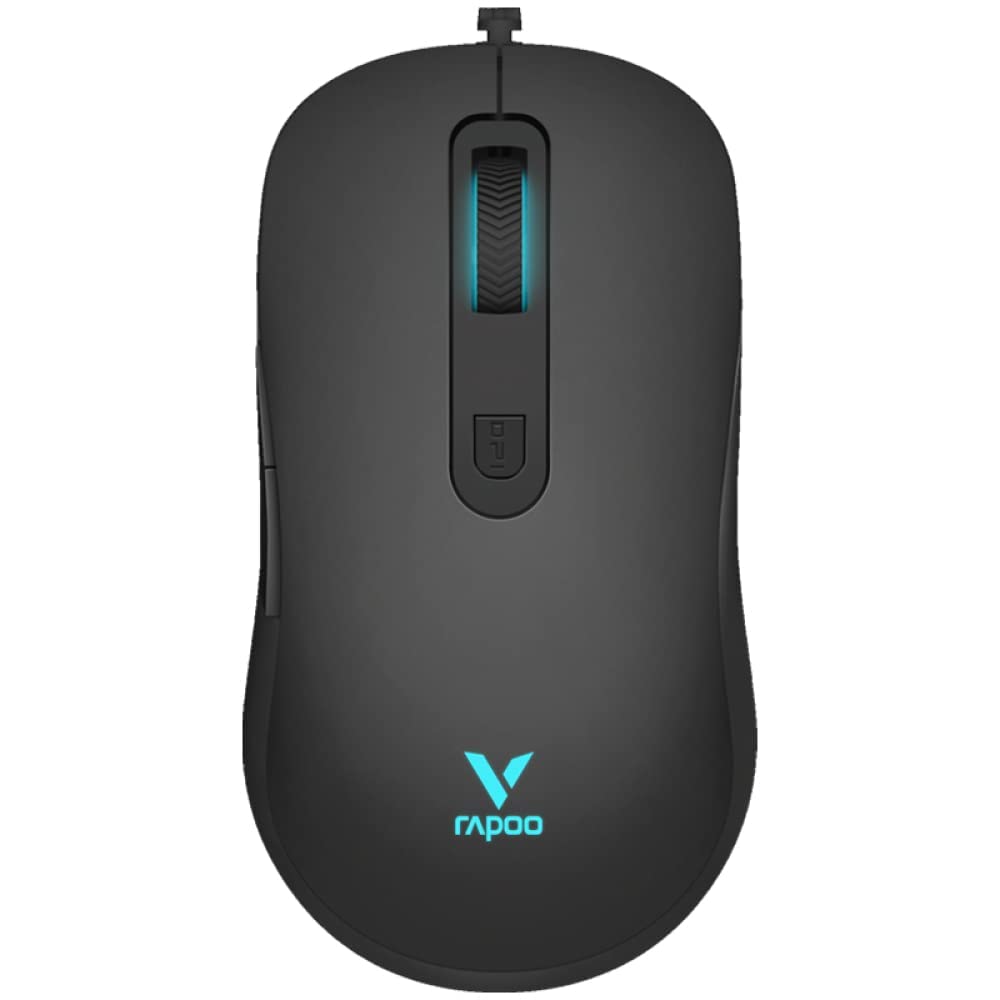
Figura 1: Fuq view of the Rapoo V16RGB Optical Gaming Wired Mouse, showcasing its sleek black design and illuminated scroll wheel and logo.

Figure 2: Illustration highlighting the ergonomic design of the Rapoo V16RGB mouse, showing its comfortable contour for extended use.
2. Setup
2.1 Kontenut tal-Pakkett
- Rapoo V16RGB Optical Gaming Wired Mouse
- Manwal għall-Utent (dan id-dokument)
2.2 Il-Konnessjoni tal-Maws Tiegħek
- Sib port USB disponibbli fuq il-kompjuter tiegħek.
- Plug the USB connector of the Rapoo V16RGB mouse into the USB port.
- The mouse is plug-and-play and should be automatically recognized by your operating system (Windows 8, Windows XP, Laptop, Personal Computer).
- For advanced customization, download the official Rapoo V16RGB driver software from the Rapoo websit.
3. Kif Tħaddem il-Maws Tiegħek
3.1 Funzjonijiet tal-buttuni
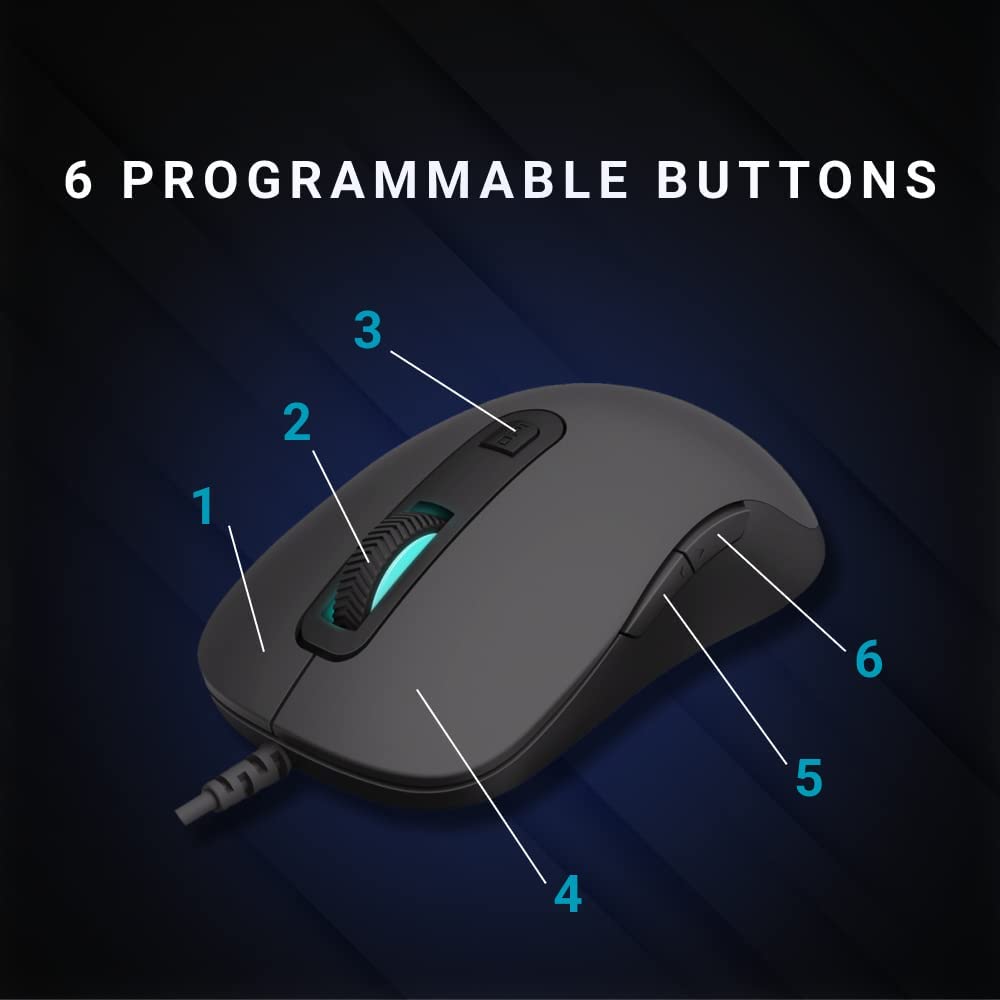
Figure 3: Diagram illustrating the 6 programmable buttons on the Rapoo V16RGB mouse. Buttons are numbered 1 through 6 for easy identification.
- Ikklikkja Xellug (1): Standard primary button.
- Ikklikkja bil-lemin (4): Standard secondary button.
- Rota tal-iskrolljar (2): For scrolling up and down. Can also be pressed for a middle-click function.
- Buttuna DPI (3): Adjusts the mouse sensitivity (DPI) in real-time.
- Buttuna 'l Quddiem (5): Jinnaviga 'l quddiem ġewwa web browsers jew file esploraturi.
- Buttuna Lura (6): Jinnaviga lura ġewwa web browsers jew file esploraturi.
3.2 Aġġustament tas-Sensittività tad-DPI
The Rapoo V16RGB features an adjustable real-time DPI button, allowing you to switch between different sensitivity modes on the fly.
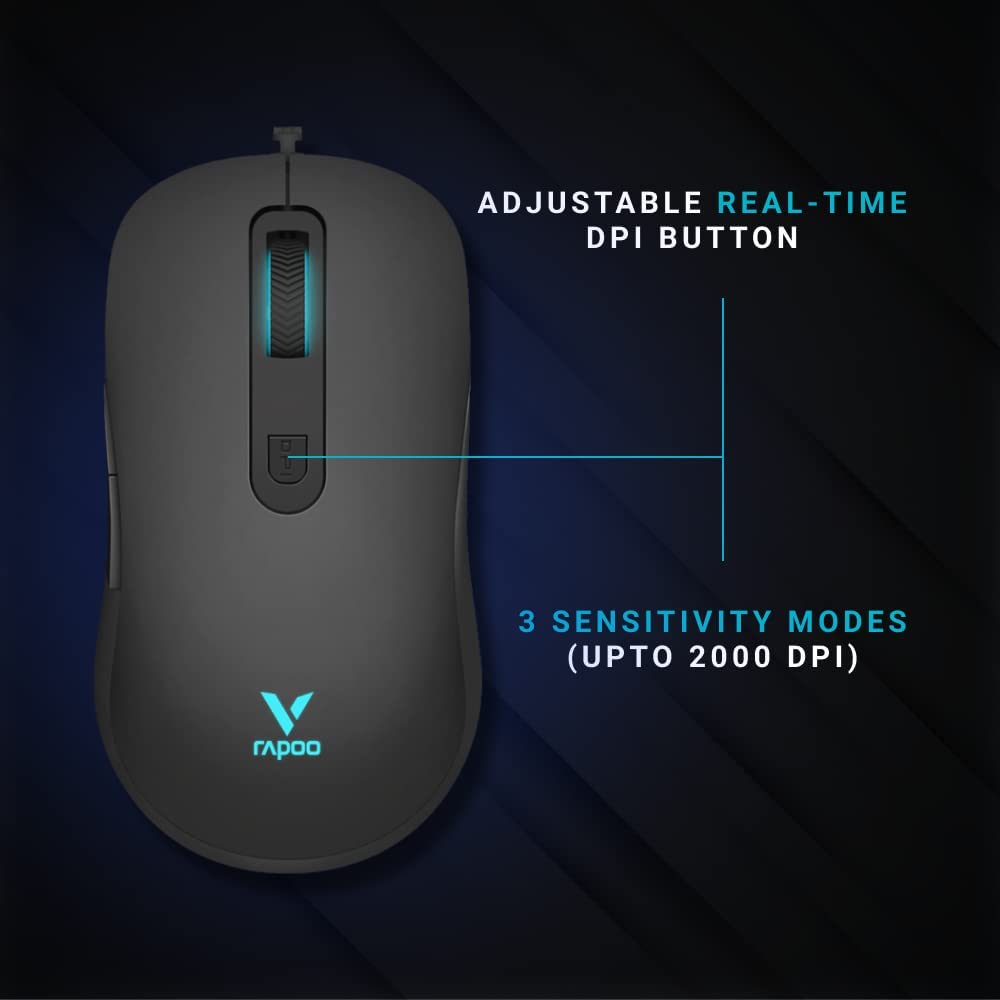
Figure 4: Close-up of the Rapoo V16RGB mouse highlighting the adjustable real-time DPI button and indicating 3 sensitivity modes up to 2000 DPI.
- Press the DPI button (3) to cycle through the available DPI settings.
- The mouse supports up to 12800 DPI, with multiple sensitivity modes.
- The current DPI setting may be indicated by the LED lighting on the mouse.
3.3 Customizing Buttons and Settings
For full customization of the 6 programmable buttons, RGB lighting, and advanced DPI settings, please install the official Rapoo V16RGB driver software. This software allows you to:
- Assign macros and functions to each button.
- Adjust DPI levels and create custom profiles.
- Control the single RGB lighting breathing modes.
- Utilize the onboard memory to save your settings directly to the mouse.
4. Manutenzjoni
4.1 Tindif tal-Maws Tiegħek
- Skonnettja l-maws mill-kompjuter tiegħek qabel ma tnaddaf.
- Uża ċarruta ratba u mingħajr ħelu dampLaħlaħ bl-ilma jew b'soluzzjoni ħafifa tat-tindif biex timsaħ il-wiċċ tal-maws.
- Tużax kimiċi ħarxa, sustanzi li joborxu, jew solventi.
- Use a soft brush or compressed air to clean dust and debris from around the scroll wheel and sensor.
4.2 Kura tal-Kejbil
The Rapoo V16RGB features a durable braided cable. To prolong its lifespan:
- Evita liwjiet jew brims qawwija fil-kejbil.
- Do not pull the cable forcefully when disconnecting the mouse.
- Store the cable neatly when not in use to prevent tangling.
5 Issolvi l-problemi
5.1 Il-Maws Ma Jirrispondix
- Kun żgur li l-kejbil tal-USB huwa mdaħħal sew f'port USB li jaħdem fuq il-kompjuter tiegħek.
- Ipprova qabbad il-maws ma' port USB differenti.
- Ibda mill-ġdid il-kompjuter tiegħek.
- Ittestja l-maws fuq kompjuter ieħor biex tiddetermina jekk il-problema hijiex fil-maws jew fis-sistema tiegħek.
5.2 Cursor Movement is Erratic or Jumpy
- Naddaf is-senser ottiku fil-qiegħ tal-maws.
- Kun żgur li qed tuża l-maws fuq wiċċ nadif, mhux riflettiv, u uniformi (eż., mouse pad).
- Aġġusta s-settings tad-DPI billi tuża l-buttuna DPI jew is-softwer.
5.3 Programmable Buttons Not Working
- Ensure the Rapoo V16RGB driver software is installed and running.
- Check the button assignments within the software to ensure they are configured correctly.
- Erġa' ibda s-softwer jew il-kompjuter tiegħek.
6. Speċifikazzjonijiet
| Karatteristika | Dettall |
|---|---|
| Brand | Rapoo |
| Mudell | V16-RGB |
| Teknoloġija tal-Konnettività | Bil-fili (USB) |
| Teknoloġija ta 'Sejbien tal-Moviment | Ottiċi |
| Sensittività DPI | Sa 12800 DPI (Aġġustabbli) |
| Buttuni programmabbli | 6 |
| Disinn Ergonomiku | Iva |
| Memorja Abbord | Iva |
| Tip ta' Cable | Braided |
| Dawl | Single RGB lighting (breathing modes) |
| Kulur | Iswed |
| Piż tal-oġġett | 50 g |
| Product Dimensions (Approx. LxWxH) | 125.3 x 68.2 x 38.6 mm (from image) |
| Sistemi Operattivi Kompatibbli | Windows 8, Windows XP, Laptop, Personal Computer |
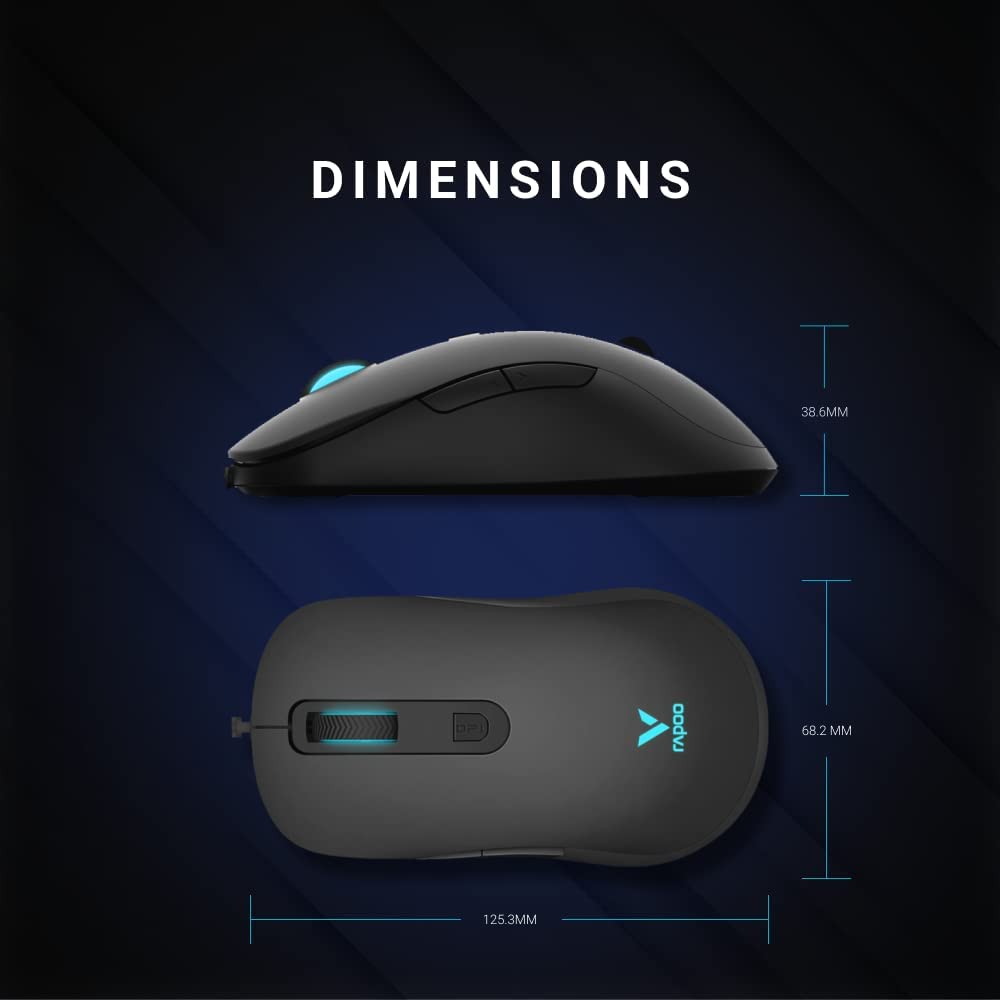
Figure 5: Detailed dimensions of the Rapoo V16RGB mouse, showing length (125.3mm), width (68.2mm), and height (38.6mm).
7. Garanzija u Appoġġ
7.1 Informazzjoni dwar Garanzija
Rapoo products are manufactured to the highest quality standards. For specific warranty terms and conditions applicable to your region, please refer to the warranty card included with your product or visit the official Rapoo websit. Żomm l-irċevuta tax-xiri tiegħek bħala prova tax-xiri għal talbiet ta' garanzija.
7.2 Appoġġ Tekniku
If you encounter any issues or have questions regarding your Rapoo V16RGB mouse, please visit the official Rapoo support websit għal FAQs, downloads ta' sewwieqa, u informazzjoni ta' kuntatt għal assistenza teknika.
- Rapoo Uffiċjali Websit: www.rapoo.com
- Downloads tas-Sewwieqa: Check the support section of the Rapoo website for the latest V16RGB driver software.


