Introduzzjoni
Thank you for choosing the Baseus Qpow2 10000mAh Power Bank. This portable charger is designed to provide reliable and fast charging for your mobile devices, featuring built-in cables for convenience and a compact design for portability. Please read this manual carefully to ensure proper use and maintenance of your device.
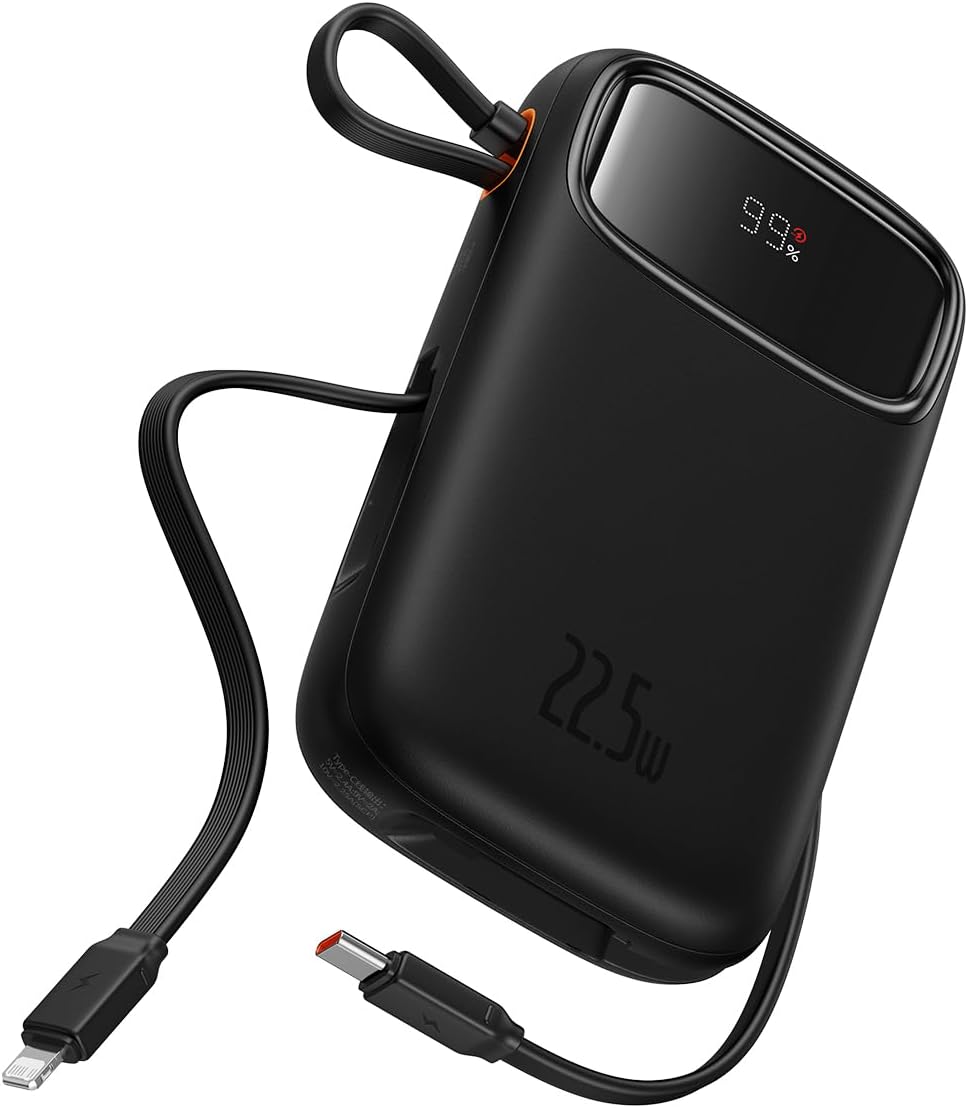
Figure 1: Baseus Qpow2 10000mAh Power Bank with built-in cables and LED display.
Karatteristiċi tal-Prodott
- Integrated Charging Technology: Built-in 22.5W USB-C and Lightning cables for universal compatibility.
- 22.5W Iċċarġjar Mgħaġġel: Delivers rapid charging for compatible devices, such as iPhone 14 (up to 1.8 times) and Samsung S23 (up to 1.5 times) with the 10000mAh capacity.
- Appoġġ għal Multi-Tagħmir: Charge up to four devices simultaneously using the built-in cables, 22.5W USB-C output, 20W Lightning output, and additional USB-C and USB-A ports.
- Karatteristiċi ta' Sigurtà Mtejba: Equipped with smart chips for protection against overcharge, over-discharge, overvoltage, electromagnetic interference, overtemperature, overcurrent, overpower, and short circuits.
- Disinn Lest għall-Ivvjaġġar: Lightweight and slim profile (4.52 x 2.83 x 0.78 inches, 0.54 lb) for easy portability. Features an LED digital display for battery status.

Figure 2: The power bank's compact dimensions (4.52*2.83*0.78 inches) and light weight (8.5 oz) make it highly portable.

Figure 3: The integrated cable doubles as a lanyard for easy carrying and storage.
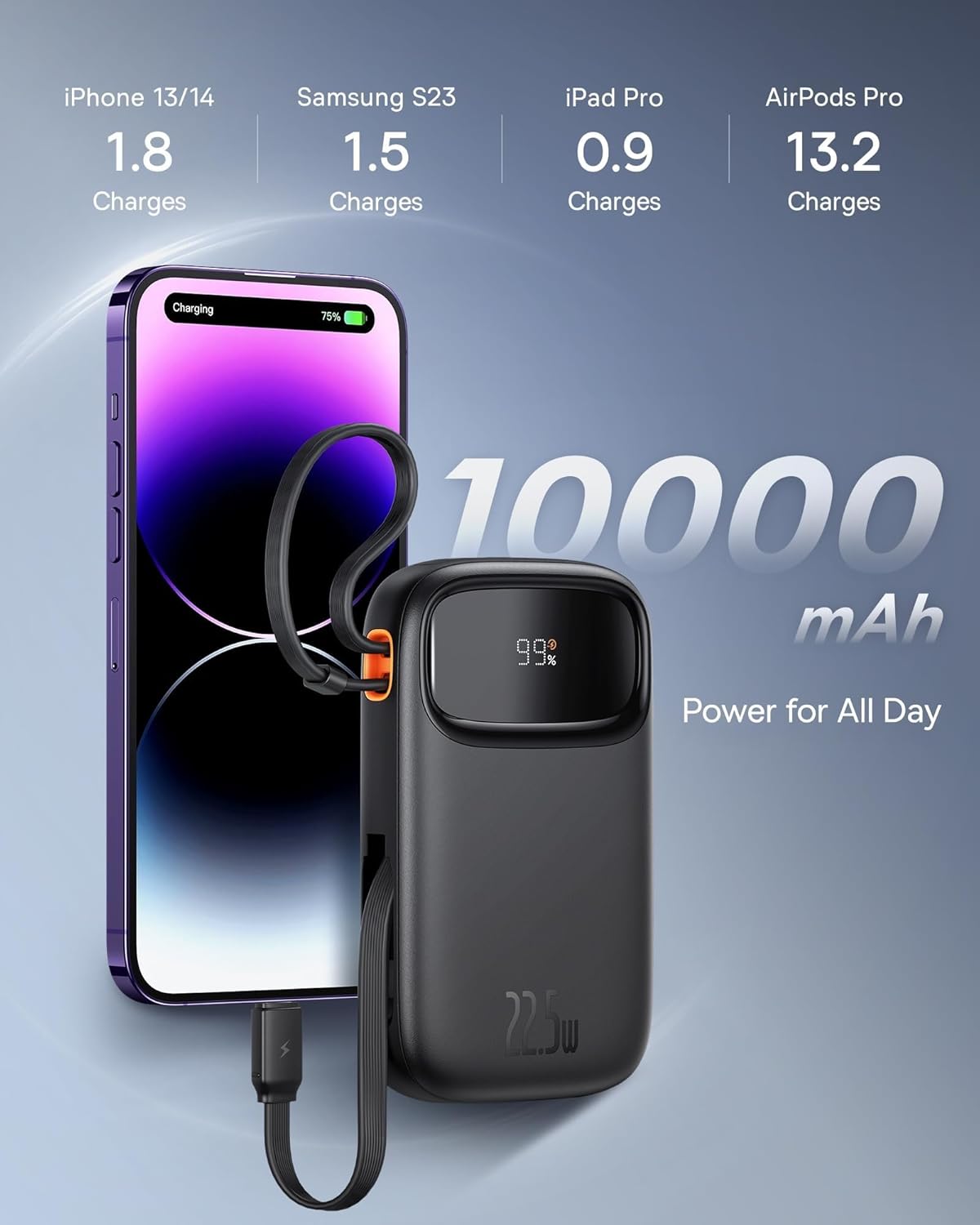
Figure 4: The 10000mAh capacity provides ample power for daily use, capable of charging an iPhone 13/14 approximately 1.8 times.
Setup
Iċċarġjar Inizjali
Before first use, fully charge your Baseus Qpow2 Power Bank. Connect the power bank to a power source using a compatible USB-C cable (not included for input, but the built-in USB-C cable can be used for output). The LED display will show the charging progress.
The power bank supports 18W USB-C input for recharging.

Figure 5: The USB-C port supports both 20W output and 18W input for recharging the power bank.
Istruzzjonijiet Operattivi
Apparat tal-Iċċarġjar
The Baseus Qpow2 Power Bank offers multiple ways to charge your devices:
- Użu ta' Kejbils Integrati:
- Kejbil USB-C: Pull out the built-in USB-C cable and connect it to your USB-C compatible device.
- Kejbil tas-Sajjetti: Pull out the built-in Lightning cable and connect it to your Apple device.
- L-użu tal-portijiet tal-USB:
- Port USB-C: Connect your device's USB-C charging cable to the power bank's USB-C port.
- Port USB-A: Connect your device's USB-A charging cable to the power bank's USB-A port.
The power bank will automatically detect the connected device and begin charging. The LED display will show the remaining battery percentage.

Figure 6: The power bank can charge up to four devices simultaneously using its various output options.

Figure 7: The power bank features built-in Lightning and USB-C cables for convenient charging.
Manutenzjoni
- Keep the power bank away from extreme temperatures, direct sunlight, and moisture.
- Twaqqax, tiżżarmax, jew tippruvax issewwi l-apparat int stess.
- Naddaf il-wiċċ b'ċarruta ratba u niexfa. Tużax kimiċi ħarxa jew materjali li joborxu.
- Aħżen il-power bank f'post frisk u niexef meta ma tkunx qed tużah għal perjodi twal. Huwa rakkomandat li tiċċarġjah sa madwar 50% tal-kapaċità tiegħu qabel ma taħżnu għal żmien twil.
Issolvi l-problemi
| Problema | Kawża Possibbli | Soluzzjoni |
|---|---|---|
| Il-bank tal-enerġija mhux qed jiċċarġja | Charging cable or adapter faulty; power bank fully charged; power source issue. | Check charging cable and adapter. Ensure power source is active. If fully charged, LED will show 100%. |
| Apparat mhux jiċċarġja mill-bank tal-enerġija | Power bank battery low; device cable faulty; device not compatible; power bank in standby. | Check power bank battery level. Try a different charging cable. Ensure device is compatible. Press power button to activate if in standby. |
| Iċċarġjar bil-mod | Cable not supporting fast charging; device not supporting fast charging; multiple devices charging. | Use a fast-charging compatible cable. Ensure your device supports fast charging. Charging multiple devices simultaneously may reduce individual charging speeds. |
| Il-wiri LED ma jaħdimx | Ħsara fl-apparat. | Contact customer support if the issue persists after trying basic troubleshooting. |
Speċifikazzjonijiet
| Karatteristika | Dettall |
|---|---|
| Numru tal-Mudell | LFZ107 |
| Kapaċità tal-batterija | 10000 Milliamp Sigħat (mAh) |
| Dimensjonijiet tal-Prodott | 13.8 x 3.2 x 9.6 ċm (5.43 x 1.26 x 3.78 pulzieri) |
| Piż tal-oġġett | 320 g (0.71 lbs) |
| Input (USB-C) | 18W |
| Output (Kejbil USB-C Inkorporat) | 22.5W |
| Output (Built-in Lightning Cable) | 20W |
| Ħruġ (Port USB-C) | 20W |
| Ħruġ (Port USB-A) | 12W |
| Karatteristiċi Speċjali | Travel, Fast Charging, LED Display, Over Charging Protection, Short Circuit Protection, Charge 4 at Once |
| Kulur | Iswed |
Garanzija u Appoġġ
The Baseus Qpow2 Power Bank comes with an 18-month warranty. For warranty claims or technical support, please contact Baseus customer service through their official webis-sit jew il-bejjiegħ bl-imnut minn fejn xtrajt il-prodott.
For more information and support, visit the official Baseus store: Ħanut Uffiċjali ta' Baseus


