1. Introduzzjoni
Thank you for choosing the ENDORFY Thock TKL Wireless Keyboard. This manual provides detailed instructions for setting up, operating, maintaining, and troubleshooting your new keyboard. Please read this manual carefully before use to ensure optimal performance and longevity of your device.
2. Kontenut tal-Pakkett
Jekk jogħġbok ivverifika li l-oġġetti kollha huma preżenti fil-pakkett tiegħek:
- ENDORFY Thock TKL Wireless Keyboard
- USB-C għal USB-A Cable
- 2.4 GHz USB Wireless Receiver
- Għodda tal-Puller Keycap/Swiċċ
- Manwal għall-Utent (dan id-dokument)
3. Setup
3.1 Is-Setup Inizjali u l-Iċċarġjar
Before first use, it is recommended to fully charge the keyboard. Connect the provided USB-C cable to the keyboard's USB-C port and the USB-A end to a powered USB port on your computer or a wall adapter. The keyboard's indicator light will show charging status.
3.2 Modi ta' Konnessjoni
The ENDORFY Thock TKL Wireless Keyboard supports three connection modes: 2.4 GHz Wireless, Bluetooth, and Wired (USB-C).
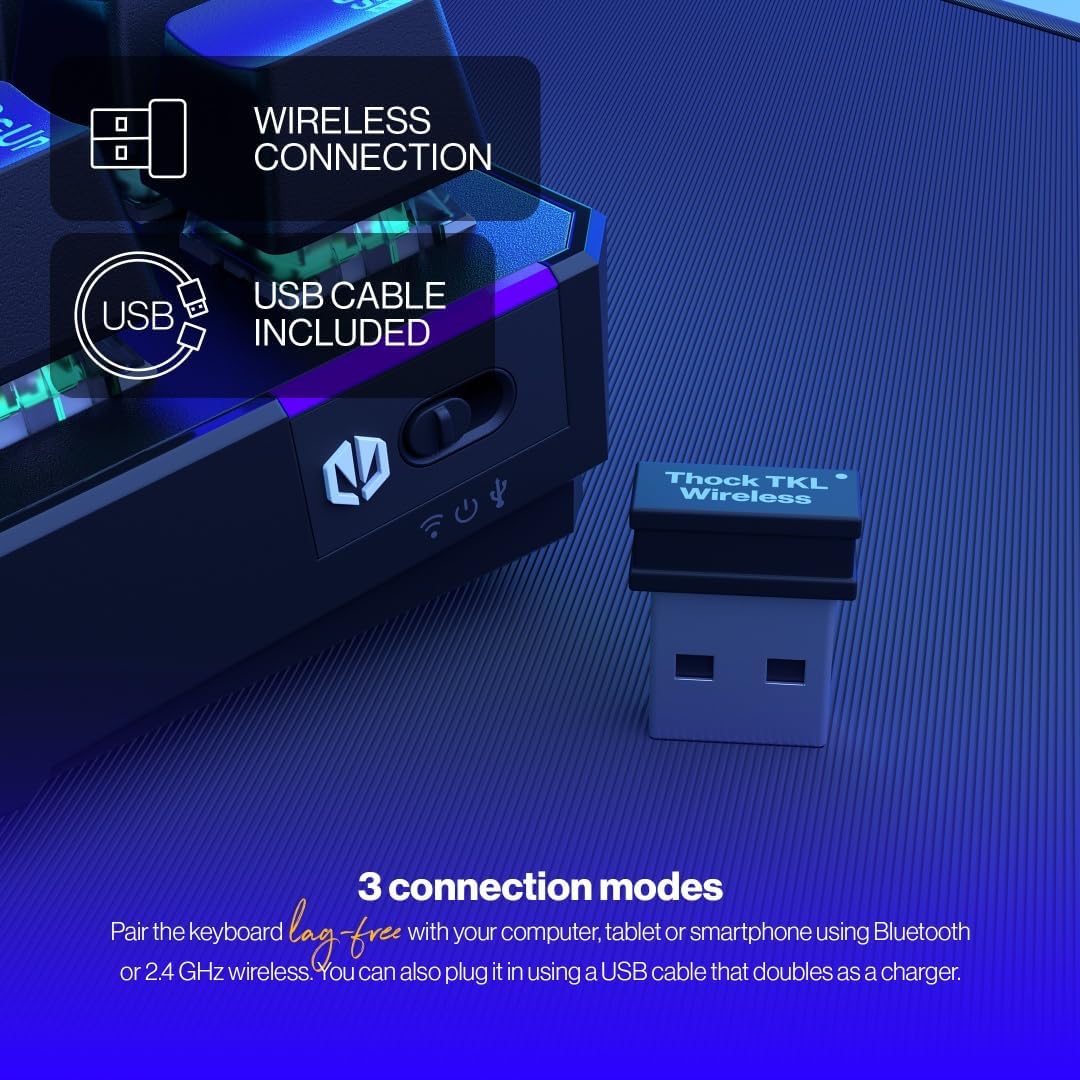
The keyboard offers versatile connectivity options including 2.4 GHz wireless, Bluetooth, and a wired USB connection.
Konnessjoni bla fili 3.2.1 2.4 GHz
- Locate the 2.4 GHz USB wireless receiver in your package.
- Ipplaggja r-riċevitur USB f'port USB disponibbli fuq il-kompjuter tiegħek.
- On the keyboard, locate the mode switch (usually on the side or back) and set it to the '2.4G' or wireless icon position.
- The keyboard should automatically connect to your computer.
3.2.2 Konnessjoni Bluetooth
- On the keyboard, set the mode switch to the 'BT' or Bluetooth icon position.
- The keyboard will enter pairing mode (indicator light may flash).
- Fuq il-kompjuter jew l-apparat tiegħek, iftaħ is-settings tal-Bluetooth u fittex apparati ġodda.
- Select 'ENDORFY Thock TKL' (or similar name) from the list of available devices to pair.
3.2.3 Konnessjoni bil-Fili
- Connect the USB-C end of the provided cable to the USB-C port on the keyboard.
- Qabbad it-tarf USB-A tal-kejbil ma' port USB disponibbli fuq il-kompjuter tiegħek.
- The keyboard will function as a wired keyboard and will also charge its internal battery.

The USB-C port on the side of the keyboard allows for wired connection and charging.
4. Istruzzjonijiet Operattivi
4.1 Funzjonijiet Ewlenin
The Thock TKL keyboard features a standard 87-key US layout. Many keys have secondary functions accessible via the 'Fn' key. Refer to the keycaps for specific Fn combinations (e.g., Fn + F1-F12 for media controls, volume, etc.).
4.2 RGB Backlight Customization
The keyboard features programmable ARGB backlighting. You can cycle through various lighting effects and colors directly on the keyboard using specific Fn key combinations, or through the dedicated software for more advanced customization.
The keyboard features excellent ARGB backlighting, allowing for various color and effect customizations.
4.3 Software Usage
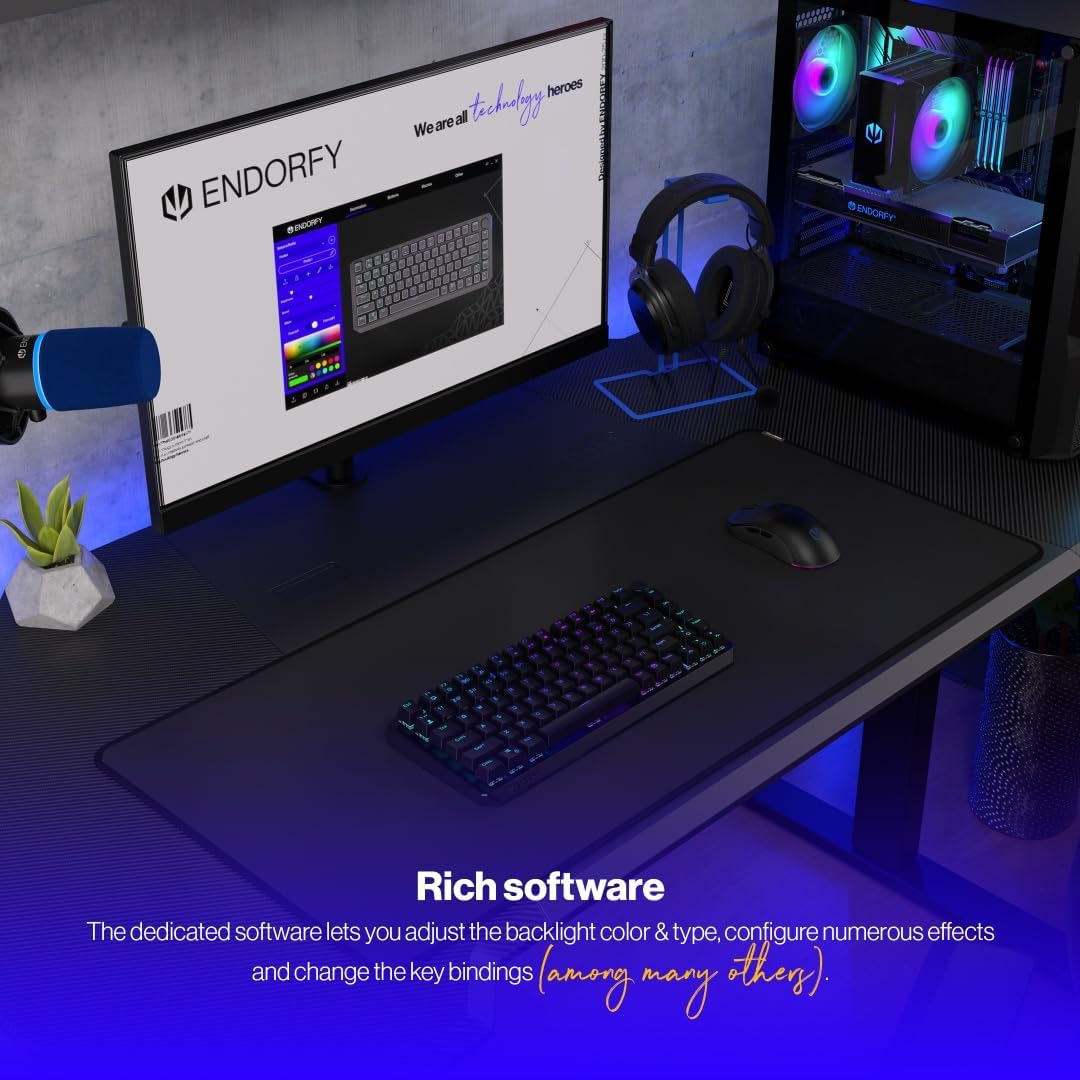
For advanced customization of key bindings, macros, and RGB lighting effects, download and install the dedicated ENDORFY software from the official website. The software provides a graphical interface to fine-tune your keyboard settings.

The dedicated software allows for comprehensive adjustment of backlight color, type, effects, and key bindings.
5. Manutenzjoni
5.1 Tindif
To clean your keyboard, first disconnect it from your computer. Use a soft, dry cloth to wipe down the keycaps and chassis. For deeper cleaning, you may use a can of compressed air to remove dust and debris from between the keys. Avoid using harsh chemicals or abrasive materials.
5.2 Swiċċijiet li Jissostitwixxu bis-Sħana
The ENDORFY Thock TKL keyboard features hot-swappable switches, allowing you to easily change them without soldering. Use the provided switch puller tool to carefully remove switches. Align the new switch with the pins and gently press it into place until it clicks.

The hot-swap feature allows for easy replacement of switches using the included tool.

The keyboard comes equipped with Kailh Box Red switches, known for their smooth and linear actuation.
5.3 Keycap Replacement
The keyboard uses durable PBT Double Shot keycaps. To remove a keycap, use the keycap puller tool (often combined with the switch puller) to gently pull it upwards. To install a new keycap, align it with the switch stem and press down firmly until it is seated.

The durable PBT Double Shot keycaps are resistant to wear and maintain their appearance over time.
6 Issolvi l-problemi
6.1 It-Tastiera Ma Tirrispondix
- Kun żgur li t-tastiera hija ċċarġjata.
- Check the connection mode switch (2.4G, BT, Wired) is set correctly.
- For wireless connections, ensure the USB receiver is properly plugged in or Bluetooth is paired. Try a different USB port.
- For wired connection, try a different USB cable or port.
- Ibda mill-ġdid il-kompjuter tiegħek.
6.2 Id-Dawl ta' Wara Ma Jaħdimx jew Mhux Korrett
- Ensure the backlight is enabled via Fn key combinations.
- Check the brightness level.
- If using the software, ensure settings are applied correctly.
- Perform a factory reset if available (refer to software or advanced Fn commands).
6.3 Iċ-Ċwievet Mhux qed Jirreġistraw
- Kun żgur li t-tastiera hija nadifa u ħielsa minn debris taħt il-keycaps.
- If a specific key is not working, try hot-swapping the switch with a known working one to diagnose if the issue is with the switch or the keyboard PCB.
- Update keyboard firmware if available.
7. Speċifikazzjonijiet
| Numru tal-Mudell | EY5A080 |
| Tip ta' Tastiera | Mechanical, TKL (Tenkeyless) |
| Swiċċijiet | Kailh Box Red (Hot-Swappable) |
| Tappijiet ewlenin | PBT Tir Doppju |
| Tqassim | US Layout, 87 Keys |
| Konnettività | 2.4 GHz Wireless, Bluetooth, USB-C Wired |
| Dawl ta' wara | ARGB Programmable |
| Batterija | 1 batterija tal-jone tal-litju (inkluża) |
| Dimensjonijiet tal-Prodott | 14.23 x 5.51 x 1.67 pulzieri (361.50 x 140 x 42.50 mm) |
| Piż tal-oġġett | 1.74 liri |
| Apparati Kompatibbli | PC, Gaming Consoles, Tablets, Smartphones |

Fuq view dimensions of the ENDORFY Thock TKL Wireless Keyboard.

Ġenb view dimensions illustrating the adjustable height options of the keyboard.
8. Garanzija u Appoġġ
The ENDORFY Thock TKL Wireless Keyboard comes with a garanzija ta 'sena mid-data tax-xiri. Jekk jogħġbok żomm il-prova tax-xiri tiegħek għal talbiet ta' garanzija.
For technical support, driver downloads, firmware updates, or further information, please visit the official ENDORFY websit:
http://endorfy.com/kb/EY5A-THOCK-TKL-WIRELESS
You may also contact ENDORFY customer support directly through the contact information provided on their websit.


