1. Introduzzjoni
The Schlage Encode Smart WiFi Deadbolt Lock provides advanced security and convenient access control for your home. This deadbolt integrates directly with your home's WiFi network, allowing for remote management via the Schlage Home app without additional accessories. Key features include keyless entry, customizable access codes, lock history, push notifications, and compatibility with smart home systems like Amazon Alexa and Google Assistant.
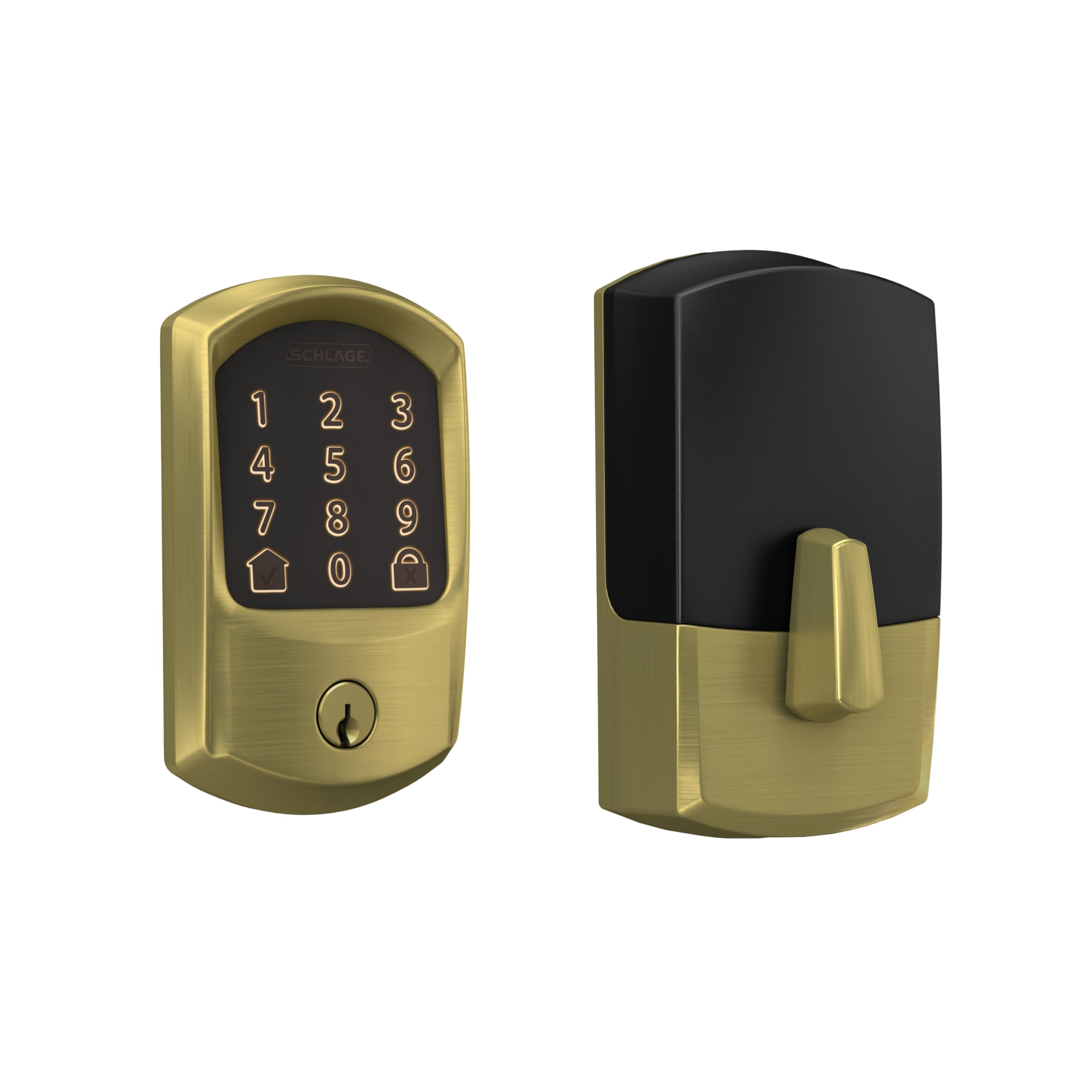
Figure 1: Schlage Encode Smart WiFi Deadbolt Lock, Satin Brass finish.
Video 1: Schlage Encode WiFi Deadbolt Smart Lock Product OverviewDan il-filmat jipprovdi ħarsa ġenerali lejnview of the lock's features and benefits.
2. Setup u Installazzjoni
The Schlage Encode Smart WiFi Deadbolt is designed for easy installation, typically requiring only a screwdriver. Follow the guided instructions provided in the packaging or via the Schlage Home app for a seamless setup process.
2.1 Kontenut tal-Pakkett

Figure 2: What's included in the box with the smart deadbolt lock, backup key, 4 AA batteries, and hardware.
2.2 Preparazzjoni tal-Bieb
Kun żgur li l-bieb tiegħek jissodisfa l-ispeċifikazzjonijiet li ġejjin għal installazzjoni xierqa:
- Fits standard doors with 1-3/8 in to 1-3/4 in (35mm to 44mm) door thickness.
- Compatible with 2-3/8 in or 2-3/4 in (60mm or 70mm) backset.
- Requires a 2-1/8 in (54mm) cross bore hole diameter.
- Requires a 1 in (25mm) latch bore diameter.
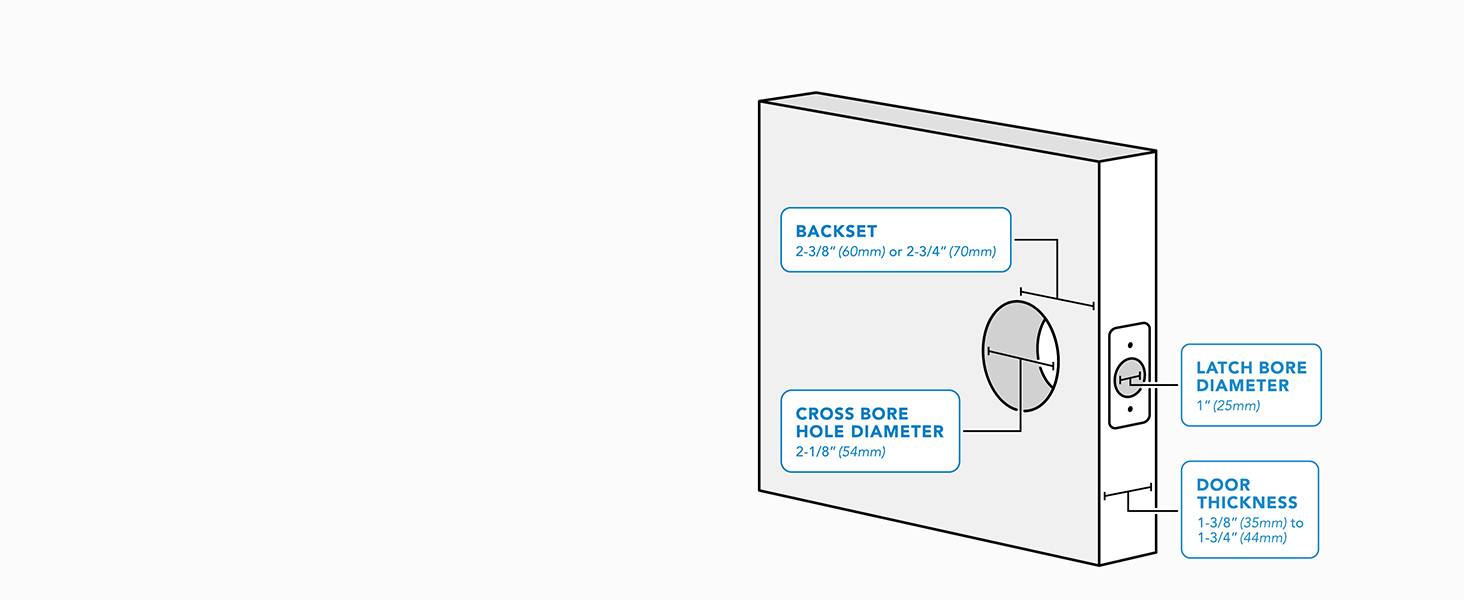
Figure 3: Diagram illustrating standard door dimensions for hassle-free fit.
2.3 Passi ta' Installazzjoni
- Install in minutes with just a screwdriver. No hardwiring is required.
- The Snap ‘n Stay design helps keep the lock on the door, allowing both hands to be free during installation.
- Follow the guided, interactive instructions provided with your lock or through the Schlage Home app.

Figure 4: Easy installation of the smart lock using only a screwdriver.
3. Istruzzjonijiet Operattivi
The Schlage Encode Smart WiFi Deadbolt offers multiple ways to lock and unlock your door, providing convenience and security.
3.1 Keyless Entry via Touchscreen
Enter your personalized access code on the fingerprint-resistant touchscreen keypad to unlock the door. For locking, simply press the dedicated lock button on the touchscreen.

Figure 5: User interacting with the touchscreen keypad for keyless entry.
3.2 Schlage Home App Control
With built-in WiFi, you can manage your lock remotely using the Schlage Home app. This includes locking/unlocking, managing up to 100 access codes, viewing lock history, and receiving customizable notifications.

Figure 6: The Schlage Home app provides remote access and control over your smart deadbolt.
3.3 Kontroll tal-Vuċi u Integrazzjoni tad-Dar Intelliġenti
The lock works with Amazon Alexa and Google Home for hands-free convenience when paired with the Schlage Home app and a compatible voice-enabled device.
3.4 Access Codes for Guests and Temporary Access
Create and manage up to 100 access codes for family, friends, or temporary guests. This feature is particularly useful for rental properties, allowing you to set time-based codes that expire automatically.
Video 2: This video highlights the convenience of the Schlage Encode for rental properties, allowing easy management of guest access codes.
Video 3: A user demonstrates the ease of setting and managing access codes, emphasizing the benefits of a code-based entry system.
4. Manutenzjoni
4.1 Sostituzzjoni tal-batterija
The Schlage Encode deadbolt operates on four AA batteries (included). With typical use, batteries can last up to six months. A low-battery indicator will appear on the lock's touchscreen and in the Schlage Home app, providing advance notice for replacement.
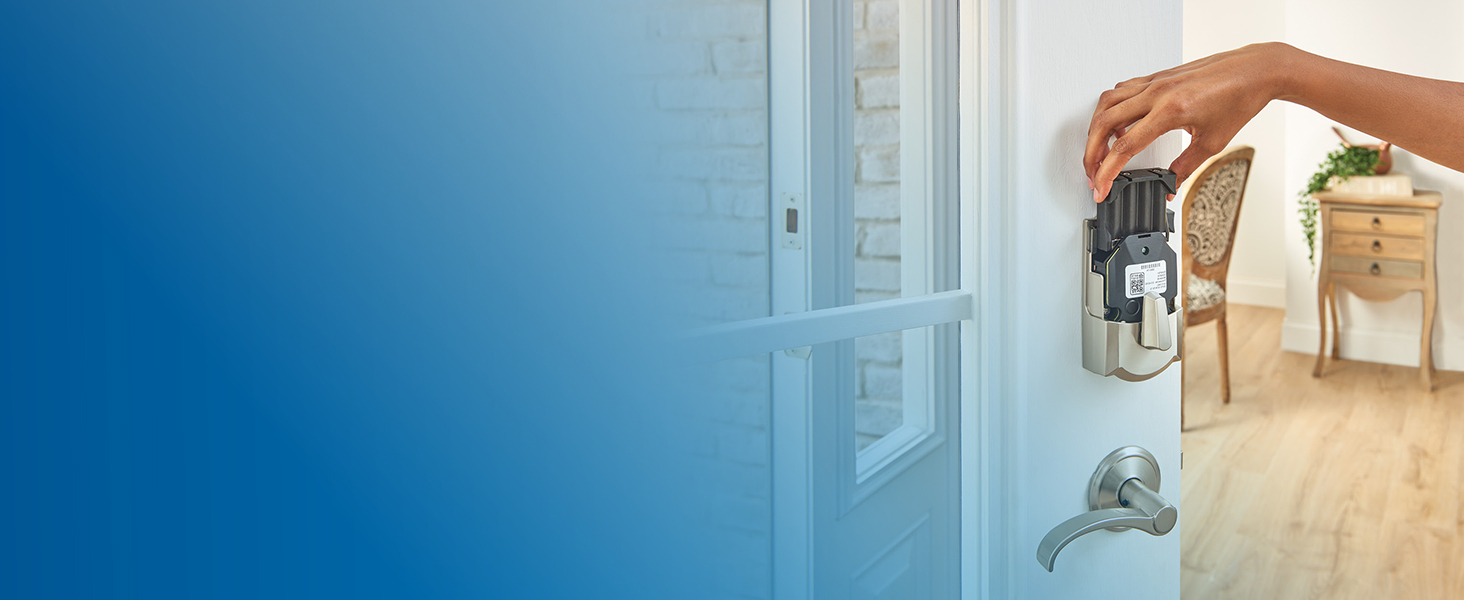
Figure 7: Replacing the four AA batteries in the Schlage Encode deadbolt.
4.2 Backup Key
A physical backup key is included with your lock. Always keep this key in a safe, accessible location outside your home in case of battery depletion or other electronic issues.
5 Issolvi l-problemi
If you encounter issues with your Schlage Encode Smart WiFi Deadbolt, consider the following common solutions:
- Lock Unresponsive: Check the battery levels in the Schlage Home app. If low, replace all four AA batteries.
- Remote Access/Notifications Not Working: Ensure your lock has a stable connection to your home's Wi-Fi network. Verify your router is functioning correctly and the lock is within range.
- Access Code Issues: Confirm that the access code is correctly programmed and active via the Schlage Home app. Check for any time-based restrictions on the code.
- Problemi Persistenti: A factory reset of the lock may resolve complex issues. Refer to the full instruction manual for factory reset procedures, as this will erase all programmed codes and settings.
6. Speċifikazzjonijiet tal-Prodott
| Karatteristika | Dettall |
|---|---|
| Brand | SCHLAGE |
| Isem tal-Mudell | Encode Greenwich WiFi Deadbolt Smart Lock |
| Numru tal-Mudell | BE489WBGRW608 |
| Tip Lock | Deadbolts |
| Stil | Moderna |
| Kulur | Satin Brass |
| Materjal | Żingu |
| Dimensjonijiet tal-oġġett (L x W x H) | 0.9 x 3 x 5 pulzieri |
| Piż tal-oġġett | 2.3 Liri |
| Batteriji | 4 batteriji AA meħtieġa (inklużi) |
| Protokoll tal-Konnettività | Bluetooth, WiFi |
| Tip ta' Kontrollur | Amazon Alexa, Google Assistant |
| Karatteristika Speċjali | Door Locks, Built-in Alarm |
| Użi Rakkomandati | Residential access control |
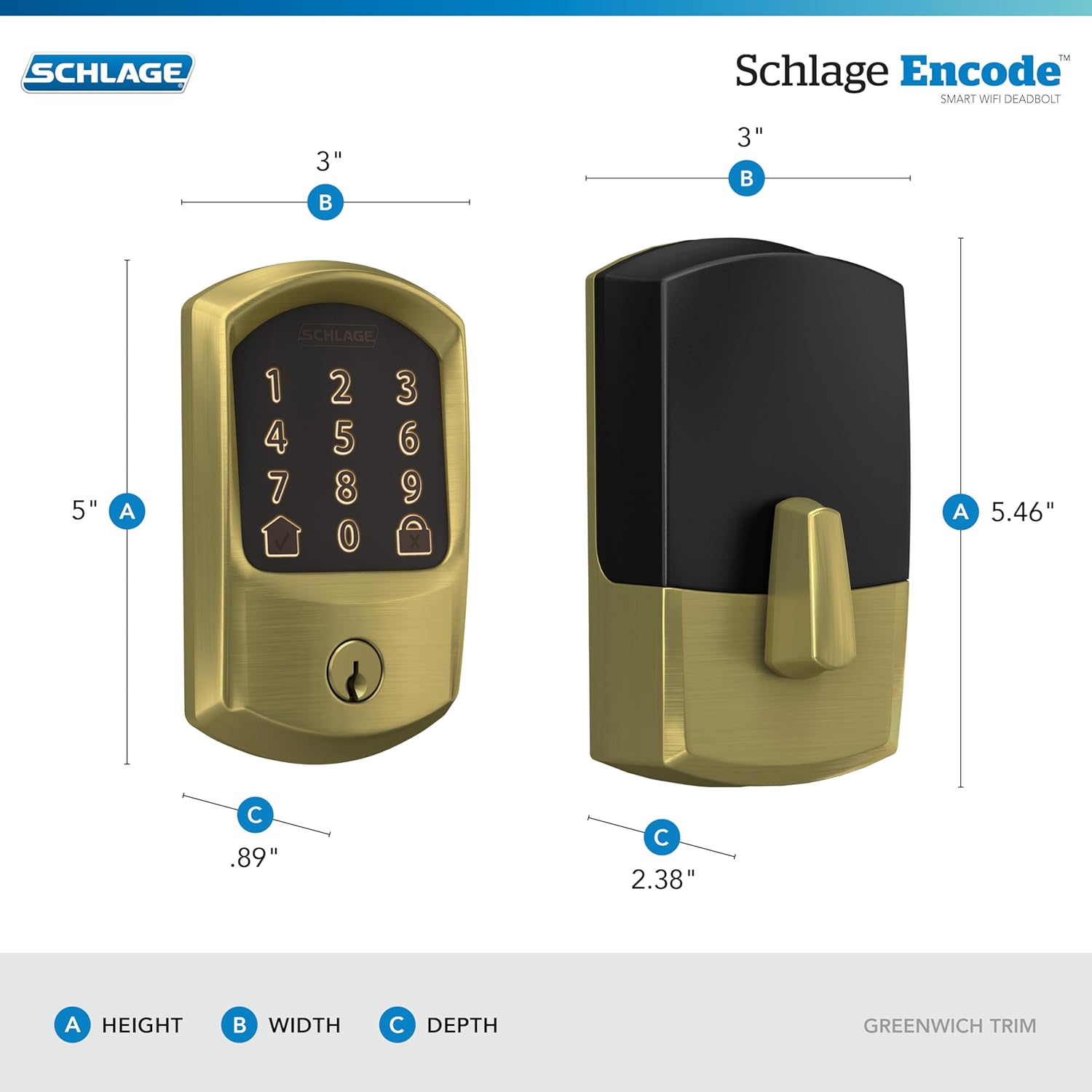
Figure 8: Detailed dimensions of the Schlage Encode Smart WiFi Deadbolt.
7. Informazzjoni dwar Garanzija
The Schlage Encode Smart WiFi Deadbolt is backed by a limited lifetime mechanical and finish warranty, and a limited three-year electronics warranty. For full details, please refer to the official Schlage warranty documentation. Warranty is valid only on purchases from authorized sellers such as Amazon or Buildcom.
8. Appoġġ għall-Klijent
For further assistance, technical support, or warranty claims, please contact Schlage customer service. You can find contact information on the official Schlage website or within the Schlage Home app.


