1. Prodott Aktarview
The WALI FTM-2 Full Motion TV Wall Mount is designed to securely hold most flat and curved screen televisions ranging from 32 to 70 inches. This mount offers extensive adjustability, including tilt, swivel, and extension, allowing for optimal viewing angles from various positions in a room. Constructed from reinforced cold-rolled steel, it ensures durability and stability for your television.
2. Informazzjoni Importanti dwar is-Sigurtà
TWISSIJA: Read all instructions carefully before installation. If you do not understand these instructions or have doubts about the safety of the installation, consult a qualified installer. Improper installation may cause serious injury or damage.
- Kapaċità tal-piż: Teċċedix il-kapaċità massima tal-piż ta' 88 lbs (40 kg). Din il-muntatura hija maħsuba għall-użu biss mal-piżijiet massimi indikati. L-użu ma' prodotti itqal mill-piżijiet massimi indikati jista' jirriżulta f'instabbiltà li tikkawża korriment possibbli.
- Tip ta' Ħajt: This mount is designed for installation on vertical wood studs, solid concrete walls, or brick walls. Tinstallax fuq drywall waħdu. Kun żgur li l-wiċċ tal-immuntar jista' jsostni b'mod sikur il-piż ikkombinat tat-tagħmir u l-ħardwer kollu mwaħħal.
- Kompatibbiltà VESA: Ensure your TV's VESA mounting pattern is within the supported range (100x100mm to 400x400mm).
- Għodod: Use appropriate tools for installation. Always wear safety gear, including eye protection.
- Tfal: Żomm lit-tfal 'il bogħod miż-żona tal-installazzjoni. Partijiet żgħar jistgħu jkunu perikolużi biex wieħed jifga.
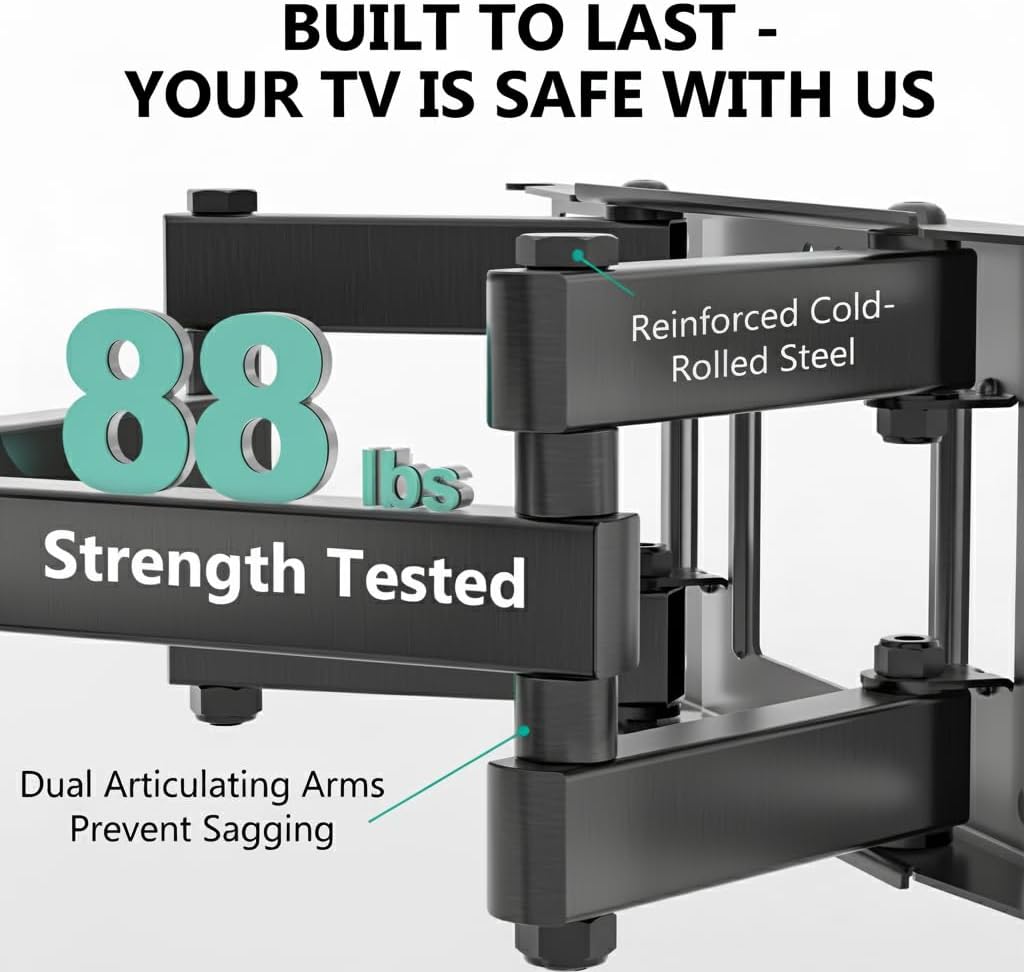
Image: The mount is constructed from reinforced cold-rolled steel, tested to support up to 88 lbs, ensuring structural integrity and safety for your television.
3. Kontenut tal-Pakkett
Verify that all components are present and undamaged before beginning installation. If any parts are missing or defective, contact WALI customer support.
- WALI FTM-2 TV Wall Mount (1 unit)
- Kit tal-Ħardwer tal-Immuntar (diversi viti, woxers, spacers, ankri)
- Manwal għall-Utent (dan id-dokument)

Image: All necessary hardware for installation is included, such as various bolts, washers, spacers, and wall anchors. A spirit level is also provided to assist with accurate mounting.
4. Verifika tal-Kompatibbiltà
Before installation, confirm your television and wall meet the following requirements:
- Daqs tat-TV: Compatible with most 32 to 70 inch flat or curved screen TVs.
- Piż tat-TV: It-TV tiegħek m'għandux jiżen aktar minn 88 lbs (40 kg).
- Mudell VESA: The mounting holes on the back of your TV must match VESA patterns from 100x100mm to 400x400mm.
- Tip ta' Ħajt: Suitable for 12" or 16" wood studs, concrete walls, and brick walls. Not for drywall-only installation.
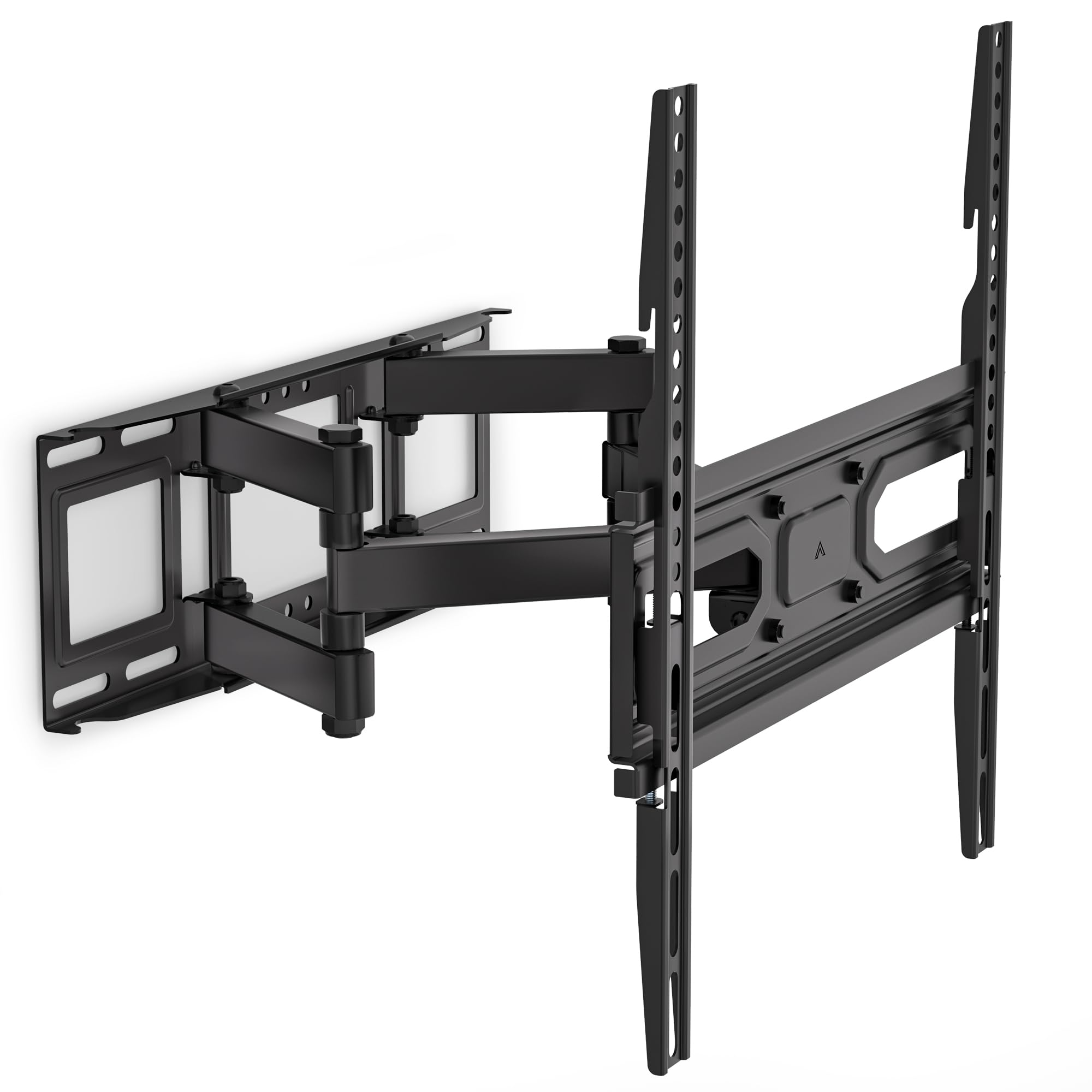
Image: This diagram outlines the four key compatibility checks: TV weight (up to 88 lbs), VESA pattern (100x100mm to 400x400mm), TV size (32-70 inches), and suitable wall types (wood studs, concrete, brick). Installation on drywall alone is not supported.
5. Istruzzjonijiet ta 'installazzjoni
Follow these steps carefully for a secure installation. It is recommended to have two people for installation.
Pass 1: Waħħal il-Bracket mal-Ħajt
- Locate the desired mounting position on your wall. Use a stud finder to locate wood studs if applicable.
- Mark the drill holes for the wall plate. Ensure the marks are level using a spirit level.
- Drill pilot holes at the marked locations. For wood studs, use a 5/32 inch (4mm) drill bit. For concrete/brick walls, use a 3/8 inch (10mm) drill bit and insert wall anchors.
- Attach the wall plate to the wall using the appropriate lag bolts and washers. Tighten securely.
Step 2: Attach Plate to TV
- Poġġi t-TV tiegħek wiċċu 'l isfel fuq wiċċ artab u nadif biex tevita l-grif.
- Identifika t-toqob tal-immuntar tal-VESA fuq wara tat-TV tiegħek.
- Select the correct screws, washers, and spacers from the hardware kit that fit your TV's mounting holes.
- Attach the TV brackets to the back of your TV. Ensure they are securely fastened but do not overtighten.
Step 3: Hang TV on Bracket
- With assistance, carefully lift the TV and hook the TV brackets onto the wall plate.
- Kun żgur li t-TV ikun iċċentrat u livellat.
- Waħħal it-TV mal-pjanċa tal-ħajt billi tuża l-viti tas-sigurtà jew il-mekkaniżmi tal-illokkjar provduti.
6. Adjustments (Operating)
The WALI FTM-2 mount offers flexible adjustments to achieve your desired viewangolu tal-ing.
- Mejjel: The TV can be tilted +3° upwards and -15° downwards. Loosen the tilt adjustment knobs on the TV brackets, adjust to the desired angle, and then re-tighten the knobs.
- Dawwar: The mount allows for a ±60° swivel (left and right) depending on TV size and wall distance. Gently push or pull the TV to the desired swivel angle.
- Invellar: After installation, if the TV is slightly unlevel, you can adjust it by ±3°. Loosen the leveling screws, adjust the TV, and re-tighten.
- Estensjoni/Ritrazzjoni: The mount extends from 2.6 inches (6.6 cm) to 14 inches (35.6 cm) from the wall. Gently pull the TV forward or push it back to adjust the distance.

Image: This diagram shows the full range of motion: 15 degrees of tilt, 60 degrees of swivel, extension up to 14 inches from the wall, and 4 degrees of leveling adjustment for a perfect viewing esperjenza.
7. Manutenzjoni
Manutenzjoni regolari tiżgura l-lonġevità u t-tħaddim sikur tal-muntatura tal-ħajt tat-TV tiegħek.
- Kontrolli perjodiċi: Periodically check that all screws and connections are tight and secure. Re-tighten if necessary.
- Tindif: Naddaf il-muntatura b'ċarruta ratba u niexfa. Evita prodotti tat-tindif jew solventi li joborxu li jistgħu jagħmlu ħsara lill-finitura.
- Partijiet li jiċċaqilqu: The articulating arms are designed for smooth movement. No lubrication is typically required. If movement becomes stiff, check for obstructions or loose components.
8 Issolvi l-problemi
If you encounter issues during or after installation, refer to the following common problems and solutions:
- It-TV mhux livellat: Use the leveling adjustment feature (refer to Section 6) to correct the angle. Ensure the wall plate was installed level initially.
- Il-muntatura tħossha instabbli: Double-check all wall and TV attachment screws to ensure they are securely tightened. Verify that the wall type is appropriate and that the TV weight does not exceed the mount's capacity.
- It-TV ma joqgħodx mal-muntatura: Re-check your TV's VESA pattern against the mount's specifications (refer to Section 4). Ensure you are using the correct screws and spacers for your TV model.
- Difficulty moving the arms: Ensure no cables are snagged or obstructing movement. Check for any overtightened bolts that might restrict articulation.
If problems persist, contact WALI customer support for assistance.
9. Speċifikazzjonijiet
| Numru tal-Mudell | FTM-2 |
| Kompatibilità tad-Daqs tat-TV | 32 - 70 pulzieri |
| Kapaċità tal-piż | 88 lbs (40 kg) |
| Kompatibilità VESA | 100x100mm sa 400x400mm |
| Angolu Mejjel | +3° / -15° |
| Angolu li jdur | ± 60° |
| Aġġustament tal-Leveling | ± 3° |
| Estensjoni mill-Ħajt | 2.6 pulzieri (6.6 ċm) sa 14 pulzieri (35.6 ċm) |
| Materjal | Reinforced Cold-Rolled Steel |
| Kulur | Iswed |
10. Garanzija u Appoġġ għall-Klijent
WALI products are designed for quality and reliability. For warranty information or technical assistance, please contact WALI customer support.
WALI is committed to providing dedicated product support and aims to respond to inquiries within 12 hours.
- Kuntatt: Refer to the WALI official webis-sit jew l-imballaġġ tal-prodott għall-aktar informazzjoni ta' kuntatt aġġornata.
- Prova tax-Xiri: Jekk jogħġbok żomm il-prova tax-xiri tiegħek għal pretensjonijiet ta' garanzija.


