1. Introduzzjoni
The MiLESEEY DP20 Bilateral Laser Distance Meter is a professional-grade measuring tool designed for accuracy and efficiency in various applications. This device features patented coaxial optical technology, multiple measurement functions, and a durable design, making it suitable for both professional and DIY use. This manual provides comprehensive instructions for its safe and effective operation.

Figure 1: MiLESEEY DP20 Bilateral Laser Distance Meter
2. Informazzjoni dwar is-Sigurtà
Jekk jogħġbok aqra u ifhem l-istruzzjonijiet kollha tas-sigurtà qabel ma tuża l-apparat. Jekk ma ssegwix dawn l-istruzzjonijiet, dan jista' jirriżulta f'espożizzjoni għar-radjazzjoni tal-lejżer, xokk elettriku, nar, jew korriment serju.
2.1 Sigurtà Ġenerali
- Żomm l-apparat fejn ma jintlaħaqx mit-tfal.
- Do not attempt to modify or disassemble the device. Repairs should only be performed by authorized personnel.
- Avoid using the device in explosive atmospheres or near flammable materials.
- Ipproteġi l-apparat minn temperaturi estremi, umdità, u vibrazzjonijiet qawwija.
2.2 Sigurtà tal-Lejżer
WARNING: This product emits Class 2 laser radiation. Avoid direct eye exposure to the laser beam.
- Tħaresx direttament fir-raġġ tal-lejżer.
- Tippuntax ir-raġġ tal-lejżer lejn nies jew annimali.
- Tużax strumenti ottiċi (eż. binokli, teleskopji) biex view ir-raġġ tal-lejżer.
- Ensure the laser is switched off when not in use.
3. Kontenut tal-Pakkett
Ivverifika li l-oġġetti kollha huma preżenti fil-pakkett:
- MiLESEEY DP20 Bilateral Laser Distance Meter x1
- Hard Case x1
- Kejbil tal-Iċċarġjar tat-Tip C x1
- Manwal għall-Utent x1
- Ċinga tal-idejn x1

Figure 2: Contents included in the DP20 package
4. Prodott Aktarview
The MiLESEEY DP20 is engineered for precision and ease of use. Key features include:
- Bilateral Measurement: Allows measurement between two points from any position along the measurement line, significantly speeding up tasks.
- Patented Coaxial Optical Technology: Ensures both laser beams share a common geometric axis, eliminating measurement inaccuracies.
- Funzjonijiet Multipli tal-Kejl: Includes single, continuous, area, volume, automatic horizontal/vertical height, and line segment division.
- OLED Display with Big Text Mode: Provides clear readability of measurements, even in challenging lighting conditions.
- Durable and Compact Design: Made from aerospace-grade magnesium-aluminum alloy, offering robustness and a comfortable grip.
- Batterija rikarikabbli: Integrated 1000mAh lithium battery with USB-C charging for extended use.
4.1 Komponenti u Wiri
Familiarize yourself with the device's components and display interface.
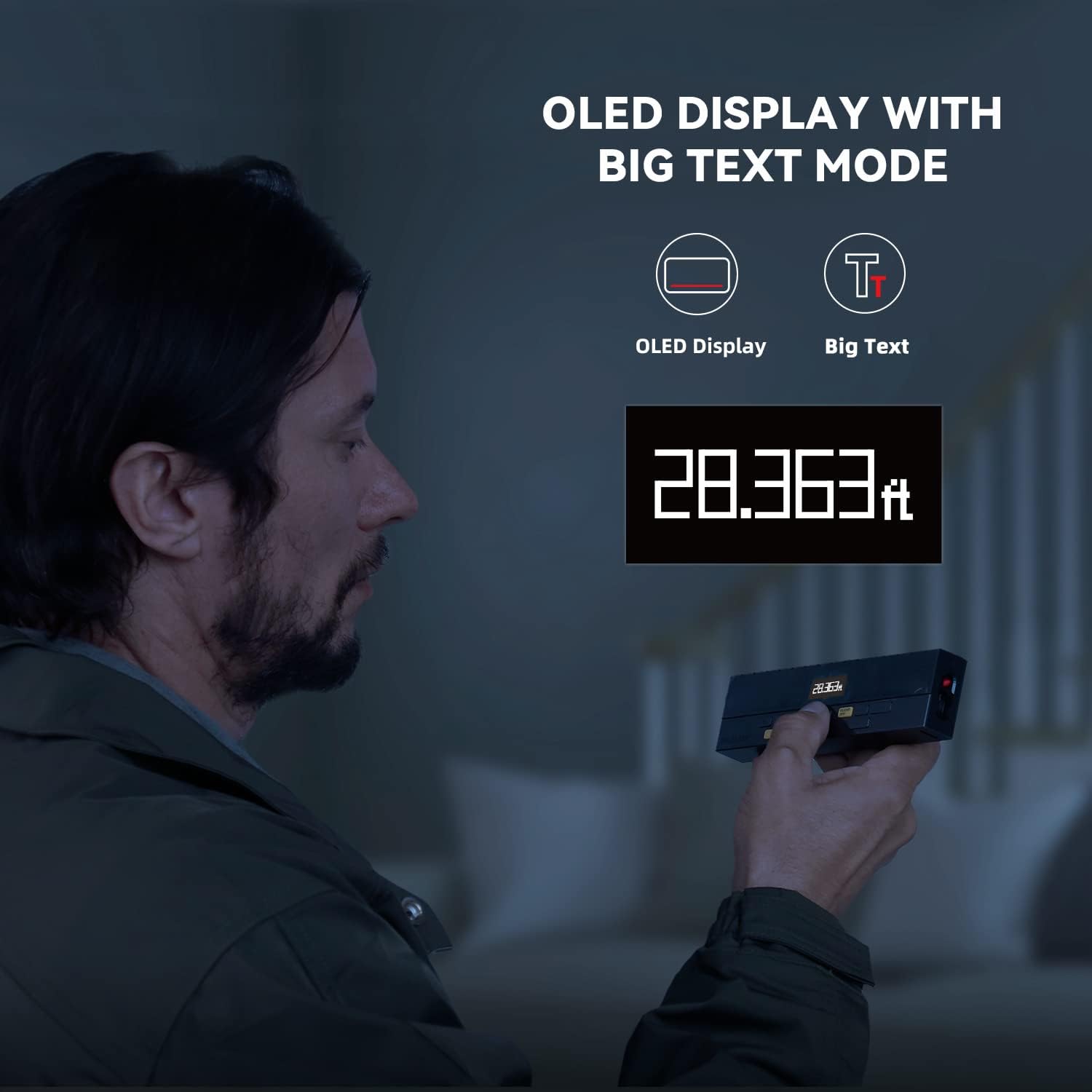
Figure 3: Clear OLED Display with Big Text Mode for enhanced readability.

Figure 4: Illustration of the patented coaxial optical design for precise measurements.
5. Setup
5.1 Iċċarġjar tal-batterija
The DP20 comes with a built-in 1000mAh lithium battery. Before first use, fully charge the device using the provided Type-C charging cable.
- Connect the Type-C cable to the charging port on the device.
- Qabbad it-tarf l-ieħor tal-kejbil ma' adapter tal-enerġija USB (mhux inkluż) jew port USB tal-kompjuter.
- The battery indicator on the display will show charging status. A full charge typically takes about 2 hours.

Figure 5: Charging the DP20 via USB-C port.
5.2 Power On/Off
- Biex tixgħel, agħfas il- MEAS buttuna.
- To power off, long-press the ĊARA/MITFI buttuna. L-apparat jintefa wkoll awtomatikament wara perjodu ta’ inattività biex jikkonserva l-batterija.
6. Modi Operattivi
The DP20 offers a variety of measurement modes to suit different needs. Use the MODALITÀ buttuna biex tiċċaqlaq bejn il-funzjonijiet disponibbli.
6.1 Single and Continuous Measurement
For basic distance measurements.
- Agħfas il- MEAS button once for a single measurement.
- Agħfas fit-tul il- MEAS button to enter continuous measurement mode, which also displays minimum and maximum distances. Press MEAS mill-ġdid biex tieqaf.
6.2 Bilateral and One-Way Measurement
The DP20 allows switching between bilateral (two-way) and one-way laser measurement.
- Use the dedicated button (often labeled T/R or similar, refer to device markings) to switch between bilateral and one-way laser modes.
- Bilateral mode measures the distance between two points by positioning the device anywhere along the line.
- One-way mode measures from the device to a single target point.
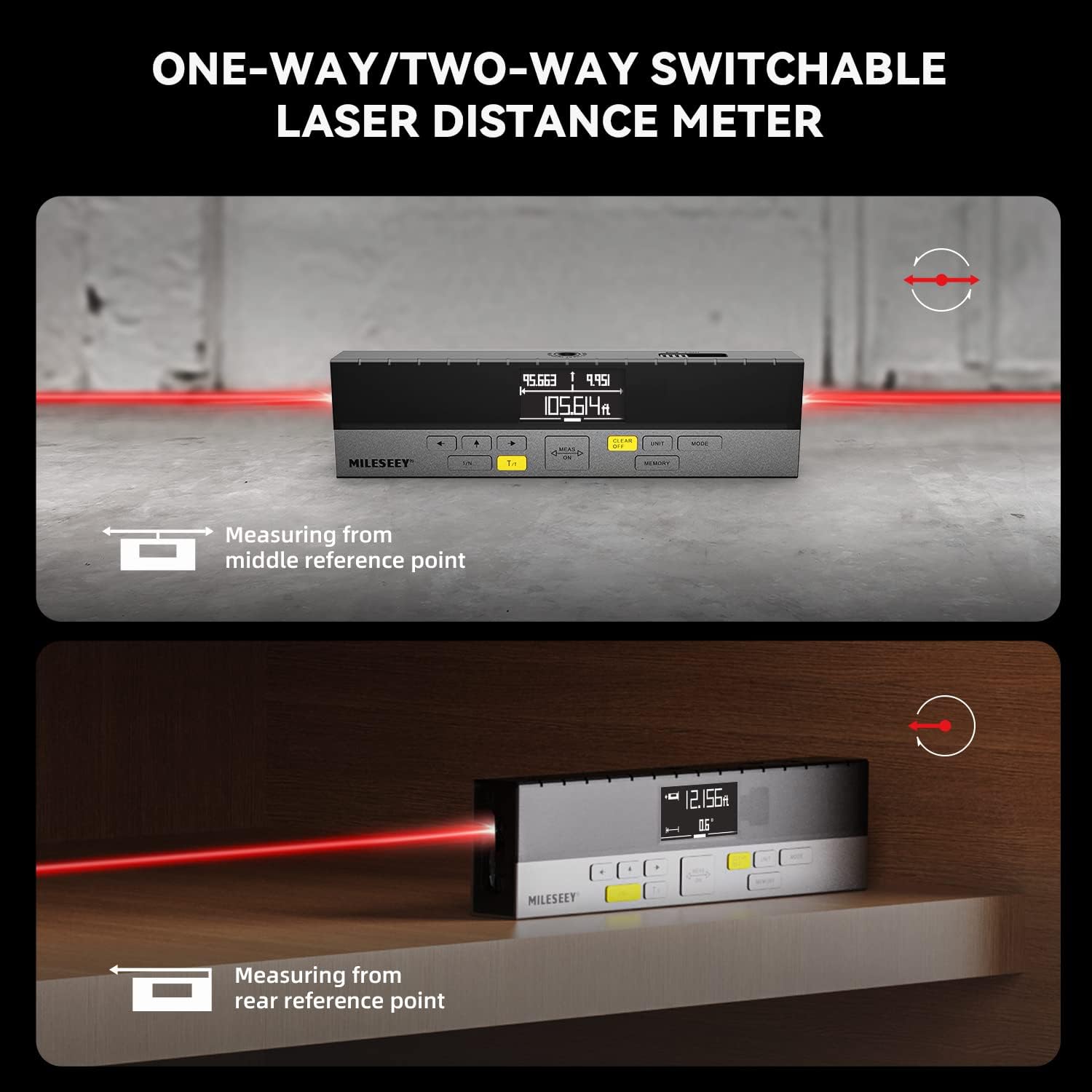
Figure 6: Demonstrating one-way and two-way measurement capabilities.
6.3 Kejl tal-Erja u l-Volum
Biex tikkalkula l-erja jew il-volum:
- Select the Area or Volume mode using the MODALITÀ buttuna.
- Follow the on-screen prompts to take the required number of measurements (e.g., length and width for area; length, width, and height for volume).
- The device will automatically calculate and display the result.
6.4 Kejl Pitagoriku
For indirect measurements of height or distance where direct measurement is not possible.
- Select the Pythagorean mode using the MODALITÀ buttuna.
- Follow the on-screen prompts to take the necessary measurements (e.g., hypotenuse and one leg for height).
- The device will calculate and display the unknown dimension.
6.5 Line Segment Division (Staking Out)
This function divides a line segment into equal smaller segments, useful for tasks like installing multiple items at consistent intervals.
- Enter the Line Segment Division mode (often labeled 1/N).
- Set the number of desired segments (N).
- Measure the total length of the line. The device will then guide you to the division points.
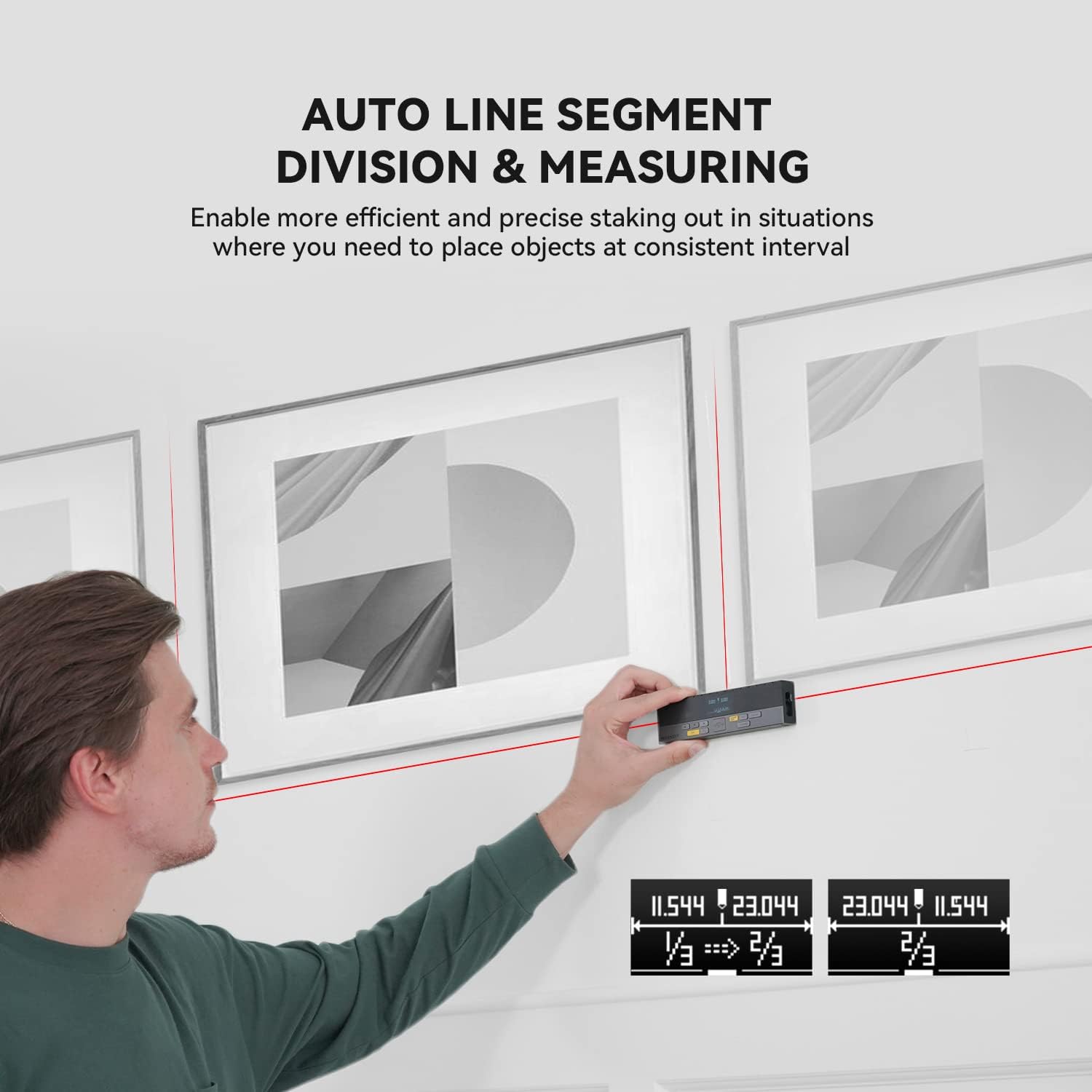
Figure 7: Using the auto line segment division feature for consistent spacing.
6.6 Digital Angle Level
The integrated digital angle level provides real-time angle measurements.
- The device automatically displays the current tilt angle.
- This feature can be used in conjunction with other measurement modes for more complex calculations.

Figure 8: The digital tilt sensor provides accurate angle readings.
7. Karatteristiċi Avvanzati
7.1 Bluetooth Connectivity and App Synchronization
The DP20 supports Bluetooth connectivity, allowing it to pair with the
Dokumenti Relatati - DP20
 |
Manwal tal-Utent tal-Miter tad-Distanza bil-Laser MileSeey S6 Manwal komprensiv għall-utent għall-Miter tad-Distanza bil-Laser MileSeey S6, li jkopri struzzjonijiet ta' sigurtà, tħaddim, funzjonijiet ta' kejl (wieħed, kontinwu, taż-żona, tal-volum, Pitagorika), konnettività Bluetooth, issolvi l-problemi, u speċifikazzjonijiet tekniċi. Tgħallem kif tuża l-S6 għal kejl preċiż tad-distanza. |
 |
Manwal tal-Utent tal-Kejl bil-Laser MILESEEY S6 Il-manwal tal-utent tal-MILESEEY S6 Laser Measure jipprovdi struzzjonijiet dettaljati dwar kif tħaddem il-miter tad-distanza bil-lejżer S6, filwaqt li jenfasizza t-8 funzjonijiet tiegħu għal kejl u esperjenza tal-utent imtejba, inklużi kejl tad-distanza, taż-żona, tal-volum, u Pitagorika, flimkien mas-soluzzjoni tal-problemi u l-ispeċifikazzjonijiet tekniċi. |
 |
Gwida għall-Bidu Mgħaġġel tal-Miter tad-Distanza bil-Laser tas-Serje Mileseey DP20 Gwida ta' bidu rapidu għall-Miter tad-Distanza bil-Laser tas-Serje Mileseey DP20, li tiddettalja l-prodott fuqview, speċifikazzjonijiet tekniċi, u struzzjonijiet ta' tħaddim għal diversi modi ta' kejl. |
 |
Gwida għall-Bidu Mgħaġġel tal-Miter tad-Distanza bil-Laser MILESEEY S2 Gwida konċiża għall-Miter tad-Distanza bil-Laser MILESEEY S2, li tkopri l-karatteristiċi, l-operat, l-istruzzjonijiet tas-sigurtà, is-soluzzjoni tal-problemi, u l-ispeċifikazzjonijiet tiegħu. Tgħallem kif tkejjel id-distanza, l-erja, il-volum, u tuża l-funzjonijiet Pitagorika. |
 |
Manwal tal-Utent tal-Miter tad-Distanza bil-Laser Mileseey X5 Manwal komprensiv għall-utent għall-Miter tad-Distanza bil-Laser Mileseey X5, li jkopri l-karatteristiċi, it-tħaddim, il-modi ta' kejl u s-soluzzjoni tal-problemi tiegħu. |
 |
Gwida għall-Utent tal-Miter tad-Distanza bil-Laser tas-Serje MILESEEY DP20 PRO Gwida komprensiva għall-utent għall-Miter tad-Distanza bil-Lejżer tas-Serje MILESEEY DP20 PRO, li tiddeskrivi l-prodott fuqview, struzzjonijiet ta' sigurtà, speċifikazzjonijiet tekniċi, struzzjonijiet ta' tħaddim għal diversi modi ta' kejl (wieħed, kontinwu, erja, volum, livell awtomatiku, għoli awtomatiku), konnettività Bluetooth, integrazzjoni tal-app, u s-soluzzjoni tal-problemi. |