1. Introduzzjoni
This manual provides detailed instructions for the installation, operation, and maintenance of your AXAGON HMC-HCR3A USB-C Hub. Please read this manual thoroughly before using the device to ensure proper functionality and to prevent damage.
The AXAGON HMC-HCR3A is a versatile USB-C hub designed to expand the connectivity of your USB-C enabled device. It offers multiple ports including USB-A, HDMI, and card reader slots, enhancing your productivity and multimedia experience.
2. Prodott Aktarview
The AXAGON HMC-HCR3A USB-C Hub provides essential ports for modern computing needs. It features a compact design and a durable build, making it suitable for both desktop and portable use.
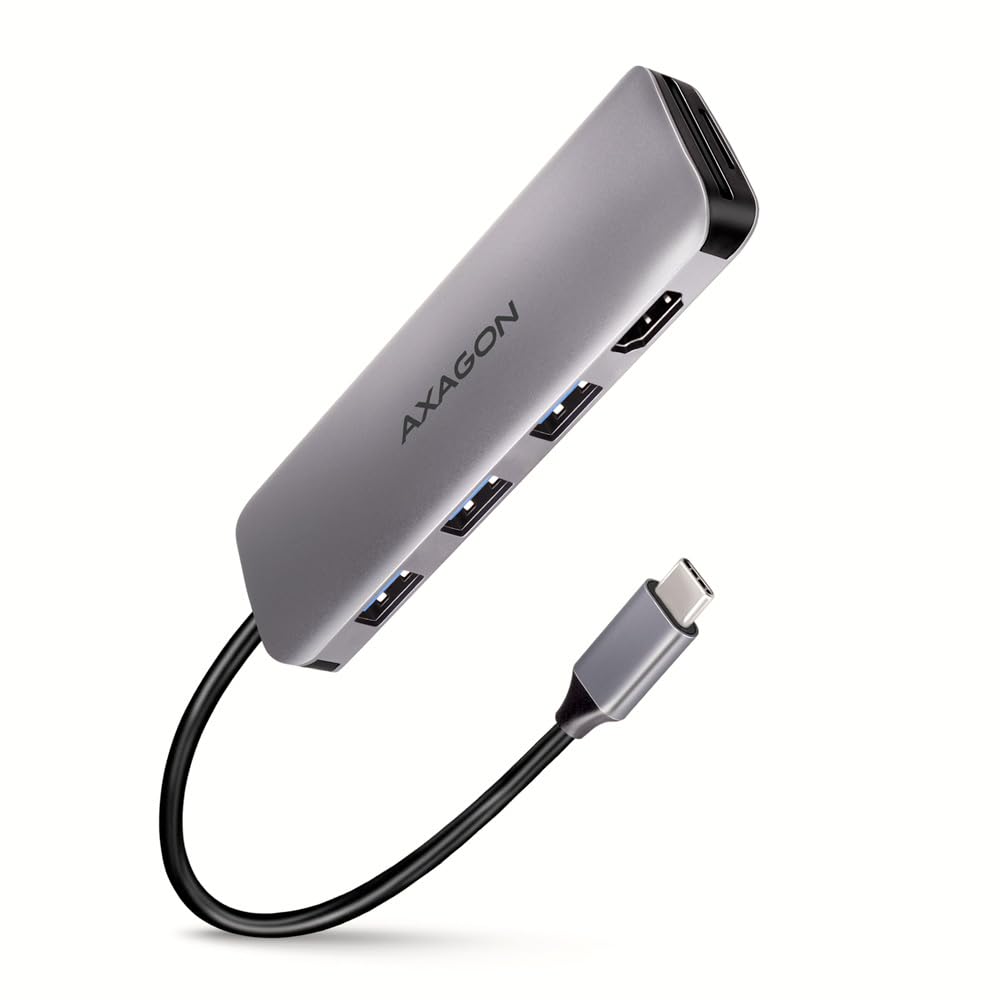
An image showing the AXAGON HMC-HCR3A USB-C Hub, a compact gray device with the AXAGON logo. It features three USB-A ports, an HDMI port, and slots for SD and microSD cards. A black USB-C cable extends from one end, terminating in a USB-C connector.
Kontenut tal-Pakkett:
- AXAGON HMC-HCR3A USB-C Hub
- Manwal għall-Utent (dan id-dokument)
3. Setup
The AXAGON HMC-HCR3A USB-C Hub is designed for plug-and-play functionality, requiring no driver installation for most operating systems.
Passi ta' Konnessjoni:
- Locate an available USB-C port on your host device (laptop, tablet, etc.).
- Connect the USB-C connector of the AXAGON HMC-HCR3A hub into the USB-C port of your host device.
- The hub will be automatically detected by your operating system.
- You can now connect your peripherals to the available ports on the hub.
Nota: Ensure your host device's USB-C port supports data transfer, video output (for HDMI functionality), and power delivery (if applicable for charging through the hub, though this model does not specify power delivery).
4. It-Tħaddim taċ-Ċentru
Once connected, the hub allows you to utilize its various ports simultaneously.
USB-A Ports (3x USB 3.2 Gen 1):
- Connect USB devices such as flash drives, external hard drives, keyboards, mice, or other USB peripherals.
- These ports support data transfer speeds up to 5 Gbps.
Port HDMI:
- Connect an HDMI cable from the hub to an external monitor, TV, or projector.
- This allows you to extend or mirror your display.
- Ensure your host device's USB-C port supports DisplayPort Alternate Mode (Alt Mode) for video output.
Qarrej tal-Kard SD/microSD:
- Insert SD or microSD cards into the respective slots to access data.
- Both slots can be used simultaneously.
5. Manutenzjoni
Proper care and maintenance will extend the lifespan of your AXAGON HMC-HCR3A USB-C Hub.
Tindif:
- Disconnect the hub from your device before cleaning.
- Use a soft, dry, lint-free cloth to wipe the surface of the hub.
- Do not use liquid cleaners, aerosols, or solvents, as these may damage the device.
Ħażna:
- Aħżen il-hub f'post frisk u niexef 'il bogħod mix-xemx diretta u minn temperaturi estremi.
- Avoid bending or kinking the attached USB-C cable excessively.
6 Issolvi l-problemi
If you encounter issues with your AXAGON HMC-HCR3A USB-C Hub, refer to the following common problems and solutions.
Apparat Mhux Rikonoxxut:
- Ensure the USB-C connector is fully inserted into your host device's port.
- Try connecting the hub to a different USB-C port on your device.
- Erġa' ibda t-tagħmir ospitanti tiegħek.
- Verify that your host device's USB-C port supports external hubs.
L-ebda Output tal-Wiri permezz tal-HDMI:
- Ikkonferma li l-port USB-C tat-tagħmir ospitanti tiegħek jappoġġja l-Modalità Alternattiva DisplayPort (Modalità Alt). Mhux il-portijiet USB-C kollha jappoġġjaw l-output tal-vidjo.
- Check the HDMI cable connection between the hub and the monitor.
- Ensure the monitor is set to the correct HDMI input source.
- Ipprova kejbil HDMI jew monitor differenti jekk possibbli.
- Aġġorna s-sewwieqa tal-grafika tiegħek fuq l-apparat ospitanti tiegħek.
Veloċitajiet Baxxi tat-Trasferiment tad-Dejta:
- Ensure the connected USB device (e.g., flash drive, external HDD) is USB 3.0/3.1/3.2 compatible to achieve maximum speeds.
- Some older USB devices may operate at USB 2.0 speeds.
- Avoid connecting multiple high-bandwidth devices simultaneously if performance issues arise.
7. Speċifikazzjonijiet
| Karatteristika | Speċifikazzjoni |
|---|---|
| Brand | AXAGON |
| Numru tal-Mudell | HMC-HCR3A |
| Ospitanti Interface | USB-C 3.2 Ġen 1 |
| USB-A Portijiet | 3x USB-A 3.2 Gen 1 (5 Gbps) |
| Output tal-vidjo | 1x HDMI |
| Qarrej tal-Kard | SD, microSD (simultaneous use) |
| Tul tal-Cable | 20 ċm |
| Kulur | Iswed |
| Piż tal-oġġett | Approximately 2.2 pounds (product weight, not shipping) |
| Dimensjonijiet tal-Pakkett | 3.94 x 3.94 x 1.97 pulzieri |
8. Informazzjoni dwar is-Sigurtà
- Tesponix l-apparat għall-ilma, umdità, jew temperaturi estremi.
- Evita li twaqqa’ jew tissuġġetta l-apparat għal impatti qawwija.
- Tippruvax tiżżarma jew issewwi l-apparat int stess. Irreferi għal persunal tas-servizz kwalifikat.
- Żomm fejn ma jintlaħaqx mit-tfal.
9. Garanzija u Appoġġ
AXAGON products are covered by a manufacturer's warranty. For detailed warranty terms and conditions, please refer to the official AXAGON websit jew ikkuntattja lin-negozjant lokali tiegħek.
For technical support, product inquiries, or further assistance, please visit the official AXAGON support page or contact their customer service department. Contact information can typically be found on the AXAGON websit: www.axagon.eu


