1. Introduzzjoni
The Garmin ECHOMAP UHD2 72sv is a 7-inch touchscreen chartplotter designed to enhance your marine navigation and fishing experience. This device features a bright, sunlight-readable display and offers advanced sonar capabilities, detailed mapping, and seamless connectivity.
Il-karatteristiċi ewlenin jinkludu:
- Easy-to-use 7” touchscreen display with keyed-assist controls.
- Built-in worldwide basemap with support for Garmin Navionics+ and Garmin Navionics Vision+ cartography.
- Garmin traditional sonar for clear fish arches.
- ClearVü™ and SideVü™ scanning sonars with vivid color palettes for detailed underwater views.
- Support for LiveScope™ sonar systems.
- Built-in Wi-Fi® connectivity for wireless sharing of sonar, waypoints, and routes with other ECHOMAP UHD2 chartplotters.
- GPS multi-band għal preċiżjoni mtejba tal-pożizzjoni.
- Compatibility with the free ActiveCaptain® app for OneChart™, software updates, and more.
- NMEA 2000® network support for compatible autopilots, digital switching, and music integration.

Figure 1: Garmin ECHOMAP UHD2 72sv Chartplotter displaying a detailed map.
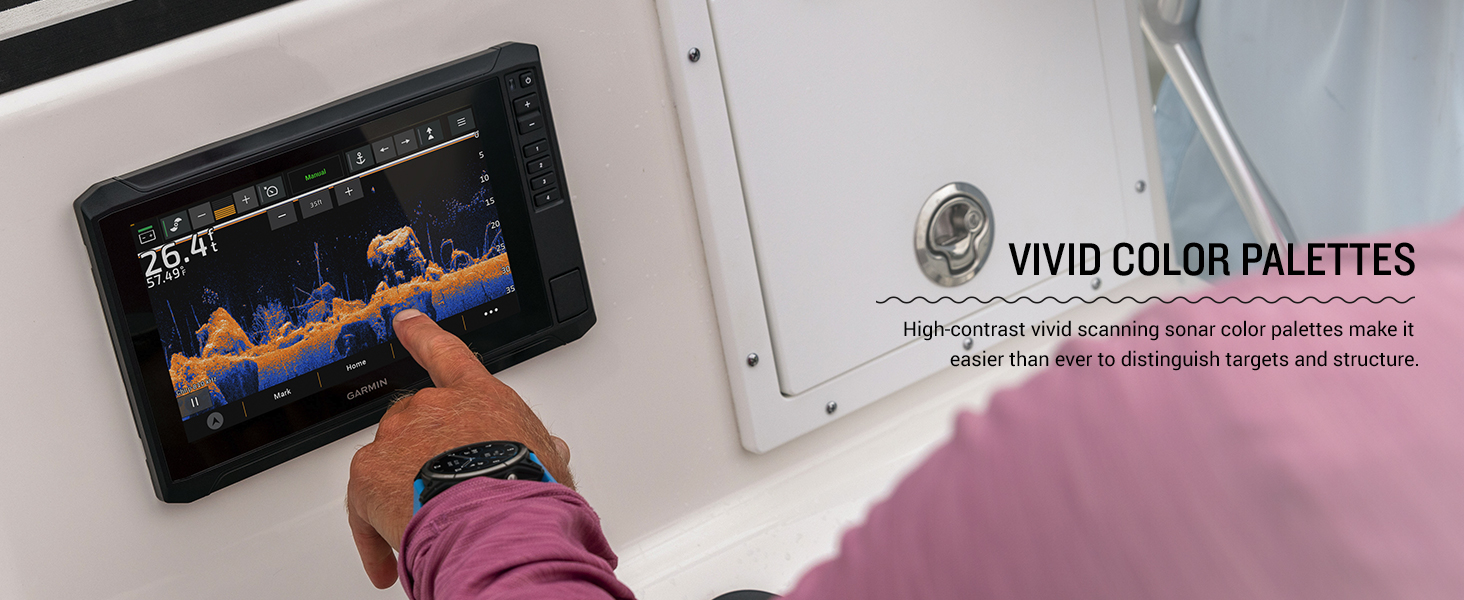
Figure 2: Multiple ECHOMAP UHD2 chartplotters showcasing various display options on a boat.
2. Setup
2.1 X'hemm fil-Kaxxa
Your ECHOMAP UHD2 72sv package includes the following components:
- ECHOMAP UHD2 72sv device
- 12-pin sounder to 8-pin transducer cable
- Kejbil tal-enerġija
- Tilt/swivel mount with quick release cradle
- Għata protettiva
- Ħardwer
- Dokumentazzjoni
2.2 Immuntar tal-Apparat
Use the provided tilt/swivel mount and hardware to securely install your ECHOMAP UHD2 72sv. A mounting template is included in the documentation to assist with precise installation. Ensure the mounting location provides clear visibility and access to controls, while also protecting the device from excessive exposure to elements.
2.3 Konnessjoni tal-Enerġija
Connect the included power cable to a 12V DC power source on your vessel. Ensure all connections are secure and properly insulated to prevent water intrusion and electrical issues.
2.4 Konnessjoni tat-Trasduttur
Connect your compatible transducer (sold separately) to the chartplotter using the 12-pin sounder to 8-pin transducer cable. Refer to your transducer's installation instructions for optimal placement and mounting.
Vidjo 1: Il-ftuħ tal-kaxxa u s-setup inizjali lestview of a Garmin ECHOMAP UHD2 unit, showing included components and basic connections. (Note: This video features a 93sv model, but the unboxing process is similar).
3. Operating the ECHOMAP UHD2 72sv
3.1 Powering On/Off and Basic Navigation
To power on the device, press and hold the power button located on the right side of the unit. To power off, press and hold the power button again and select 'Turn Off System' from the options. The touchscreen supports intuitive gestures like pinch-to-zoom and swipe-to-pan. Physical buttons are also available for quick access to common functions and precise control.
Vidjo 2: Fuqview of the Garmin Echomap UHD2 Series, highlighting key features and user interface navigation. (Seller: Garmin International)
3.2 Sonar Views
The ECHOMAP UHD2 72sv offers multiple sonar views to help you locate fish and underwater structures:
- Sonar Tradizzjonali: Provides crisp, clear fish arches.
- ClearVü™ Sonar: Juri ritratt view of fish and structure below your boat with vivid color palettes.
- SideVü™ Sonar: Joffri ċar view of what is happening on either side of your boat.
- LiveScope™ Sonar: (Requires compatible transducer, sold separately) Provides real-time, live scanning sonar images.
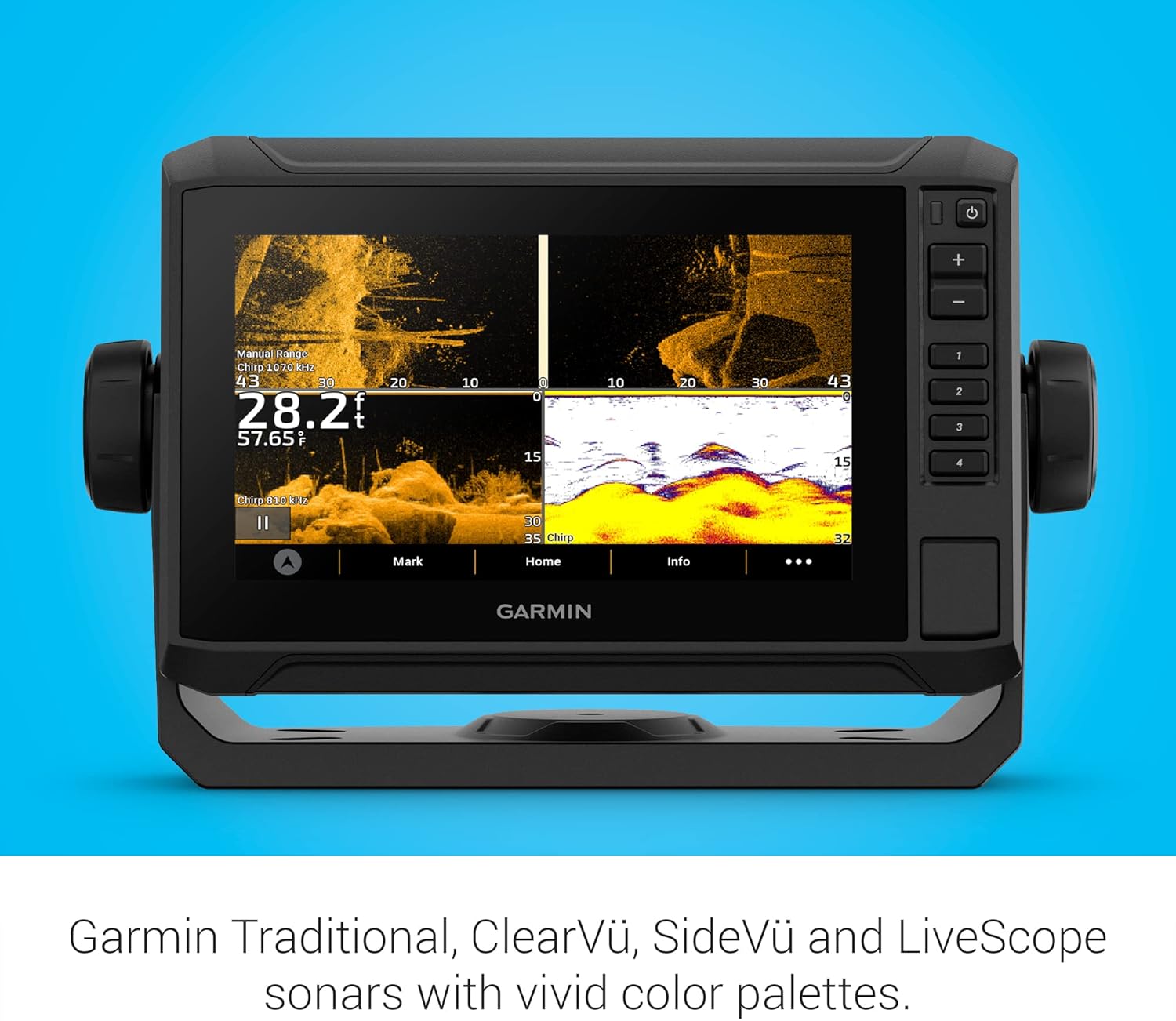
Figure 3: ECHOMAP UHD2 display showing ClearVü and SideVü sonar with vivid color palettes.
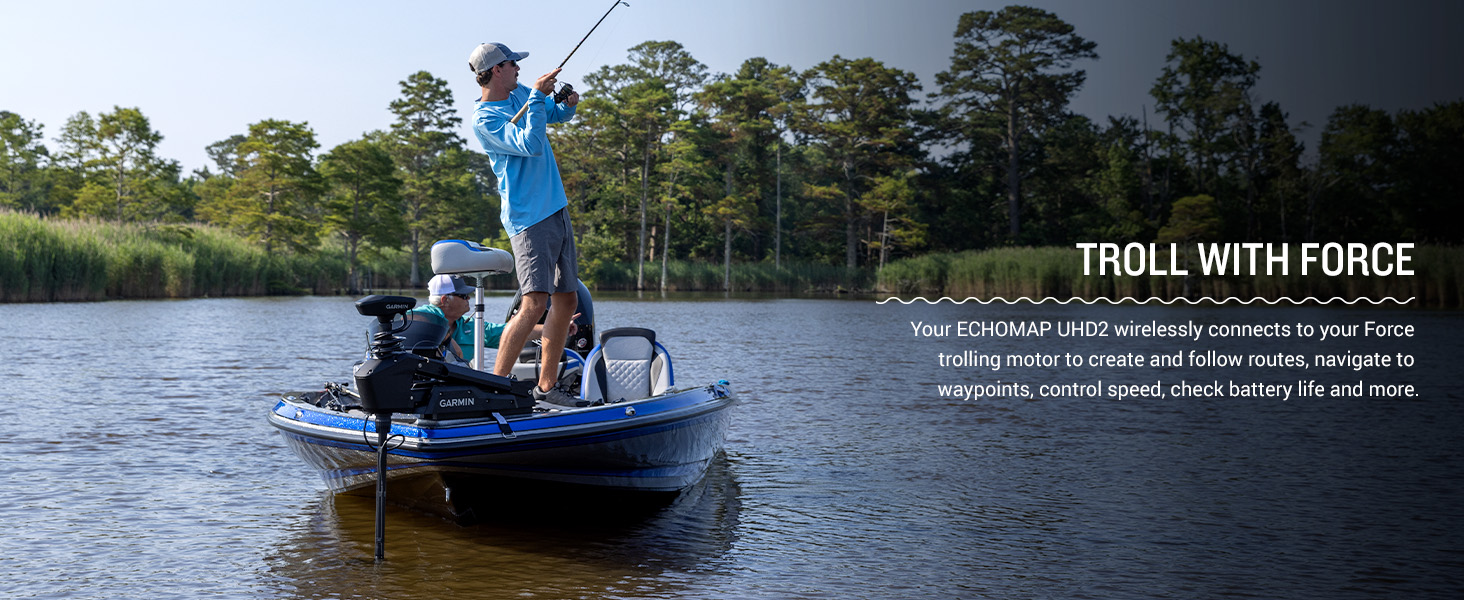
Figure 4: A user interacting with the touchscreen to adjust sonar settings, highlighting the vivid color palettes.
3.3 Chartplotter u Navigazzjoni
Utilize the built-in worldwide basemap for navigation. The device supports Garmin Navionics+ and Garmin Navionics Vision+ cartography for enhanced detail. You can easily mark waypoints, create routes, and track your path. Multi-band GPS ensures superior position accuracy, especially in challenging environments.

Figure 5: The ECHOMAP UHD2 display showing a detailed navigational chart with depth contours.
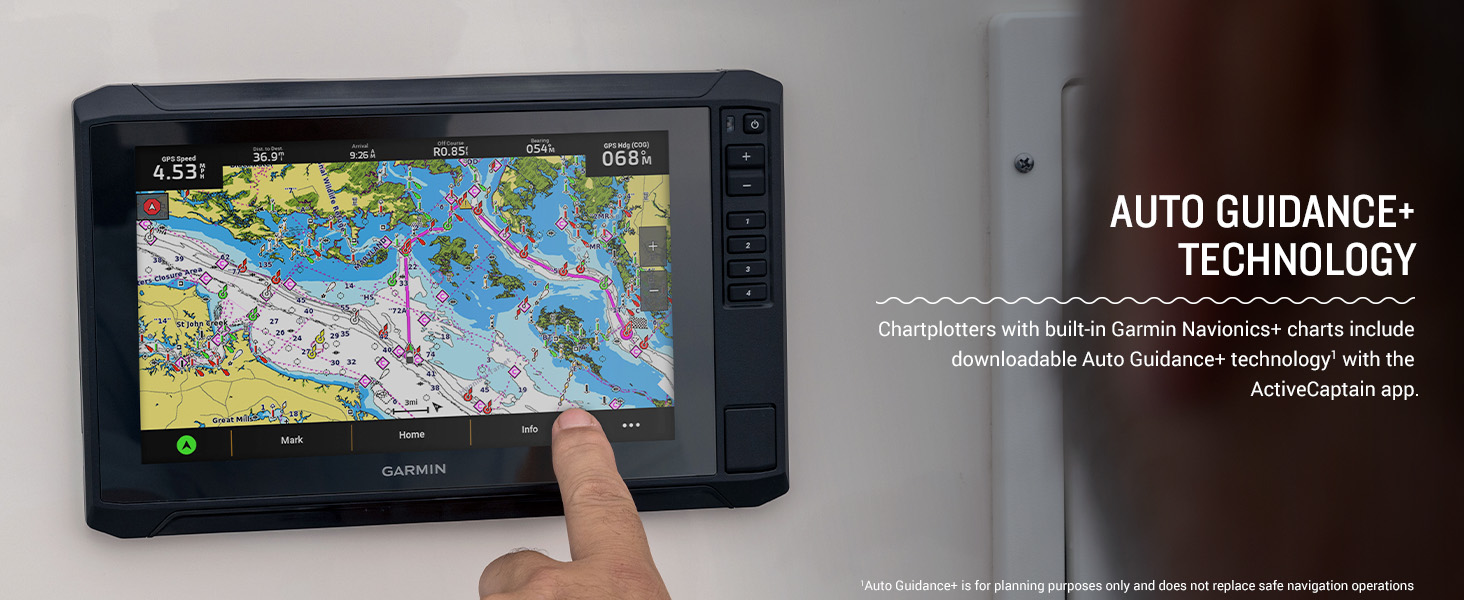
Figure 6: A Garmin ECHOMAP UHD2 chartplotter mounted on a boat, displaying preloaded charts.
3.4 Konnettività Wireless u l-App ActiveCaptain
The built-in Wi-Fi allows you to wirelessly share sonar data, waypoints, and routes with another compatible ECHOMAP UHD2 chartplotter. Pair your device with the free ActiveCaptain app on your smartphone to access OneChart, receive smart notifications, download software updates, and manage your marine experience.
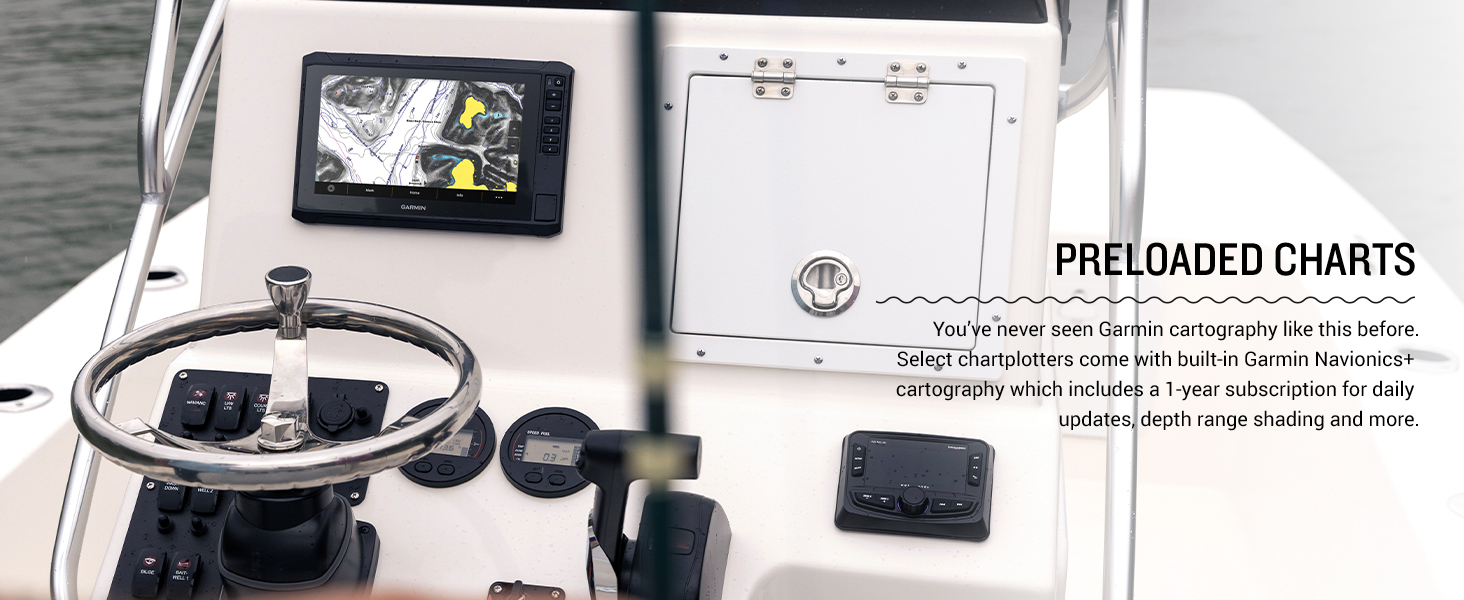
Figure 7: A smartphone showing the ActiveCaptain app, which pairs with the ECHOMAP UHD2 for enhanced features.
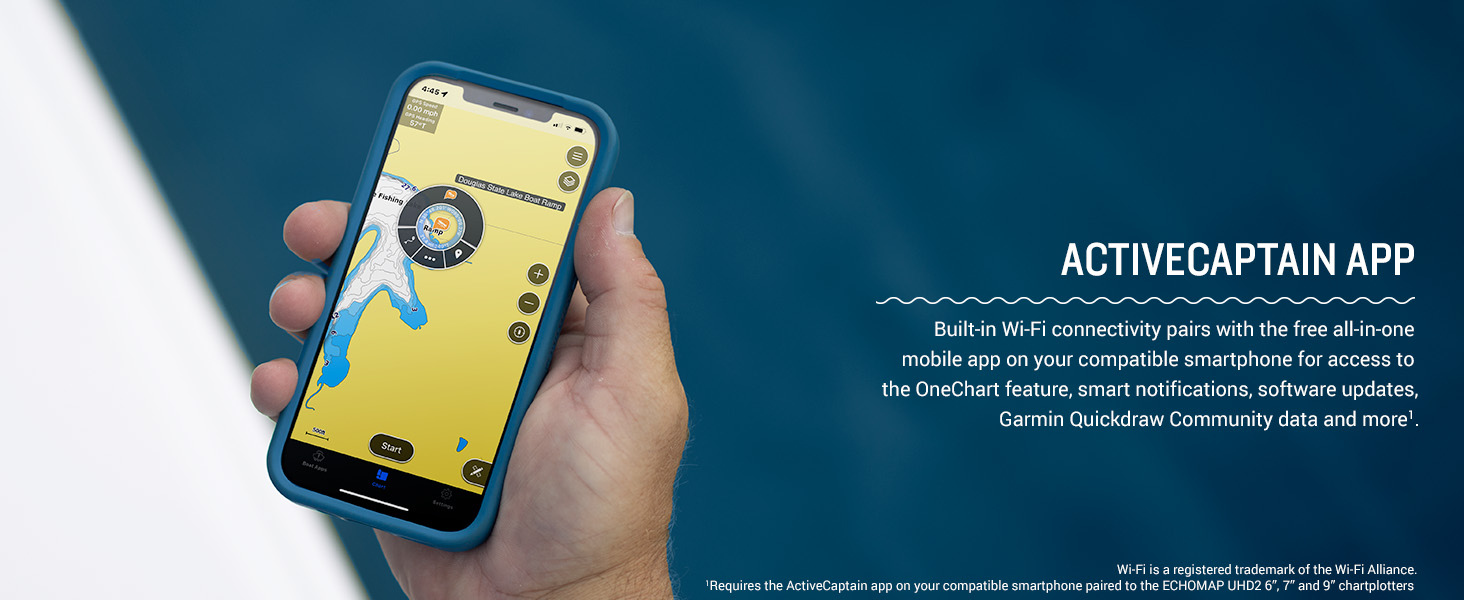
Figure 8: A user interacting with the chartplotter, illustrating the wireless networking capabilities to share data.
3.5 NMEA 2000 Network Support
The chartplotter supports NMEA 2000 networks, allowing you to connect compatible autopilots, digital switching systems, and marine audio to view and control them all from one screen.
3.6 Trolling Motor Integration
Your ECHOMAP UHD2 wirelessly connects to your Force trolling motor to create and follow routes, navigate to waypoints, control speed, check battery life, and more.

Figure 9: A boat with a Garmin Force trolling motor, demonstrating integration with the ECHOMAP UHD2 for enhanced control while fishing.
4. Manutenzjoni
4.1 Tindif tal-Apparat
Clean the screen and exterior of the device with a soft, clean cloth dampened with fresh water. Avoid using chemical cleaners or solvents, as they may damage the plastic components and screen coating. For stubborn stains, a mild soap solution can be used, followed by rinsing with fresh water.
4.2 Qoxra Protettiva
Always use the provided protective cover when the device is not in use or during transport to prevent scratches and damage to the screen and buttons.
4.3 Aġġornamenti tas-Software
Regularly check for and install software updates via the ActiveCaptain app or by downloading updates to an SD card from the Garmin website. Updates ensure optimal performance, new features, and bug fixes.
5 Issolvi l-problemi
5.1 L-Apparat Mhux Qed Jixgħel
- Ensure the power cable is securely connected to both the device and the 12V DC power source.
- Check the vessel's fuse or circuit breaker for the power connection.
- Iċċekkja li l-batterija għandha biżżejjed ċarġ.
5.2 No Sonar Data
- Confirm that the transducer is correctly connected to the chartplotter.
- Ensure the transducer is properly submerged in water and free from obstructions.
- Check sonar settings on the device to ensure the correct transducer type is selected and gain/range settings are appropriate for current conditions.
5.3 GPS Signal Loss
- Kun żgur li l-apparat għandu ċar view of the sky, free from overhead obstructions.
- Mexxi l-apparat 'il bogħod minn tagħmir elettroniku ieħor li jista' jikkawża interferenza.
- Perform a software update to ensure the latest GPS firmware is installed.
6. Speċifikazzjonijiet
| Karatteristika | Speċifikazzjoni |
|---|---|
| Brand | Garmin |
| Isem tal-Mudell | Garmin ECHOMAP 7" |
| Numru tal-Mudell | 010-02683-00 |
| Daqs tal-Iskrin | 7 Pulzier |
| Tip ta 'Wiri | LCD |
| Sors tal-Enerġija | Sors ta 'Enerġija DC |
| Piż tal-oġġett | 1 Kilogrammi |
| Tip ta 'Immuntar | Mejjel / Dawwar Mount |
| GTIN / UPC | 753759177119 |
7. Garanzija u Appoġġ
7.1 Garanzija Limitata
The Garmin ECHOMAP UHD2 72sv comes with a Garanzija limitata ta 'sena. Please refer to the included documentation for full terms and conditions of the warranty.
7.2 Appoġġ għall-Klijent
For technical assistance, troubleshooting, or warranty claims, please visit the official Garmin support website or contact Garmin customer service directly. Contact information can be found in your product documentation or on the Garmin websit.


