Introduzzjoni
Welcome to the Soul Ultra Wireless 2 Headphones user manual. This guide provides comprehensive instructions for setting up, operating, and maintaining your new headphones. Designed for superior sound quality, comfort, and convenience, the Ultra Wireless 2 offers an immersive audio experience with advanced features.
Kontenut tal-Pakkett
Kun żgur li l-oġġetti kollha huma preżenti fil-pakkett tiegħek:
- Soul Ultra Wireless 2 Headphones
- Cable tal-Iċċarġjar tal-USB-C
- 3.5mm Audio Cable (Aux Cable)
- Manwal għall-Utent
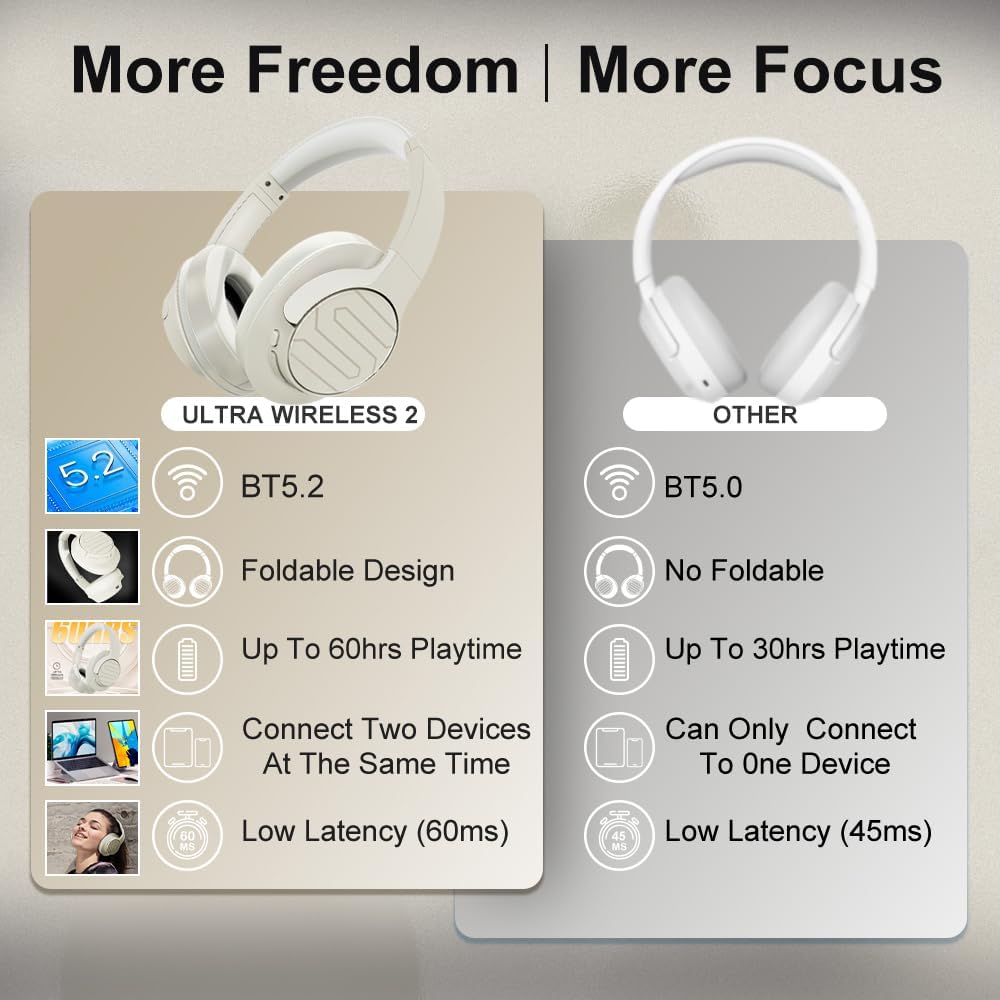
Image: Soul Ultra Wireless 2 headphones, USB-C charging cable, and 3.5mm audio cable.
Prodott Overview
Familiarize yourself with the headphone's controls and ports:
Immaġni: Dettaljata view of headphone controls and ports.
- Buttuna tal-Enerġija/Multi-Funzjoni: Ixgħel/itfi, daqq/pawża, wieġeb/temm is-sejħiet.
- Buttuna tal-Volum 'il Fuq/Trakka li Jmiss: Increase volume, skip to next track (long press).
- Buttuna għat-Tnaqqis tal-Volum/Trakka Preċedenti: Decrease volume, go to previous track (long press).
- Buttuna tal-Modalità: Activate Low Latency Entertainment Mode.
- Buttuna ANC: Toggle Active Noise Cancellation (ANC) on/off.
- Port USB-C: Għall-iċċarġjar tal-headphones.
- Jack Awdjo 3.5mm: Għal konnessjoni awdjo bil-fili.
- Indikatur LED: Displays power, pairing, and charging status.
Setup
1. Iċċarġjar tal-Headphones
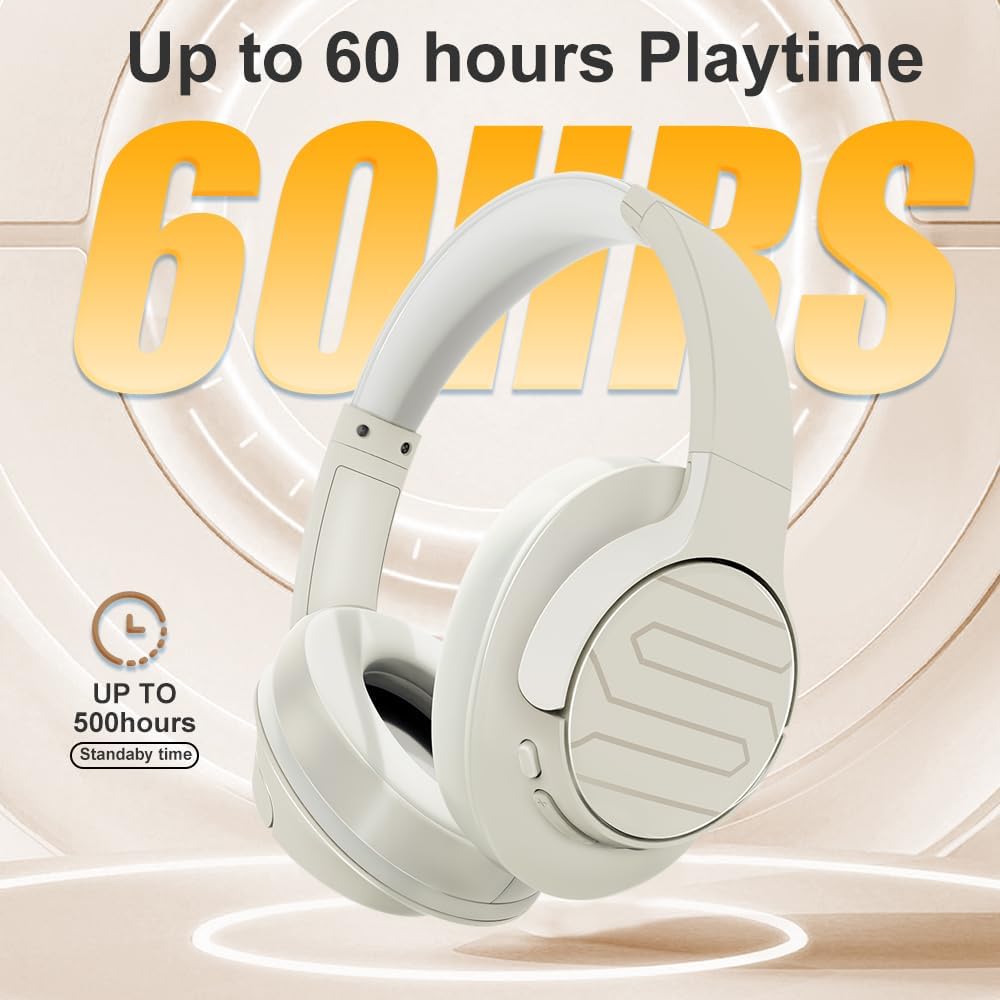
Before first use, fully charge your headphones. Connect the supplied USB-C charging cable to the headphone's USB-C port and a compatible USB power source. The LED indicator will show charging status and turn off when fully charged. A full charge takes approximately 1.5 hours and provides up to 60 hours of playtime.

Image: USB-C fast charging port on the headphones.
2. Tixgħil / Mitfi
- Qawwa Mixgħul: Press and hold the Power/Multi-function button until the LED indicator lights up.
- Itfi: Press and hold the Power/Multi-function button until the LED indicator turns off.
3. Tqabbil tal-Bluetooth
- Kun żgur li l-headphones huma mitfija.
- Press and hold the Power/Multi-function button until the LED indicator flashes blue and red, indicating pairing mode.
- Fuq l-apparat tiegħek (smartphone, tablet, kompjuter), attiva l-Bluetooth u fittex apparati disponibbli.
- Select "Soul Ultra Wireless 2" from the list.
- Ladarba jkun konness, l-indikatur LED se juri dawl blu solidu.
Istruzzjonijiet Operattivi
Music Playback & Call Management
- Play/Pawsa: Agħfas il-buttuna tal-Enerġija/Multi-funzjoni darba.
- Volum 'il fuq: Agħfas il-buttuna Volum 'il fuq.
- Volum 'l isfel: Agħfas il-buttuna Volum 'l isfel.
- Track li jmiss: Agħfas fit-tul il-buttuna Volume Up.
- Track preċedenti: Agħfas fit-tul il-buttuna Volum 'l isfel.
- Tweġiba/Tmiem Sejħa: Agħfas il-buttuna tal-Enerġija/Multi-funzjoni darba.
- Irrifjuta Sejħa: Agħfas fit-tul il-buttuna tal-Enerġija/Multi-funzjoni.
Kanċellazzjoni Attiva tal-Istorbju (ANC)
Press the ANC button to toggle Active Noise Cancellation on or off. ANC helps reduce ambient noise for a more focused listening experience.
Low Latency Entertainment Mode
Activate the Low Latency Entertainment Mode by pressing the Mode button. This mode minimizes audio lag, providing synchronized audio and video for gaming and multimedia content.
Teknoloġija Multipunt
The Ultra Wireless 2 supports Multipoint Technology, allowing simultaneous connection to two devices. This enables seamless switching between music on one device and calls on another.
Video: Soul Ultra Wireless 2 product overview, highlighting key features and design.
Manutenzjoni
- Naddaf il-headphones b'ċarruta ratba u niexfa.
- Evita li tesponi l-headphones għal temperaturi estremi, umdità, jew sustanzi korrużivi.
- Store the headphones in a cool, dry place when not in use. The foldable design helps in compact storage.

Image: Close-up of the comfortable protein earpads.
Issolvi l-problemi
- Ebda Qawwa: Kun żgur li l-headphones huma ċċarġjati.
- Ebda Ħsejjes: Iċċekkja l-livelli tal-volum kemm fuq il-headphones kif ukoll fuq l-apparat konness. Kun żgur li l-headphones huma mqabbdin sew.
- Kwistjonijiet ta' Tqabbil: Make sure headphones are in pairing mode (flashing blue/red LED). Turn off and on Bluetooth on your device.
- Kwalità tal-Awdjo Fqira: Ensure headphones are within Bluetooth range of your device. Avoid obstacles between headphones and device.
Speċifikazzjonijiet
| Karatteristika | Dettall |
|---|---|
| Isem tal-Mudell | ULTRA WIRELESS 2 |
| Verżjoni Bluetooth | 5.3 |
| Medda Bluetooth | 100 Meters |
| Ħajja tal-batterija | Sa 60 siegħa (tvarja skont il-livell tal-volum u l-kontenut) |
| Ħin tal-Iċċarġjar | 1.5 hours (USB-C Quick Charging) |
| Tip ta' Sewwieq Awdjo | Sewwieq Dinamika |
| Kontroll tal-Ħoss | Sound Isolation (Active Noise Cancellation) |
| Headphones Jack | 3.5 mm Jack |
| Piż tal-oġġett | 6.04 uqija |
| Dimensjonijiet tal-Prodott | 8.15 x 7.09 x 3.29 pulzieri |
Garanzija u Appoġġ
All Soul headphones come with one year of free maintenance service. For any requests or issues, please contact Soul Electronics customer support. Your problem will be addressed within 24 hours.
Żur l-uffiċjal Soul Electronics Store għal aktar informazzjoni u appoġġ.
Video: Detailed features and benefits of the Soul Ultra Wireless 2 headphones.


