Introduzzjoni
Thank you for choosing the BUFFBEE Sound Machine & Alarm Clock. This versatile 2-in-1 device combines a high-quality sound machine with a fully functional alarm clock, designed to help you achieve restful sleep and wake up refreshed. Its intuitive controls and customizable features make it an essential addition to any bedroom.

Image: The Buffbee Sound Machine and Alarm Clock highlighting its dual functionality as both a sound machine and an alarm clock.
Informazzjoni dwar is-Sigurtà
- Tesponix l-apparat għall-ilma jew għal umdità eċċessiva.
- Żomm 'il bogħod minn sorsi ta' sħana u dawl tax-xemx dirett.
- Uża biss l-adapter tal-enerġija pprovdut.
- Tippruvax iżarma jew isewwi l-apparat lilek innifsek. Ikkuntattja l-appoġġ tal-klijent għall-assistenza.
- Kun żgur li l-apparat jitqiegħed fuq wiċċ stabbli u ċatt.
Kontenut tal-Pakkett
- BUFFBEE Sound Machine & Alarm Clock (Model: BK11)
- Adapter tal-Enerġija
- Manwal għall-Utent
Prodott Overview
Iffamiljarizza ruħek mal-komponenti u l-kontrolli tal-apparat:

Image: A detailed diagram illustrating the top panel controls (Alarm, Volume Control, Sound Machine, Night Light) and the rear panel (Display Dimmer, Adapter port).
- Kontrolli tal-Panew ta' Fuq: Alarm button, Timer button, Volume Up/Down, Previous/Next Sound, Sound Machine button, Night Light button.
- Wiri ta' Quddiem: Uri diġitali tal-arloġġ.
- Dawl tal-qiegħ: Integrated colored light.
- Panel ta 'wara: DC 5V Adapter port, 0-100% Display Dimmer knob.
Setup
- Pjazzament: Place the device on a stable surface, such as a nightstand or desk.
- Konnessjoni tal-Enerġija: Insert the power adapter into the DC 5V port on the rear of the device, then plug it into a standard electrical outlet.
- Qawwa Inizjali Mixgħula: The clock display will illuminate.
- Issettja Ħin: Refer to the 'Operating Instructions' section for setting the current time.
Istruzzjonijiet Operattivi
L-issettjar tal-Ħin
- Agħfas u żomm il- Ħin button (clock icon) on the top panel until the hour digits flash.
- Uża l- Preċedenti (◀︎) or Li jmiss (▶︎) buttons to adjust the hour.
- Agħfas il- Ħin Agħfas il-buttuna mill-ġdid biex tikkonferma s-siegħa u tmur għall-issettjar tal-minuti.
- Uża l- Preċedenti (◀︎) or Li jmiss (▶︎) buttons to adjust the minutes.
- Agħfas il- Ħin button one more time to confirm the minutes and exit time setting.
L-issettjar tal-allarm
- Agħfas u żomm il- Allarm button (bell icon) on the top panel until the alarm hour digits flash.
- Uża l- Preċedenti (◀︎) or Li jmiss (▶︎) buttons to adjust the alarm hour.
- Agħfas il- Allarm button again to confirm the hour and move to alarm minute setting.
- Uża l- Preċedenti (◀︎) or Li jmiss (▶︎) buttons to adjust the alarm minutes.
- Agħfas il- Allarm button one more time to confirm the minutes. The alarm icon will appear on the display, indicating the alarm is set.
- Biex itfi l-allarm, agħfas il- Allarm button once. The alarm icon will disappear.
L-Użu tal-Magna tal-Ħoss
The device offers 18 soothing sounds, including 5 white noises, 3 fan sounds, and 10 nature sounds (ocean, lullaby, waves, rain, thunderstorm, brook, croaking, bird chirping, summer night, and campnar).
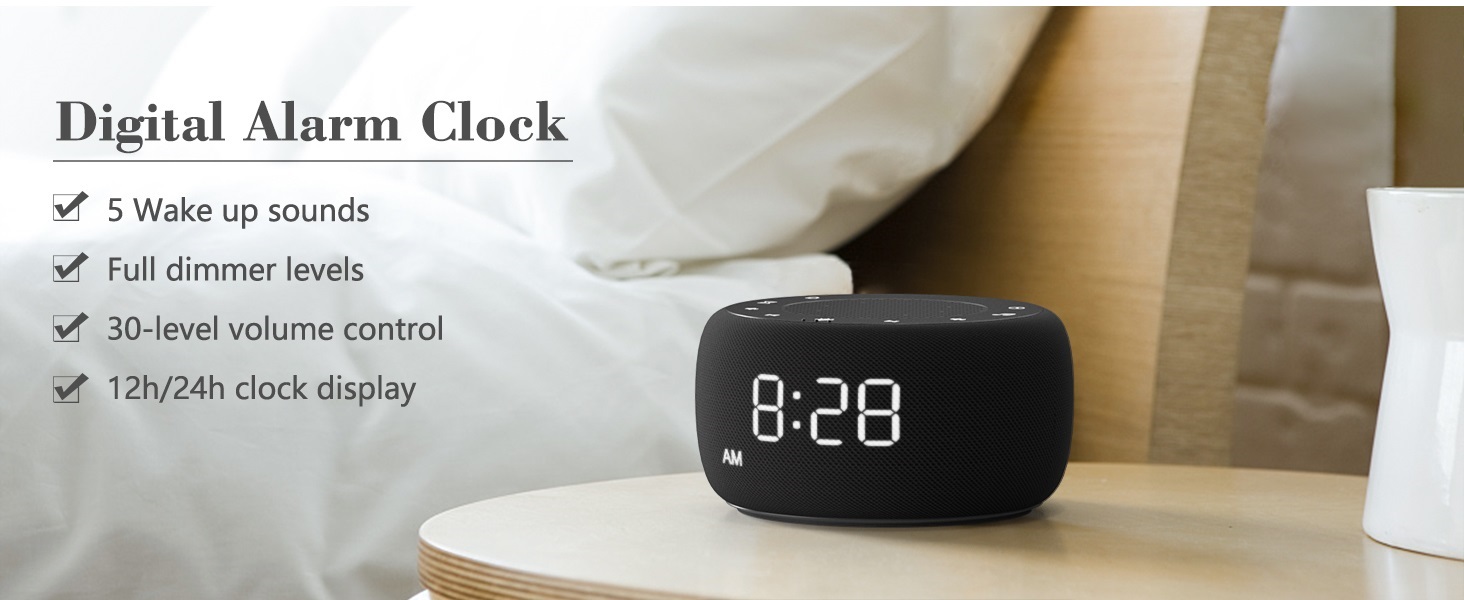
Image: An infographic displaying the 18 soothing sounds categorized into 3 fan sounds, 5 white noises, and 10 nature sounds, including ocean, lullaby, waves, rain, thunderstorm, brook, croaking, bird chirping, summer night, and campnar.
- Agħfas il- Magna tal-Ħoss button (music note icon) to cycle through the available sounds.
- Uża l- Volum Up (▲) u Volum 'l isfel (▼) buttons to adjust the volume (30 levels).
- To turn off the sound, press the Magna tal-Ħoss button until no sound is playing.
Sleep Timer
Set a timer for the sound machine to automatically turn off.

Image: The top panel of the Buffbee Sound Machine, highlighting the Auto-Off Timer button and the Volume Control buttons.
- Agħfas il- Timer button (hourglass icon) to cycle through timer options: 15, 30, 60, 90, 120 minutes, or continuous play.
- The selected timer duration will be displayed on the screen.
Adjusting Clock Face Brightness
The clock display brightness can be adjusted from 0% (completely dark) to 100%.

Image: The Buffbee Sound Machine demonstrating its 0-100% display dimmer feature, showing the clock face at 0%, partial, and 100% brightness.
- Sib il- Display Dimmer knob on the rear of the device.
- Rotate the knob to increase or decrease the brightness of the clock display to your preference.
Using the Bottom Colored Light
The device features a bottom light with 7 color options to create a relaxing ambiance.

Image: The Buffbee Sound Machine displaying its bottom colored light feature, showing various color options and the ability to turn it on or off.
- Agħfas il- Dawl bil-lejl button (light bulb icon) to cycle through the 7 color options.
- Continue pressing the button to turn the light off.
Manutenzjoni
- Tindif: Imsaħ l-apparat b'ċarruta ratba u niexfa. Tużax prodotti tat-tindif jew solventi li joborxu.
- Ħażna: Meta ma tkunx qed tużah għal perjodi twal, aħżen l-apparat f'post frisk u niexef.
Issolvi l-problemi
| Problema | Kawża Possibbli | Soluzzjoni |
|---|---|---|
| L-apparat ma jixgħelx. | L-adapter tal-enerġija mhux imqabbad sew jew problema bis-sokit tal-enerġija. | Kun żgur li l-adapter tal-enerġija huwa mdaħħal sew fl-apparat u f'sokit elettriku li jaħdem. Ipprova sokit ieħor. |
| Clock display is too bright/dim. | Display dimmer setting needs adjustment. | Adjust the 0-100% Display Dimmer knob on the rear of the device. |
| Il-ħoss mhuwiex qawwi biżżejjed. | Il-volum huwa ssettjat baxx wisq. | Agħfas il- Volum Up (▲) button to increase the volume. The device has 30 volume levels. |
| L-allarm ma jdoqqx. | Alarm is not set or is turned off. | Ensure the alarm is set correctly and the alarm icon is visible on the display. |
Speċifikazzjonijiet
| Karatteristika | Dettall |
|---|---|
| Numru tal-Mudell | BK11 |
| Dimensjonijiet | 5.63 x 4.57 x 3.03 pulzieri |
| Piż | 11.64 uqija |
| Sors tal-Enerġija | Battery Powered (for backup) / AC Adapter |
| Output Speaker | 5W |
| Għażliet tal-Ħoss | 18 (5 ħsejjes bojod, 3 ħsejjes ta' fann, 10 ħsejjes tan-natura) |
| Livelli tal-Volum | 30 |
| Sleep Timer | 15, 30, 60, 90, 120 minuta, jew kontinwu |
| Luminożità tal-Wiri tal-Arloġġ | 0-100% aġġustabbli |
| Kuluri tad-Dawl tal-Qiegħ | 7 għażla |
| Materjal | Plastik, Acrylonitrile Butadiene Styrene (ABS) |
Garanzija u Appoġġ
For warranty information and customer support, please refer to the contact details provided on the product packaging or visit the official BUFFBEE websit. Żomm l-irċevuta tax-xiri tiegħek għal pretensjonijiet ta' garanzija.


