1. Introduzzjoni
Grazzi tax-xiriasing the Sharp CP-SS30(BK) Active Bookshelf Speakers. These speakers are designed to provide superior sound reproduction with versatile connectivity options. Please read this manual carefully before using the product to ensure proper operation and to maximize your listening experience.
The CP-SS30(BK) features a robust plywood cabinet, 60W RMS (2 x 30W) two-way active sound, and multiple input options including Bluetooth v5.0, USB, Optical, Auxiliary, and RCA. It also includes an equalizer with preset and custom bass/treble adjustments, and a full-function remote control for convenience.
2. Informazzjoni dwar is-Sigurtà
Please observe the following safety precautions to prevent damage to the product and to ensure your safety:
- Tesponix il-kelliema għax-xita jew l-umdità.
- Timblokka l-ebda fetħiet tal-ventilazzjoni.
- Tinstallax ħdejn xi sorsi tas-sħana bħal radjaturi, reġistri tas-sħana, stufi, jew apparat ieħor (inkluż amplifiers) li jipproduċu sħana.
- Ipproteġi l-korda tad-dawl milli timxi fuqha jew maqrusa, partikolarment fil-plakek, ir-reċipjenti tal-konvenjenza, u l-punt fejn joħorġu mill-apparat.
- Uża biss aċċessorji/aċċessorji speċifikati mill-manifattur.
- Aqla’ dan l-apparat waqt maltempati tas-sajjetti jew meta ma jintużax għal perjodi twal ta’ żmien.
- Irreferi l-manutenzjoni kollha lil persunal tas-servizz kwalifikat. Is-servizz huwa meħtieġ meta l-apparat ikun ġie bil-ħsara b'xi mod, bħal korda tal-provvista tal-enerġija jew plagg ikun bil-ħsara, likwidu jkun inxtered jew oġġetti jkunu waqgħu fl-apparat, l-apparat ikun ġie espost għax-xita jew umdità, ma jaħdimx b'mod normali , jew twaqqgħet.
3. Kontenut tal-Pakkett
Jekk jogħġbok iċċekkja li l-oġġetti kollha huma preżenti u f'kundizzjoni tajba:
- 2 x Sharp CP-SS30(BK) Bookshelf Speakers
- 1 x Kontroll mill-bogħod (batteriji inklużi)
- 1 x RCA Audio Cable (3 meters)
- 1 x AUX Audio Cable (1.2 meters)
- 1 x Power Cable (1.2 meters)
- 1 x Speaker Connection Cable
- Dokumentazzjoni tal-Utent

Image: All components included in the Sharp CP-SS30(BK) package, including two speakers, remote control, and various cables.
4. Karatteristiċi tal-prodott
The Sharp CP-SS30(BK) speakers offer a range of features for an enhanced audio experience:
- Ħruġ Awdjo Qawwi: 60W RMS (2 x 30W) two-way active speakers for clear and dynamic sound.
- Kostruzzjoni Premium: Plywood cabinet design ensures superior sound reproduction and durability.
- Konnettività Wireless: Seamless audio streaming with Bluetooth v5.0.
- Input Multipli: Connect various devices via Bluetooth, USB, Optical, Auxiliary (AUX), and RCA inputs.
- Ħoss customizable: Built-in equalizer with five preset settings and independent bass and treble adjustment.
- Disinn Modern: Removable speaker grilles allow for a contemporary aesthetic.
- Kontroll konvenjenti: Full-function remote control for easy operation from a distance.

Immaġni: Quddiem view of the Sharp CP-SS30(BK) speakers with the remote control, showcasing their design and compact size.

Immaġni: Close-up view of the front panel of one Sharp CP-SS30(BK) speaker with the grille removed, highlighting the tweeter, woofer, indicator light, and volume/input knob.
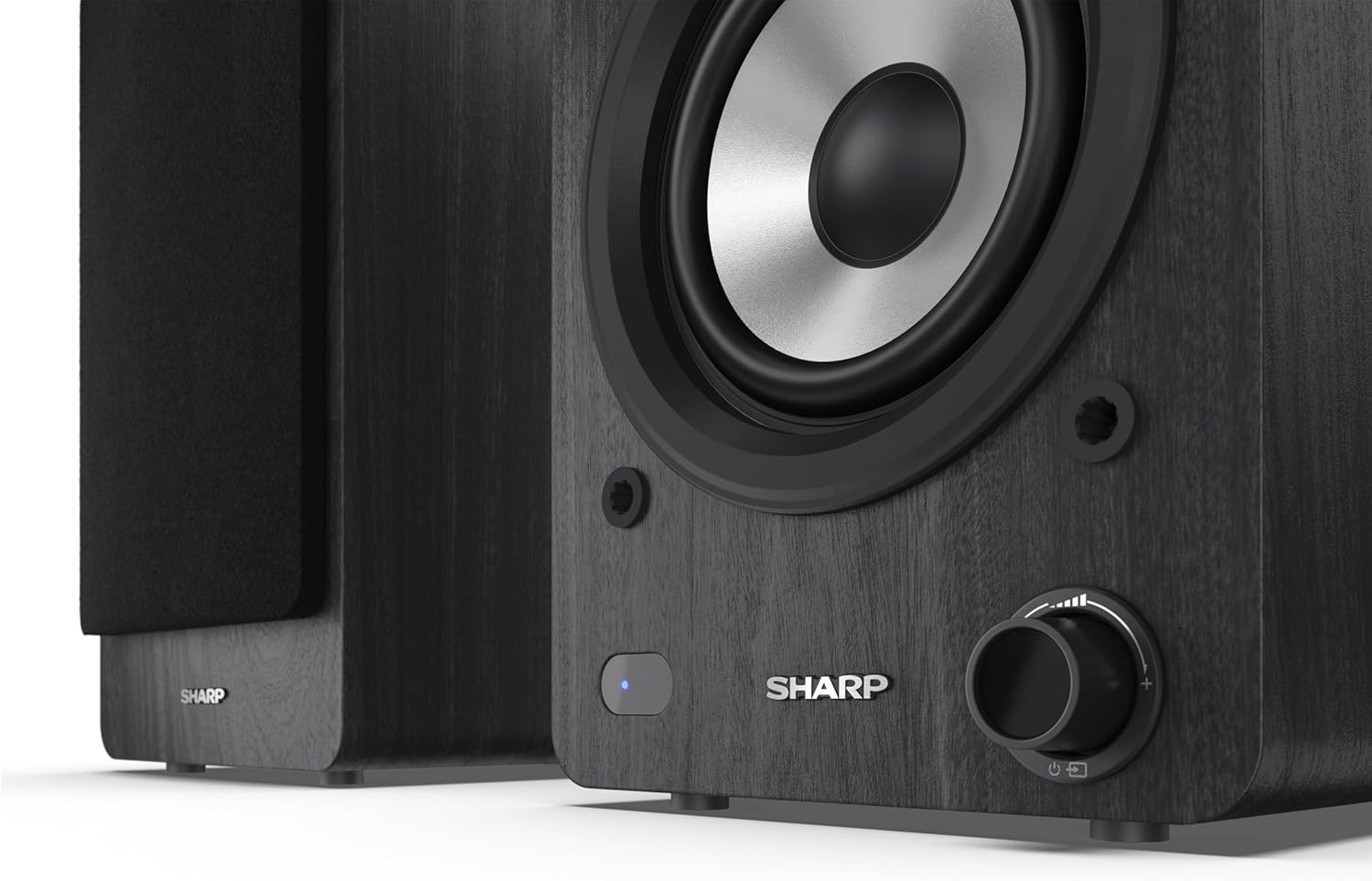
Image: A detailed shot of the control knob and the blue indicator light on the Sharp CP-SS30(BK) speaker, showing the subtle branding.
5. Setup
5.1 Poġġiment ta' Speaker
For optimal sound quality, place the speakers on a stable, flat surface. Position them at an equal distance from your listening position, forming an equilateral triangle for the best stereo imaging. Ensure there is adequate space behind the speakers for ventilation and cable connections.
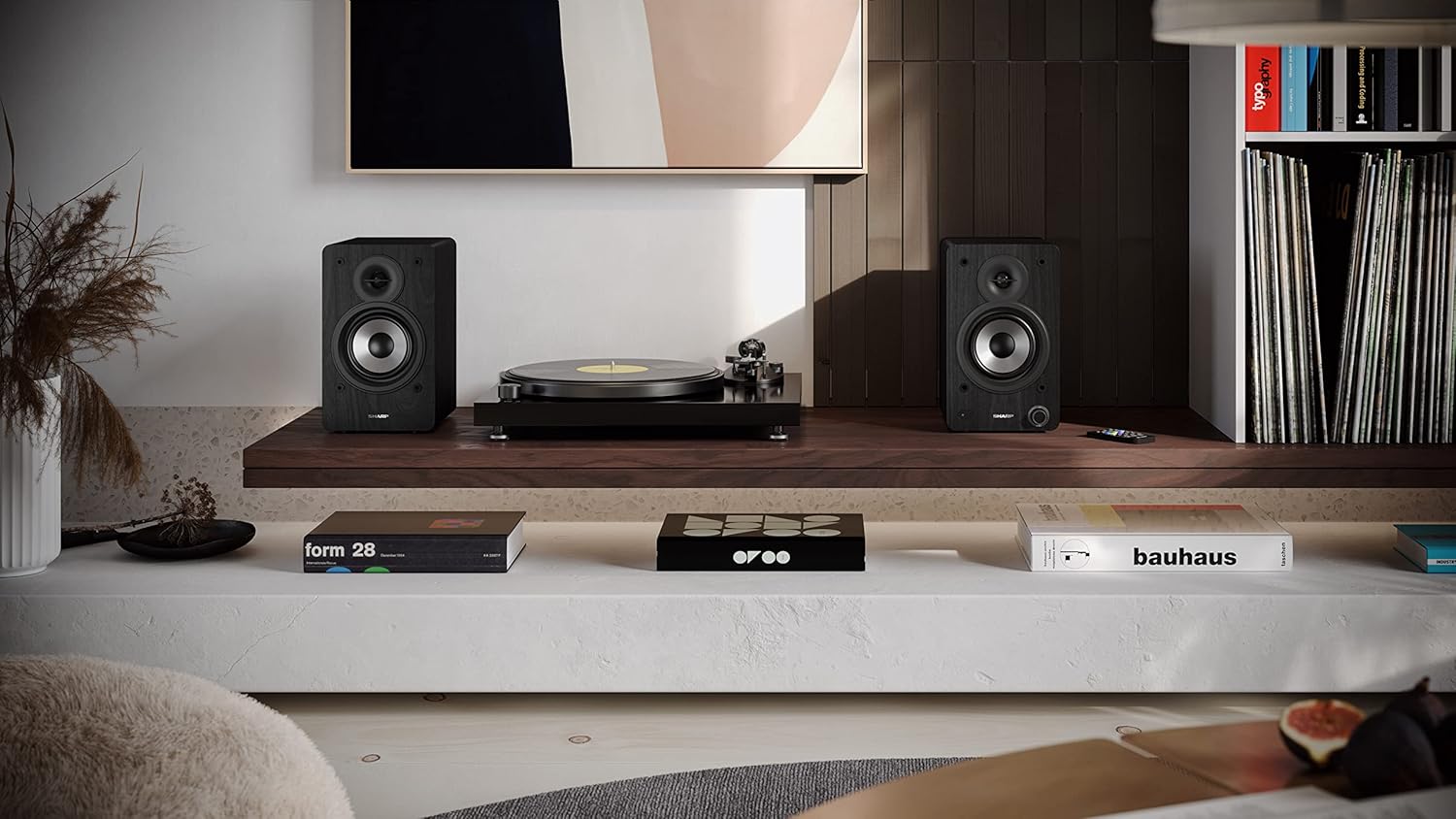
Image: The Sharp CP-SS30(BK) speakers positioned on a shelf in a living room setting, demonstrating a typical setup with a turntable.
5.2 Konnessjoni tal-Ispeakers
The CP-SS30(BK) consists of one active (main) speaker and one passive (secondary) speaker. Connect them using the provided speaker connection cable.
- Identify the active speaker (with controls and input ports) and the passive speaker.
- Connect one end of the speaker connection cable to the speaker terminals on the active speaker, ensuring correct polarity (+ to + and - to -).
- Connect the other end of the speaker connection cable to the speaker terminals on the passive speaker, maintaining correct polarity.

Image: The rear panel of the Sharp CP-SS30(BK) speakers, illustrating the various input ports (USB, Optical, RCA, AUX) and the speaker connection terminals.
5.3 Konnessjoni tal-Enerġija
- Ensure the power switch on the active speaker is in the OFF position.
- Connect the provided power cable to the AC input on the active speaker.
- Ipplaggja t-tarf l-ieħor tal-kejbil tal-enerġija f'sokit tal-ħajt adattat.
6. Istruzzjonijiet Operattivi
6.1 Tixgħel/Jitfi
To power on the speakers, flip the power switch on the active speaker to the ON position. The indicator light on the front will illuminate. To power off, flip the switch back to OFF.
6.2 Għażla tal-Input
You can select the input source using the remote control or the knob on the front of the active speaker. Available inputs include Bluetooth, USB, Optical, Auxiliary (AUX), and RCA.
- Bluetooth: Select Bluetooth input. The indicator light will flash, indicating pairing mode. Fittex għal "SHARP CP-SS30(BK)" on your device and connect. The light will become solid once paired.
- USB: Daħħal USB drive bl-awdjo files fil-port USB fuq l-ispiker attiv.
- Ottiċi: Connect an optical cable from your audio source (e.g., TV, game console) to the Optical input.
- AUX: Connect an AUX cable from your audio source (e.g., smartphone, tablet) to the AUX input.
- RCA: Connect RCA cables from your audio source (e.g., turntable, CD player) to the RCA inputs.
6.3 Kontroll tal-Volum
Adjust the volume using the remote control's volume buttons or by rotating the knob on the front of the active speaker.
6.4 Issettjar tal-Ekwilizzatur
The speakers feature an equalizer to tailor the sound to your preference. Use the remote control to:
- Select from five preset equalizer modes (e.g., Flat, Rock, Pop, Classical, Jazz).
- Adjust bass and treble levels independently for a customized sound profile.
7. Manutenzjoni
To ensure the longevity and optimal performance of your Sharp CP-SS30(BK) speakers, follow these maintenance guidelines:
- Tindif: Use a soft, dry cloth to clean the speaker cabinets. Do not use liquid cleaners or aerosol sprays, as they may damage the finish or internal components.
- Gradilji: The speaker grilles are removable for cleaning. Gently pull them off to clean any dust accumulation on the drivers. Reattach them carefully.
- Ventilazzjoni: Ensure that the ventilation openings on the back of the active speaker are not obstructed to prevent overheating.
- Ħażna: If storing the speakers for an extended period, disconnect them from power and store them in a cool, dry place away from direct sunlight and extreme temperatures.
8 Issolvi l-problemi
Jekk tiltaqa' ma' xi problemi bl-ispikers tiegħek, jekk jogħġbok irreferi għall-problemi u s-soluzzjonijiet komuni li ġejjin:
| Problema | Kawża Possibbli | Soluzzjoni |
|---|---|---|
| Ebda qawwa | Kejbil tal-enerġija mhux imqabbad; Sokit tal-enerġija mhux attiv; Swiċċ tal-enerġija mitfi. | Ensure power cable is securely connected. Check power outlet with another device. Flip power switch to ON. |
| L-ebda ħoss | Incorrect input selected; Volume too low; Cables not connected properly; Source device issue. | Select the correct input source. Increase volume. Check all audio cables (RCA, AUX, Optical, USB) and speaker connection cable for secure fit and correct polarity. Test with a different audio source. |
| Tqabbil Bluetooth falla | L-ispikers mhumiex fil-modalità ta' tqabbil; L-apparat wisq 'il bogħod; Interferenza. | Ensure Bluetooth input is selected and indicator light is flashing. Move device closer to speakers. Avoid strong electromagnetic interference. Try unpairing and re-pairing. |
| Ħoss distort | Volume too high; Source audio quality is poor; Speaker placement. | Reduce volume. Check the audio source quality. Adjust speaker placement to avoid reflections or resonance. |
| Il-kontroll mill-bogħod ma jaħdimx | Batteries depleted; Obstruction between remote and speaker; Remote not pointed correctly. | Replace remote control batteries. Remove any obstructions. Point the remote directly at the active speaker's sensor. |
9. Speċifikazzjonijiet
| Karatteristika | Dettall |
|---|---|
| Numru tal-Mudell | CP-SS30(BK) |
| Qawwa tal-Ħruġ | 60 Watts RMS (2 x 30W) |
| Tip ta' Kelliem | Active Bookshelf, 2-Way |
| Materjal tal-Kabinett | Wood (Plywood) |
| Teknoloġija tal-Konnettività | Bluetooth v5.0, USB, Optical, Auxiliary (AUX), RCA |
| Verżjoni Bluetooth | v5.0 |
| Modalità tal-Ħruġ tal-Awdjo | Stereo (Kanal 2.0) |
| Rispons ta' Frekwenza | 60 Hz |
| Tip ta' Kontrollur | Buttuna, Kontroll mill-bogħod |
| Dimensjonijiet tal-Prodott (kull kelliem) | 19D x 15.8W x 24.8H ċm (7.5D x 6.2W x 9.8H pulzieri) |
| Piż tal-oġġett | 4.3 Kilogramma (9.5 lbs) |
| Kulur | Iswed |
| Użi Rakkomandati | Gaming console, Music player, Smartphone/Tablet, Ambient sound system, Television |
| Apparati Kompatibbli | Laptop, Smartphone, Tablet |

Image: Diagram showing the dimensions of one Sharp CP-SS30(BK) speaker (Height: 248mm, Width: 158mm, Depth: 190mm).
10. Garanzija u Appoġġ
Garanzija: This product comes with a 1-year warranty for spare parts availability from the date of purchase. Please retain your proof of purchase for warranty claims.
For technical support, troubleshooting assistance beyond this manual, or warranty inquiries, please contact Sharp customer service. Refer to the contact information provided in the user documentation included in your package or visit the official Sharp websit.
Note: Software updates guaranteed until information is not available.


