1. Introduzzjoni
Thank you for choosing the Euker 40000mAh 100W Portable Power Bank. This high-capacity power bank is designed to provide reliable and fast charging for a wide range of devices, including laptops, smartphones, and tablets. Featuring a transparent design, smart IPS display, multiple charging ports, and IP67 waterproof rating, it is an ideal companion for both daily use and outdoor adventures. Please read this manual thoroughly before using the product to ensure safe and optimal performance.
2. Informazzjoni dwar is-Sigurtà
- Do not expose the power bank to extreme temperatures (above 60°C/140°F or below -10°C/14°F).
- Evita li twaqqa’, tiżżarma, jew tipprova ssewwi l-apparat int stess.
- Keep away from water and liquids, especially when the waterproof plug is not securely closed.
- Uża biss kejbils u adapters tal-iċċarġjar iċċertifikati.
- Żomm fejn ma jintlaħaqx mit-tfal.
- Do not short-circuit the charging ports.
- Armi l-power bank skont ir-regolamenti lokali; tarmix fl-iskart domestiku.
- For water sports, ensure the waterproof plug is covered in advance.
3. Kontenut tal-Pakkett
Jekk jogħġbok iċċekkja l-pakkett għall-oġġetti li ġejjin:
- Euker 40000mAh 100W Portable Power Bank
- USB-C to USB-C Charging Cable (100W compatible)
- Manwal għall-Utent
4. Prodott Aktarview
The Euker Power Bank features a unique transparent design, allowing visibility of its internal components. It is equipped with multiple ports and an intelligent IPS display for real-time information.

Figura 4.1: Euker 40000mAh 100W Portable Power Bank. This image shows the power bank from a side angle, highlighting its transparent casing, integrated handle, and the visible internal components including the ports and IPS screen.

Figura 4.2: Smart IPS Display Screen. This close-up image details the information presented on the IPS screen, including battery percentage, output power, voltage, current, chip temperature, battery temperature, working time, and active ports.
4.1 Portijiet u Indikaturi
- Port USB-C1: PD 100W Bi-directional (Input/Output)
- Port USB-C2: Output PD 30W
- Port USB-A1: 18W Output
- Port USB-A2: 18W Output
- IPS Display Screen: Shows battery level, output power, temperatures, and working time.
- Flashlight LED: Multi-mode flashlight function.
5. Setup
5.1 L-Iċċarġjar Inizjali tal-Power Bank
Before first use, it is recommended to fully charge your Euker Power Bank. Use a PD 100W compatible charger (not included) and the provided USB-C to USB-C cable for the fastest charging experience.
- Connect the USB-C to USB-C cable to the USB-C1 port on the power bank.
- Connect the other end of the cable to a PD 100W compatible wall charger.
- The IPS display will show the charging status and estimated time to full charge. A full charge takes approximately 180 minutes with a 100W charger.

Figura 5.1: Power Bank Charging a Laptop. This image illustrates the power bank connected via a USB-C cable to a laptop, demonstrating its 100W fast charging capability.
6. Istruzzjonijiet Operattivi
6.1 Iċċarġjar tat-Tagħmir Tiegħek
The Euker Power Bank can charge up to four devices simultaneously.
- Connect your device's charging cable to the appropriate port on the power bank (USB-C1, USB-C2, USB-A1, or USB-A2).
- The IPS display will automatically show the output power and charging status for each connected device.
- For optimal fast charging, use the USB-C1 port with compatible devices and cables.

Figura 6.1: Charging Multiple Devices. This diagram shows the power bank connected to a laptop, tablet, and two smartphones, illustrating its ability to charge four devices concurrently with varying power outputs.
6.2 Using the IPS Display
The smart IPS display provides comprehensive real-time information:
- Qawwa tal-batterija: Current charge percentage.
- Qawwa tal-Ħruġ: Total power being delivered to devices.
- Chip Operating Temperature: Internal chip temperature.
- Temperatura tax-Xogħol tal-batterija: Battery cell temperature.
- Ħin tax-Xogħol: Duration of current charging/discharging cycle.
- Working Ports: Indicates which ports are actively in use.
Funzjoni tal-Flashlight LED 6.3
The power bank includes a versatile LED flashlight with five modes:
- Luminożità Baxxa
- Luminożità normali
- Luminożità Għolja
- Firxa Twila
- SOS Flashing
To activate or cycle through modes, press the dedicated flashlight button. This feature is useful for camping, emergencies, or low-light conditions.

Figura 6.2: LED Flashlight Modes. This image demonstrates the five different lighting modes of the integrated LED flashlight, including weak light, normal light, strong light, high beam, and SOS flashing.
6.4 Klassifikazzjoni tal-Ilma IP67
The Euker Power Bank is rated IP67, meaning it is protected from dust ingress and can withstand immersion in water up to 1 meter for 30 minutes. This makes it suitable for outdoor and aquatic environments.
Nota Importanti:
- Ensure all port covers and the waterproof plug are securely closed before exposing the power bank to water.
- While IP67 rated, prolonged submersion or exposure to high-pressure water jets is not recommended.
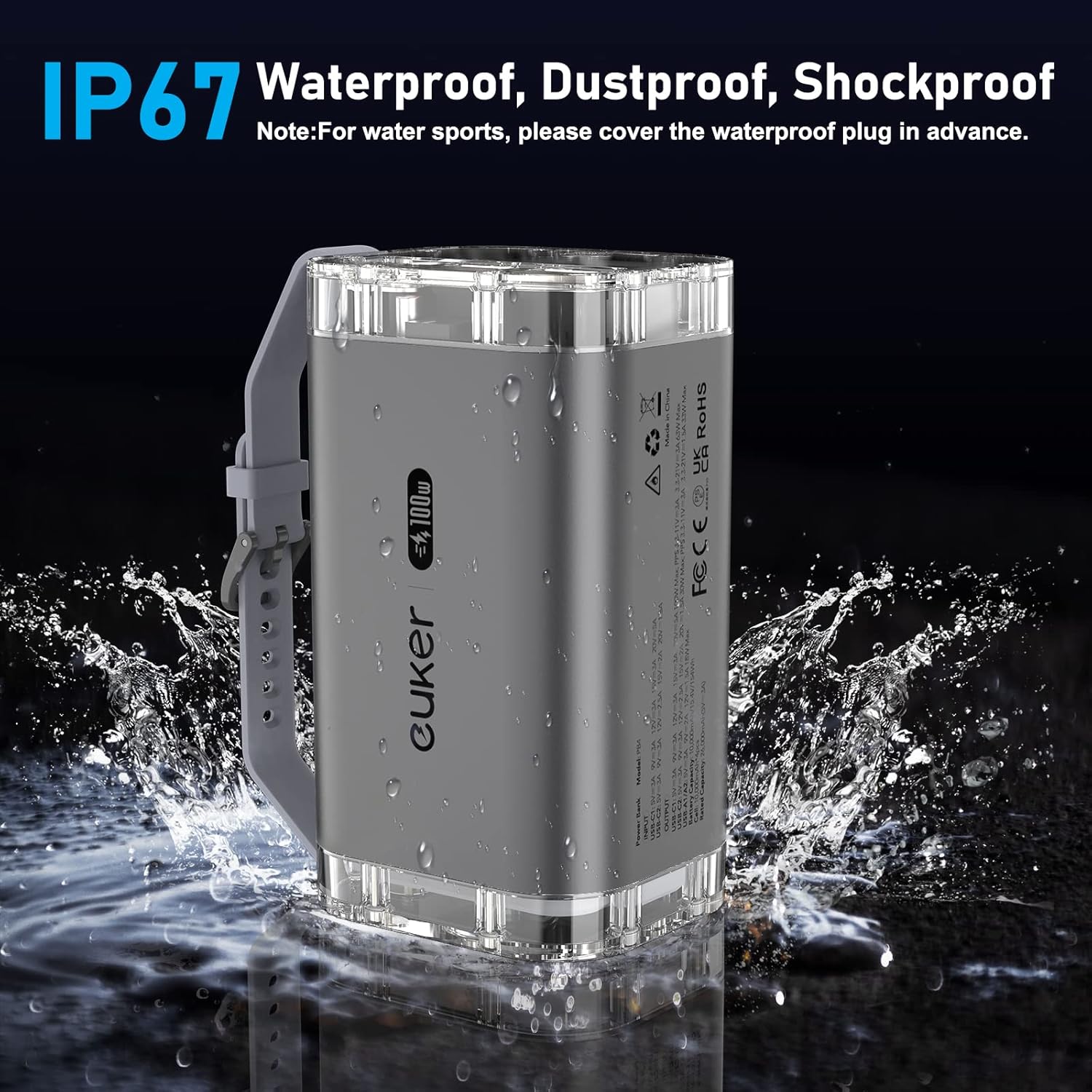
Figura 6.3: IP67 Waterproof Feature. This image shows the power bank being splashed with water, illustrating its IP67 waterproof and dustproof capabilities.
7. Manutenzjoni
- Naddaf il-power bank b'ċarruta ratba u niexfa. Tużax kimiċi ħarxa jew materjali li joborxu.
- Aħżen il-power bank f'post frisk u niexef 'il bogħod mix-xemx diretta u minn temperaturi estremi.
- If storing for extended periods, charge the power bank to approximately 50-70% every three months to preserve battery health.
8 Issolvi l-problemi
| Problema | Kawża Possibbli | Soluzzjoni |
|---|---|---|
| Il-bank tal-enerġija mhux qed jiċċarġja | Cable or charger issue; power bank fully charged; faulty port. | Check cable and charger; ensure charger is PD 100W compatible; try a different port. |
| Apparat mhux jiċċarġja mill-bank tal-enerġija | Cable issue; device not compatible; power bank depleted. | Try a different cable; ensure device is compatible with USB-C/USB-A; recharge power bank. |
| IPS display not working | Il-power bank mitfi; problema interna. | Ensure power bank is on; contact customer support if issue persists. |
| Il-flashlight ma taħdimx | Power bank off; button malfunction. | Ensure power bank is on; try pressing the flashlight button firmly. |
9. Speċifikazzjonijiet
| Karatteristika | Dettall |
|---|---|
| Numru tal-Mudell | PB4 (40000mAh-100W-A) |
| Kapaċità tal-batterija | 40000mAh / 154Wh |
| USB-C1 Output/Input | PD 100W Max |
| Output USB-C2 | PD 30W Max |
| Output USB-A1/A2 | 18W Max (each) |
| Output Totali | 100W Max |
| Dimensjonijiet | 6.5 x 3.82 x 4.41 pulzieri |
| Piż tal-oġġett | 2.4 liri |
| Klassifikazzjoni li ma jgħaddix ilma minnha | IP67 |
| Karatteristiċi Speċjali | Digital Display, Fast Charging, Flashlight, Lightweight, See-Through Design |
9.1 Detailed Input/Output Information
The power distribution varies depending on the number of ports in use. Refer to the table below for detailed output information:

Figura 9.1: Detailed Input/Output Information. This table provides a comprehensive breakdown of power output configurations when using single or multiple ports simultaneously.
10. Garanzija u Appoġġ
Euker products come with a standard manufacturer's warranty. For specific warranty terms and conditions, please refer to the warranty card included in your product packaging or visit the official Euker websit.
If you encounter any issues or have questions regarding your Euker Power Bank, please contact Euker Customer Support. Contact information can typically be found on the product packaging or the official brand websit.
Euker Official Store: Visit the Euker Store on Amazon


