1. Introduzzjoni
Thank you for choosing the Karcher DAB Go Portable Bluetooth Speaker and Digital Radio. This device is designed to provide versatile audio entertainment with its compact form factor, integrated rechargeable battery, and practical carrying strap. It supports DAB+ and FM radio reception, Bluetooth 5.1 for wireless streaming, and an AUX-In port for wired connections. Additionally, it features a 2.4-inch color display and a dual alarm clock function.
Please read this manual carefully to ensure proper use, optimal performance, and longevity of your device. Keep this manual for future reference.
2. Informazzjoni dwar is-Sigurtà
- Tesponix l-apparat għax-xita, umdità, jew temperaturi estremi.
- Evita li tpoġġi l-apparat ħdejn sorsi tas-sħana jew fid-dawl tax-xemx dirett.
- Uża biss il-volum tal-iċċarġjar speċifikattage (5-7.5W) and a compatible USB-C cable.
- Tiżżarmax jew tippruvax issewwi l-apparat int stess. Irreferi għal kull manutenzjoni f'idejn persunal kwalifikat.
- Żomm l-apparat 'il bogħod minn kampi manjetiċi qawwija.
- Naddaf l-apparat b'ċarruta ratba u niexfa. Tużax prodotti tat-tindif likwidi jew aerosols.
3. Prodott Aktarview
3.1 Komponenti tal-Apparat
The Karcher DAB Go features a compact design with intuitive controls and essential ports.

Stampa 3.1.1: Quddiem view of the Karcher DAB Go, showcasing the speaker grille and central display.

Stampa 3.1.2: Fuq view of the Karcher DAB Go, illustrating the control buttons and extendable antenna.

Stampa 3.1.3: Ġenb view of the Karcher DAB Go, highlighting the AUX-In and USB-C charging ports.
3.2 Karatteristiċi ewlenin
- Digital Radio: DAB+ and FM tuner with 30 preset stations for each mode.
- Bluetooth 5.1: Seamless wireless audio streaming from smartphones, tablets, and other compatible devices.
- AUX-In: 3.5mm jack for connecting external audio sources like MP3 players.
- Ħoss Stereo: 2 x 2.5W RMS output (total 5W) with passive membranes for enhanced bass.
- Display bil-kulur: 2.4-inch dimmable color display with slideshow support for station information.
- Arloġġ ta 'allarm: Dual alarm function for setting two independent wake-up times.
- Portabbiltà: Compact design with an integrated rechargeable Lithium-ion battery providing up to 8 hours of playback.
- Iċċarġjar USB-C: Interfaċċja tal-iċċarġjar moderna u konvenjenti.

Stampa 3.2.1: Karatteristika fuqview of the Karcher DAB Go, detailing its passive membrane for sound, practical carrying strap, 2.4-inch color display, and integrated battery for up to 8 hours of music playback.
4. Setup
4.1 Iċċarġjar tal-Apparat
- Sib il-port tal-iċċarġjar USB-C fuq il-ġenb tal-apparat.
- Connect the provided USB-C to USB-A charging cable to the device.
- Connect the USB-A end of the cable to a compatible USB power adapter (not included) with an output of 5-7.5W.
- The charging indicator on the display will show the charging status. A full charge takes approximately 3 hours.

Stampa 4.1.1: Illustration of the recommended power adapter specifications (5-7.5W) for charging the Karcher DAB Go.
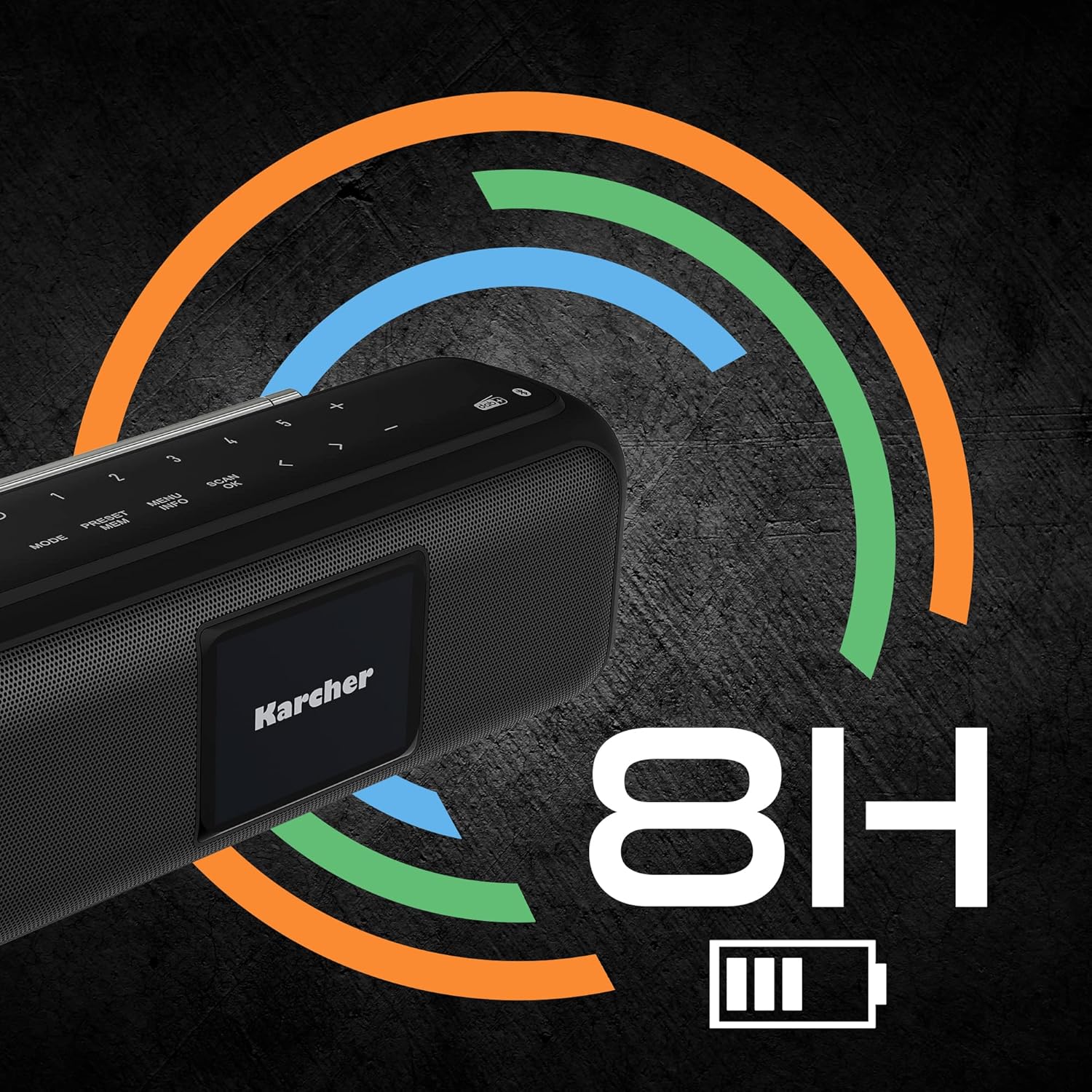
Stampa 4.1.2: Visual representation of the Karcher DAB Go's battery life, indicating up to 8 hours of operation on a full charge.
4.2 Initial Power-On and Antenna Adjustment
- Agħfas u żomm il-buttuna Power (U) on the top panel to turn on the device.
- Extend the telescopic antenna fully for optimal radio reception. Adjust its position for the best signal.
5. Istruzzjonijiet Operattivi
5.1 Power On/Off
- To turn on: Press and hold the Power button (U).
- To turn off: Press and hold the Power button (U) għal darb'oħra.
5.2 Għażla ta' Modi
Agħfas il- MODALITÀ button repeatedly to cycle through available modes: DAB+, FM, Bluetooth, and AUX-In.

Stampa 5.2.1: The Karcher logo displayed on the device's 2.4-inch color screen.
5.3 DAB+ / FM Radio Operation
- Select DAB+ or FM mode using the MODALITÀ buttuna.
- Skennjar għal Stazzjonijiet: In DAB+ mode, the device will automatically scan for available stations upon first use. In FM mode, press the SKANJA button to auto-scan.
- L-Għażla tal-Istazzjonijiet: Uża l- < u > buttons to navigate through available stations.
- Iffrankar ta' presets: Biex issalva stazzjon, agħfas u żomm il-buttuna Issettjat minn qabel button, select a preset number (1-30) using < u >, imbagħad agħfas OK biex tikkonferma.
- Filwaqt li jfakkru l-Presets: Agħfas fil-qosor il- Issettjat minn qabel buttuna, imbagħad uża < u > to select your desired preset.
5.4 Operazzjoni Bluetooth
- Agħżel il-modalità Bluetooth billi tuża l- MODALITÀ button. The display will show "Pairing" or a similar message.
- Fuq l-ismartphone tiegħek jew apparat ieħor Bluetooth, attiva l-Bluetooth u fittex apparati disponibbli.
- Select "Karcher DAB Go" from the list of devices.
- Once paired, the device will confirm the connection, and you can begin streaming audio.

Stampa 5.4.1: Illustration of the Karcher DAB Go's Bluetooth connectivity, allowing wireless audio streaming from various devices.
5.5 AUX-In Operation
- Select AUX-In mode using the MODALITÀ buttuna.
- Connect your external audio device (e.g., MP3 player) to the AUX-In port on the side of the Karcher DAB Go using a 3.5mm audio cable (not included).
- Ikkontrolla d-daqq u l-volum mit-tagħmir estern tiegħek.
5.6 Funzjoni tal-Arloġġ tal-Allarm
The Karcher DAB Go features a dual alarm clock. Refer to the on-screen menu for setting alarm times, alarm sources (buzzer, radio), and recurrence.
5.7 Aġġustament tal-Ħoss
- Kontroll tal-Volum: Uża l- + u - buttons on the top panel to adjust the volume.
- Equalizer: The device may offer adjustable bass and treble settings or predefined equalizer modes. Access these through the MENU button and navigate the display options.

Stampa 5.7.1: Detail of the passive membrane, which contributes to the powerful sound output of the Karcher DAB Go.
6. Manutenzjoni
6.1 Tindif
Wipe the exterior of the device with a soft, dry, lint-free cloth. Do not use abrasive cleaners, waxes, or solvents as they may damage the finish.
6.2 Kura tal-Batterija
- Biex ittawwal il-ħajja tal-batterija, evita li tiċċarġja kompletament il-batterija ta' spiss.
- Jekk l-apparat ma se jintużax għal perjodu estiż, iċċarġjah sa madwar 50% qabel ma taħżnu.
- Aħżen l-apparat f'post frisk u niexef.
7 Issolvi l-problemi
- Ebda Qawwa: Kun żgur li l-apparat huwa ċċarġjat. Qabbad ma' sors ta' enerġija billi tuża l-kejbil USB-C.
- Ebda Ħsejjes: Check the volume level on the device and the connected source (if using Bluetooth or AUX-In). Ensure the correct mode is selected.
- Riċeviment tar-Radju Fqir: Fully extend and adjust the telescopic antenna. Try moving the device to a different location. Perform a new station scan.
- Kwistjonijiet ta' Tqabbil tal-Bluetooth: Ensure the device is in Bluetooth pairing mode. Turn off and on Bluetooth on your source device. Make sure the Karcher DAB Go is not already connected to another device.
- Wiri Mhux Taħdem: Ensure the device is powered on. If the issue persists, try resetting the device (if a reset option is available in the menu or by holding the power button for an extended period).
8. Speċifikazzjonijiet
| Brand | Karcher |
| Numru tal-Mudell | DAB Mur |
| Kulur | Iswed |
| Teknoloġija tal-Konnettività | Bluetooth 5.1, AUX-In, USB-C (charging) |
| Teknoloġija Tuner | DAB+, FM |
| Qawwa tal-Ħruġ | 2 x 2.5W RMS (5W total) |
| Wiri | Display tal-Kulur ta '2.4 pulzieri |
| Tip ta 'batterija | Lithium-ion |
| Ħajja tal-batterija | Sa 8 sigħat |
| Ħin tal-Iċċarġjar | Madwar sagħtejn |
| Dimensjonijiet (L x W x H) | 19.1 ċm x 7 ċm x 7.2 ċm |
| Piż | Informazzjoni mhux disponibbli |

Stampa 8.1.1: Dimensions of the Karcher DAB Go portable speaker.
9. Garanzija u Appoġġ
Karcher products are designed and manufactured to the highest quality standards. For information regarding warranty coverage, terms, and conditions, please refer to the warranty card included with your product or visit the official Karcher websit.
For technical support, troubleshooting assistance, or spare parts inquiries, please contact Karcher customer service through their official channels. Contact details can typically be found on the Karcher websit jew fl-ippakkjar tal-prodott.


