1. Introduzzjoni
This manual provides comprehensive instructions for the setup, operation, maintenance, and troubleshooting of your KLIM Discman Portable CD Player. This device is designed for playing audio CDs, CD-R, CD-RW, and MP3 discs, offering a versatile listening experience. Please read this manual thoroughly before using the product to ensure proper function and longevity.

Image 1.1: KLIM Discman with headphones and accessories.
2. Kontenut tal-Pakkett
Ivverifika li l-oġġetti kollha huma preżenti fil-pakkett:
- KLIM Discman CD Player
- KLIM Headset (Foldable Headphones)
- Earphone Accessories
- Cable tal-Iċċarġjar tal-USB-C
- Ġorru Borża
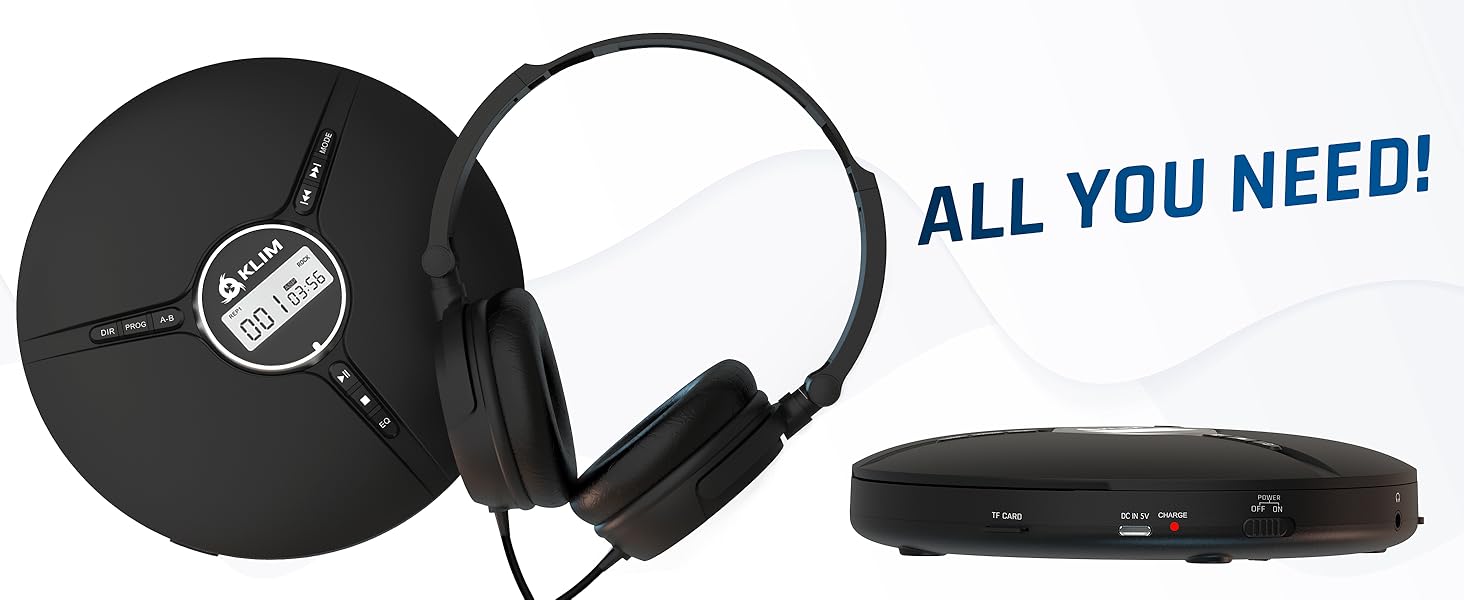
Image 2.1: All included components.
3. Prodott Aktarview
Familiarize yourself with the various parts and controls of your KLIM Discman.

Image 3.1: Labeled diagram of the KLIM Discman controls and ports.
Kontrolli u Portijiet:
- Wirja Diġitali: Shows track number, time, and playback status.
- Buttuna DIR: Directory navigation for MP3 discs.
- Buttuna PROG: Program playback order.
- Buttuna AB: Repeat a specific section of audio.
- Buttuna MODE: Selects playback modes (e.g., repeat one, repeat all).
- Previous/Rewind Button (◀◀): Skips to the previous track or rewinds current track.
- Next/Fast Forward Button (▶▶): Skips to the next track or fast forwards current track.
- Buttuna Play/Pause (▶/‖‖): Jibda jew iwaqqaf il-plejbek.
- Buttuna Waqqaf (■): Jieqaf daqq.
- Buttuna EQ: Cycles through various equalizer presets.
- Kontroll tal-Volum: Jaġġusta l-livell tal-ħruġ tal-awdjo.
- AUX / Jack 3.5 mm Input: Għall-konnessjoni ta' apparati awdjo esterni jew headphones.
- Slott tal-Karta TF: For inserting a MicroSD card (up to 32 GB) for MP3 playback.
- Port tal-Iċċarġjar USB-C: Għall-iċċarġjar tal-batterija interna.
- ON/OFF and HOLD Button: Powers the device on/off and locks buttons to prevent accidental presses.
4. Setup
4.1. Iċċarġjar tal-batterija
The KLIM Discman features a built-in rechargeable battery. Before first use, fully charge the device.
- Connect the provided USB-C charging cable to the USB-C port on the Discman.
- Qabbad it-tarf l-ieħor tal-kejbil USB-C ma' adapter tal-enerġija USB (mhux inkluż) jew mal-port USB tal-kompjuter.
- Id-dawl indikatur tal-iċċarġjar jixgħel. Ladarba jkun iċċarġjat kompletament, id-dawl jista' jibdel il-kulur jew jintefa, skont il-mudell.
- Ċarġ sħiħ jipprovdi sa 14-il siegħa ta' daqq.
4.2. Inserting a CD
- Gently slide the OPEN switch to open the CD compartment lid.
- Place the CD with the label side facing up onto the center spindle. Ensure the CD is securely seated.
- Agħlaq l-għatu tal-kompartiment tas-CD sew sakemm tikklikkja f'postu.
4.3. Konnessjoni tal-headphones
Connect the included KLIM headset or your preferred 3.5mm headphones to the AUX / Jack 3.5 mm input port on the Discman.
4.4. Inserting a TF Card (MicroSD)
If playing MP3 files from a TF card:
- Locate the TF Card slot on the side of the Discman.
- Insert the TF card (up to 32 GB) into the slot until it clicks. Ensure the card is inserted in the correct orientation.
- Biex tneħħiha, imbotta l-karta bil-mod 'il ġewwa sakemm toħroġ 'il barra.
5. Istruzzjonijiet Operattivi
5.1. Power On/Off and Hold Function
- Qawwa Mixgħul: Żerżaq is-swiċċ ON/OFF għall-pożizzjoni 'ON'.
- Itfi: Slide the ON/OFF switch to the 'OFF' position.
- Funzjoni ta' Żomm: Slide the ON/OFF switch to the 'HOLD' position to lock all buttons and prevent accidental operation during transport. The display will show 'HOLD'.
5.2. Daqq Bażiku
- After powering on and inserting a CD, the player will typically begin playback automatically.
- Agħfas il- ▶/‖‖ buttuna biex tieqaf daqq. Agħfas mill-ġdid biex tkompli.
- Agħfas il- ▶▶ button to skip to the next track. Press and hold to fast forward.
- Agħfas il- ◀◀ button to skip to the beginning of the current track. Press twice to skip to the previous track. Press and hold to rewind.
- Agħfas il- ■ buttuna biex twaqqaf il-plejbek.
5.3. Aġġustament tal-Volum
Adjust the volume using the dedicated volume control buttons or dial on the device (if present, otherwise volume is controlled by connected headphones/speakers).
5.4. Issettjar tal-Ekwilizzatur (EQ)
Agħfas il- EQ button repeatedly to cycle through available sound equalizer presets (e.g., Bass, Pop, Jazz, Rock, Classic, etc.) to customize your audio experience.
5.5. Repeat and Program Functions
- Buttuna MODE: Press to select different repeat modes (e.g., repeat one track, repeat all tracks, random play).
- Buttuna PROG: Allows you to program a specific order of tracks to play. Refer to the on-screen display for programming steps.
- Buttuna AB: Press once at the start point (A) and again at the end point (B) of a section you wish to repeat. The player will continuously loop this section. Press a third time to cancel.
- DIR Button (for MP3 discs): If your MP3 disc contains multiple folders, press DIR to navigate between directories.
5.6. Daqq tal-Karta TF
If a TF card is inserted, the player may automatically switch to TF card mode or require you to press a MODE button to select it. Playback controls are similar to CD playback.
5.7. Connecting to External Audio Devices
The Discman can connect to external speakers or car audio systems via the 3.5mm AUX output. Use a 3.5mm audio cable (not included) to connect the Discman to the AUX input of your external device.

Image 5.1: Connectivity options for the KLIM Discman.
6. Manutenzjoni
6.1. Cleaning the Discman
- Imsaħ il-parti ta' barra tal-plejer b'ċarruta ratba u niexfa.
- Tużax prodotti tat-tindif li joborxu, solventi, jew deterġenti qawwija.
- To clean the optical lens, use a specialized CD lens cleaning kit. Avoid touching the lens directly.
6.2. Kura tal-batterija
- Biex ittawwal il-ħajja tal-batterija, evita li tiċċarġja kompletament il-batterija ta' spiss.
- Charge the device regularly, even if not in use, to maintain battery health.
- Aħżen l-apparat f'post frisk u niexef meta ma jkunx qed jintuża għal perjodi twal.
6.3. CD and TF Card Handling
- Handle CDs by their edges to avoid fingerprints and scratches on the playing surface.
- Store CDs in their cases when not in use.
- Ensure TF cards are inserted and removed correctly to prevent damage to the card or slot.
7 Issolvi l-problemi
If you encounter issues with your KLIM Discman, refer to the following common problems and solutions:
| Problema | Kawża Possibbli | Soluzzjoni |
|---|---|---|
| L-apparat ma jixgħelx. | Battery is depleted. Device is in HOLD mode. | Charge the battery. Slide the ON/OFF switch out of 'HOLD' position. |
| CD does not play / 'DISC' error. | CD is dirty, scratched, or inserted incorrectly. Disc format is not supported. | Clean the CD. Reinsert the CD correctly. Ensure the disc is CD Audio, CD-R, CD-RW, or MP3 format. |
| L-ebda ħoss mill-headphones. | Headphones not connected properly. Volume is too low. Headphones are faulty. | Ensure headphones are fully plugged in. Increase volume. Test with another pair of headphones. |
| Music skips or stutters. | CD is scratched or dirty. Excessive movement. | Clean the CD. The anti-shock protection buffers 100 seconds of audio, but extreme movement can still cause skips. |
| TF card not recognized. | TF card inserted incorrectly. Card is corrupted or unsupported format. | Reinsert the TF card. Ensure it is formatted correctly (FAT32) and contains supported MP3 files. Max capacity 32GB. |
8. Speċifikazzjonijiet
Technical details for the KLIM Discman Portable CD Player.
| Karatteristika | Dettall |
|---|---|
| Isem tal-Mudell | KLIM Nomad |
| Dimensjonijiet tal-Prodott | 5.51 x 5.51 x 1.1 pulzieri |
| Piż tal-oġġett | 8.1 uqija |
| Batterija | 1 batterija tal-jone tal-litju (inkluża) |
| Ħin tal-daqq | Sa 14-il siegħa (madwar) |
| Kompatibilità | CD Audio, CD-R, CD-RW, MP3 |
| Appoġġ għall-Karta TF | Sa 32 GB |
| Konnettività | 3.5mm Auxiliary Jack, USB-C (charging) |
| Karatteristiċi Speċjali | Anti-skip/Anti-shock protection (100s), Digital Equalization, HOLD function |

Immaġni 8.1: Dimensjonijiet tal-prodott.
9. Garanzija u Appoġġ
The KLIM Discman comes with a Assigurazzjoni ta' sena. This warranty covers manufacturing defects and ensures the product meets quality standards for an extended period.
For technical support, warranty claims, or any questions regarding your KLIM Discman, please visit the official KLIM webis-sit jew ikkuntattja s-servizz tal-konsumatur tagħhom. Tista' ssib aktar informazzjoni fuq www.klimtechs.com.
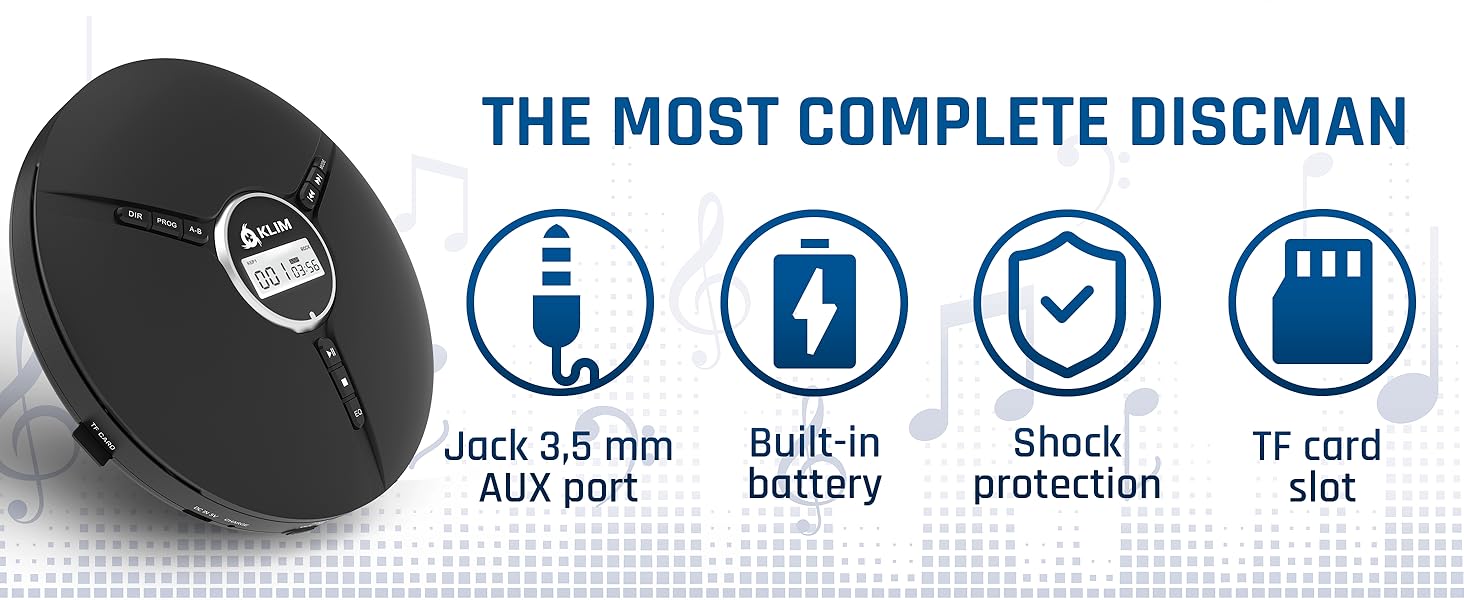
Image 9.1: Key features including shock protection and built-in battery.


