1. Introduzzjoni
This manual provides comprehensive instructions for the safe and efficient use of your MARKLIFE P50 Portable Bluetooth Thermal Label Printer. Please read this manual thoroughly before operating the device and retain it for future reference.
2. Informazzjoni dwar is-Sigurtà
- Tiżżarmax, isewwi, jew timmodifikax l-apparat.
- Żomm l-apparat 'il bogħod mill-ilma, l-umdità, u temperaturi għoljin.
- Use only MARKLIFE approved labels and accessories.
- Evita li tmiss ir-ras tal-istampar immedjatament wara l-istampar, għax tista' tkun sħuna.
- Żomm fejn ma jintlaħaqx mit-tfal.
3. Kontenut tal-Pakkett
Ivverifika li l-oġġetti kollha huma preżenti fil-pakkett tiegħek:
- Printer tat-Tikketti MARKLIFE P50
- 3 Rolls of Labels (2x 1.57"x1.18" white gap labels, 1x 2"x2" circle gap label)
- Cable tal-Iċċarġjar tal-USB-C
- Manwal għall-Utent (dan id-dokument)
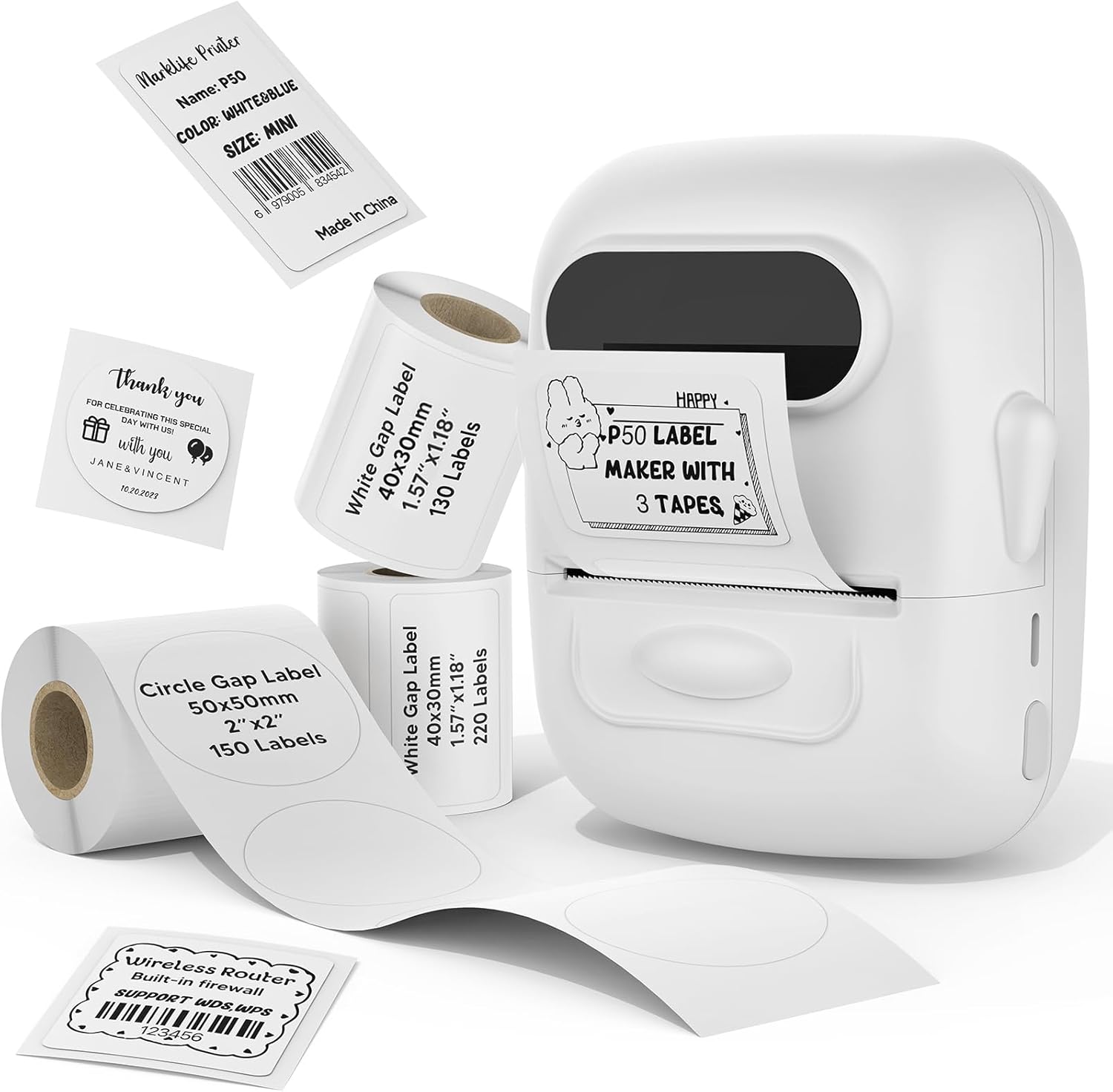
Image: MARKLIFE P50 Label Printer and various label rolls included in the package.
4. Prodott Aktarview
The MARKLIFE P50 is a compact, portable thermal label printer designed for various labeling needs. It connects wirelessly via Bluetooth to your smartphone or tablet and can also connect to a Windows PC via USB. It utilizes thermal printing technology, requiring no ink, and supports black and white printing only.

Image: The MARKLIFE P50 printer being placed into a handbag, highlighting its portable design and built-in 1200mAh battery with Type-C charging.
5. Setup
5.1 Iċċarġjar tal-Apparat
Before first use, fully charge the printer using the provided USB-C cable and a compatible power adapter (not included). The charging indicator light will show the charging status.
5.2 It-Tagħbija tat-Tikketti
- Iftaħ l-għatu tal-kompartiment tat-tikketti.
- Daħħal ir-romblu tat-tikketti bil-wiċċ tal-istampar iħares 'il fuq.
- Ensure the label edge is aligned and extends slightly out of the printer slot.
- Close the cover firmly. The printer will automatically detect the label type and size.

Image: Illustration of label loading and compatible label widths (0.59 to 2.24 inches) for the P50 printer.
5.3 App Installation and Bluetooth Pairing (for Mobile Devices)
- Download the "Marklife" app from your device's app store (iOS or Android).
- Turn on the P50 printer.
- Ippermetti l-Bluetooth fuq l-ismartphone jew it-tablet tiegħek.
- Open the Marklife app and follow the on-screen instructions to connect to your P50 printer. The app will typically detect the printer automatically.
5.4 PC Connection (for Windows)
For Windows PC connectivity, download the official software from the MARKLIFE website. Connect the printer to your PC using the USB-C cable. The software will guide you through the printing process.

Image: The P50 label printer connected to both a laptop and a smartphone, illustrating its support for mobile and PC devices.
6. Operazzjoni
6.1 Basic Printing (via App)
- Ensure the printer is powered on and connected to the Marklife app.
- Select a template or create a new label design within the app.
- Enter your desired text, add images, barcodes, or QR codes.
- Adjust print settings (e.g., quantity, density) as needed.
- Tektek il-buttuna "Ipprintja" fl-app biex tibda l-istampar.

Image: Various label applications, such as clothing tags with barcodes, handmade soap labels, and price tags for baked goods, demonstrating the printer's versatility.
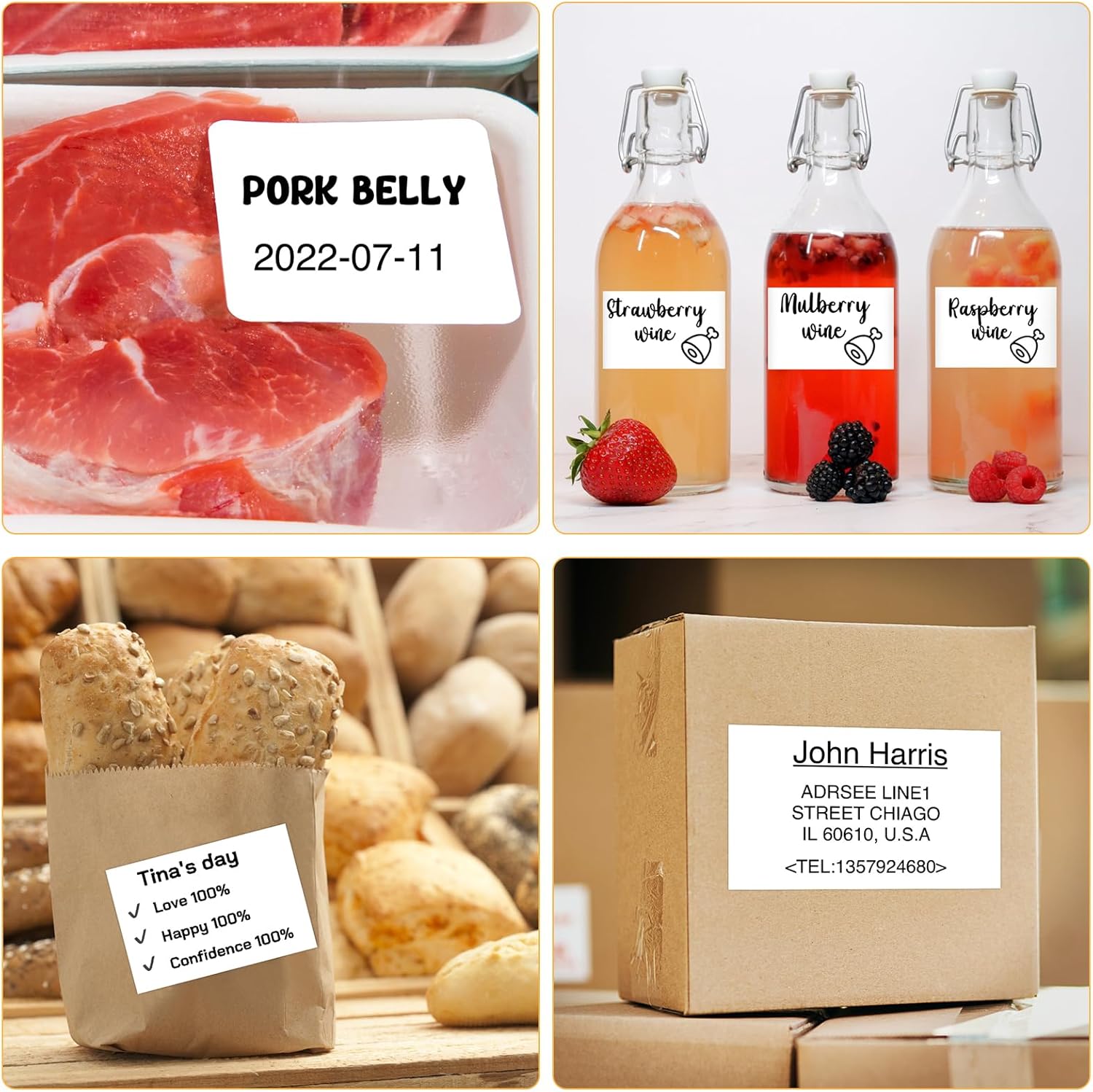
Immaġni: Eżamples of labels for food items (pork belly, beverages) and a shipping address label, showcasing different label content possibilities.
6.2 Stampar tal-lott
The Marklife app supports batch printing for multiple copies of the same label or sequential labels. Refer to the app's specific instructions for detailed steps on batch printing functionality.

Image: The MARKLIFE P50 printer actively printing multiple barcode labels in a batch, demonstrating stable printing over a long duration.
7. Manutenzjoni
- Tindif tar-ras tal-istampar: Uża ċarruta ratba u mingħajr ħelu dampened with alcohol to gently wipe the print head. Ensure the printer is off and cooled down before cleaning.
- Tindif ta' barra: Wipe the printer's exterior with a soft, dry cloth. Do not use harsh chemicals.
- Ħażna tat-Tikketti: Store label rolls in a cool, dry place away from direct sunlight to preserve their quality.
8 Issolvi l-problemi
| Problema | Kawża Possibbli | Soluzzjoni |
|---|---|---|
| Il-printer mhux qed jixgħel | Batterija baxxa jew kwistjoni ta 'enerġija | Charge the printer using the USB-C cable. |
| Ma tistax tikkonnettja permezz tal-Bluetooth | Bluetooth mitfi, problema bl-app, jew il-printer mhux skopert | Ensure Bluetooth is enabled on your device. Restart the printer and the app. Try re-pairing. |
| Kwalità fqira tal-istampar | Dirty print head, incorrect label loading, or low print density setting | Clean the print head. Re-load labels correctly. Adjust print density in the app. |
| It-tikketti mhux qed jitimgħu sew | Improper label loading or label jam | Open the cover, re-seat the label roll, ensuring it's aligned. Clear any jammed labels. |
9. Speċifikazzjonijiet
| Karatteristika | Dettall |
|---|---|
| Mudell | P50 |
| Teknoloġija tal-Istampar | Termali |
| Konnettività | Bluetooth, USB |
| Apparati Kompatibbli | Android, iOS, Windows PC |
| Daqs Max tal-Midja | 2 pulzieri (57mm) |
| Print Width Range | 0.59" - 2.24" (15mm - 57mm) |
| Output Printer | Monokromu (Iswed u Abjad) |
| Batterija | Built-in 1200mAh (rechargeable) |
| Port tal-Iċċarġjar | USB-C |
| Dimensjonijiet tal-Prodott | 4"D x 3"W x 2"Għ (madwar) |
| Piż tal-oġġett | 6 uqija (madwar) |
10. Garanzija u Appoġġ
The MARKLIFE P50 Label Printer comes with a limited warranty. For warranty details, technical support, or customer service inquiries, please refer to the official MARKLIFE webis-sit jew ikkuntattja l-appoġġ għall-klijenti tagħhom direttament. Żomm l-irċevuta tax-xiri tiegħek bħala prova tax-xiri.
Manifattur: MARKLIFE


