1. Introduzzjoni
Thank you for choosing the MEDION P66400 All-in-One Audio System. This manual provides essential information for the safe and efficient operation of your device. Please read it thoroughly before use and retain it for future reference.

Quddiem view of the MEDION P66400 All-in-One Audio System.
2. Informazzjoni dwar is-Sigurtà
Dejjem osserva l-prekawzjonijiet ta' sigurtà li ġejjin biex tevita xokk elettriku, nar, jew korriment:
- Tesponix l-apparat għax-xita jew l-umdità.
- Tiftaħx is-casing; irreferi s-servizz kollu lil persunal kwalifikat.
- Żgura ventilazzjoni xierqa biex tevita sħana żejda.
- Use only the power cable supplied with the device.
- Żomm l-apparat 'il bogħod minn sorsi ta' sħana u dawl tax-xemx dirett.
- Tpoġġix oġġetti tqal fuq l-apparat.
3. Kontenut tal-Pakkett
Ivverifika li l-oġġetti kollha huma preżenti fil-pakkett:
- MEDION P66400 All-in-One Audio System
- Kontroll mill-bogħod (b'2 batteriji AAA)
- Whip Antenna
- Kejbil tal-Enerġija
- Manwal għall-Utent
- Karta ta' Garanzija

The remote control for the MEDION P66400, showing various buttons for power, navigation, volume, EQ, and playback.
4. Prodott Aktarview
4.1 Kontrolli ta' Front Panel
- Buttuna tal-Qawwa: Ixgħel/itfi s-sistema.
- Display LCD: 7.1 cm color display for menus, station information, and playback details. Dimmable in 4 levels.
- Buttuna tal-Volum: Jaġġusta l-volum kaptan.
- Buttuni tan-Navigazzjoni: For menu navigation and track selection.
- Buttuna tas-Sors: Selects input sources (Internet Radio, DAB+, FM, CD, Bluetooth, USB, AUX).
- Buttuni issettjati minn qabel: For quick access to stored radio stations.
4.2 Konnessjonijiet tal-Panew ta' wara
- Input ta' Enerġija: Jikkonnettja mal-provvista ewlenija tal-enerġija.
- Input ta' l-antenna: Connects the supplied whip antenna for DAB+ and FM reception.
- Input AUX (3.5 mm): Għall-konnessjoni ta 'apparati awdjo esterni.
- Line In (RCA): For connecting external audio devices with RCA output.
- Port USB: For playing music from USB storage devices.
- Jack tal-headphone: Għal smigħ privat.

Diagram showing the dimensions and rear connections of the MEDION P66400.
5. Setup
5.1 Tqegħid Inizjali
Place the audio system on a stable, flat surface. Ensure there is adequate space around the unit for ventilation. Avoid placing it near strong magnetic fields or direct heat sources.

The MEDION P66400 All-in-One Audio System placed on a desk.
5.2 Konnessjoni tal-antenna
Connect the supplied whip antenna to the antenna input on the rear panel for optimal DAB+ and FM radio reception. Extend the antenna fully for best signal quality.
5.3 Konnessjoni tal-Enerġija
Connect the power cable to the power input on the rear of the unit, then plug it into a standard wall outlet (220V).
5.4 First-Time Setup (Wi-Fi)
Upon first power-on, the system will guide you through the initial setup, including language selection and Wi-Fi network configuration. Follow the on-screen prompts to connect to your home Wi-Fi network. This is essential for Internet Radio and streaming services.
6. Istruzzjonijiet Operattivi
6.1 Radju bl-Internet
Select 'Internet Radio' from the source menu. You can browse stations by genre, location, or search for specific stations. The system provides access to over 25,000 internet radio stations and numerous podcasts.
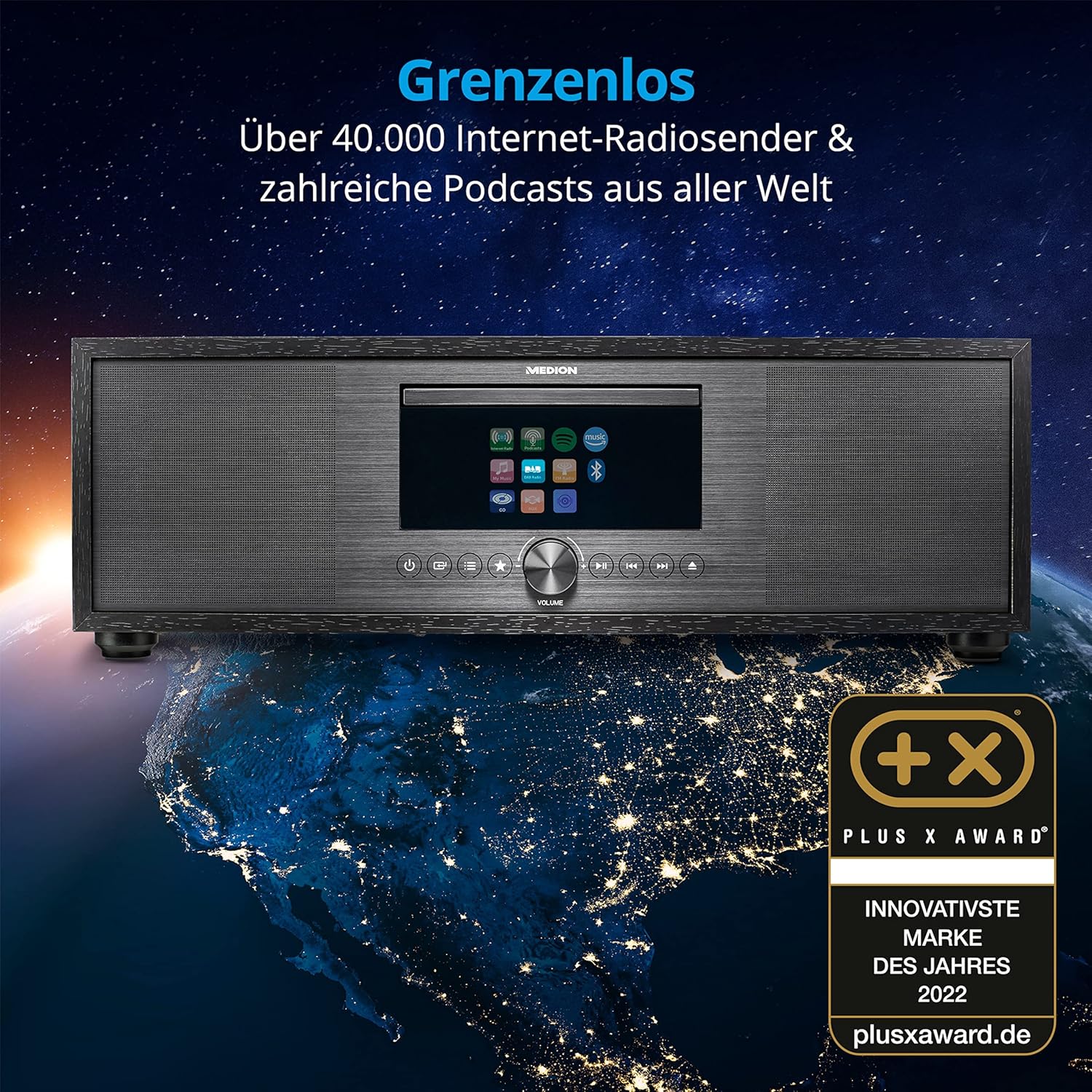
The MEDION P66400 system displaying its internet radio capabilities.
6.2 DAB+ and FM Radio
Switch to 'DAB+' or 'FM' mode. The system will automatically scan for available stations. You can save up to 40 stations as presets for quick access.
Plejer tas-CD/MP3 6.3
Insert an audio CD or an MP3 CD into the CD slot. The system will automatically detect and begin playback. Use the navigation buttons to control playback (play, pause, skip tracks).

Inserting a CD into the integrated CD player.
6.4 Konnettività Bluetooth
Select 'Bluetooth' mode. On your smartphone or other Bluetooth device, search for 'MEDION P66400' and pair. Once connected, you can stream audio wirelessly from your device to the audio system.

Streaming music via Bluetooth from a smartphone.
6.5 Daqq tal-USB
Insert a USB storage device into the USB port on the rear panel. Select 'USB' as the source. The system will display the contents of the USB device, allowing you to browse and play audio files.
6.6 AUX and Line In
Connect an external audio device (e.g., MP3 player, TV) to the AUX In (3.5 mm) or Line In (RCA) ports. Select 'AUX' or 'Line In' as the source to play audio from the connected device.
6.7 Spotify Connect and Amazon Music
The system supports Spotify Connect and Amazon Music. Ensure your device is connected to Wi-Fi. Use the respective apps on your smartphone or tablet to control music playback directly on the MEDION P66400.
6.8 Funzjoni ta 'allarm
Access the alarm settings through the system menu. You can set multiple alarms with various sources (radio, buzzer) and snooze/sleep timer functions.
6.9 Settings tal-Ħoss
The system features a 2.1 audio system with an integrated subwoofer, providing rich sound. Access the equalizer settings via the menu or remote control to choose from 9 sound presets or customize your audio experience.

Illustration of the 2.1 sound system with integrated subwoofer.
7. Manutenzjoni
To ensure the longevity and optimal performance of your audio system:
- Tindif: Use a soft, dry cloth to clean the exterior. Do not use liquid cleaners or abrasive materials.
- CD Player: Regularly clean the CD lens with a specialized CD lens cleaner.
- Ventilazzjoni: Keep ventilation openings clear of dust and obstructions.
- Ħażna: Jekk se taħżen l-apparat għal perjodu estiż, skonnettjah mill-elettriku u aħżnu f'post frisk u niexef.
8 Issolvi l-problemi
| Problema | Kawża Possibbli | Soluzzjoni |
|---|---|---|
| Ebda qawwa | Kejbil tal-enerġija mhux imqabbad; sokit tal-enerġija difettuż. | Iċċekkja l-konnessjoni tal-kejbil tal-enerġija; ipprova sokit differenti. |
| L-ebda ħoss | Volum baxx wisq; sors mhux korrett magħżul; mute attivat. | Increase volume; select correct source; deactivate mute. |
| Riċeviment ħażin tar-radju | Antenna not properly connected or extended; weak signal. | Ensure antenna is fully extended and positioned correctly; try repositioning the unit. |
| Kwistjonijiet ta 'tqabbil tal-Bluetooth | Device not in pairing mode; distance too far. | Kun żgur li ż-żewġ apparati jinsabu fil-modalità ta' tqabbil; mexxi l-apparati eqreb. |
| Is-CD mhux qed idoqq | CD inserted incorrectly; CD scratched or dirty; unsupported format. | Reinsert CD correctly; clean CD; ensure it's an audio CD or MP3 CD. |
9. Speċifikazzjonijiet
| Karatteristika | Speċifikazzjoni |
|---|---|
| Numru tal-Mudell | P66400 |
| Sistema Awdjo | 2.1 with integrated subwoofer |
| Qawwa tal-Ħruġ (RMS) | 2 x 20 W + 1 x 40 W (subwoofer) |
| Tuner tar-Radju | Internet Radio, DAB+, PLL FM (40 presets) |
| Wiri | 7.1 cm LCD, 4-level dimmable |
| Konnettività | Bluetooth, USB, AUX In (3.5 mm), Line In (RCA), Headphone Jack, Wi-Fi |
| CD Player | Supports Audio-CDs, MP3-CDs |
| Servizzi ta' Streaming | Spotify Connect, Amazon Music |
| Sors tal-Enerġija | AC 220V (Electric Cable) |
| Dimensjonijiet (L x W x H) | 44 ċm x 26 ċm x 14.7 ċm |
| Piż | 5.15 kg |
| Batteriji tal-Kontroll mill-bogħod | 2 x AAA (inklużi) |
10. Garanzija u Appoġġ
For warranty information and customer support, please refer to the warranty card included in your package or visit the official MEDION websit. Żomm il-prova tax-xiri tiegħek għal talbiet ta' garanzija.
Manifattur: MEDION
Websit: www.medion.com


