Introduzzjoni
This manual provides detailed instructions for the setup, operation, maintenance, and troubleshooting of your STEELPLAY Wireless Controller, model LA-0HNY-U4YG. Please read this manual carefully before using the product to ensure proper functionality and to prevent damage.
Setup
Kontenut tal-Pakkett
Ivverifika li l-oġġetti kollha huma preżenti fil-pakkett:
- STEELPLAY Wireless Controller (LA-0HNY-U4YG)
- Cable tal-Iċċarġjar tal-USB
- Manwal għall-Utent (dan id-dokument)
Iċċarġjar tal-Kontrollur
Before first use, fully charge the controller. Connect the USB charging cable to the controller's charging port and the other end to a powered USB port (e.g., gaming console, PC, USB wall adapter).
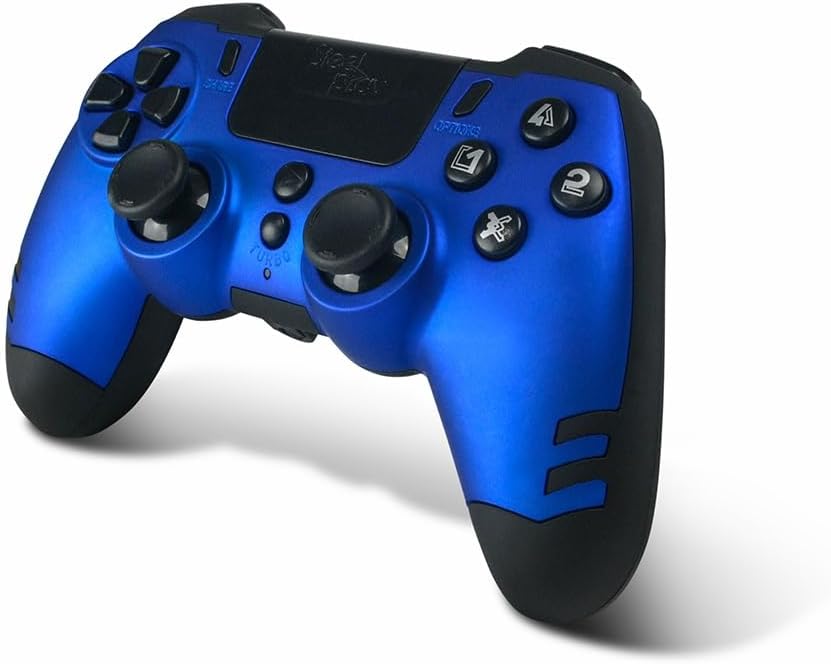
Image: The STEELPLAY Wireless Controller with a charging cable connected. This image illustrates the controller's design and potential charging port location.
Tqabbil ma' Apparat
Follow these steps to pair your wireless controller with your gaming console or PC:
- Kun żgur li l-kontrollur ikun iċċarġjat.
- Turn on your gaming console or PC.
- Fuq il-kontrollur, agħfas u żomm il- SHARE buttuna u l- PS button simultaneously until the light bar begins to flash.
- On your device, navigate to Bluetooth settings and select the "STEELPLAY Wireless Controller" from the list of available devices.
- Once paired, the light bar will stop flashing and remain lit, indicating a successful connection.
Istruzzjonijiet Operattivi
Kontrolli Bażiċi
The STEELPLAY Wireless Controller features standard gamepad controls. Familiarize yourself with the button layout:
- Kuxxinett Direzzjonali (D-Pad): Għal input direzzjonali preċiż.
- Sticks Analogiċi tax-Xellug/Lemin: Għall-moviment u l-kontroll tal-kamera.
- Buttuni ta' Azzjoni (Triangolu, Ċirku, Salib, Kwadru): Għal azzjonijiet fil-logħba.
- Buttuni tal-ispalla (L1, R1) u Triggers (L2, R2): Għal diversi funzjonijiet fil-logħba.
- Buttuna SHARE: To share gameplay content.
- Buttuna GĦAŻLIET: To access in-game menus or pause.
- Buttuna PS: To access the console's home menu or power on/off the controller.
- Touch Pad: For additional input, often used for navigation or specific game mechanics.
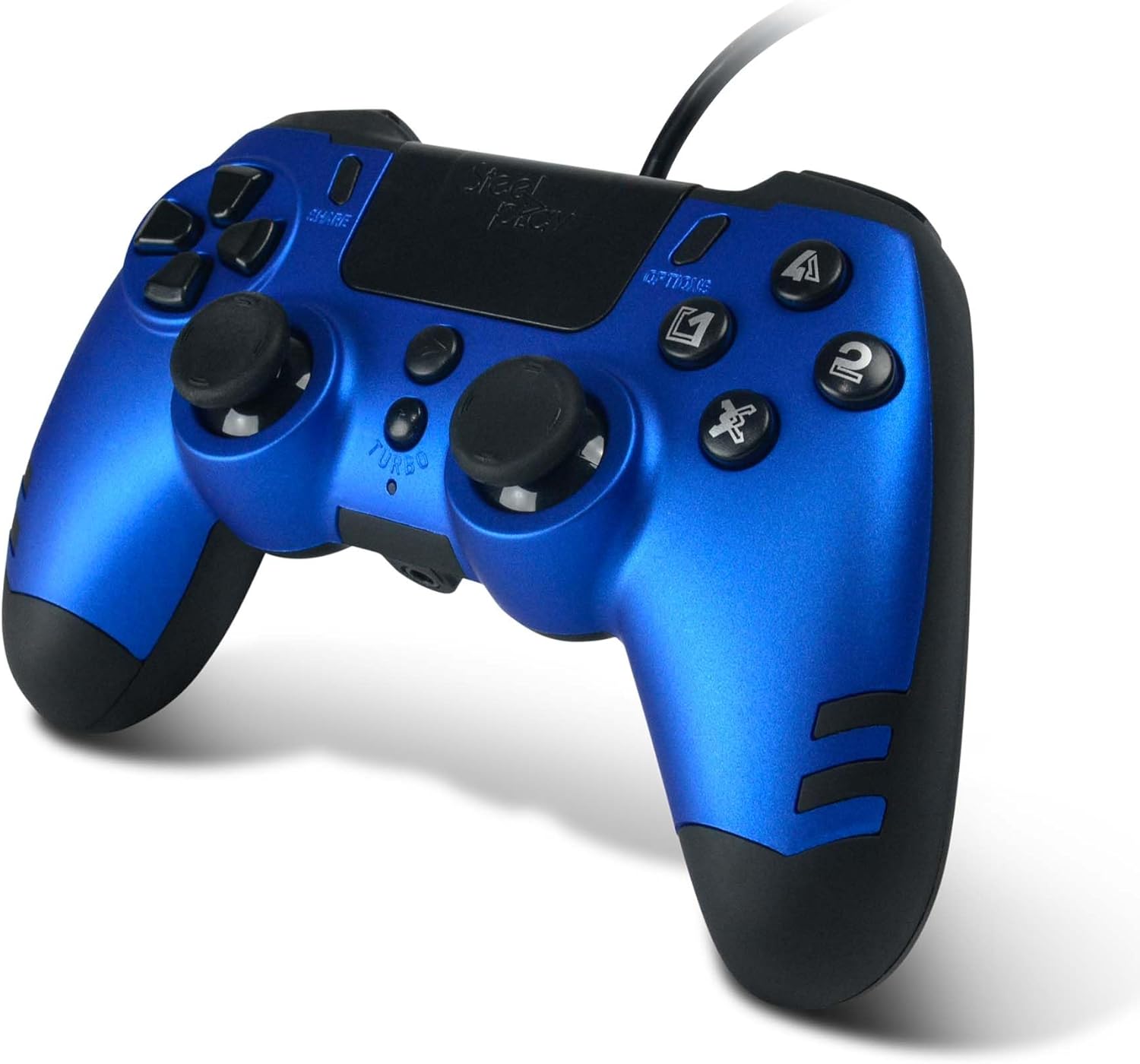
Immaġni: Dettaljata view of the STEELPLAY Wireless Controller, highlighting the layout of its 14 buttons, D-pad, and analog sticks.
Tixgħel/Jitfi
- Biex tixgħel: Agħfas il-buttuna PS buttuna.
- Biex titfi: Agħfas u żomm il-buttuna PS button for approximately 10 seconds until the controller powers down.
Tqabbad mill-ġdid
Once paired, the controller should automatically reconnect to the last paired device when powered on. If it does not, press the PS button to initiate reconnection.
Manutenzjoni
Tindif
Biex tnaddaf il-kontrollur, uża drapp artab u niexef. Għal ħmieġ iebes, nixxef ftit.ampen the cloth with water. Do not use harsh chemicals, solvents, or abrasive cleaners, as these can damage the controller's finish and internal components.
Ħażna
Aħżen il-kontrollur f'post frisk u niexef 'il bogħod mix-xemx diretta u minn temperaturi estremi. Evita li tpoġġi oġġetti tqal fuq il-kontrollur.
Kura tal-batterija
The controller contains a rechargeable battery. To prolong battery life:
- Evita li tiċċarġja l-batterija kompletament ta' spiss.
- Charge the controller regularly, even if not in use for extended periods.
- Do not expose the controller to temperatures above 60°C (140°F).
Issolvi l-problemi
- Il-kontrollur ma jixgħelx:
- Ensure the controller is fully charged. Connect it to a power source using the USB cable and allow it to charge for at least 30 minutes before attempting to power it on again.
- Controller does not connect or pair:
- Ensure the controller is in pairing mode (light bar flashing).
- Verify that the device you are trying to connect to has Bluetooth enabled.
- Remove any previous pairings of the controller from your device's Bluetooth settings and attempt to pair again.
- Move the controller closer to the device to ensure a strong signal.
- Erġa' ibda kemm il-kontrollur kif ukoll l-apparat.
- Input lag or unresponsive buttons:
- Ensure the controller is fully charged. Low battery can affect performance.
- Reduce interference by moving away from other wireless devices (Wi-Fi routers, other Bluetooth devices).
- If possible, try connecting the controller via a USB cable to see if the issue persists (if wired mode is supported).
Speċifikazzjonijiet
| Karatteristika | Dettall |
|---|---|
| Isem tal-Mudell | LA-0HNY-U4YG |
| Brand (Manufacturer) | STEELPLAY |
| Brand (Retail) | Lexip |
| Konnettività | Wireless |
| Numru ta' Buttuni | 14 |
| Dimensjonijiet | 17.5 x 13 x 8.3 ċm |
| Piż | 350 g |
| Batteriji Inklużi | No (Features an internal rechargeable battery) |
Garanzija u Appoġġ
Specific warranty information is not provided in this manual. Please refer to the retailer's purchase terms or the manufacturer's official website for detailed warranty policies and support contact information.
For further assistance, please contact STEELPLAY customer support through their official channels.


