1. Introduzzjoni
The Fanvil PA2S is a versatile SIP paging gateway designed for media streaming using standard IP/RTP/RTSP protocols. It integrates various functionalities including broadcast, recording, intercom, and security features. This device facilitates audio and video intercom, broadcasting, and security triggers through external device connections, making it suitable for diverse integration solutions.
1.1. Kontenut tal-Pakkett
- Fanvil PA2S Paging Gateway
- Konnettur tal-blokka terminali
2. Prodott Aktarview
The Fanvil PA2S offers a compact design with multiple interfaces for comprehensive communication and security applications.
2.1. Karatteristiċi ewlenin
- SIP Unified Communication for full connectivity
- HD Audio for clear and far-reaching broadcasts
- Online Broadcasting or MP3 Broadcasting capabilities
- Support for HD Video Linkage
- Cloud Platform for simplified remote management
- Audio line out port for expandable external active speakers
- Recording output via 3.5mm standard audio interface
- NVR video recording with standard RJ45 interface
- Emergency call button interface for active calls
2.2. Layout tal-Apparat

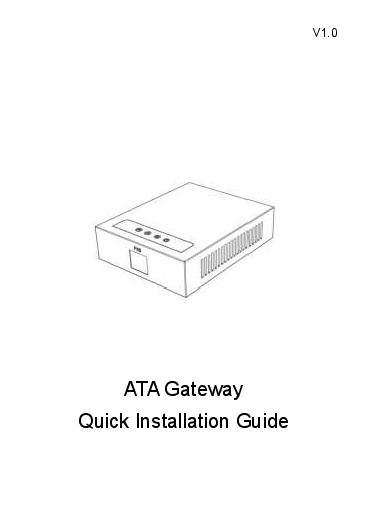
Figura 1: Quddiem view of the Fanvil PA2S SIP Paging Gateway. This image displays the compact black casing of the device, highlighting its overall form factor.
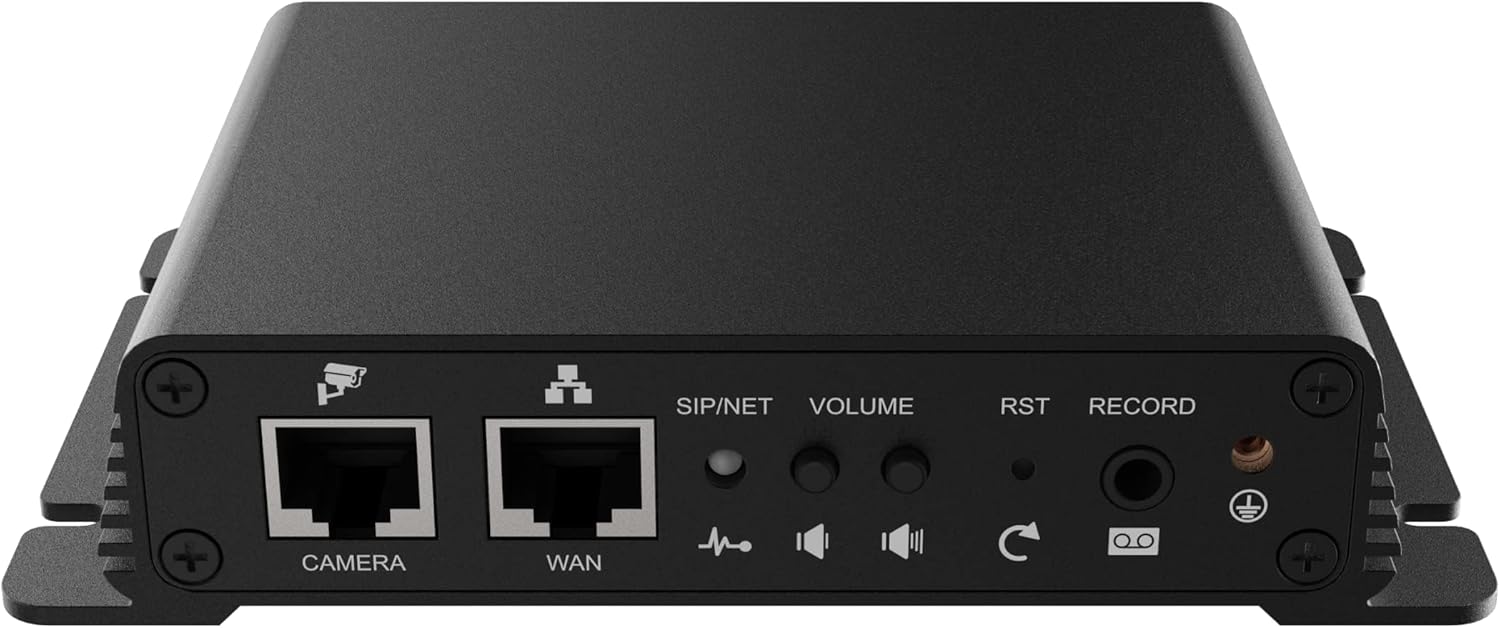
Figura 2: Wara view of the Fanvil PA2S SIP Paging Gateway, showing the various connection ports. From left to right, these include the CAMERA and WAN Ethernet ports, SIP/NET status indicator, VOLUME control, RST (Reset) button, RECORD port, and a ground screw.
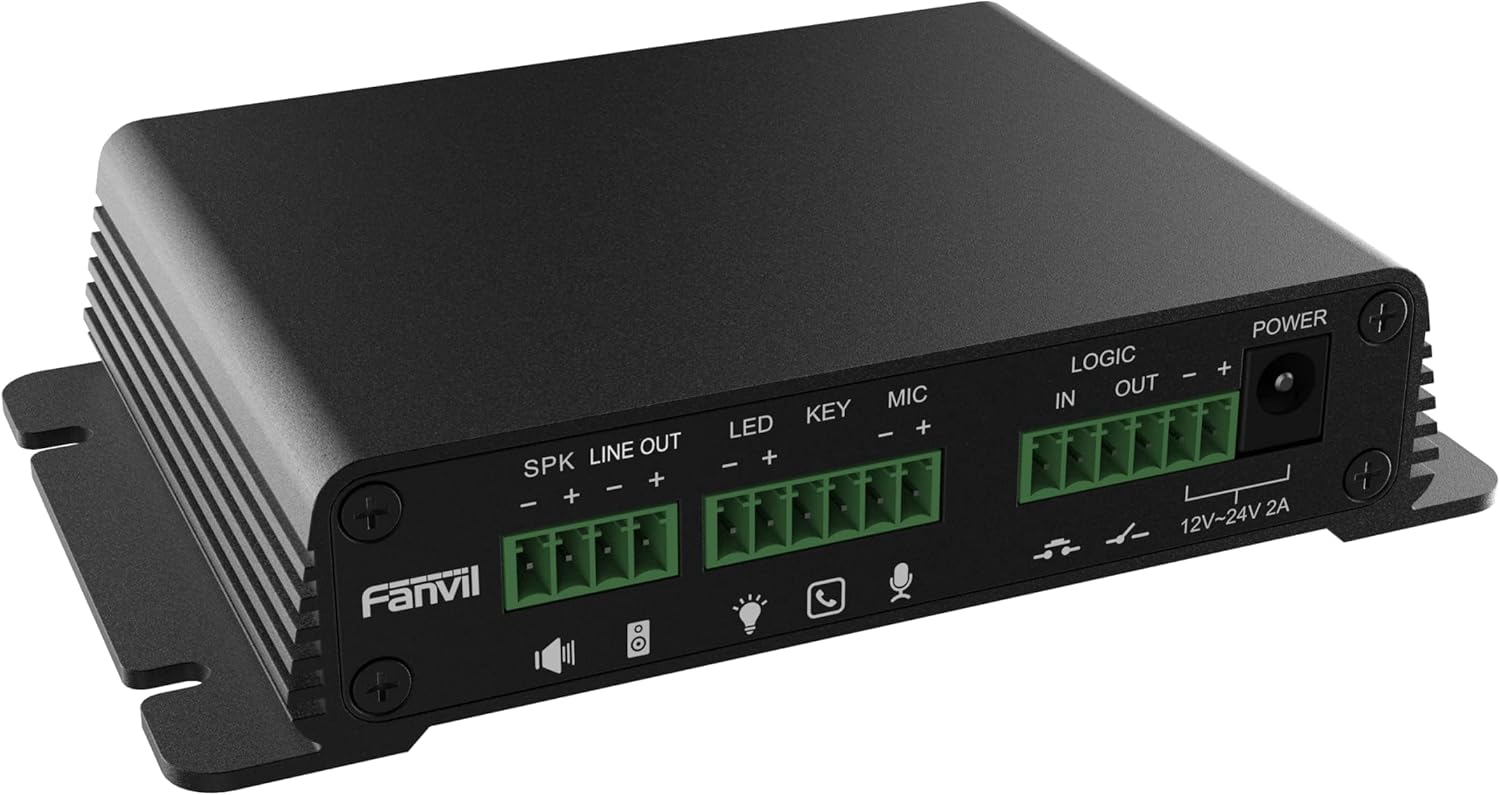
Figura 3: Ġenb view of the Fanvil PA2S SIP Paging Gateway, detailing the terminal block connectors. These include SPK LINE OUT, LED, KEY, MIC, LOGIC IN/OUT, and POWER input (12V-24V 2A).
3. Setup
Follow these steps to properly set up your Fanvil PA2S SIP Paging Gateway.
3.1. Konnessjoni tal-Enerġija
- Connect the provided power adapter to the POWER input terminal block on the side of the PA2S. Ensure correct polarity (+ and -).
- Ipplaggja l-adapter tal-enerġija f'sokit elettriku adattat. L-apparat jixgħel awtomatikament.
3.2. Konnessjoni tan-Netwerk
- Qabbad kejbil Ethernet mis-swiċċ jew ir-router tan-netwerk tiegħek mar- WAN port on the rear of the PA2S.
- The SIP/NET LED indicator will illuminate once a network connection is established and the device obtains an IP address.
3.3. Konnessjonijiet Periferali
- Kelliema: Connect external active speakers to the SPK LINE OUT blokk terminali.
- Mikrofonu: Qabbad mikrofonu mal- MIC blokk terminali.
- Emergency Button/Key: Connect an emergency call button or other key input to the EWLENIN blokk terminali.
- Indikatur LED: Connect an external LED indicator to the LED terminal block for status indication.
- Logic In/Out: Uża l- LOGIC IN u LOĠIKA BARRA terminal blocks for integration with other security or control systems.
- Kamera: If using video linkage, connect an IP camera to the CAMERA Port Ethernet.
- Recording Device: For external recording, connect a recording device to the REKORD 3.5mm jack awdjo.
4. Istruzzjonijiet Operattivi
This section outlines the basic operation of the Fanvil PA2S.
4.1. Web Aċċess għall-Interface
- Obtain the IP address of the PA2S (e.g., via a network scanner or by checking your router's DHCP client list).
- Iftaħ a web browser and enter the IP address of the PA2S into the address bar.
- Log in using the default credentials (refer to the device's documentation for default username and password).
- Mill- web interface, you can configure SIP accounts, network settings, audio parameters, and other advanced features.
4.2. SIP Configuration
The PA2S functions as a SIP endpoint. It is compatible with various SIP platforms such as Asterisk, Broadsoft, 3CX, Metaswitch, Elastix, and Avaya. Refer to your SIP server documentation and the PA2S web interface for detailed configuration steps to register the device as an extension.
4.3. Paging and Broadcasting
- Once registered to a SIP server, the PA2S can receive paging calls from other SIP devices.
- Audio received via SIP will be output through the connected speakers.
- The device supports online broadcasting and playback of MP3 files (if configured via the web interface).
4.4. Kontroll tal-Volum
Adjust the output volume using the VOLUM knob located on the rear of the device or through the web settings tal-interface.
4.5. Emergency Call
If an emergency call button is connected to the EWLENIN terminal, pressing it can trigger a pre-configured emergency call to a designated SIP extension or number.
5. Manutenzjoni
Proper maintenance ensures the longevity and optimal performance of your PA2S.
5.1. Tindif
- Uża drapp ratba u niexfa biex tnaddaf in-naħa ta 'barra tal-apparat.
- Do not use liquid cleaners or aerosol sprays directly on the device.
5.2. Aġġornamenti tal-Firmware
Iċċekkja perjodikament l-uffiċjal ta' Fanvil website for firmware updates. Firmware updates can provide new features, performance improvements, and security enhancements. Follow the instructions provided with the firmware package for the update process via the web interface.
6 Issolvi l-problemi
This section addresses common issues you might encounter with the Fanvil PA2S.
6.1. Ebda Qawwa
- Ensure the power adapter is securely connected to both the PA2S and a working electrical outlet.
- Verify the power adapter's specifications match the device requirements (12V-24V 2A).
6.2. L-ebda Konnessjoni man-Netwerk
- Check that the Ethernet cable is securely connected to the WAN port and your network device.
- Verify that your network switch or router is functioning correctly.
- Confirm that the SIP/NET LED indicator is illuminated. If not, check network settings via the web interface after a direct PC connection.
6.3. L-ebda Ħruġ tal-Awdjo
- Ensure external speakers are properly connected to the SPK LINE OUT terminal and are powered on.
- Aġġusta l- VOLUM il-pum fuq wara tal-apparat.
- Check audio settings in the PA2S web interface.
- Verify that the SIP call is successfully established and audio is being sent to the PA2S.
6.4. SIP Registration Failure
- Verify SIP account credentials (username, password, server address) in the web interface.
- Ensure network connectivity to the SIP server.
- Check firewall settings on your network that might be blocking SIP traffic.
6.5. L-Apparat Ma Jirrispondix
If the device becomes unresponsive, press and hold the RST (Reset) button on the rear panel for approximately 5-10 seconds to perform a factory reset. Twissija: A factory reset will erase all configurations and restore default settings.
7. Speċifikazzjonijiet
Technical specifications for the Fanvil PA2S SIP Paging Gateway.
| Karatteristika | Speċifikazzjoni |
|---|---|
| Dimensjonijiet tal-Prodott (L x W x H) | 5.91 x 5.91 x 3.15 pulzieri (15 x 15 x 8 ċm) |
| Piż tal-oġġett | 11.1 uqija (314.7 gramma) |
| Sors tal-Enerġija | Corded Electric (12V-24V 2A) |
| Kulur | Iswed |
| Apparati Kompatibbli | Asterisk, Broadsoft, 3CX, Metaswitch, Elastix, Avaya |
| Tip tat-Telefon | Corded (VoIP Phone functionality) |
| Operazzjoni b'ħafna linji | Operazzjoni b'ħafna linji |
| Kapaċità ta' Sejħa ta' Konferenza | Bażiku |
| Tip ta' Sistema ta' Tweġiba | Diġitali |
8. Informazzjoni dwar Garanzija
Fanvil products are covered by a limited warranty. For detailed information regarding warranty terms, conditions, and duration, please refer to the official Fanvil webis-sit jew ikkuntattja lir-rivenditur awtorizzat tiegħek. Żomm l-irċevuta tax-xiri tiegħek bħala prova tax-xiri għal talbiet ta' garanzija.
9. Appoġġ
For technical assistance, product inquiries, or further support, please visit the official Fanvil support website or contact your local distributor. Online resources, FAQs, and firmware downloads are typically available on the manufacturer's websit.
Uffiċjali ta' Fanvil Websit: www.fanvil.com