Introduzzjoni
Thank you for choosing the Gembird Powerbank 10,000 mAh. This portable power bank is designed to provide reliable and convenient charging for your mobile devices on the go. With its high capacity and dual USB outputs, you can charge multiple devices or recharge a single device multiple times. Please read this manual carefully before using the product to ensure safe and optimal performance.
Informazzjoni dwar is-Sigurtà
- Do not expose the power bank to extreme temperatures (above 45°C or below -10°C), direct sunlight, or fire.
- Do not immerse the power bank in water or expose it to rain or moisture.
- Do not disassemble, modify, or attempt to repair the power bank yourself. This will void the warranty and may cause damage or injury.
- Żomm il-bank tal-enerġija 'l bogħod mit-tfal.
- Uża biss kejbils u adapters tal-iċċarġjar iċċertifikati.
- Evita li twaqqa’ jew tissuġġetta l-bank tal-enerġija għal impatti qawwija.
- Armi l-power bank b'mod responsabbli skont ir-regolamenti lokali. Tarmihx mal-iskart domestiku.
Kontenut tal-Pakkett
Jekk jogħġbok iċċekkja l-pakkett għall-oġġetti li ġejjin:
- Gembird Powerbank 10,000 mAh
- Manwal għall-Utent (dan id-dokument)
- Note: Charging cable may or may not be included depending on the specific retail package.

Image: The Gembird Powerbank 10,000 mAh shown in its retail packaging, highlighting its features and design.
Prodott Overview
Familiarize yourself with the components of your Gembird Powerbank.
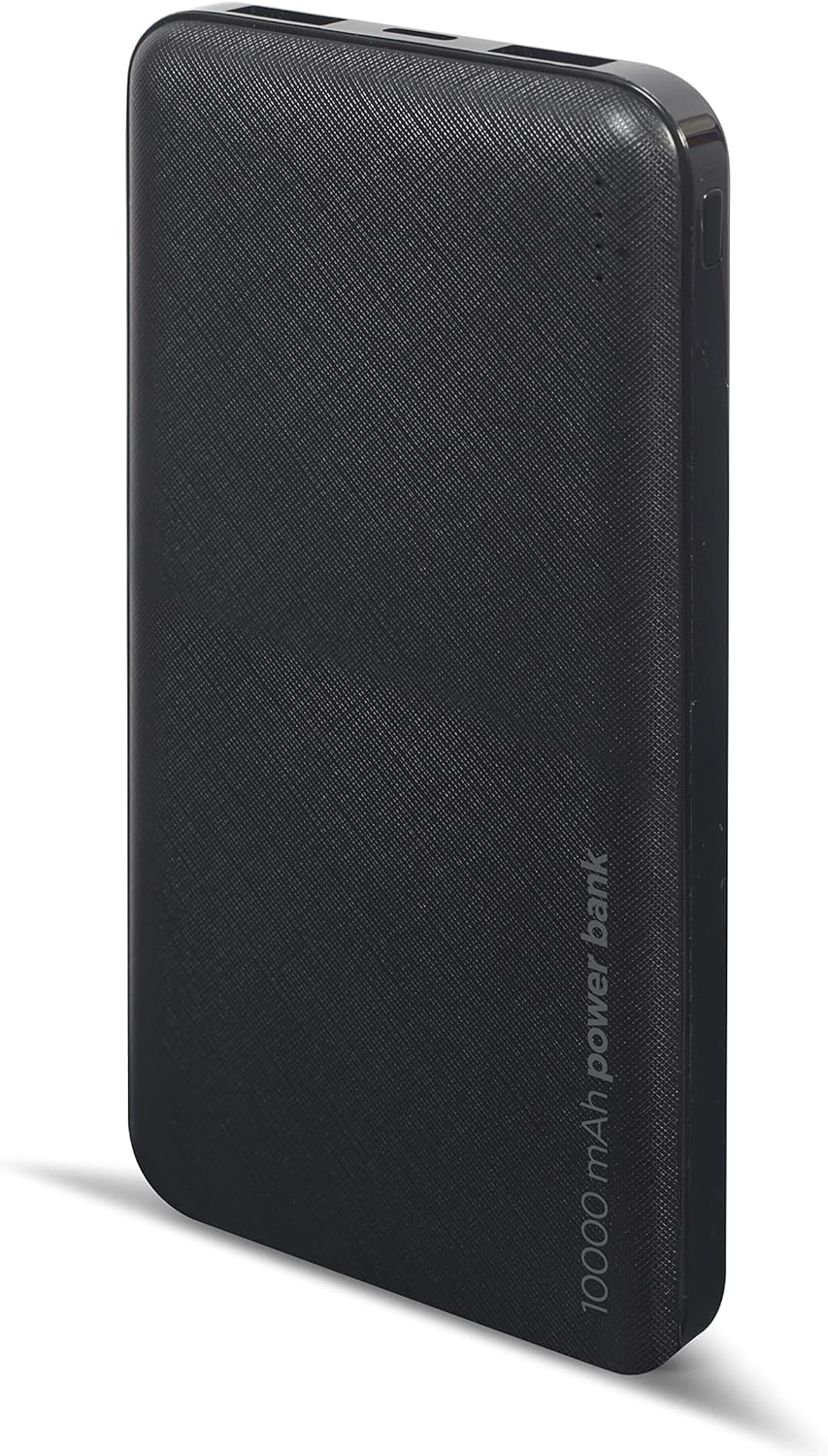
Immaġni: Quddiem view of the Gembird Powerbank, showcasing its sleek black design and textured surface.

Immaġni: Angolata view of the Gembird Powerbank, highlighting the two USB-A output ports on one end.

Immaġni: Ġenb view of the Gembird Powerbank, showing the Micro USB and USB Type-C input ports for charging the power bank itself.
Komponenti Ewlenin:
- Portijiet tal-Ħruġ USB-A (x2): Used to charge external devices.
- Port tad-Dħul Mikro USB: Used to charge the power bank.
- USB Type-C Input Port: Used to charge the power bank.
- Indikaturi LED: Show the remaining battery level of the power bank.
- Buttuna tal-Qawwa: Jattiva l-power bank u jiċċekkja l-livell tal-batterija.
Setup
Before first use, it is recommended to fully charge your Gembird Powerbank.
- Iċċarġjar tal-Bank tal-Enerġija:
- Connect a compatible USB charging cable (Micro USB or USB Type-C) to one of the input ports on the power bank.
- Connect the other end of the cable to a USB wall adapter (not included), computer USB port, or other compatible USB power source.
- L-indikaturi LED jixegħlu biex juru l-progress tal-iċċarġjar. L-LEDs kollha jixegħlu b'mod solidu meta jkunu ċċarġjati kompletament.
- Iċċekkjar tal-Livell tal-Batterija:
- Press the power button once. The LED indicators will light up to show the current battery level.
Operazzjoni
Iċċarġja tat-Tagħmir Tiegħek:
- Kun żgur li l-power bank huwa ċċarġjat biżżejjed.
- Qabbad il-kejbil tal-iċċarġjar tat-tagħmir tiegħek ma' wieħed mill-portijiet tal-output USB-A fuq il-power bank.
- Qabbad it-tarf l-ieħor tal-kejbil mat-tagħmir tiegħek.
- The power bank should automatically begin charging your device. If not, press the power button once to initiate charging.
- The LED indicators on the power bank will show its remaining battery level during charging.
- Skonnettja t-tagħmir tiegħek ladarba jkun iċċarġjat kompletament jew meta ma jkollokx aktar bżonn tiċċarġjah.
Note: The power bank can charge two devices simultaneously using both USB-A output ports.
Manutenzjoni
- Tindif: Use a soft, dry cloth to wipe the surface of the power bank. Do not use harsh chemicals or abrasive cleaners.
- Ħażna: Store the power bank in a cool, dry place away from direct sunlight and extreme temperatures. If storing for a long period, charge the power bank to about 50-70% capacity every 3-6 months to maintain battery health.
- Avoid Over-Discharging: Do not allow the power bank to completely drain its battery frequently, as this can reduce its lifespan.
Issolvi l-problemi
| Problema | Kawża Possibbli | Soluzzjoni |
|---|---|---|
| Il-power bank mhux qed jiċċarġja. | Cable is faulty or not properly connected. Power source is insufficient. | Try a different charging cable. Ensure the cable is securely connected. Use a reliable USB wall adapter. |
| L-apparat mhux qed jiċċarġja mill-power bank. | Power bank battery is low. Device cable is faulty. Power bank is not activated. | Recharge the power bank. Try a different device charging cable. Press the power button on the power bank. |
| Iċċarġjar bil-mod. | Cable is not suitable. Device requires higher input. | Use a high-quality charging cable. Ensure your device is compatible with the power bank's output. |
| L-indikaturi LED mhux qed jaħdmu. | Power bank is completely discharged. Faulty unit. | Charge the power bank for an extended period. If problem persists, contact customer support. |
Speċifikazzjonijiet
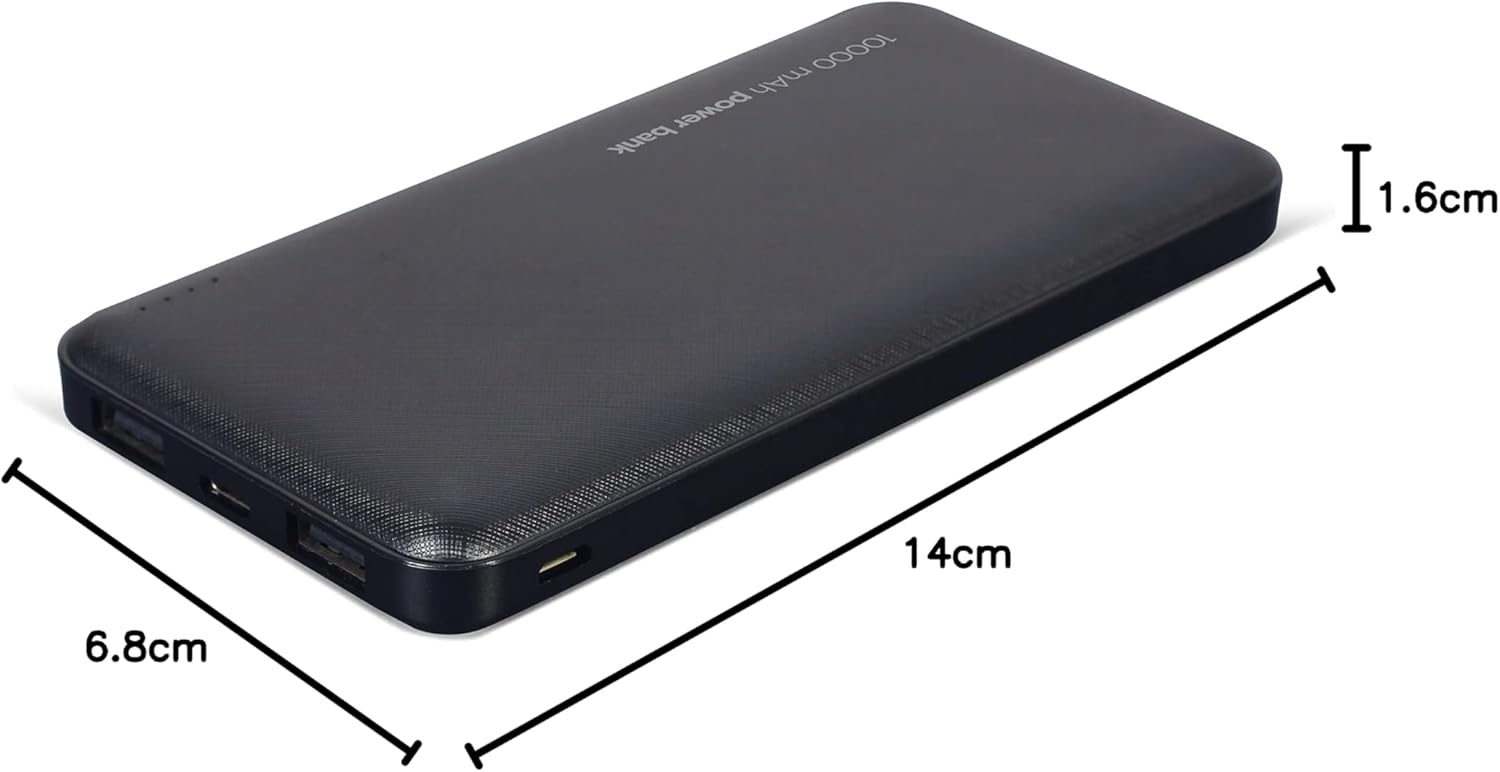
Image: The Gembird Powerbank with its approximate dimensions: 14cm length, 6.8cm width, and 1.6cm thickness.
| Mudell | PB10-02 |
| Tip ta 'batterija | Li-polimeru |
| Kapaċità | 10,000 mAh |
| Input (Mikro USB) | 5V DC, 2A (Max) |
| Input (USB Tip-Ċ) | 5V DC, 2A (Max) |
| Output (USB-A x2) | 5V DC, 2.1A (Max total) |
| Dimensjonijiet | Madwar 14 ċm x 6.8 ċm x 1.6 ċm |
| Piż | Madwar 200 g |
| Kulur | Iswed |
Garanzija u Appoġġ
Gembird products are manufactured to the highest quality standards. For information regarding warranty terms and conditions, please refer to the warranty card included with your product or visit the official Gembird website. If you encounter any issues or have questions not covered in this manual, please contact Gembird customer support through their official channels.
Għall-aktar informazzjoni ta' appoġġ aġġornata, jekk jogħġbok żur: www.gembird.com


