
1. Introduzzjoni
The MUNBYN P130 is a high-speed 4x6 USB thermal label printer designed for efficiency in home and small business environments. Utilizing direct thermal technology, it eliminates the need for ink or toner, offering a cost-effective and environmentally friendly printing solution. This manual provides comprehensive instructions for setting up, operating, maintaining, and troubleshooting your P130 printer.

Image: The MUNBYN P130 printer on a desk, highlighting its ink-free operation and high-speed printing capability of 150 labels per minute.
2. Gwida ta' Setup
2.1. X'hemm fil-Kaxxa
- MUNBYN P130 Thermal Label Printer
- Adapter tal-Enerġija
- Kejbil tal-Enerġija
- Cable USB
- Manwal għall-Utent
- Tikketti tat-Test ta' 30pcs
- USB Flash Drive (for driver installation)
2.2. Installazzjoni tas-sewwieq
The MUNBYN P130 printer is compatible with Windows, macOS, and Chrome OS. Driver installation is straightforward using the provided USB Flash Drive.
- Insert the USB Flash Drive into an available USB port on your computer.
- Sib u mexxi l-installatur file for your operating system (Windows, macOS, or Chrome OS).
- Follow the on-screen prompts to complete the driver installation. This process typically takes less than one minute.
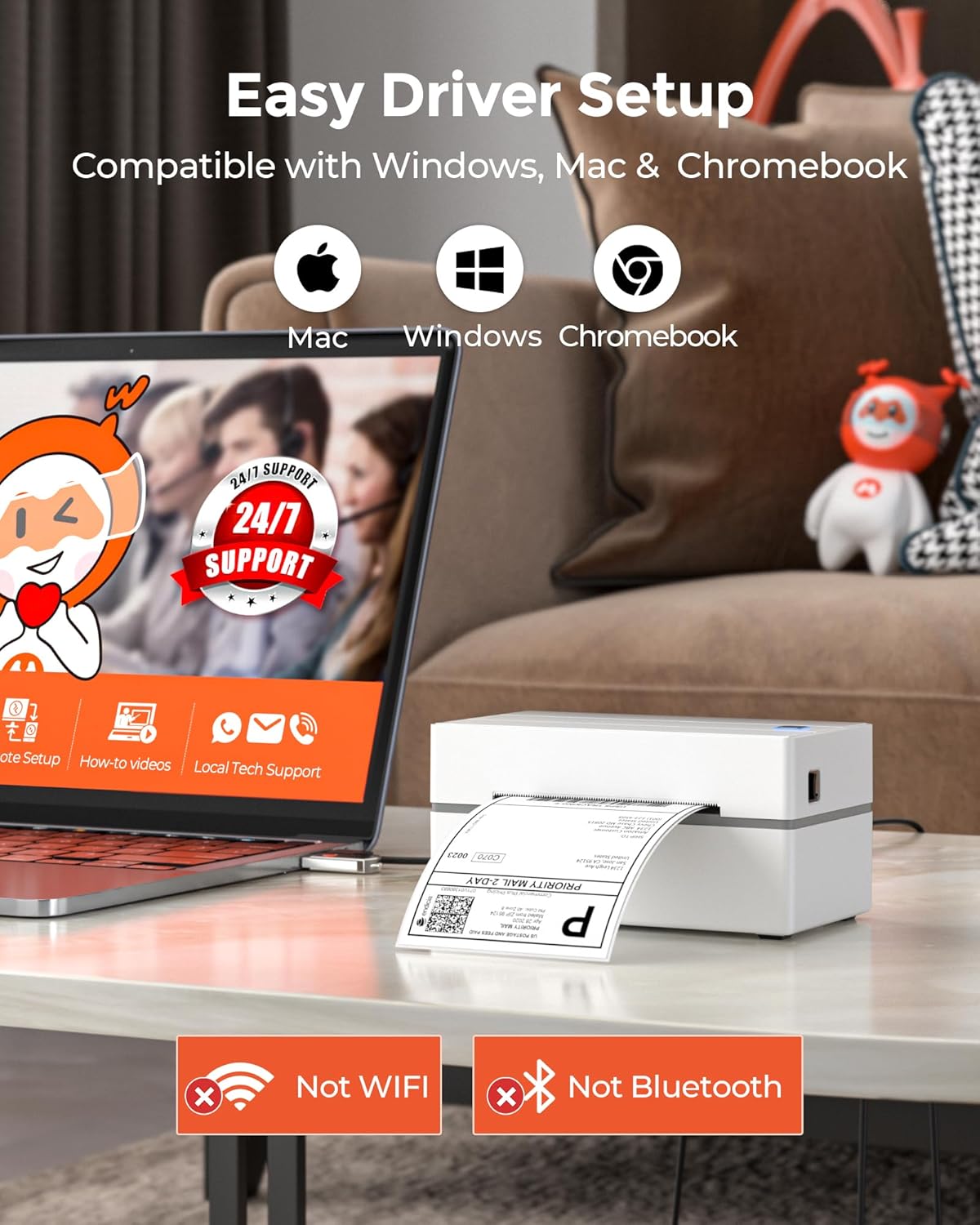
Image: A MUNBYN P130 printer connected to a laptop, with icons indicating compatibility with Mac, Windows, and Chromebook, and emphasizing easy driver setup.
Nota: The P130 printer connects via USB only. It does not support Bluetooth or Wi-Fi connectivity and is not compatible with iPhone/iPad or Linux operating systems.
2.3. It-Tagħbija tat-Tikketti
Proper label loading ensures optimal print quality and prevents jams.
- Iftaħ il-qoxra ta 'fuq tal-istampatur.
- Poġġi r-romblu tat-tikketti termali fil-kompartiment tat-tikketti, filwaqt li tiżgura li t-tikketti jidħlu mill-qiegħ tar-romblu u n-naħa stampabbli tħares 'il fuq.
- Feed the leading edge of the labels through the printer's slot until it extends slightly past the print head.
- Adjust the label guides to snugly fit the width of your labels, without being too tight.
- Close the top cover. The printer will automatically detect the label size and calibrate.

Image: A close-up of the MUNBYN P130 printer in action, demonstrating its ability to clearly print 300,000 standard labels and automatically detect label size.
2.4. Konnessjoni tal-Printer
Connect the printer to your computer using the provided USB cable. Plug one end into the printer's USB port and the other into an available USB port on your computer. Connect the power adapter to the printer and then to a power outlet.
3. Istruzzjonijiet Operattivi
3.1. Printing a Test Label
After successful driver installation and label loading, you can print a test label to confirm functionality:
- Ensure the printer is powered on and connected.
- From your computer's printer settings, select the MUNBYN P130 printer.
- Choose the option to print a test page or a sample tikketta.
3.2. Printing from Applications
The MUNBYN P130 is designed for seamless integration with various e-commerce and shipping platforms. It is compatible with:
- Shipping Carriers: UPS, USPS, FedEx, DHL
- E-commerce Platforms: Etsy, eBay, Amazon, PayPal, Shopify, ShipStation, Shippo, ShippingEasy, Poshmark, etc.
When printing from your chosen platform or software, select the MUNBYN P130 as your printer and ensure the correct label size (e.g., 4x6 inches) is selected in the print settings.

Image: The MUNBYN P130 printer displayed alongside a comprehensive list of major shipping carriers and e-commerce platforms it is compatible with, including UPS, USPS, FedEx, DHL, Etsy, eBay, Amazon, and Shopify.
3.3. Label Size Compatibility and Automatic Identification
The P130 printer supports thermal labels with widths ranging from 1.57 inches to 4.3 inches. This versatility allows you to print various label types, including shipping labels, product labels, and barcodes.
The printer features automatic label identification, which means it can detect the size and characteristics of the loaded labels and adjust its settings accordingly. This ensures accurate and consistent printing without manual configuration for each label type.

Image: The MUNBYN P130 printer demonstrating its compatibility with various label sizes, including circular, 3x3, 2.25x1.25, 3x2, and 4x6 inches, covering diverse e-commerce needs.
4. Manutenzjoni
4.1. Tindif tal-Istampatur
Regular cleaning helps maintain print quality and extends the life of your thermal printer. Since it's an ink-free printer, cleaning focuses on dust and debris.
- Barra: Imsaħ il-barra b'artab, damp drapp. Evita cleaners li joborxu.
- Kap tal-Istampa: Gently wipe the print head with an alcohol swab or a specialized thermal printer cleaning wipe. Ensure the printer is off and cooled down before cleaning the print head.
- Romblu tal-Platena: Clean the platen roller (the rubber roller that feeds the labels) with an alcohol swab to remove any adhesive residue or dust.
Perform cleaning periodically, especially if you notice a decrease in print quality or frequent label jams.
4.2. Ħażna
Store the printer in a cool, dry place away from direct sunlight and excessive dust. When not in use for extended periods, it is recommended to disconnect the power cable.
Store thermal labels in a cool, dark place to preserve their printability and adhesive quality.
5 Issolvi l-problemi
If you encounter issues with your MUNBYN P130 printer, refer to the common troubleshooting steps below. For more detailed solutions, please consult the dedicated Gwida għas-Soluzzjoni tal-Problemi (PDF).
5.1. Kwistjonijiet Komuni u Soluzzjonijiet
- Il-Printer Mhux Qed Jirrispondi:
- Kun żgur li l-kejbil tal-enerġija huwa konness sew kemm mal-istampatur kif ukoll mas-sokit tal-enerġija.
- Verify the USB cable is firmly connected to both the printer and your computer.
- Check if the printer's power indicator light is on.
- Erġa' ibda kemm il-printer kif ukoll il-kompjuter tiegħek.
- Poor Print Quality (Faded/Missing Lines):
- Naddaf ir-ras tal-istampar kif deskritt fit-taqsima tal-Manutenzjoni.
- Kun żgur li qed tuża tikketti termali ta' kwalità għolja.
- Check printer driver settings for darkness or density adjustments.
- Labels Not Feeding Correctly / Paper Jams:
- Ensure labels are loaded correctly and the label guides are adjusted to the label width.
- Remove any jammed labels carefully.
- Naddaf ir-roller tal-platen.
- Verify that the label roll is not too tight or too loose.
- Printer Not Detected by Computer:
- Reinstall the printer driver using the provided USB Flash Drive or download the latest driver from the MUNBYN websit.
- Try connecting the printer to a different USB port on your computer.
- Ensure your operating system is compatible (Windows, macOS, Chrome OS).
6. Speċifikazzjonijiet
| Karatteristika | Dettall |
|---|---|
| Isem tal-Mudell | P130 |
| Numru tal-Mudell tal-Oġġett | ITPP130 |
| Teknoloġija tal-Istampar | Termali |
| Teknoloġija tal-Konnettività | USB Biss |
| Output Printer | Monokromu |
| Veloċità Massima tal-Istampar (Monokromu) | 150 ppm (labels per minute) |
| Riżoluzzjoni | 203 x 203 DPI (Dots Per Inch) |
| Daqs Massimu tal-Midja | 4.3 pulzier (wisa') |
| Wisa' tat-Tikketti Kompatibbli | 1.57" sa 4.3" |
| Apparati Kompatibbli | Windows, macOS, Chromebook, PC, Laptops |
| Dimensjonijiet tal-Prodott (P x W x H) | 3.89" x 7.16" x 3.42" |
| Piż tal-oġġett | 1.58 libbra (0.72 Kilogrammi) |
| Komponenti Inklużi | Power Adapter, Power Cable, USB Cable, User Manual, 30pcs Test Labels, USB Flash Drive |
7. Informazzjoni dwar Garanzija
The MUNBYN P130 Thermal Label Printer comes with an extended warranty. For specific details regarding the warranty period, coverage, and claims process, please refer to the warranty card included with your product or contact MUNBYN customer support directly.
8. Appoġġ għall-Klijent
MUNBYN is committed to providing lifetime customer support for your P130 printer. If you require assistance with setup, operation, troubleshooting, or any other inquiries, please reach out to our support team through the following channels:
- Live Chat (via MUNBYN official websit)
- Telefonati
- Appoġġ tad-Desktop Remot
- Appoġġ bl-Email
Please have your product model number (P130 or ITPP130) and any relevant details about your issue ready when contacting support to ensure a swift resolution.


