1. Introduzzjoni
Thank you for choosing the Superboost WiFi Range Extender. This device is designed to expand your existing wireless network coverage, eliminate Wi-Fi dead zones, and provide a stable, high-speed internet connection throughout your home or office. With its easy setup and versatile operating modes, the Superboost extender ensures seamless connectivity for all your devices.

A white Superboost WiFi Range Extender with two external antennas, plugged into a standard wall power outlet. The device features indicator lights on its front panel.
2. Karatteristiċi tal-prodott
- Kopertura Estiża: Eliminates Wi-Fi dead zones, extending coverage up to 9000 sq ft.
- Veloċità Għolja: Supports data transfer speeds of up to 300 Mbps on the 2.4 GHz band.
- Modi Operattivi Multipli: Functions as a Wireless Router, Repeater, Access Point, Client, and WISP.
- One-Touch Setup (WPS): Simplifies installation with a single button press.
- Port Ethernet: Provides wired connectivity for devices like smart TVs, gaming consoles, or PCs.
- Sigurtà Avvanzata: Supports WEP/WPA/WPA2 encryption protocols for network protection.
- Kompatibilità Universali: Works with any standard router or gateway.

A front-facing image of the Superboost WiFi Extender, displaying its power, WiFi, and WPS indicator lights, which provide status information during operation.
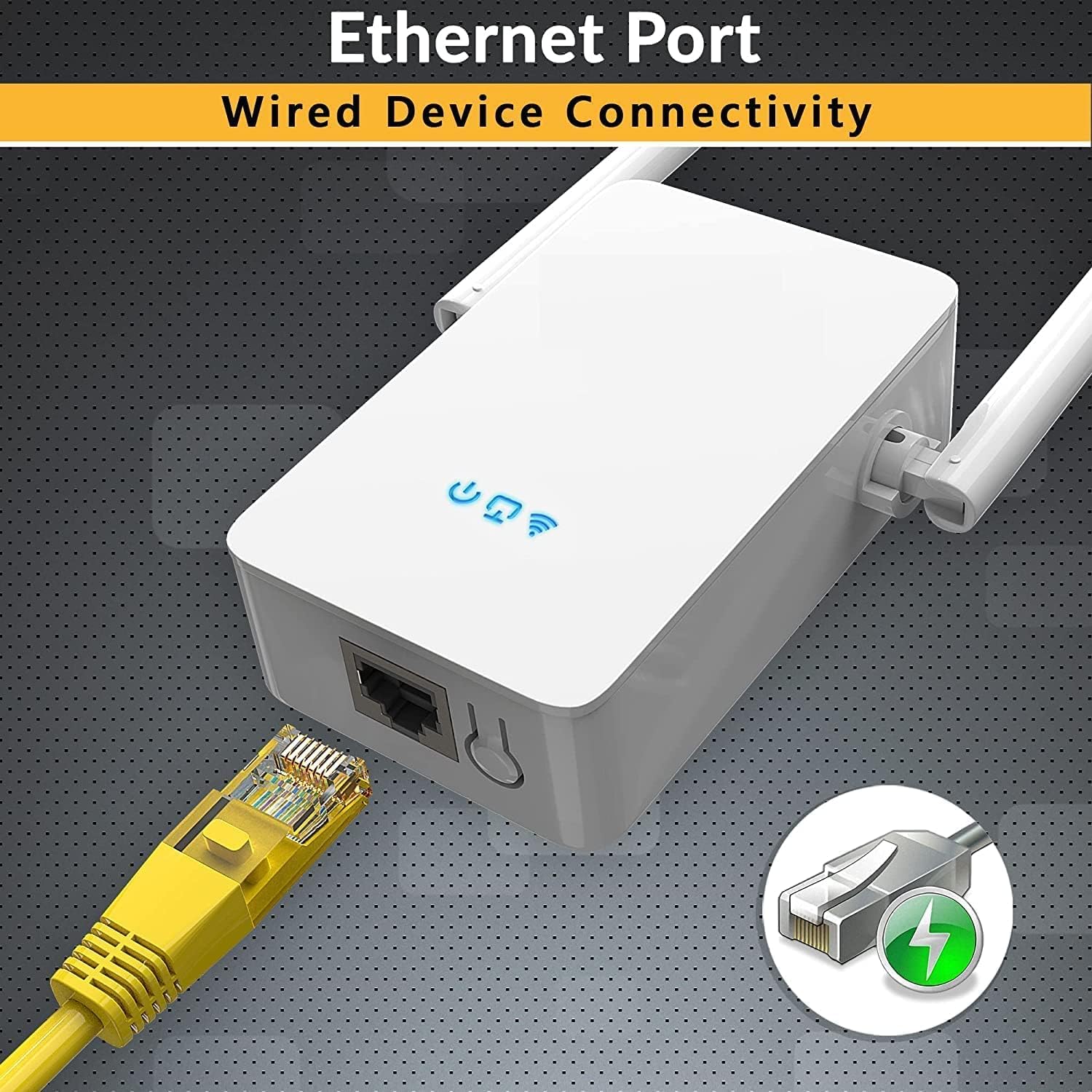
A dettaljata view of the Superboost WiFi Extender's bottom, highlighting the Ethernet port. A yellow Ethernet cable is shown plugged into the port, indicating its wired connectivity capability.
3. Gwida ta' Setup
3.1. WPS (Wi-Fi Protected Setup) Method
The WPS method is the quickest way to set up your Superboost extender if your router supports WPS.
- Plug the Superboost extender into a power outlet near your existing router.
- Stenna li l-LED tal-Enerġija fuq l-estensur jixgħel blu solidu.
- Agħfas il-buttuna WPS fuq ir-router tiegħek.
- Within 2 minutes, press the WPS button on the Superboost extender.
- The Extender's Wi-Fi LED will blink and then turn solid blue, indicating a successful connection.
- Unplug the extender and relocate it to a desired location within your router's Wi-Fi range, ensuring optimal signal strength.

This image shows the Superboost WiFi Extender plugged into a wall, with an arrow indicating the connection process to a router via the WPS (Wi-Fi Protected Setup) button. A smartphone screen is also visible, suggesting easy configuration.
3.2. Manual Setup Method (Via Web Browser)
If your router does not support WPS or you prefer manual configuration:
- Plug the Superboost extender into a power outlet near your existing router.
- Connect your computer or mobile device to the extender's default Wi-Fi network (e.g., "Superboost_Ext"). No password is required initially.
- Iftaħ a web browser and enter the default IP address (check the device label or manual for the exact address, commonly 192.168.10.1 or similar).
- Follow the on-screen instructions to log in (default username/password is usually "admin"/"admin").
- Select "Repeater Mode" or your desired mode.
- Skennja għal netwerks Wi-Fi disponibbli u agħżel in-netwerk tad-dar tiegħek.
- Enter your home Wi-Fi password and confirm the settings.
- The extender will restart. Once the Wi-Fi LED is solid blue, the setup is complete.
4. Modi Operattivi
The Superboost WiFi Range Extender supports five operating modes to suit various networking needs:
- Modalità Ripetitur: Extends the range of an existing wireless network.
- Modalità Punt ta' Aċċess (AP): Transforms a wired network connection into a wireless one.
- Modalità tar-Router mingħajr fili: Functions as a primary router, creating a new wireless network.
- Modalità Klijent: Allows wired-only devices to connect to a wireless network.
- Modalità WISP: Connects to a wireless ISP network and shares the internet connection wirelessly.

A detailed diagram showing how the Superboost WiFi Extender effectively expands wireless coverage across multiple rooms and floors in a home, eliminating dead zones.
5. Tqegħid Ottimali
For best performance, consider the following when placing your Superboost extender:
- Poġġi l-extender fin-nofs bejn ir-router tiegħek u ż-żona mejta tal-Wi-Fi.
- Avoid placing it near large metal objects, concrete walls, or appliances that emit electromagnetic noise (e.g., microwaves, cordless phones).
- Ensure it is in a clear line of sight to your router if possible, or at least with minimal obstructions.
- Use the signal indicator lights on the extender (if available) to find the optimal spot with good signal strength from your router.

An illustration demonstrating the Superboost extender's capability to maintain strong signal integrity even when passing through common household obstacles like walls and doors.
6. Manutenzjoni
To ensure the longevity and optimal performance of your Superboost WiFi Range Extender:
- Żomm l-apparat nadif u ħieles mit-trab. Uża drapp artab u niexef għat-tindif.
- Tesponix l-apparat għal temperaturi estremi, umdità, jew dawl tax-xemx dirett.
- Avoid blocking the ventilation holes on the device.
- Iċċekkja perjodikament għal aġġornamenti tal-firmware fuq il-paġna tal-manifattur website to ensure the latest features and security enhancements.
- If the device becomes unresponsive, try unplugging it from the power outlet for 10 seconds and then plugging it back in.

An sploda view of the Superboost WiFi Extender, revealing its internal components such as the overvoltage protection controller, intelligent WiFi chip, and security encryption module, emphasizing its superior quality and design.
7 Issolvi l-problemi
If you encounter issues with your Superboost WiFi Range Extender, refer to the following common problems and solutions:
- No Internet Access After Setup:
- Ensure the extender is within range of your main router.
- Ivverifika li l-password tal-Wi-Fi mdaħħla waqt is-setup hija korretta.
- Ipprova erġa' ibda kemm ir-router kif ukoll l-estensur.
- If using Repeater mode, ensure your router's Wi-Fi is working correctly.
- Veloċità ta' Konnessjoni Bil-Mod:
- Irriloka l-estensur eqreb lejn ir-router prinċipali tiegħek.
- Iċċekkja għal interferenza minn apparat elettroniku ieħor.
- Kun żgur li r-router prinċipali tiegħek qed jipprovdi veloċità adegwata.
- Ma nistax naċċessa Web Paġna ta' Ġestjoni:
- Kun żgur li t-tagħmir tiegħek huwa konness man-netwerk Wi-Fi tal-estensur.
- Iċċekkja li l-indirizz IP li daħħalt fil-browser huwa korrett.
- Neħħi l-cache u l-cookies tal-brawżer tiegħek, jew ipprova brawżer ieħor.
- Is-Setup tal-WPS ifalli:
- Ensure your router supports WPS and it is enabled.
- Try the manual setup method via web browser.
- Forgot Login Password:
- Agħmel reset tal-fabbrika fuq l-estensur billi tagħfas u żżomm il-buttuna tar-reset għal 5-10 sekondi. Dan se jreġġa' lura s-settings kollha għad-default.
8. Speċifikazzjonijiet
| Karatteristika | Speċifikazzjoni |
|---|---|
| Mudell | WFR-N300 |
| Brand | TECHFACTURE |
| Standard Wireless | 802.11a/b/g/n, 802.11abg |
| Frekwenza | 2.4 GHz |
| Rata ta' Trasferiment tad-Data | Up to 450 Megabytes Per Second (Mbps) |
| Protokolli tas-Sigurtà | WEP, WPA, WPA2 |
| Portijiet | 1 x Ethernet (RJ45) |
| Dimensjonijiet | 8 x 4 x 8 ċm |
| Piż | 100 g |
| Apparati Kompatibbli | Router, Wireless Devices, Wired Devices |
9. Garanzija u Appoġġ
TECHFACTURE products are designed for reliability and performance. For specific warranty details, please refer to the warranty card included with your product or visit the official TECHFACTURE website. If you require technical assistance or have questions not covered in this manual, please contact TECHFACTURE customer support through their official channels.

A man smiling while looking at his smartphone, with the Superboost WiFi Extender and a WPS button icon in the foreground, illustrating the ease of setup and fast connection.


