Introduzzjoni
Thank you for choosing the KWANWA EJ12B-G 2-in-1 Digital Alarm Clock and Indoor Thermometer. This device combines a clear digital time display with an accurate indoor temperature reading, offering convenience and functionality. Please read this manual carefully to ensure proper use and to maximize the product's lifespan.
Informazzjoni dwar is-Sigurtà
- Żomm l-apparat 'il bogħod mill-ilma u umdità għolja.
- Evita li tesponi l-apparat għal dawl tax-xemx dirett jew temperaturi estremi.
- Tippruvax tiżżarma jew issewwi l-apparat int stess. Ikkuntattja l-appoġġ għall-klijenti jekk jinqalgħu xi problemi.
- Use only specified battery types (2 x AA alkaline batteries).
- Armi l-batteriji użati b'mod responsabbli skont ir-regolamenti lokali.
Kontenut tal-Pakkett
- KWANWA EJ12B-G Digital Alarm Clock and Indoor Thermometer
- Manwal għall-Utent
- Note: 2 x AA batteries are not included.
Prodott Overview
Familiarize yourself with the components and controls of your KWANWA alarm clock.

Immaġni: Quddiem view of the KWANWA EJ12B-G Digital Alarm Clock, showing the green digital time display.

Immaġni: Fuq u t'isfel views of the KWANWA EJ12B-G Digital Alarm Clock, highlighting the control buttons on top and the battery compartment on the bottom.
Buttuni tal-Kontroll:
- ĦIN IPPOST: Press and hold to enter time setting mode. Short press to adjust brightness.
- SETT AL: Agħfas u żommu biex tidħol fil-mod ta 'l-issettjar ta' l-allarm.
- HOUR/12/24: Adjusts hour during setting. Toggles 12/24-hour format.
- MIN/AL ON/OFF: Adjusts minute during setting. Toggles alarm on/off.
- SNOOZE: Activates snooze function when alarm sounds.
- °F/°C (on bottom): Toggles temperature display between Fahrenheit and Celsius.
Setup
1. Installazzjoni tal-batterija
- Sib il-kompartiment tal-batterija fil-qiegħ tal-arloġġ.
- Iftaħ il-kompartiment tal-batterija.
- Insert two (2) new AA alkaline batteries, ensuring correct polarity (+ and -).
- Agħlaq l-għatu tal-kompartiment tal-batterija sew.
- The clock display will light up, indicating successful installation.
Immaġni: Diagram showing the battery compartment on the bottom of the clock and the insertion of two AA batteries.
Istruzzjonijiet Operattivi
1. Issettjar tal-Ħin
- Agħfas u żomm il- IL-ĦIN IPPOST button for 2 seconds until the hour digits flash.
- Agħfas il- HOUR/12/24 buttuna biex taġġusta s-siegħa.
- Agħfas il- IL-ĦIN IPPOST Agħfas il-buttuna mill-ġdid biex tikkonferma s-siegħa u tmur għall-issettjar tal-minuti. Iċ-ċifri tal-minuti jibdew jteptep.
- Agħfas il- MIN/AL ON/OFF buttuna biex taġġusta l-minuta.
- Agħfas il- IL-ĦIN IPPOST button one more time to confirm the minute and exit time setting mode.
2. Għażla tal-Format ta' 12/24 Siegħa
- Fil-modalità normali tal-wiri tal-ħin, agħfas qasir il-buttuna HOUR/12/24 button to switch between 12-hour (with "P" for PM) and 24-hour formats.
3. Issettjar tal-Allarm
- Agħfas u żomm il- AL SET button for 2 seconds until the alarm hour digits flash.
- Agħfas il- HOUR/12/24 buttuna biex taġġusta s-siegħa tal-allarm.
- Agħfas il- AL SET Agħfas il-buttuna mill-ġdid biex tikkonferma s-siegħa tal-allarm u tmur għall-issettjar tal-minuti tal-allarm. Iċ-ċifri tal-minuti tal-allarm se jteptpu.
- Agħfas il- MIN/AL ON/OFF buttuna biex taġġusta l-minuta tal-allarm.
- Agħfas il- AL SET button one more time to confirm the alarm minute and exit alarm setting mode.

Immaġni: The alarm clock displaying an alarm time and illustrating the snooze function.
4. Turning Alarm On/Off
- Fil-modalità normali tal-wiri tal-ħin, agħfas qasir il-buttuna MIN/AL ON/OFF buttuna biex tixgħel jew titfi l-allarm. Ikona tal-allarm tidher fuq id-displej meta l-allarm ikun attiv.
5. Funzjoni Snooze
- Meta jdoqq l-allarm, agħfas il-buttuna l-kbira SNOOZE button on top of the clock. The alarm will pause for 7 minutes and then sound again.
- Il-funzjoni snooze tista 'tiġi ripetuta sa 3 darbiet.
- Biex titfi l-allarm kompletament, agħfas kwalunkwe buttuna oħra (eż., MIN/AL ON/OFF) while the alarm is sounding or during the snooze period.
6. Aġġustament tal-Luminożità tal-Wiri
- Fil-modalità normali tal-wiri tal-ħin, agħfas qasir il-buttuna IL-ĦIN IPPOST button to cycle through 3 brightness levels: High, Medium, and Low.
- The clock also features an automatic dimming function, reducing brightness between 8:00 PM and 6:00 AM.

Immaġni: Illustration of the KWANWA EJ12B-G clock display at different brightness settings: Bright, Medium, and Dim.
7. Indoor Temperature Display
- Biex view the indoor temperature, simply turn the alarm clock upside down. The display will automatically switch from time to temperature.
- To switch between Fahrenheit (°F) and Celsius (°C), locate the °F/°C button on the bottom of the clock and press it.
- The temperature sensor provides updated readings approximately every 20 seconds.
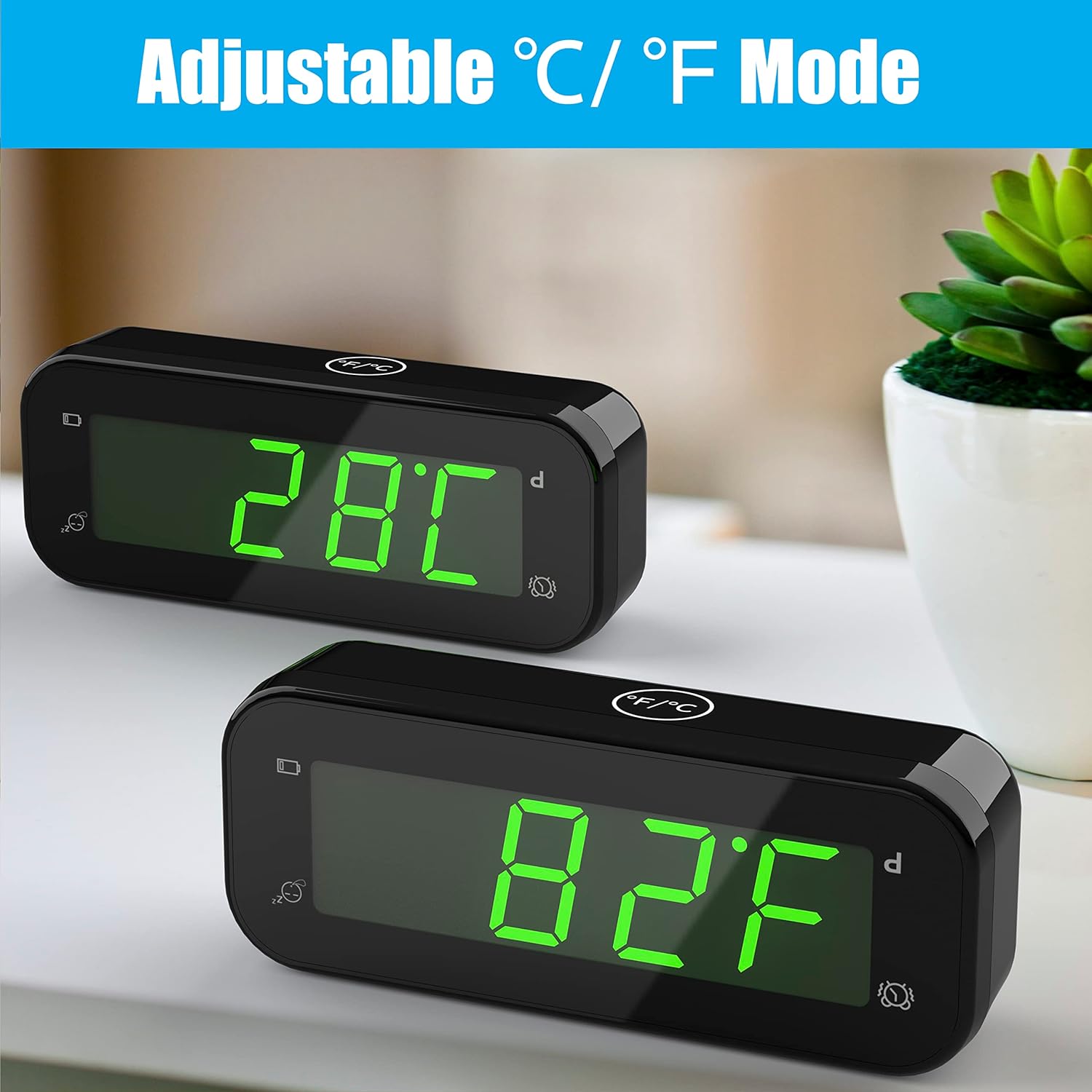
Immaġni: The KWANWA EJ12B-G clock displaying indoor temperature in both Celsius and Fahrenheit modes.

Immaġni: Illustration of the 2-in-1 functionality, showing the clock displaying time and then temperature when inverted.
Manutenzjoni
- Tindif: Imsaħ l-arloġġ b'ċarruta ratba u niexfa. Tużax prodotti tat-tindif jew solventi li joborxu.
- Sostituzzjoni tal-batterija: When the low battery indicator appears on the display, replace both AA batteries promptly to ensure continuous operation and accurate readings.
- Ħażna: Jekk taħżen l-arloġġ għal perjodu estiż, neħħi l-batteriji biex tevita t-tnixxija.
Issolvi l-problemi
| Problema | Soluzzjoni |
|---|---|
| Id-displej huwa vojt jew mudlam. | Check battery installation and replace with new AA batteries if necessary. Adjust brightness using the TIME SET button. |
| L-allarm ma jdoqqx. | Ensure the alarm is set and activated (alarm icon visible). Check battery level. |
| Incorrect time or temperature. | Reset the time according to the instructions. For temperature, ensure the clock has been in the environment for a few minutes for an accurate reading. |
| Il-buttuni ma jirrispondux. | Neħħi u erġa' daħħal il-batteriji biex twettaq soft reset. Jekk il-problema tippersisti, ibdel il-batteriji. |
Speċifikazzjonijiet
- Mudell: EJ12B-G
- Tip ta' wiri: LED Diġitali (Aħdar)
- Format tal-ħin: 12/24 Siegħa magħżula
- Firxa tat-Temperatura: Juri t-temperatura ta 'ġewwa
- Preċiżjoni tat-Temperatura: ± 0.1°C
- Sors tal-Enerġija: 2 x batteriji alkalini AA (mhux inklużi)
- Dimensjonijiet tal-Prodott: 4.6" (W) x 1.8" (H) (as per product specifications)
- Piż: 3.2-il uqija (0.09 kg)
- Karatteristiċi Speċjali: Alarm, Snooze, Adjustable Brightness (3 levels + auto dim), Indoor Thermometer (°C/°F switchable)
Garanzija u Appoġġ
KWANWA products are designed for reliability and performance. For warranty information or technical support, please refer to the contact details provided with your purchase or visit the official KWANWA websit. Jekk jogħġbok żomm il-prova tax-xiri tiegħek għal talbiet ta' garanzija.


