Introduzzjoni
Dan il-manwal jipprovdi struzzjonijiet komprensivi għall-installazzjoni, it-tħaddim, u l-manutenzjoni tas-CSLP Smart Lock tiegħek. Jekk jogħġbok aqra dan il-manwal bir-reqqa qabel l-installazzjoni u l-użu biex tiżgura l-funzjonament u s-sigurtà xierqa. Is-CSLP Smart Lock joffri diversi metodi ta' ftuħ, inkluż kontroll tal-app, dħul permezz ta' tastiera, ċavetta tradizzjonali, u aċċess bil-kard, iddisinjati għal sigurtà u konvenjenza mtejba għall-bieb ta' barra tiegħek.
Informazzjoni dwar is-Sigurtà
- Tippruvax tiżżarma jew timmodifika s-serratura. Dan jista' jikkawża ħsara lill-prodott u jannulla l-garanzija.
- Uża biss it-tip ta' batterija speċifikat u kun żgur li l-polarità hija korretta waqt l-installazzjoni.
- Żomm iċ-ċwievet fiżiċi f'post sigur barra l-proprjetà biex tevita sitwazzjonijiet ta' msakkar.
- Iċċekkja s-serratura regolarment għal xi sinjali ta’ xedd jew ħsara. Ikkuntattja l-appoġġ jekk jinqalgħu xi problemi.
- Ipproteġi t-tastiera minn espożizzjoni diretta għal kimiċi ħarxa jew materjali li joborxu.
Prodott Overview
Is-sistema CSLP Smart Lock tikkonsisti minn unità ta' tastiera esterna, unità ta' serratura interna, u aċċessorji assoċjati. Din tintegra ma' applikazzjoni mobbli għal kontroll u monitoraġġ avvanzati.

Figura 1: Komponenti tas-CSLP Smart Lock. Din l-immaġni turi t-tastiera esterna bil-buttuni tan-numri u toqba taċ-ċavetta, l-unità interna b'buttuna li ddur għall-kbir, żewġ key fobs, u skrin ta' smartphone li juri l-interfaċċja tal-app tas-serratura b'buttuna tal-ftuħ.

Figura 2: Metodi multipli ta' ftuħ. Din l-immaġni turi l-erba' modi primarji biex tiftaħ is-CSLP Smart Lock: permezz tal-applikazzjoni mobbli, ċavetta fiżika tradizzjonali, kard ta' prossimità, u t-tastiera integrata.

Figura 3: Karatteristiċi ewlenin tas-CSLP Smart Lock. Din l-immaġni tenfasizza diversi funzjonalitajiet inkluż dħul mingħajr ċavetta, kontroll tal-app, aċċess bit-tastiera, ċavettatag kompatibilità, illokkjar awtomatiku, interface tat-touchscreen, installazzjoni sempliċi, backup taċ-ċavetta fiżika, għażla ta' enerġija esterna, u allarmi kontra s-serq.
Setup u Installazzjoni
Is-CSLP Smart Lock hija ddisinjata għal installazzjoni faċli, tipikament teħtieġ biss tornavit. Kun żgur li l-bieb tiegħek jissodisfa r-rekwiżiti ta' kompatibilità qabel tibda.
1. Iċċekkja l-Kompatibbiltà tal-Bieb
Qabel l-installazzjoni, ivverifika d-dimensjonijiet tal-bieb tiegħek u t-tip ta' serratura eżistenti. Is-CSLP Smart Lock hija kompatibbli mal-biċċa l-kbira tal-bibien standard tal-injam u d-deadbolts b'ċilindru wieħed.

Figura 4: Kompatibilità u dimensjonijiet tal-bieb. Din id-dijagramma tipprovdi kejl kritiku għad-daqs tal-bieb, inkluż id-distanza minima minn wara, id-dijametru tat-toqba tal-bieb, id-dijametru tat-toqba trasversali, u d-distanza minima. Tindika wkoll li s-serratura hija kompatibbli ma' deadbolts b'ċilindru wieħed iżda mhux ma' tipi ta' serraturi taċ-ċilindru integrati, mortise, jew rim.
- Ħxuna tal-Bieb: 1.38" sa 2.17" (35mm sa 55mm)
- Dahar lura: 2.38" jew 2.75" (60mm jew 70mm)
- Dijametru tat-Toqba tal-Bieb: 1.01" (25mm)
- Dijametru tat-Toqba Trasversali: 2.13" (54mm)
2. Passi ta 'installazzjoni
- Ipprepara l-bieb billi tiżgura li d-deadbolt eżistenti jitneħħa u li l-pjanċa tal-istrajk tal-qafas tal-bieb tkun allinjata b'mod korrett.
- Installa l-lukkett tad-deadbolt fit-tarf tal-bieb. Kun żgur li l-lukkett ikun qed iħares fid-direzzjoni t-tajba għat-tbandil tal-bieb tiegħek.
- Immonta l-assemblaġġ tat-tastiera ta' barra. Għaddi l-kejbil mit-toqba tal-bieb.
- Waħħal il-pjanċa tal-immuntar ta' ġewwa mal-assemblaġġ ta' barra billi tuża l-viti pprovduti.
- Qabbad il-kejbil mill-unità ta' barra mal-unità ta' ġewwa.
- Waħħal l-unità ta' ġewwa mal-pjanċa tal-immuntar.
- Installa 4 batteriji AA fil-kompartiment tal-batteriji tal-unità interna.
- Ittestja l-funzjonalità tas-serratura manwalment bil-buttuna li ddur u ċ-ċavetta fiżika.
3. Is-Setup u t-Tqabbil tal-App
- Niżżel l-app CSLP Smart Lock mill-app store tat-tagħmir tiegħek.
- Oħloq kont u illoggja.
- Segwi l-istruzzjonijiet fl-app biex iżżid is-serratura intelliġenti l-ġdida tiegħek. Dan tipikament jinvolvi li tattiva l-Bluetooth fuq it-telefon tiegħek u tagħfas buttuna ta' tqabbil fuq l-unità interna tas-serratura.
- Ladarba tkun imqabbda, tista' tagħti isem lis-serratura tiegħek u tibda timmaniġġja s-settings.
Istruzzjonijiet Operattivi
Niftaħ il-Bieb
- Permezz tal-App (Bluetooth): Iftaħ l-app CSLP Smart Lock, agħżel is-serratura tiegħek, u agħfas il-buttuna "Unlock" meta tkun fil-firxa tal-Bluetooth.
- Permezz tat-Tastiera: Daħħal il-kodiċi tal-password ipprogrammat tiegħek fuq it-tastiera segwit mit-tast '#'.
- Permezz taċ-Ċavetta Fiżika: Daħħal iċ-ċavetta fiżika pprovduta fit-toqba taċ-ċavetta fuq l-unità ta' barra u dawwarha biex tiftaħha.
- Permezz ta' Karta (jekk applikabbli): Ippreżenta l-kard taċ-ċavetta rreġistrata fiż-żona tas-sensur magħżula fuq is-serratura.
Issakkar il-Bieb
- Serratura Awtomatika: Is-senser integrat jinduna meta l-bieb tiegħek ikun magħluq u jissakkar awtomatikament wara dewmien stabbilit (konfigurabbli fl-app).
- Qfil One-Touch: Agħfas u żomm it-tast '#' fuq it-tastiera għal ftit sekondi biex tissakkar il-bieb manwalment minn barra.
- Permezz tal-App: Iftaħ l-app CSLP Smart Lock, agħżel is-serratura tiegħek, u agħfas il-buttuna "Lock".
- Minn Ġewwa: Uża l-buttuna li ddur bil-kbir fuq l-unità ta' ġewwa biex tissakkar il-bieb manwalment.

Figura 5: Serratura awtomatika u b'mess wieħed. Din l-immaġni turi kif is-CSLP Smart Lock jista' jissakkar il-bieb awtomatikament meta jingħalaq u għandu wkoll funzjoni ta' serratura b'mess wieħed għall-attivazzjoni manwali.
Karatteristiċi tal-App
- Ġestjoni tal-Utenti: Żid, immodifika, jew ħassar il-passcodes tal-utent u l-kards tal-aċċess.
- Kodiċijiet Temporanji: Iġġenera passcodes b'limitu ta' żmien jew ta' darba biss għall-mistednin jew għall-fornituri tas-servizzi.
- Reġistru tal-Attività: View storja dettaljata tal-avvenimenti tal-illokkjar u l-ftuħ, inkluż il-metodu u l-ħinamp.
- Kontroll mill-bogħod (bil-Wi-Fi Bridge): Għal ftuħ/illokkjar mill-bogħod u notifiki f'ħin reali, huwa meħtieġ Wi-Fi Bridge separat (mibiegħ separatament). Dan jippermetti l-integrazzjoni ma' sistemi ta' dar intelliġenti bħal Amazon Alexa u Google Assistant.
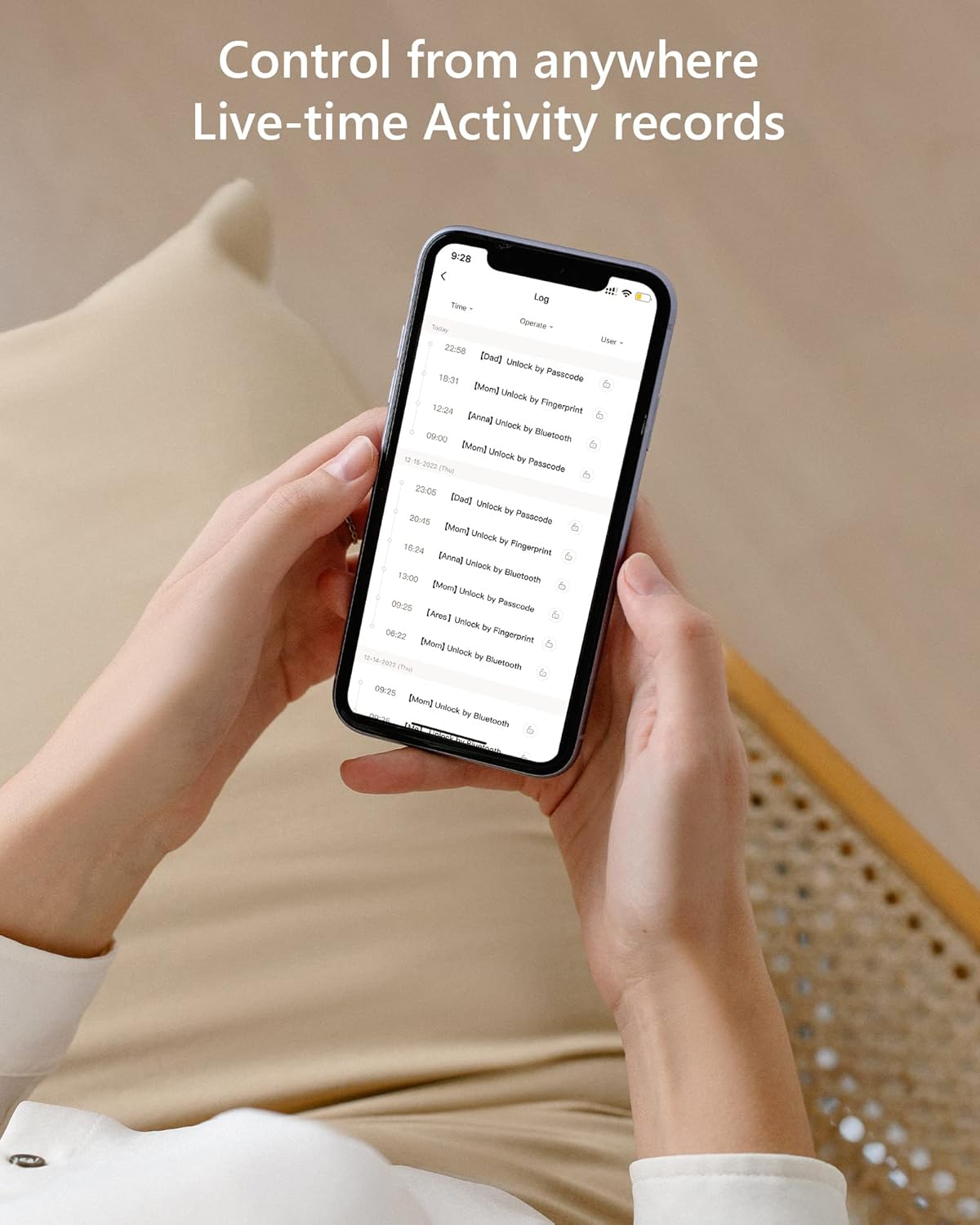
Figura 6: Rekords tal-attività f'ħin reali. Din l-immaġni tipprovdi rekord kronoloġiku tal-operazzjonijiet kollha tas-serratura, inkluż il-ħin u l-metodu ta' aċċess (eż., ftuħ permezz ta' passcode, ftuħ permezz ta' Bluetooth).
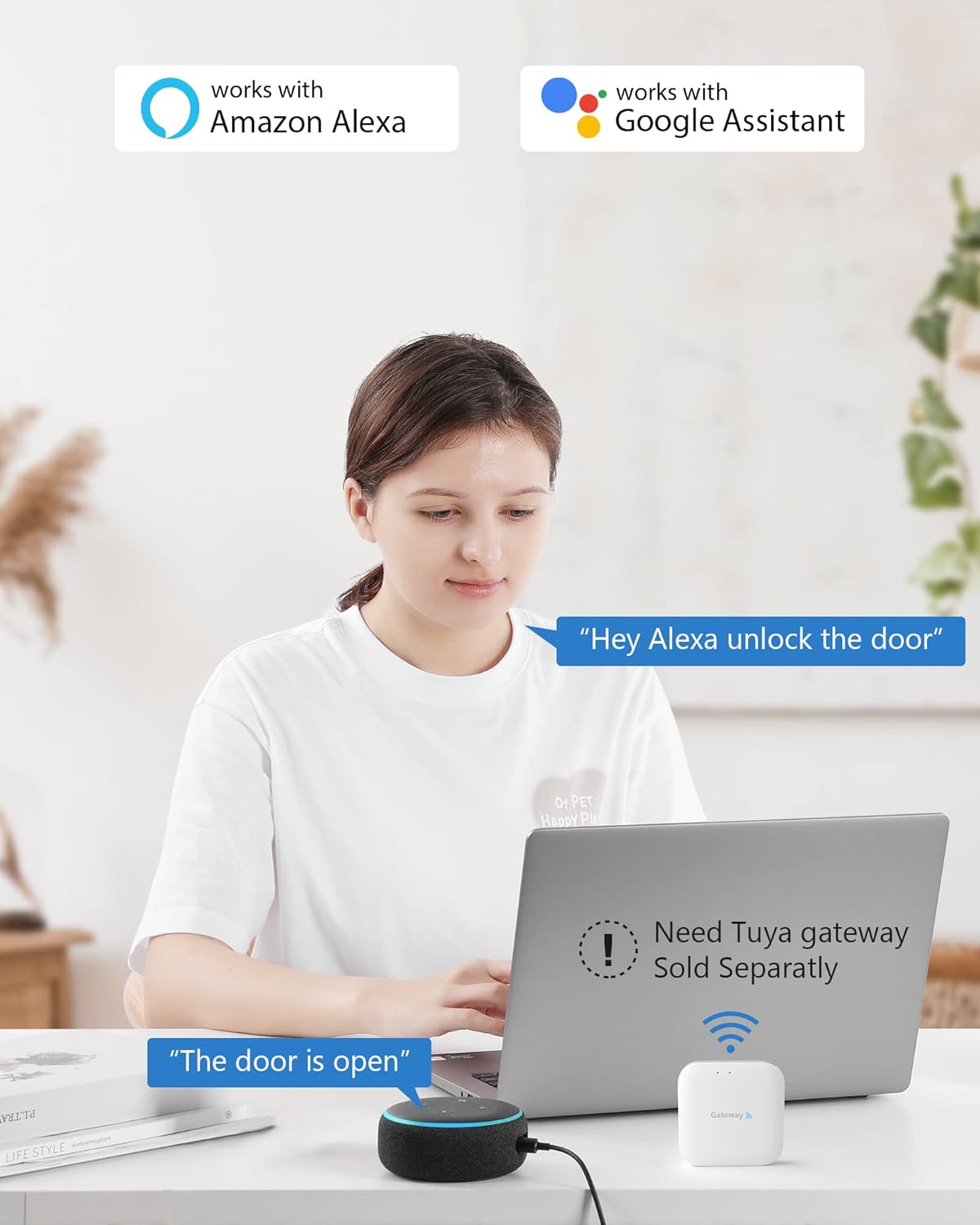
Figura 7: Integrazzjoni tad-dar intelliġenti. Din l-immaġni turi l-kompatibilità tas-CSLP Smart Lock ma' Amazon Alexa u Google Assistant, filwaqt li tinnota li għal dawn l-integrazzjonijiet huwa meħtieġ gateway Tuya separat.
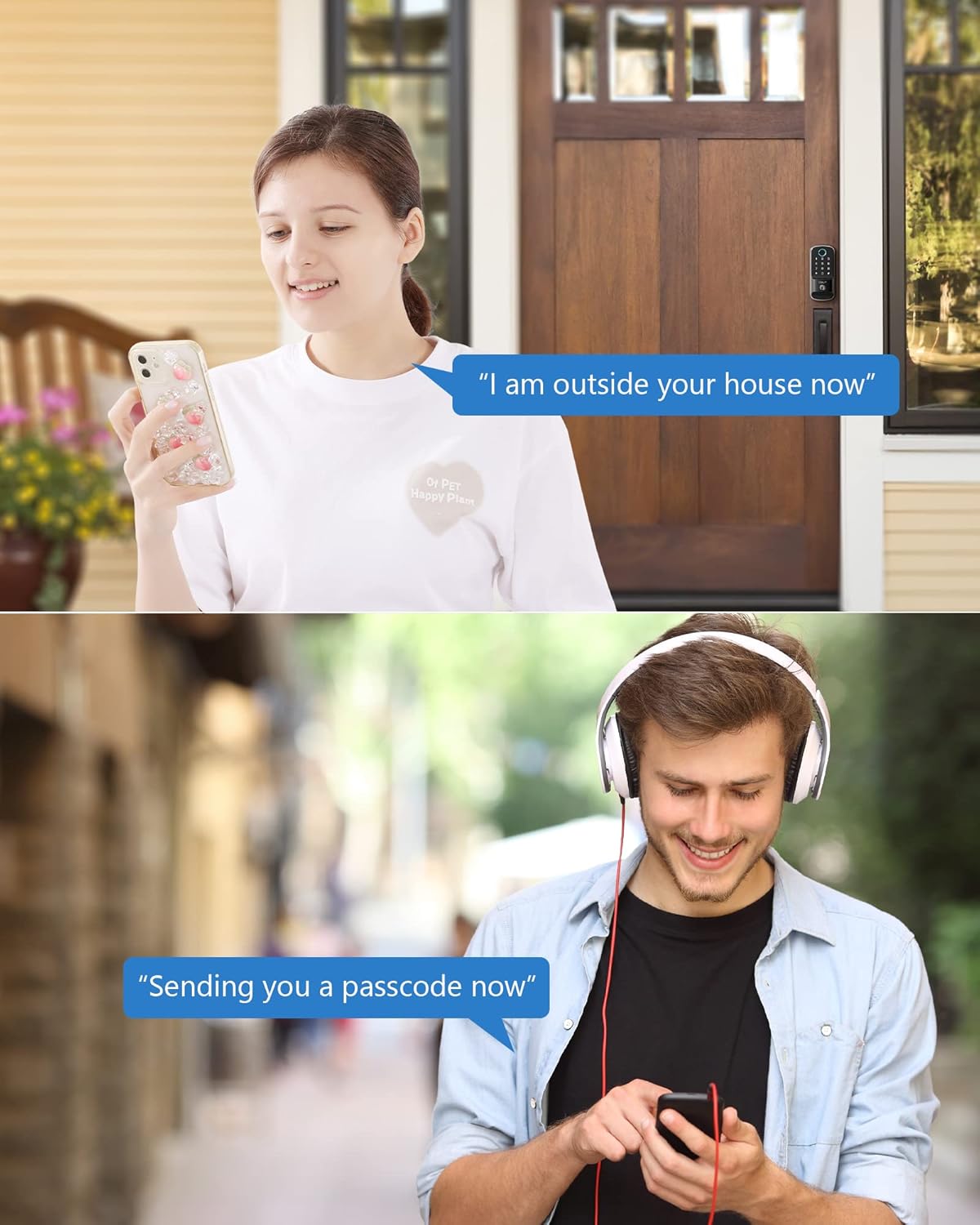
Figura 8: Kondiviżjoni tal-passcode mill-bogħod. Din l-immaġni turi żewġ xenarji komuni fejn passcodes temporanji jistgħu jinqasmu mill-bogħod, bħal għal viżitatur li jasal id-dar jew għal xi ħadd li jeħtieġ aċċess waqt li jkun għaddej.
Manutenzjoni
- Sostituzzjoni tal-batterija: Meta l-livell tal-batterija jkun baxx, is-serratura tagħti twissija. Ibdel l-erba’ batteriji AA kollha minnufih biex tiżgura tħaddim kontinwu. Aċċessa l-kompartiment tal-batterija fuq l-unità ta’ ġewwa.
- Tindif: Naddaf it-tastiera u l-qafas tas-serratura b'ċarruta ratba u niexfa. Evita li tuża prodotti tat-tindif jew solventi li joborxu li jistgħu jagħmlu ħsara lill-finitura jew lill-komponenti elettroniċi.
- Protezzjoni tat-Temp: Is-CSLP Smart Lock għandu klassifikazzjoni ta' reżistenti għat-temp IP52, iddisinjat biex jiflaħ diversi kundizzjonijiet tat-temp, inklużi temperaturi minn -30°C sa 70°C u xita. Madankollu, evita espożizzjoni diretta għall-ilma bi pressjoni għolja.
Issolvi l-problemi
| Problema | Kawża Possibbli | Soluzzjoni |
|---|---|---|
| Is-serratura ma tirrispondix għad-dħul tat-tastiera. | Batteriji baxxi; kodiċi ta' sigurtà mhux korrett; tastiera ħażina. | Ibdel il-batteriji; daħħal il-passcode mill-ġdid bir-reqqa; ipprova ċ-ċavetta fiżika; ikkuntattja l-appoġġ jekk il-problema tippersisti. |
| L-app ma tistax tikkonnettja mas-serratura. | Bluetooth mitfi; illokkjar barra mill-firxa; problema fl-app. | Kun żgur li l-Bluetooth huwa mixgħul; ersaq eqreb lejn is-serratura; erġa' ibda l-app; erġa' qabbad is-serratura jekk meħtieġ. |
| L-illokkjar awtomatiku mhux qed jaħdem. | Karatteristika diżattivata fl-app; ostruzzjoni tas-sensor; bieb mhux magħluq għalkollox. | Iċċekkja s-settings tal-app; kun żgur li m'hemm l-ebda ostaklu madwar is-sensor; kun żgur li l-bieba tkun imsakkra sew. |
| Iċ-ċavetta fiżika ma taħdimx. | Ċavetta żbaljata; debris fit-toqba taċ-ċavetta; problema fil-mekkaniżmu intern. | Kun żgur li hija ċ-ċavetta t-tajba; neħħi bil-mod kwalunkwe debris; ikkuntattja l-appoġġ. |
Speċifikazzjonijiet
| Karatteristika | Dettall |
|---|---|
| Numru tal-Mudell | 402A |
| Dimensjonijiet (L x W x H) | 21.59 x 19.56 x 11.68 cm (8.5 x 7.7 x 4.6 pulzieri) |
| Piż tal-oġġett | 1.22 Kilogrammi (1.23 kg) |
| Materjal | Aluminju |
| Kulur | Iswed |
| Temm | Illustrat |
| Sors tal-Enerġija | 4 x Batteriji AA (mhux inklużi) |
| Klassifikazzjoni tat-temp | IP52 |
| Temperatura operattiva | -30°C sa 70°C (-22°F sa 158°F) |
| Nisfruttaw Metodi | App (Bluetooth), Tastiera, Ċavetta Fiżika, Karta |
| Konnettività | Bluetooth (Wi-Fi b'gateway fakultattiv) |
Garanzija u Appoġġ
CSLP toffri garanzija ta’ 30 jum ta’ flus lura u garanzija ta’ sena fuq il-prodott mid-data tax-xiri. Appoġġ għall-klijenti tul il-ħajja huwa pprovdut ukoll.
Għal kwalunkwe mistoqsija dwar l-installazzjoni, l-użu tal-app, jew informazzjoni dwar il-gateway, jekk jogħġbok ikkuntattja l-appoġġ għall-klijenti tas-CSLP. Irreferi għall-imballaġġ tal-prodott tiegħek jew għall-fajl uffiċjali tas-CSLP. websit għad-dettalji tal-kuntatt.


