1. Introduzzjoni
This manual provides essential information for the proper setup, operation, and maintenance of your Sharp 32FG6EA 32-inch HD Android TV. The Sharp 32FG6EA offers a wide range of connection options and features the Android TV operating system, providing a modern and intuitive television experience. It functions as an all-in-one entertainment hub, integrating Google Assistant for a smarter viewing experience. Users can quickly access entertainment, control smart devices, and obtain on-screen information using voice commands.
2. Informazzjoni dwar is-Sigurtà
Jekk jogħġbok aqra l-istruzzjonijiet kollha tas-sigurtà bir-reqqa qabel ma tuża t-televiżjoni. Żomm dan il-manwal għal referenza futura.
- Provvista tal-Enerġija: Kun żgur li t-TV huwa konness ma' sors ta' enerġija bil-volum korretttage. Tgħabbix iżżejjed is-sokits tal-elettriku.
- Ventilazzjoni: Timblokkax il-fetħiet tal-ventilazzjoni. Ħalli biżżejjed spazju madwar it-TV għal fluss tal-arja xieraq biex tevita li jisħon iżżejjed.
- Ilma u Umdità: Do not expose the TV to rain, moisture, or excessive humidity. Avoid placing objects filled with liquids on or near the TV.
- Tindif: Skonnettja t-TV qabel ma tnaddaf. Uża drapp artab u niexef. Tużax prodotti tat-tindif likwidi jew sprejs tal-ajrusol.
- Pjazzament: Place the TV on a stable, level surface. If wall-mounting, ensure the mount is securely installed and can support the TV's weight.
- Servizzi: Tippruvax tagħmel manutenzjoni tat-TV int stess. Irreferi għal kull manutenzjoni f'idejn persunal tas-servizz kwalifikat.
3. Kontenut tal-Pakkett
Iċċekkja li l-oġġetti kollha huma preżenti fl-imballaġġ:
- Sharp 32FG6EA 32-inch HD Android TV
- Kontroll mill-bogħod (b'2 batteriji AAA)
- Stand Type Base
- Manwal ta' Istruzzjoni
- Kejbil tal-Enerġija
4. Setup
4.1 Disimballaġġ
Neħħi t-TV u l-aċċessorji kollha mill-imballaġġ bir-reqqa. Żomm il-materjali tal-imballaġġ għal trasport jew manutenzjoni fil-futur.
4.2 It-twaħħil tal-Istand
If you are not wall-mounting the TV, attach the included stand base:
- Poġġi l-iskrin tat-TV 'l isfel fuq wiċċ artab u ċatt biex tevita l-ħsara.
- Allinja l-bażi tal-istand mat-toqob tal-immuntar fil-qiegħ tat-TV.
- Waħħal l-istand billi tuża l-viti pprovduti. Kun żgur li l-istand huwa mwaħħal sew.
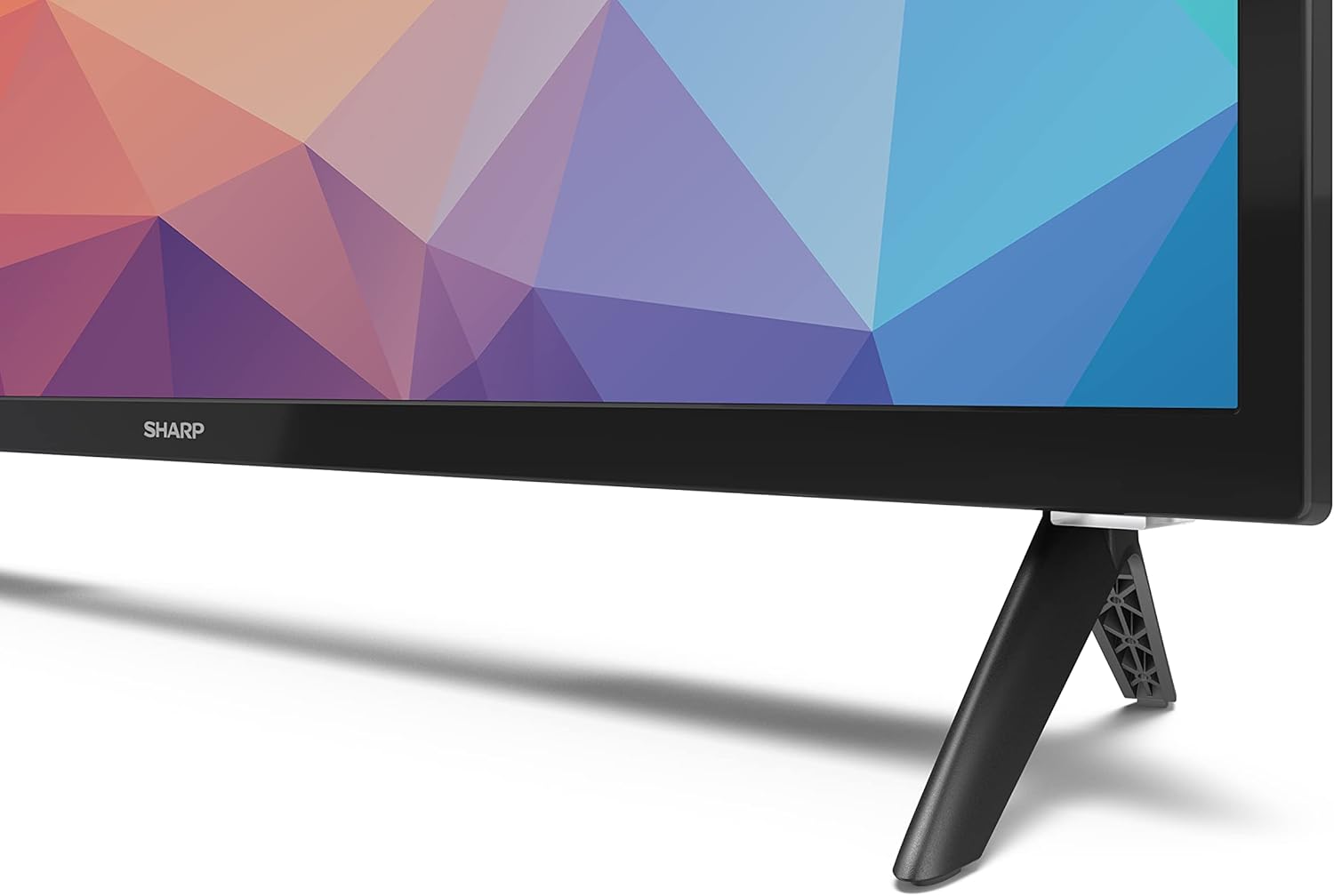
Image: Close-up of the TV stand attachment.
4.3 Immuntar tal-ħajt
The Sharp 32FG6EA supports VESA wall mounts with dimensions of 75 x 75 mm. Wall mount hardware is not included. Follow the instructions provided with your wall mount kit.
4.4 Konnessjoni ta' Apparati Esterni
It-TV tiegħek għandu diversi portijiet biex tikkonnettja diversi apparati:
- HDMI: Connect Blu-ray players, game consoles, or set-top boxes to the 2 HDMI ports.
- USB: Connect USB storage devices for media playback to the 2 USB ports.
- Antenna/Kejbil: Qabbad antenna jew sors ta' TV bil-kejbil għal kanali tax-xandir.
- Ethernet: Għal konnessjoni tal-internet bil-fili.
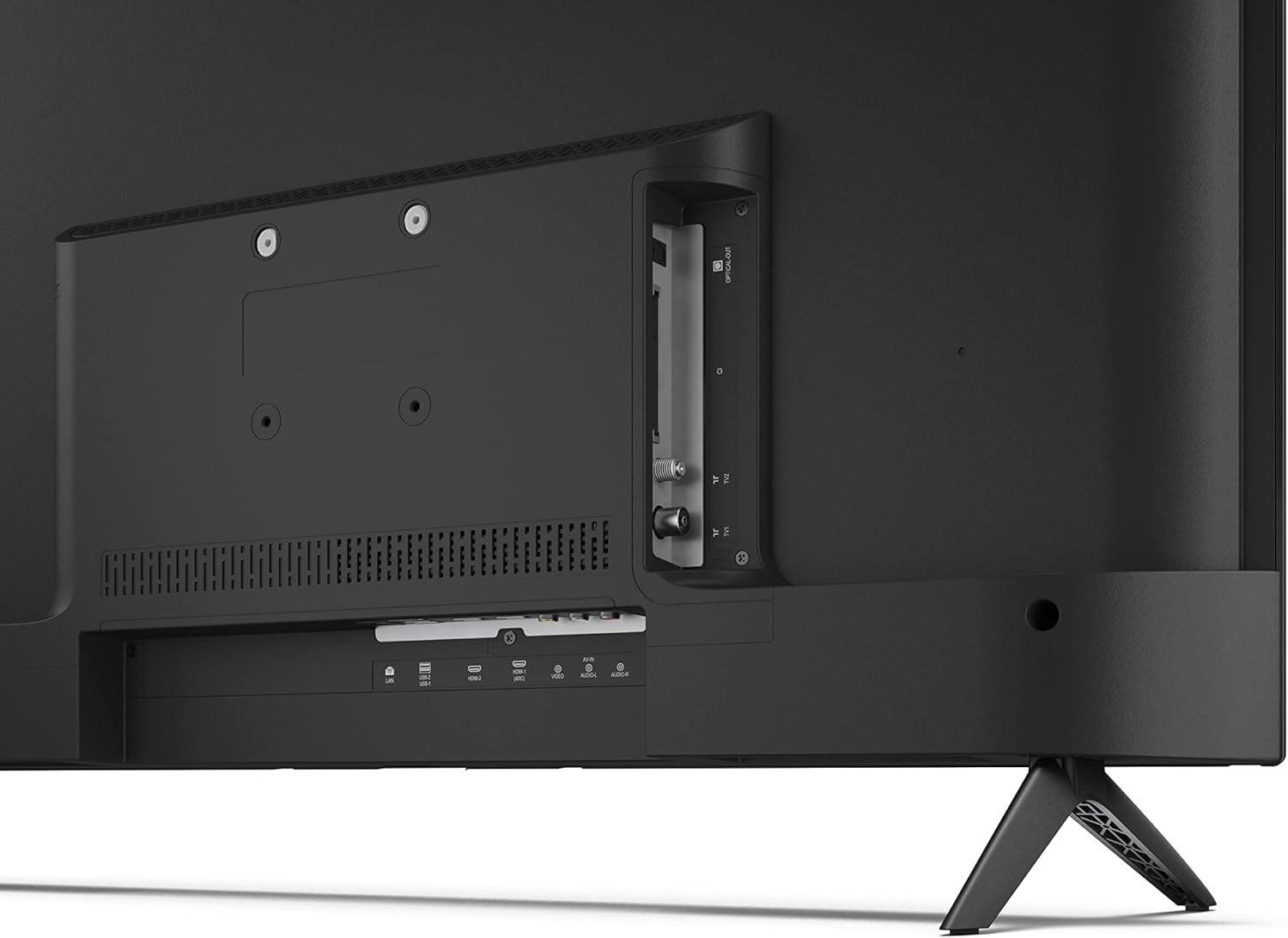
Immaġni: Wara view of the TV with connection ports.
4.5 Konnessjoni tal-Enerġija
After connecting all necessary devices, plug the power cable into the TV and then into a wall outlet.
4.6 Wizard tas-Setup Inizjali
Malli tixgħel it-TV għall-ewwel darba, dan jiggwidak permezz ta' proċess inizjali ta' setup. Dan jinkludi:
- Għażla tal-lingwa.
- Konnessjoni tan-netwerk (Wi-Fi jew Ethernet).
- Google account sign-in (required for full Android TV features).
- Skannjar tal-kanali.
5. Joperaw
5.1 Kontroll mill-bogħod fuqview
The included remote control allows you to navigate the TV's features. Insert the 2 AAA batteries into the remote control before use.
- Buttuna tal-Qawwa: Ixgħel jew jitfi t-TV.
- Directional Pad (D-Pad) & OK Button: Innaviga l-menus u kkonferma l-għażliet.
- Buttuna Lura: Terġa' lura għall-iskrin ta' qabel.
- Buttuna tad-dar: Jaċċessa l-iskrin ewlieni tal-Android TV.
- Volum 'il fuq/Niżżel: Jaġġusta l-volum tal-awdjo.
- Kanal 'l fuq/'l isfel: Jibdel il-kanali tat-TV.
- Buttuna tal-Assistent tal-Google: Jattiva l-kontroll tal-vuċi.
- Buttuni ta' Shortcut tal-App: Dedicated buttons for popular streaming services like Netflix, Prime Video, and YouTube.
5.2 Navigazzjoni tal-Interfaċċja tat-TV Android
The Android TV home screen provides access to your installed apps, recommended content, and settings. Use the directional pad on your remote to navigate through the interface.
5.3 Assistent tal-Google
Press the Google Assistant button on your remote and speak into the microphone to:
- Fittex għal movies, shows, or information.
- Ikkontrolla apparati tad-dar intelliġenti.
- Open applications.
- Aġġusta s-settings tat-TV.
5.4 Chromecast Inkorporat
The TV includes Chromecast built-in, allowing you to cast content from compatible apps on your smartphone, tablet, or computer directly to the TV screen.
5.5 Konnettività Bluetooth
Connect Bluetooth devices such as headphones or speakers to your TV for a personalized audio experience. Navigate to the TV's settings menu to pair new Bluetooth devices.
5.6 Settings tal-awdjo
The TV supports Dolby Audio with 2 x 6 W RMS speakers. You can adjust audio settings, including sound modes and equalizer, through the TV's settings menu.
6. Manutenzjoni
6.1 Tindif tat-TV
To clean the TV screen and cabinet:
- Aqla' l-korda tad-dawl mill-iżbokk tal-ħajt.
- Use a soft, lint-free cloth to gently wipe the screen and surfaces.
- Għal marki iebsa, d ftitampNaddaf id-drapp bl-ilma jew b'prodott speċjalizzat għat-tindif tal-iskrin (applika fuq id-drapp, mhux direttament fuq l-iskrin).
- Tużax prodotti tat-tindif li joborxu, xama', jew solventi.
6.2 Aġġornamenti tas-Software
Your Android TV may receive periodic software updates to improve performance and add new features. Ensure your TV is connected to the internet to receive these updates. You can check for updates manually in the TV's settings menu.
7 Issolvi l-problemi
Jekk tiltaqa' ma' problemi bit-TV tiegħek, irreferi għall-problemi u s-soluzzjonijiet komuni li ġejjin:
- Ebda Qawwa: Kun żgur li l-kejbil tal-enerġija huwa pplaggjat sew kemm fit-TV kif ukoll f'sokit tal-ħajt li jaħdem. Ipprova sokit differenti.
- Ebda Stampa/Ħoss: Check that the correct input source is selected. Verify all cables (HDMI, antenna) are properly connected.
- Il-Kontroll mill-bogħod Mhux Jaħdem: Check the batteries and ensure they are inserted correctly. Point the remote directly at the TV's IR sensor.
- Kwalità Fqira tal-Istampa: Check antenna/cable connections. Adjust picture settings in the TV menu. For streaming content, ensure a stable internet connection.
- Ebda Konnessjoni tal-Internet: Verify Wi-Fi password or Ethernet cable connection. Restart your router and the TV.
- Apps Not Working: Kun żgur li s-softwer tat-TV huwa aġġornat. Ipprova neħħi l-cache tal-app jew erġa' installa l-app.
If problems persist, consult the Sharp support websit jew ikkuntattja lis-servizz tal-konsumatur.
8. Speċifikazzjonijiet
| Karatteristika | Speċifikazzjoni |
|---|---|
| Numru tal-Mudell | 32FG6EA |
| Brand | Sharp |
| Daqs tal-Iskrin | 32 Pulzier (81 ċm djagonali) |
| Teknoloġija tal-Wiri | LED |
| Riżoluzzjoni | 720p (1366 x 768 pixels) |
| Proporzjon ta' l-aspett | 16:9 |
| Riffriskar Rata | 50 Hz |
| Sistema Operattiva | Android TV 11 |
| Karatteristiċi Speċjali | Android TV, Google Assistant, Chromecast built-in |
| Output Awdjo | 2 x 6 W RMS, Dolby Audio |
| Portijiet HDMI | 2 |
| Portijiet USB | 2 |
| Konnettività | Wi-Fi, Bluetooth, Ethernet |
| VESA Wall Mount | 75 x 75 mm |
| Dimensjonijiet bi Stand (W x H x D) | 731 x 486 x 177 mm |
| Dimensjonijiet mingħajr Stand (W x H x D) | 731 x 433 x 68 mm |
| Dimensjonijiet tal-Prodott (P x W x H) | 16 x 73 x 46.4 cm (approximate, with stand) |
| Piż | 3.9 kg |
| Klassi tal-Effiċjenza tal-Enerġija | E |

Image: TV dimensions diagram.

Image: Energy Label. For more details, visit Database EPREL.
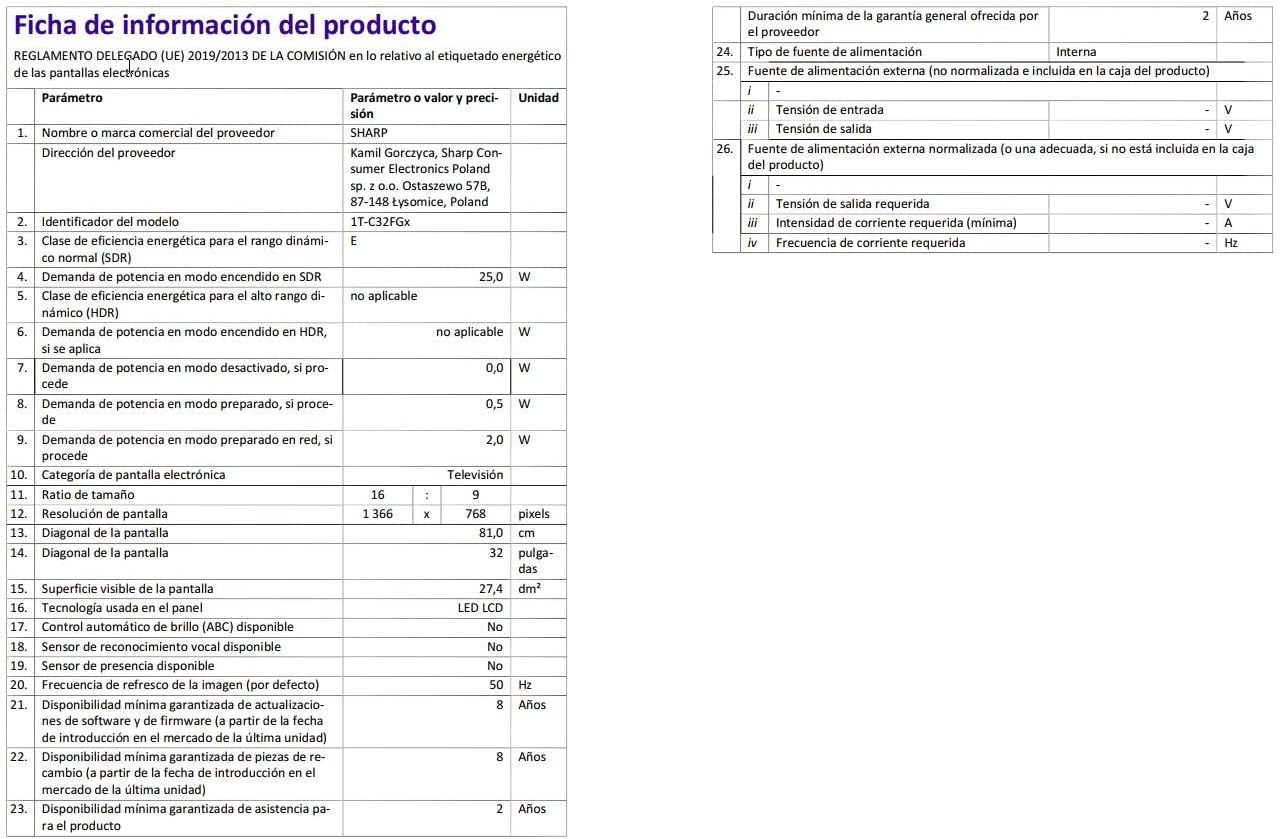
Image: Detailed product information sheet.
9. Garanzija u Appoġġ
The Sharp 32FG6EA television comes with a minimum general warranty duration of 2 years from the provider.
For technical support, warranty claims, or further assistance, please refer to the contact information provided with your purchase documentation or visit the official Sharp support websit għar-reġjun tiegħek.


