1. Introduzzjoni
This manual provides comprehensive instructions for the operation, setup, and maintenance of your YOWHICK Native 1080P 5G WiFi Bluetooth Projector. Please read this manual thoroughly before using the projector to ensure proper and safe operation. Keep this manual for future reference.

Image: The YOWHICK Native 1080P 5G WiFi Bluetooth Projector, showcasing its compact design and lens. This projector supports 4K input, offers native 1080P resolution, 12000 Lux brightness, and 5G WiFi connectivity.
2. Informazzjoni dwar is-Sigurtà
Biex tevita nar jew xokk elettriku, tesponix dan l-apparat għax-xita jew għall-umdità. Tiftaħx il-kappa.asing to avoid electric shock. Refer all servicing to qualified personnel.
- Twaqqafx il-fetħiet tal-ventilazzjoni.
- Uża biss aċċessorji/aċċessorji speċifikati mill-manifattur.
- Skonnettja l-proġettur waqt maltempati bis-sajjetti jew meta ma jintużax għal perjodi twal.
- Evita l-espożizzjoni diretta tal-għajnejn għal-lenti tal-proġettazzjoni meta tkun qed taħdem.amp hija mixgħula.
3. Kontenut tal-Pakkett
Iċċekkja li l-oġġetti kollha huma inklużi fil-pakkett tiegħek:
- YOWHICK Native 1080P 5G WiFi Bluetooth Projector
- Kejbil tal-Enerġija
- Kontroll mill-bogħod
- Cable HDMI
- AV Cable
- Manwal għall-Utent
- Projection Screen (included with some models)
4. Prodott Aktarview
Familiarize yourself with the main components of your projector.
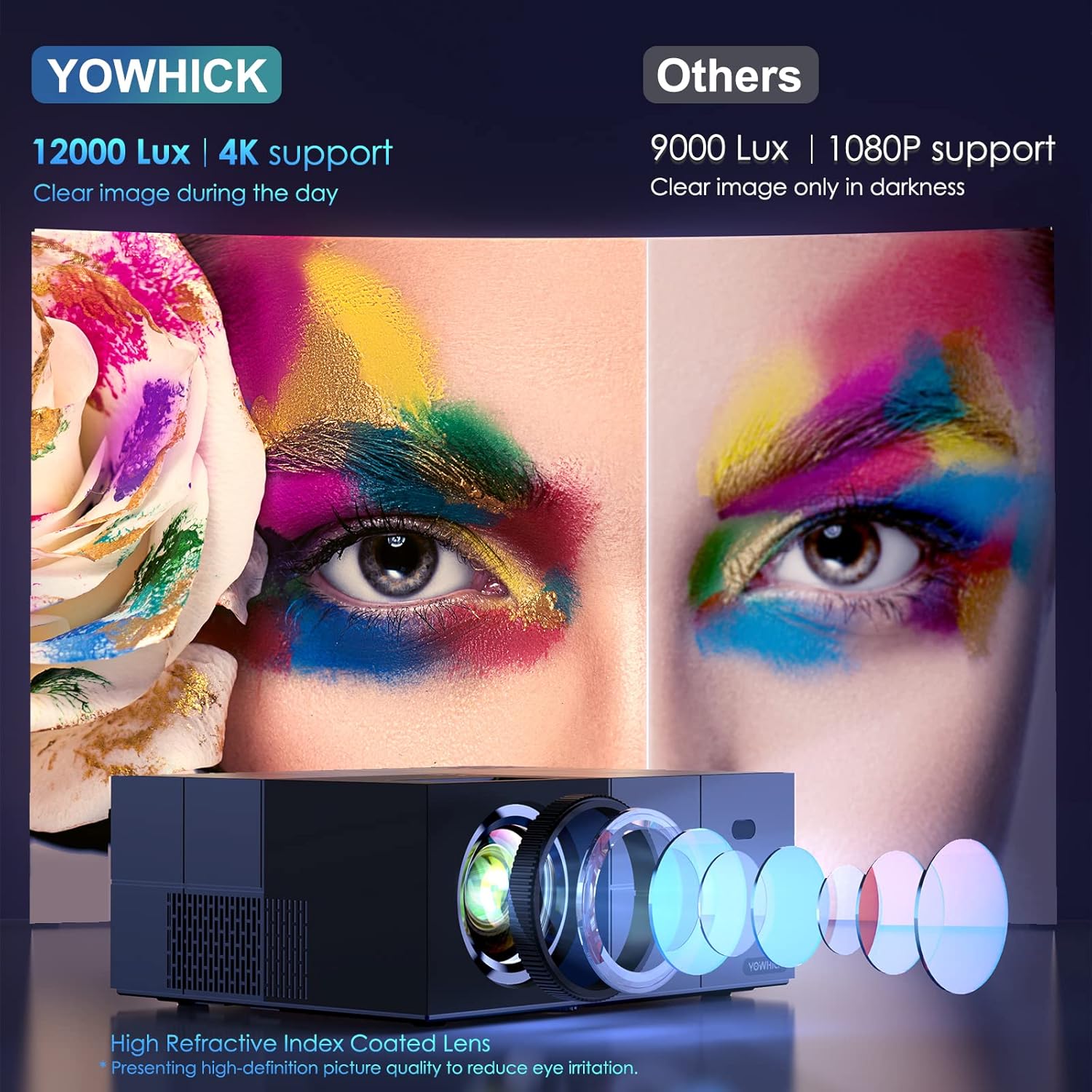
Immaġni: Dettaljata view of the projector's high refractive index coated lens and internal light path, highlighting its 12000 Lux brightness and 4K support for clear images even in ambient light, compared to other projectors.

Image: An internal diagram of the projector highlighting its Bluetooth 5.1 module and built-in speaker. This allows for connection to external Bluetooth speakers or headphones for enhanced audio, while also providing sound directly from the unit.
5. Setup
5.1 Physical Setup and Placement
Choose a suitable location for your projector. It can be placed on a table, mounted on a tripod, or ceiling-mounted.

Image: Demonstrates various placement options for the projector, including tripod mount, table placement, and ceiling mount. It also illustrates different screen sizes (40", 120", 300") and aspect ratios (16:9, 4:3) achievable with the projector.
5.2 Qawwa Inizjali
- Qabbad il-kejbil tal-enerġija mal-proġettazzjoni u ma' sokit tal-enerġija.
- Agħfas il-buttuna tal-qawwa fuq il-proġettazzjoni jew fuq il-kontroll remot biex tixgħelu.
5.3 Network Connection (WiFi)
The projector supports both 5G and 2.4G WiFi for stable and faster video synchronization.
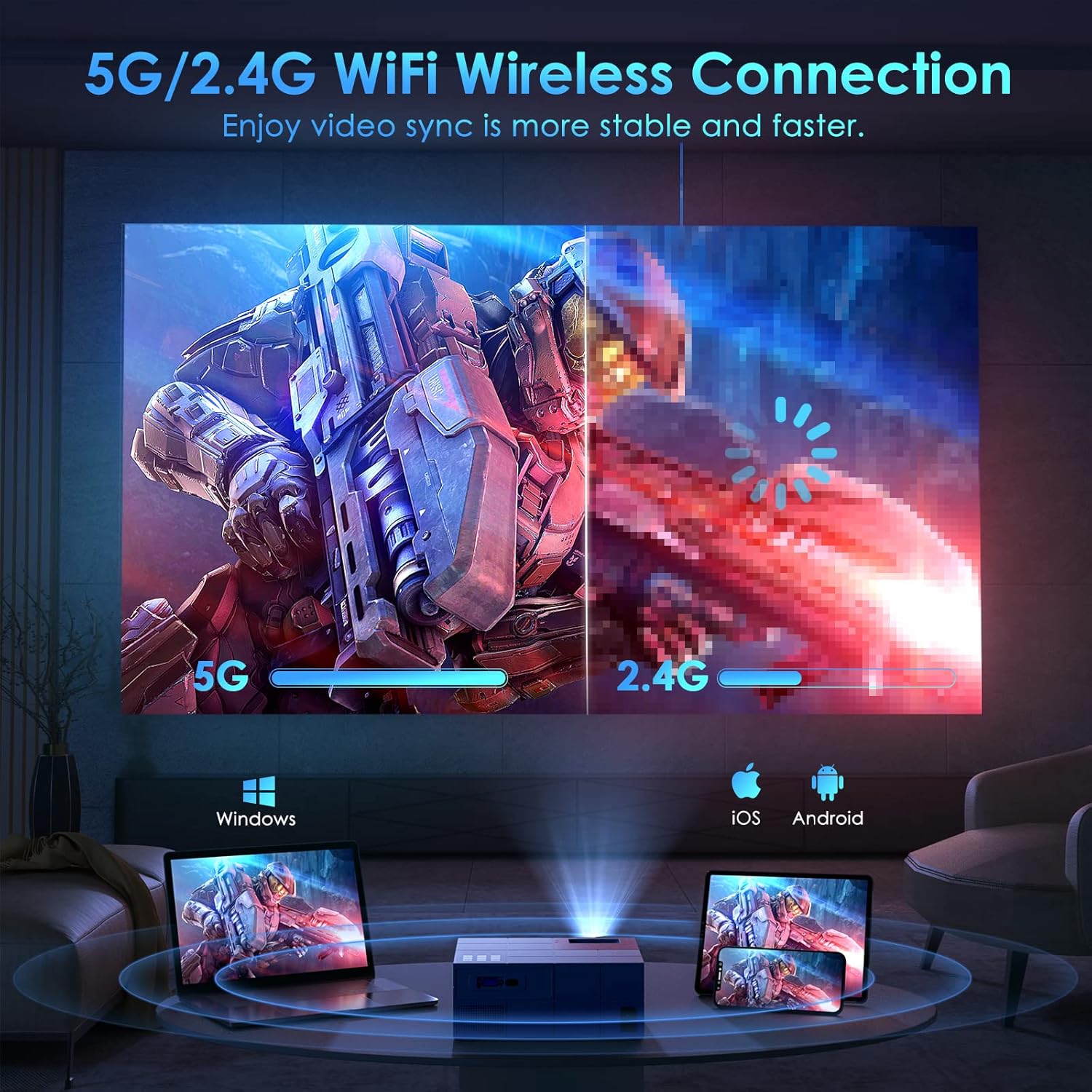
Image: Illustrates the projector's 5G/2.4G WiFi wireless connection capability, showing a split screen comparing the speed of 5G versus 2.4G. It also depicts compatibility with Windows, iOS, and Android devices for screen mirroring.

Image: A step-by-step guide on how to connect the projector to WiFi and enable screen mirroring for iOS and Android devices. It shows the system setup menu, WiFi selection, and the process for selecting Android Screen or iOS Screen mirroring.
5.4 Apparat li jgħaqqad
The projector offers multiple connectivity options for various devices.
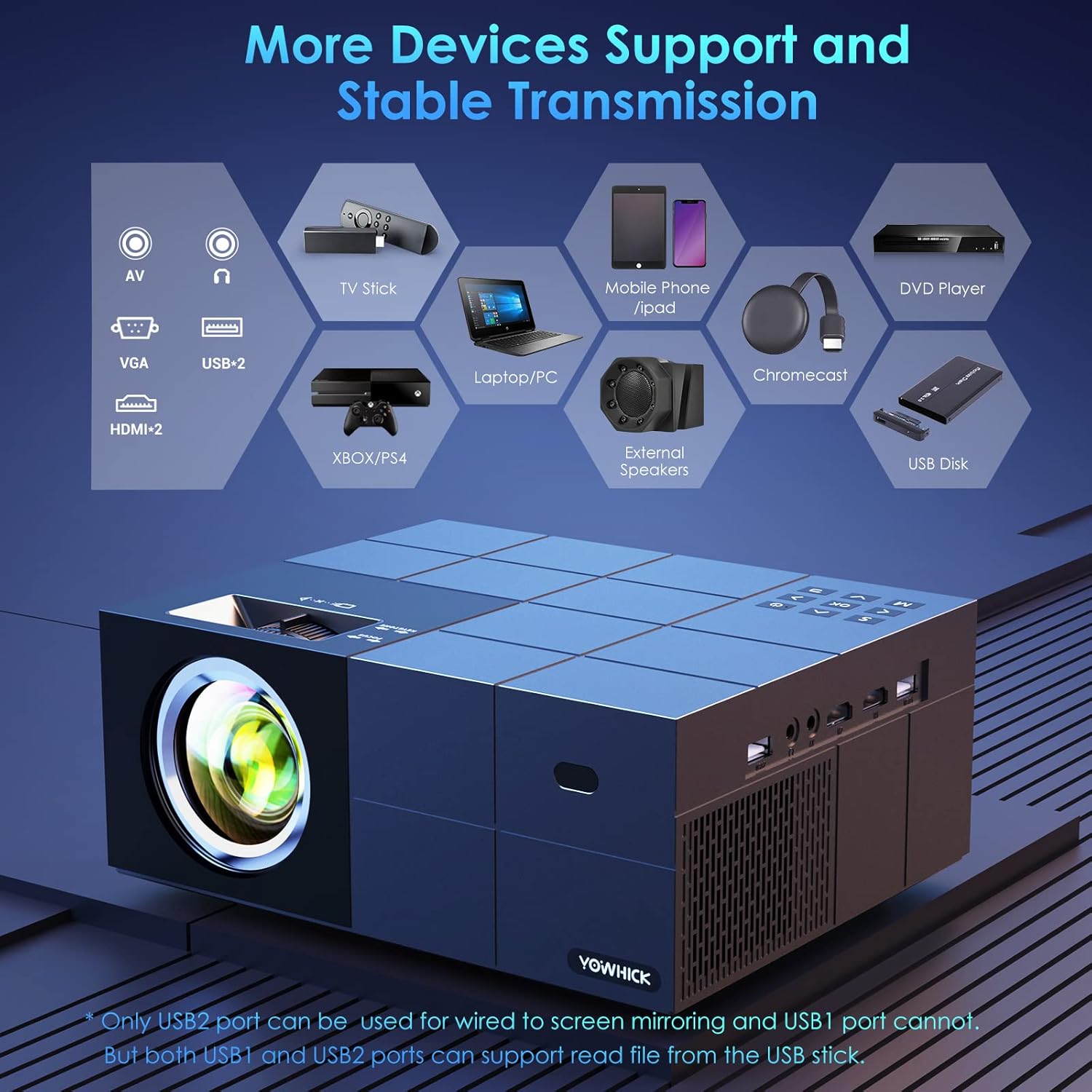
Image: A diagram showing the projector's various input ports, including AV, VGA, USB (x2), and HDMI (x2). It also lists compatible devices such as TV Stick, Laptop/PC, Mobile Phone/iPad, Chromecast, DVD Player, Xbox/PS4, External Speakers, and USB Disk. Note: Only USB2 port supports wired screen mirroring; both USB ports can read files from a USB disk.
6. Istruzzjonijiet Operattivi
6.1 Operazzjoni Bażika
- Power On/Off: Agħfas il-buttuna tal-qawwa.
- Navigazzjoni fil-menu: Use the arrow keys on the remote or projector to navigate menus. Press OK/Enter to confirm.
- Għażla tas-Sors: Press the 'Source' button to select input (HDMI1, HDMI2, AV, USB).
6.2 Aġġustament tal-Immaġni
- Fokus: Dawwar iċ-ċirku tal-fokus fuq il-lenti tal-proġettazzjoni sakemm l-immaġni tkun ċara.
- Korrezzjoni Keystone: Adjust the keystone knob to correct trapezoidal distortion.
- Funzjoni Żum: The projector features a zoom function to adjust the display size from 100% to 50% at a fixed distance.

Image: Highlights key features of the projector including the zoom function (100%-50%), a timer mode for automatic shutdown, a long lamp life of 50,000 hours (approximately 35 years if used 4 hours/day), and the capability for a 300-inch large screen display.
6.3 Screen Mirroring
The projector supports both wired and wireless screen mirroring for various devices.

Image: Compares wired and wireless connection methods for screen mirroring. Wired connection is shown with a laptop (Windows via HDMI cable) and an iPhone (iOS via original cable). Wireless connection is shown for Windows, iOS, and Android devices.
6.4 Output Awdjo
The projector has a built-in speaker. For enhanced audio, connect external speakers via Bluetooth 5.1.

Image: Depicts the projector being used outdoors, connected via Bluetooth 5.1 to external speakers for high-quality sound. It shows people enjoying a movie night around a campfire, emphasizing the portability and audio capabilities. Note: An additional power supply unit may be required for outdoor use.
7. Manutenzjoni
7.1 Tindif
- Lenti: Use a soft, lint-free cloth and lens cleaning solution. Do not touch the lens directly.
- Casing: Imsaħ b'ċarruta ratba u niexfa. Tużax prodotti tat-tindif li joborxu.
- Ventilazzjoni: Kun żgur li l-fetħiet tal-ventilazzjoni huma ħielsa mit-trab u l-fdalijiet.
7.2 Ħażna
Meta ma tkunx qed tużah għal perjodi twal, aħżen il-proġettur f'post frisk u niexef, 'il bogħod mix-xemx diretta u minn temperaturi estremi. Uża l-imballaġġ oriġinali jew kaxxa protettiva.
8 Issolvi l-problemi
Irreferi għat-tabella li ġejja għal kwistjonijiet komuni u s-soluzzjonijiet tagħhom.
| Problema | Kawża Possibbli | Soluzzjoni |
|---|---|---|
| Ebda immaġini murija | Power cable loose; Incorrect input source; Device not connected | Check power connection; Select correct input source (HDMI, AV, USB); Ensure device is properly connected. |
| Immaġini mċajpra | Focus not adjusted; Keystone not adjusted | Adjust the focus ring; Adjust the keystone knob. |
| L-ebda ħoss | Volume too low; Muted; External speaker not connected | Increase volume; Unmute; Check Bluetooth connection to external speaker. |
| Konnessjoni WiFi instabbli | Projector too far from router; Interference | Move projector closer to router; Reduce interference from other devices. |
9. Speċifikazzjonijiet
Key technical specifications of the YOWHICK Native 1080P 5G WiFi Bluetooth Projector.
- Ditta: YOWHICK
- Isem tal-Mudell: Barra
- Teknoloġija tal-Wiri: LCD
- Riżoluzzjoni Nattiva: 1920 x 1080 (1080P)
- Appoġġ 4K: Iva
- Luminożità: 12000 Lux
- Teknoloġija tal-Konnettività: Bluetooth, Wi-Fi (5G/2.4G)
- Interface tal-ħardwer: USB, HDMI
- Apparati Kompatibbli: Smartphones, Tablets, Computers, TVs, Gaming Consoles
- Karatteristiċi Speċjali: Speaker Inkorporat, Korrezzjoni Keystone Diġitali
- Fattur tal-Formola: Desktop
- Tip ta 'Immuntar: Immonta fuq il-mejda
- Dimensjonijiet tal-pakkett: 34.29 x 32.9 x 14.4 ċm; 2.29 kg
10. Garanzija u Appoġġ
YOWHICK is committed to providing high-quality products and customer support.
- 24 Sigħat: Quick response via phone or email for support inquiries.
- 30 Ijiem: 30 days no reason to return policy.
- 2 Snin: 2 years free replacement for product defects.
- Ħajja: Lifetime support and satisfied solution.
For further assistance, please contact YOWHICK customer service.


