1. Introduzzjoni
Thank you for choosing the ROCAM CR1020 Emergency Hand Crank NOAA Weather Radio Flashlight. This multi-functional device is designed to provide reliable communication, illumination, and power in various situations, especially during emergencies or outdoor activities. Please read this manual thoroughly before using the product to ensure proper operation and to maximize its lifespan.
2. Prodott Aktarview u Karatteristiċi Ewlenin
The ROCAM CR1020 combines several essential tools into one compact and durable unit:
- NOAA Emergency Weather Radio: Receives critical weather alerts and news broadcasts from NOAA, AM, and FM stations.
- Multi-Mode Flashlight: Features 5 lighting modes, including 3 adjustable brightness levels, strobe, and SOS, with a 300LM output and a range of up to 656 feet.
- Qari Lamp: Integrated soft light for nighttime use without disturbing others.
- Bank tal-Enerġija ta' 3000mAh: Built-in rechargeable battery to charge mobile phones and other small electronic devices via USB.
- Sorsi ta' Enerġija Multipli: Can be charged via hand crank, solar panel, or Micro USB cable.
- Disinn Durabbli: IPX4 waterproof, dustproof, and shockproof, suitable for outdoor and emergency conditions.

Figure 1: The ROCAM CR1020 Emergency Hand Crank NOAA Weather Radio Flashlight, showcasing id-disinn kompatt u l-karatteristiċi integrati tiegħu.
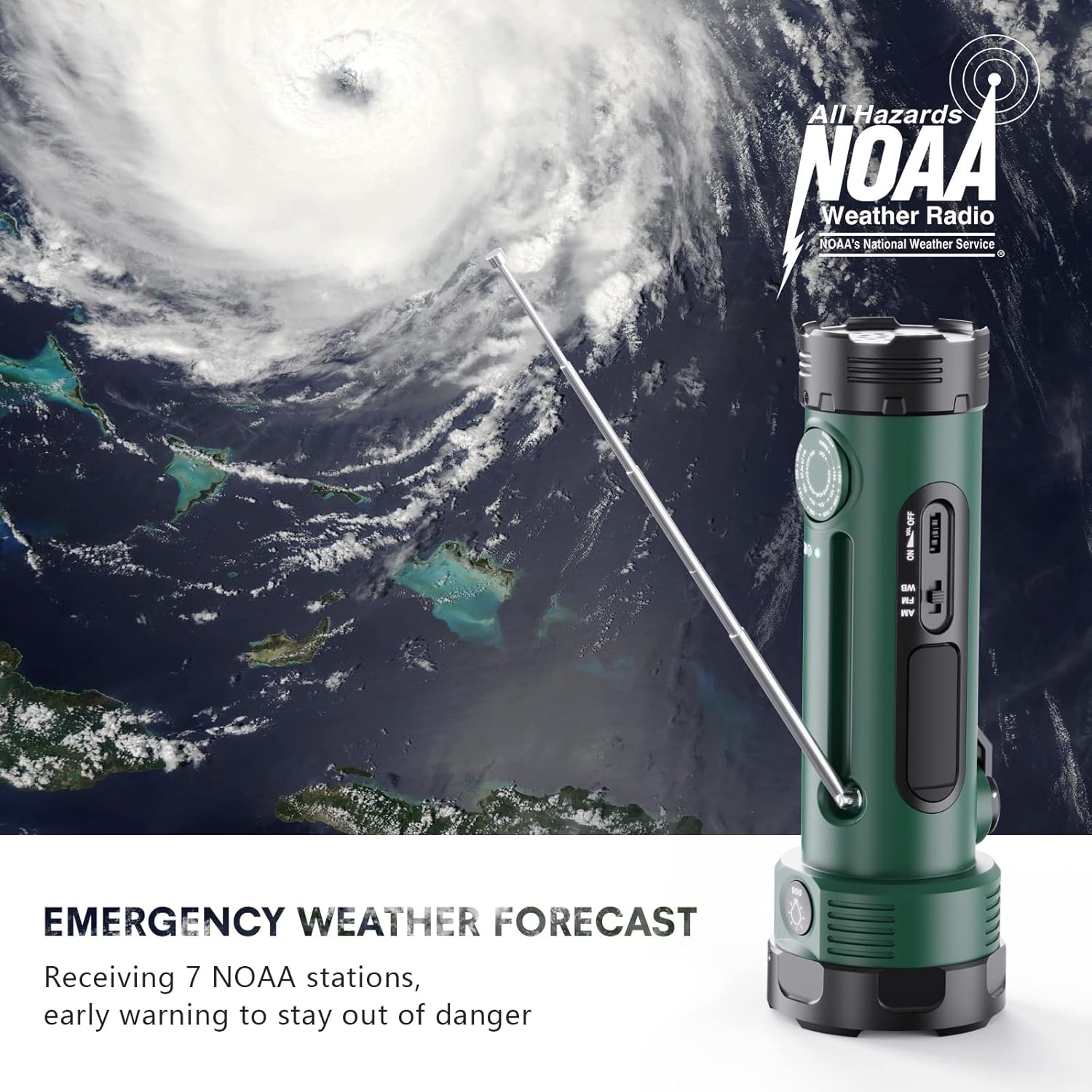
Figure 2: The device demonstrating its NOAA weather radio capability with an extended antenna, set against a background of a hurricane, emphasizing its emergency preparedness function.

Figure 3: An illustration highlighting the 8-in-1 features of the ROCAM CR1020, including 3 light levels, 1 strobe mode, 1 SOS mode, 1 reading lamp, 1 charge port, and 1 emergency radio.
3. Istruzzjonijiet tas-Sigurtà
- Tesponix l-apparat għal temperaturi estremi, dawl tax-xemx dirett għal perjodi twal, jew umdità għolja.
- Evita li twaqqa' l-apparat jew li tissottomettih għal impatti qawwija.
- Żarmax jew tipprova ssewwi l-apparat lilek innifsek. Ikkuntattja lis-servizz tal-klijent għall-assistenza.
- Żomm l-apparat 'il bogħod mit-tfal.
- When charging external devices, ensure they are compatible with 5V USB power.
- Do not look directly into the flashlight beam to avoid eye injury.
- Ensure the USB port cover is securely closed when not in use to maintain water resistance.
4. Komponenti u Kontrolli
Familiarize yourself with the various parts and controls of your ROCAM CR1020:
- Flashlight Head: Main light source.
- Buttuna tal-flashlight: Controls flashlight modes and SOS.
- Qari Lamp: Foldable light panel.
- Panel Solari: For solar charging.
- Crank tal-idejn: Għall-ġenerazzjoni manwali tal-enerġija.
- Dial tat-Tuner tar-Radju: For selecting radio frequency.
- Volume/Power Switch: Controls radio power and volume.
- Swiċċ tas-Selettur tal-Banda: Selects AM, FM, or WB (NOAA Weather Band).
- Antenna teleskopika: Għar-riċeviment tar-radju.
- USB Output Port (5V/1A): Għall-iċċarġjar ta' apparati esterni.
- Micro USB Input Port (5V/2A): Għall-iċċarġjar tal-apparat.
- Dwal Indikaturi tal-Batterija: Shows remaining battery level.
5. Is-Setup u l-Iċċarġjar Inizjali
Before first use, it is recommended to fully charge the device using the Micro USB cable.
- Locate the Micro USB input port on the side of the device.
- Connect the provided Micro USB cable to the device and the other end to a 5V/2A USB power adapter (not included) or a computer USB port.
- The battery indicator lights will illuminate to show charging status. A full charge typically takes 4-5 hours with a 5V/2A adapter.
- Once fully charged, disconnect the cable and ensure the port cover is sealed.

Figure 4: An illustration detailing the three power sources for the ROCAM CR1020: USB adapter (4-5 hours), hand crank (9 hours), and solar panel (100 hours for full charge).
6. Istruzzjonijiet Operattivi
6.1. Tħaddim tat-Torċa
- Press the Flashlight Button once to turn on the flashlight (Low mode).
- Press again to cycle through brightness modes (Medium, High).
- Press a fourth time for Strobe mode.
- Press a fifth time for SOS mode (flashing Morse code for distress).
- Press a sixth time to turn off the flashlight.

Figure 5: Demonstrating the 300 lumens long-distance lighting of the flashlight, reaching up to 656 feet, and the 1.5W reading lamp funzjoni.
6.2. Radio Operation (AM/FM/NOAA Weather Band)
- Estendi l-antenna teleskopika għal riċeviment aħjar.
- Turn the Volume/Power Switch clockwise to power on the radio and adjust the volume.
- Use the Band Selector Switch to choose between AM, FM, or WB (Weather Band).
- Rotate the Tuner Dial to find your desired station. For NOAA Weather Band, tune to the local NOAA frequency.
- To turn off the radio, turn the Volume/Power Switch counter-clockwise until it clicks.
6.3. Funzjoni tal-Bank tal-Enerġija
The built-in 3000mAh battery can charge external devices.
- Iftaħ l-għatu tal-port USB.
- Connect your device's charging cable to the USB Output Port (5V/1A) on the ROCAM CR1020.
- L-iċċarġjar se jibda awtomatikament.
- Disconnect your device once charged and close the USB port cover.
6.4. Iċċarġjar tal-Apparat
The ROCAM CR1020 offers three charging methods:
- Iċċarġjar mikro USB: (Recommended for initial charge) Connect the Micro USB cable to the input port and a 5V/2A adapter.
- Iċċarġjar bil-krank tal-idejn: Rotate the hand crank clockwise or counter-clockwise at a steady pace (approximately 130-150 RPM). Cranking for 1 minute provides approximately 10-15 minutes of radio use or 5-10 minutes of flashlight use. A full charge via hand crank takes about 9 hours.
- Iċċarġjar Solari: Place the device with the solar panel facing direct sunlight. Solar charging is primarily for maintaining battery life or for emergency trickle charging, not for a full rapid charge. A full charge via solar panel takes approximately 100 hours.
6.5. Qari Lamp Operazzjoni
- Gently lift the reading lamp panel from the side of the device until it locks into position.
- Il-qari lamp se jixgħel awtomatikament.
- To turn off, fold the reading lamp panel back into its original position.
6.6. SOS Allarm
The device features an emergency siren and flashing light for distress signaling.
- Press and hold the Flashlight Button for approximately 3 seconds to activate the SOS alarm (loud siren and flashing light).
- Press the Flashlight Button again to deactivate the SOS alarm.
7. Manutenzjoni
- Tindif: Imsaħ l-apparat b'artab, damp drapp. Tużax kimiċi ħarxa jew tindif li joborxu.
- Ħażna: Aħżen l-apparat f'post frisk u niexef 'il bogħod mix-xemx diretta u minn temperaturi estremi.
- Kura tal-batterija: For optimal battery life, fully charge the device at least once every three months, even if not in use.
- Ensure all port covers are securely closed when not in use to protect against dust and water.
8 Issolvi l-problemi
| Problema | Kawża Possibbli | Soluzzjoni |
|---|---|---|
| Apparat mhux mixgħul. | Il-batterija hija eżawrita. | Charge the device using Micro USB, hand crank, or solar panel. |
| Flashlight is dim or not working. | Low battery; incorrect mode selected. | Recharge the device. Cycle through flashlight modes to ensure it's not in off or SOS mode. |
| Ir-riċeviment tar-radju huwa fqir. | Antenna not extended; weak signal; incorrect band selected. | Extend the telescopic antenna fully. Adjust the Tuner Dial. Ensure the correct band (AM/FM/WB) is selected. Move to an open area for better reception. |
| Apparat estern mhux qed jiċċarġja. | Low battery in CR1020; incompatible cable; device not connected properly. | Ensure the CR1020 has sufficient charge. Use a functional USB cable. Verify the cable is securely connected to both devices. |
| Hand crank is stiff or not charging. | Crank mechanism obstructed or damaged. | Ensure no debris is obstructing the crank. If damaged, do not force it; contact customer service. |
9. Speċifikazzjonijiet
| Karatteristika | Dettall |
|---|---|
| Mudell | CR1020 |
| Kapaċità tal-batterija | 3000mAh (Polimeru tal-Litju) |
| Luminożità tal-flashlight | 300 Lumens |
| Flashlight Range | Sa 656 pied |
| Baned tar-Radju | AM, FM, NOAA Weather Band (WB) |
| Qawwa tal-Ħruġ tal-Ispeaker | 1.6 Watts |
| Input tal-Iċċarġjar | Mikro USB (5V/2A) |
| Output ta 'Qawwa | USB (5V/1A) |
| Sorsi tal-Enerġija | Rechargeable Battery, Solar Power, Hand Crank |
| Materjal | ABS |
| Reżistenza għall-Ilma | IPX4 (Li ma jgħaddix ilma minnha) |
| Dimensjonijiet | 7.7 x 5.99 x 22 ċm |
| Piż | 0.74 Liri (335.66 g) |
10. Garanzija u Appoġġ
The ROCAM CR1020 comes with a 24-il xahar garanzija mid-data tax-xiri. Din il-garanzija tkopri difetti fil-manifattura u tiżgura li l-prodott jiffunzjona kif deskritt taħt użu normali.
For any questions, technical support, or warranty claims, please contact ROCAM customer service. Please have your purchase details and model number (CR1020) ready when contacting support.


