Introduzzjoni
The Magene L508 Bike Radar Tail Light is an advanced cycling accessory designed to enhance rider safety by providing real-time alerts of approaching vehicles. It combines a powerful radar system with a bright tail light, offering multiple lighting modes and smart features for a secure riding experience.
Il-karatteristiċi ewlenin jinkludu:
- Millimeter-wave pulse signals for comprehensive vehicle detection up to 140 meters.
- 7 distinct light modes: Solid, Flashing, Pulse, Peloton, Quickly Flash, Rotation, and Radar Only.
- Integrated high-precision acceleration sensor for smart braking detection.
- Long battery life up to 16 hours with power-saving mode.
- Klassifikazzjoni tal-ilma IPX7 għal prestazzjoni affidabbli f'diversi kundizzjonijiet tat-temp.
- Compatibility with various bike computers and the Magene Utility APP for radar display.
Kontenut tal-Pakkett

The Magene L508 Bike Radar Tail Light package includes the main L508 unit, a fixed seat mount, a rubber pad for the mount, three rubber bands of varying sizes for secure attachment, a Type-C charging cable, and an instruction manual.
- 1 x Magene L508 Radar Tail Light Unit
- 1 x Fixed Seat Mount
- 1 x Pad tal-gomma
- 3 x Rubber Bands (various sizes)
- 1 x Cable tal-Iċċarġjar tat-Tip-Ċ
- 1 x Manwal ta 'Istruzzjoni
Setup u Installazzjoni
Proper installation is crucial for optimal performance and safety. Follow these steps to mount your Magene L508:
- Step 1: Prepare the Mount. Select the appropriate rubber pad based on the shape of your bike's seat post. Place the rubber pad onto the back of the fixed seat mount.
- Step 2: Attach Mount to Seat Post. Place the fixed seat mount with the rubber pad onto your bike's seat post.
- Step 3: Secure the Mount. Use one of the provided rubber bands to firmly secure the mount to the seat post. Ensure it is tight and stable.
- Step 4: Attach the L508 Unit. Align the card tray on the back of the L508 unit with the card slot on the fixed seat mount. Turn the L508 unit clockwise until it locks securely into place.

Image: Preparing the seat mount by attaching the correct rubber pad for your seat post type.

Image: The mount secured to the bike's seat post using a rubber band.
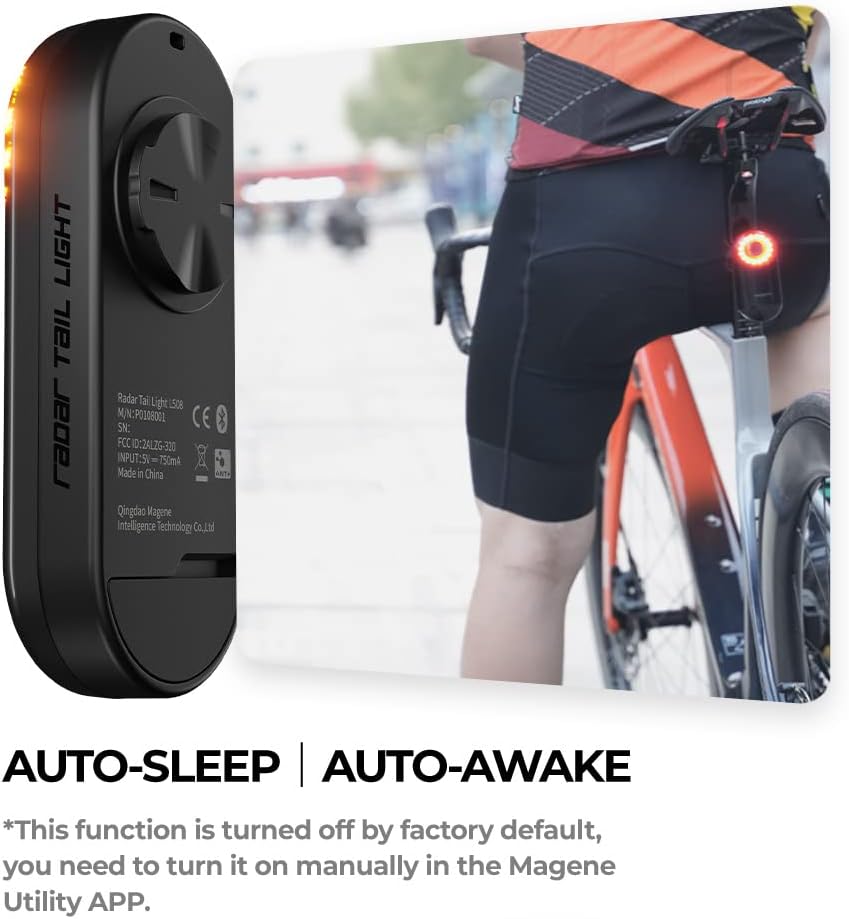
Image: The L508 unit being attached to the fixed seat mount.
Prekawzjonijiet għall-installazzjoni:
- Install the device at an appropriate height (10-15 cm above the tire) on the seat rod to ensure optimal detection range and prevent interference from the rear wheel.
- The fixed seat should be installed vertically, perpendicular to the road surface, with the device facing directly backward.
- Ensure there is no obstruction in front of the device (e.g., saddle bag, clothing) that could block the radar signal.
Istruzzjonijiet Operattivi
1. Qawwa mixgħul/mitfi:
To power on the L508, long press the power button for 2 seconds. The light will illuminate. To power off, long press the power button again for 2 seconds.

Image: The Magene L508 Radar Tail Light with its circular LED array illuminated, indicating it is powered on.
2. Switching Light Modes:
The L508 offers 7 light modes. Briefly click the power button to cycle through the modes:
- Modalità Solida: Constant illumination.
- Modalità Flash: Regular flashing.
- Modalità Pulse: Pulsating light.
- Modalità Peloton: Lower intensity constant light, suitable for group rides.
- Modalità ta' Flash Malajr: Rapid flashing.
- Modalità ta' Rotazzjoni: Lights illuminate in a rotating pattern.
- Modalità Radar Biss: Radar function active, but tail light is off.

Image: Visual representation of the Magene L508's various light modes, demonstrating its versatility for different riding conditions.
3. Smart Braking Sensing:
The L508 features a built-in high-precision acceleration sensor. When braking is detected, the tail light will automatically enter a 3-second highlight mode to alert vehicles behind you. It intelligently ignores minor bumps to prevent false activations.

Image: A cyclist demonstrating the smart braking sensing feature of the Magene L508, where the tail light brightens upon deceleration.
4. Connecting to Magene Utility APP:
The Magene Utility APP allows for advanced settings and radar display. Ensure your L508 is powered on before connecting.
- Download and open the Magene Utility APP on your smartphone.
- In the app, navigate to "Add new device" or "Searching" to find your L508.
- Select your L508 from the search results to establish a connection.
- Once connected, you can set tail light modes, update firmware, and enable/disable features like Auto Sleep. The app also supports radar display, showing approaching vehicles visually.

Image: A smartphone screen displaying the Magene Utility App's radar interface, showing detected vehicles behind the cyclist.
5. Connecting to Bike Computers:
The L508 is compatible with various bike computers that support standard protocols (e.g., Magene C406Pro, Garmin, Wahoo, Bryton). The following steps are general for Magene C406 Pro:
- Power on your Magene C406 Pro bike computer.
- Navigate to the 'Sensors' menu on your bike computer.
- Select 'Add' or 'Search' for new sensors.
- Choose the L508 radar from the detected devices to connect.
- Once connected, the tail light icon on your bike computer will indicate a successful connection, and radar alerts will be displayed.
Video: A detailed guide on how to set up and connect the Magene L508 Radar Tail Light with a bike computer and the Magene Utility App, demonstrating power on, mode switching, and pairing processes.
Manutenzjoni
Iċċarġjar:
The L508 features a Type-C charging port. Connect the provided Type-C cable to the device and a USB power source. The device fully charges in approximately 3 hours. Ensure the charging port cover is securely closed after charging to maintain waterproofing.
Waterproofing:
The L508 has an IPX7 waterproof rating, meaning it can withstand immersion in water up to 1 meter for 30 minutes. This makes it suitable for use in rainy conditions. However, avoid prolonged submersion or high-pressure water jets.
Ħajja tal-batterija:
The device offers a long battery life of up to 16 hours, especially when utilizing power-saving modes. Regularly check the battery level via the Magene Utility APP or your connected bike computer to ensure sufficient power for your rides.
Issolvi l-problemi
| Problema | Kawża Possibbli | Soluzzjoni |
|---|---|---|
| Apparat mhux mixgħul. | Batterija baxxa; Il-buttuna tal-qawwa ma ġietx ippressata għal żmien twil biżżejjed. | Charge the device fully. Long press the power button for 2 seconds. |
| Cannot connect to APP/Bike Computer. | Device not in pairing mode; Bluetooth/ANT+ off; Interference; Outdated firmware. | Ensure device is on. Check Bluetooth/ANT+ settings on your phone/computer. Move away from other electronic devices. Update firmware via Magene Utility APP. |
| False positive radar alerts. | Reflections from metal objects (e.g., fences, guardrails); Environmental factors. | This can occur occasionally. Ensure proper installation angle and no obstructions. Continue to perform head checks. |
| False negative radar alerts (not detecting vehicles). | Improper installation angle; Obstruction; Sensor dirty. | Verify the device is installed vertically and perpendicular to the road. Ensure no obstructions. Clean the sensor area. |
| Mount rotates or moves during ride. | Incorrect rubber pad size; Insufficient tightening of rubber band. | Ensure the correct rubber pad is used for your seat post shape. Tighten the rubber band firmly. Consider aftermarket mounts for specific aero seat posts if issues persist. |
Speċifikazzjonijiet
- Isem tal-Mudell: L508
- Ditta: istonku
- Kulur: Iswed
- Materjal: Plastik
- Sors tal-Enerġija: Mħaddma bil-batterija
- Livell ta' Reżistenza għall-Ilma: IPX7 Waterproof
- Piż tal-oġġett: 0.18 Kilogrammi
- Tip ta 'Immuntar: Mount tas-sedil
- Dimensjonijiet tal-Prodott: 5.3"T x 2.95"W x 2.95"Għ
- Number of Settings (Light Modes): 7
- Luminożità: 40 lumen
- Distanza ta' sejbien: Sa 140 metri
- Angolu tar-raġġ: Sa 40°
- Port tal-Iċċarġjar: Tip-Ċ
- Ħajja tal-batterija: Up to 16 hours (power saving mode)
Garanzija u Appoġġ
The Magene L508 Bike Radar Tail Light comes with a garanzija ta 'sena from the manufacturer. For any product inquiries, technical support, or warranty claims, please refer to the contact information provided in your instruction manual or visit the official Magene websit.
Additional support and features, including firmware updates and radar display, are available through the APP tal-Utilità Magene. Ensure you keep your app and device firmware updated for the best performance and access to the latest features.


