1. Introduzzjoni
Thank you for choosing the COOAU 5MP Outdoor Surveillance Camera. This manual provides essential information for setting up, operating, and maintaining your camera to ensure optimal performance and security for your property. Please read this manual carefully before use and retain it for future reference.
This camera features a 5-megapixel resolution, a 360-degree viewing angle, stable 2.4 GHz Wi-Fi connectivity, H.265 video compression, enhanced night vision with spotlights, and a built-in battery powered by a solar panel for continuous operation.

Image 1.1: The COOAU 5MP Outdoor Surveillance Camera, solar panel, and a smartphone displaying the live feed.
2. Karatteristiċi tal-prodott
- 5MP Ultra HD Resolution & 360° Coverage: Experience superior image clarity with 2592x1944P resolution. The camera supports 355° horizontal pan and 90° vertical tilt, providing a comprehensive view of your surveillance area.
- Stable 4 dBi Wi-Fi Signal: Equipped with an enhanced 4 dBi Wi-Fi antenna, this camera ensures a stable and responsive network connection, minimizing latency and ensuring reliable event recording.
- Kompressjoni tal-Vidjo H.265: Utilizes advanced H.265 video compression technology, which effectively halves video file sizes compared to H.264, allowing for more storage capacity and faster live stream synchronization.
- Enhanced Night Vision with 4 Spotlights: Features four integrated LED spotlights for clear and bright color night vision, even in low-light conditions. The camera can also trigger light and sound alarms to deter intruders.
- Integrated Battery & Solar Panel: The camera includes a built-in rechargeable lithium battery and an eco-friendly solar panel, providing continuous power and eliminating the need for frequent manual charging.
- Disinn reżistenti għat-temp IP66: Built to withstand various environmental conditions, the camera is IP66 rated for dust and water resistance, ensuring reliable operation in cold, wet, or hot weather.
- Sejbien tal-PIR mill-Bniedem: Equipped with a Passive Infrared (PIR) sensor for human body detection, the camera accurately identifies suspicious persons, records events, and sends real-time notifications to your mobile device.
- Komunikazzjoni bl-Awdjo f'żewġ direzzjonijiet: Features a built-in microphone and speaker, enabling clear two-way audio interaction with visitors or to deter unwanted guests directly through the app.
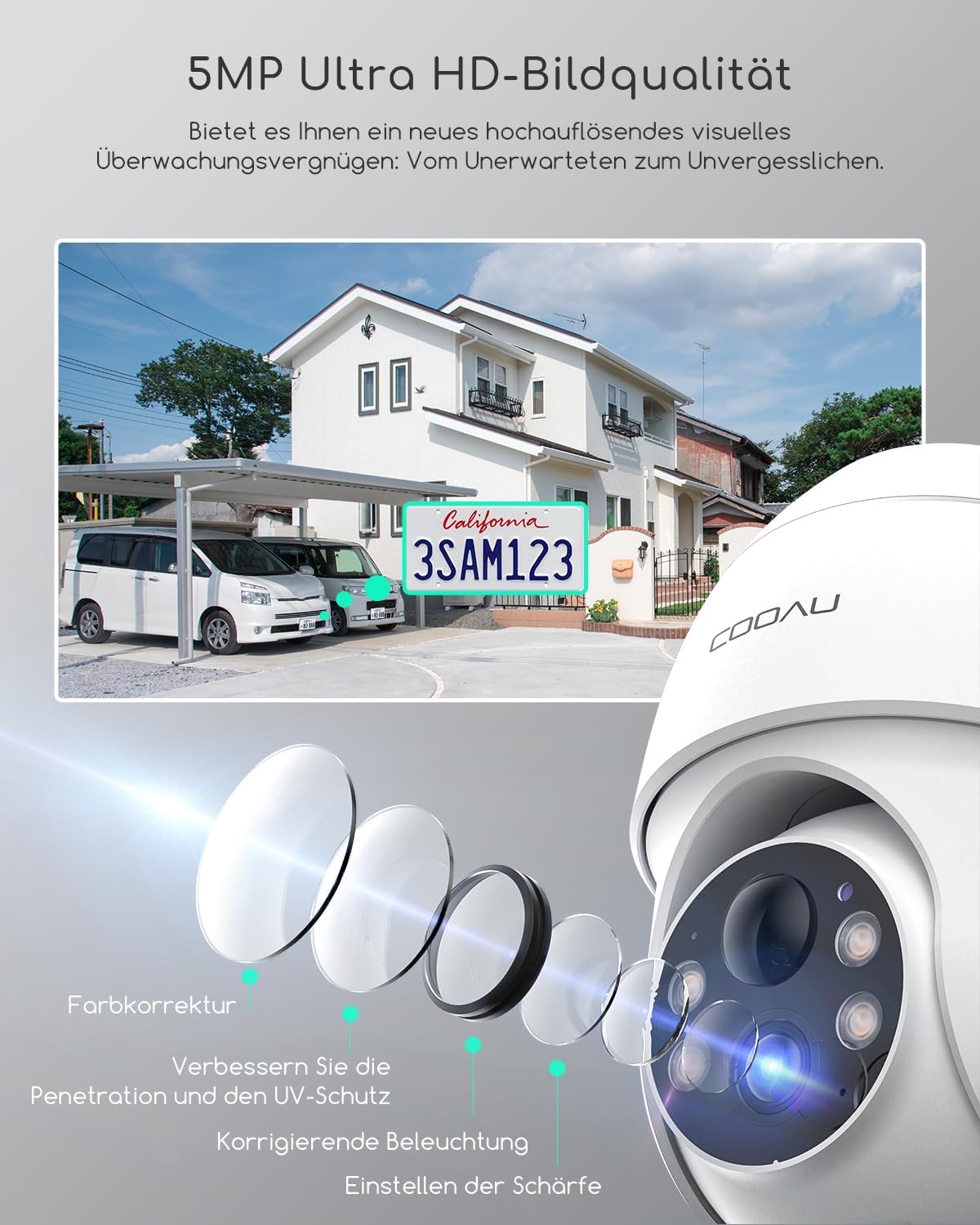
Immaġni 2.1: Dettaljata view of the camera lens and its 5MP Ultra HD image quality, capable of capturing fine details like a license plate.

Image 2.2: The camera's 4 spotlights provide clear night vision, extending visibility up to 15 meters.

Image 2.3: The camera offers 100% wireless and stable Wi-Fi connectivity, powered by the attached solar panel.
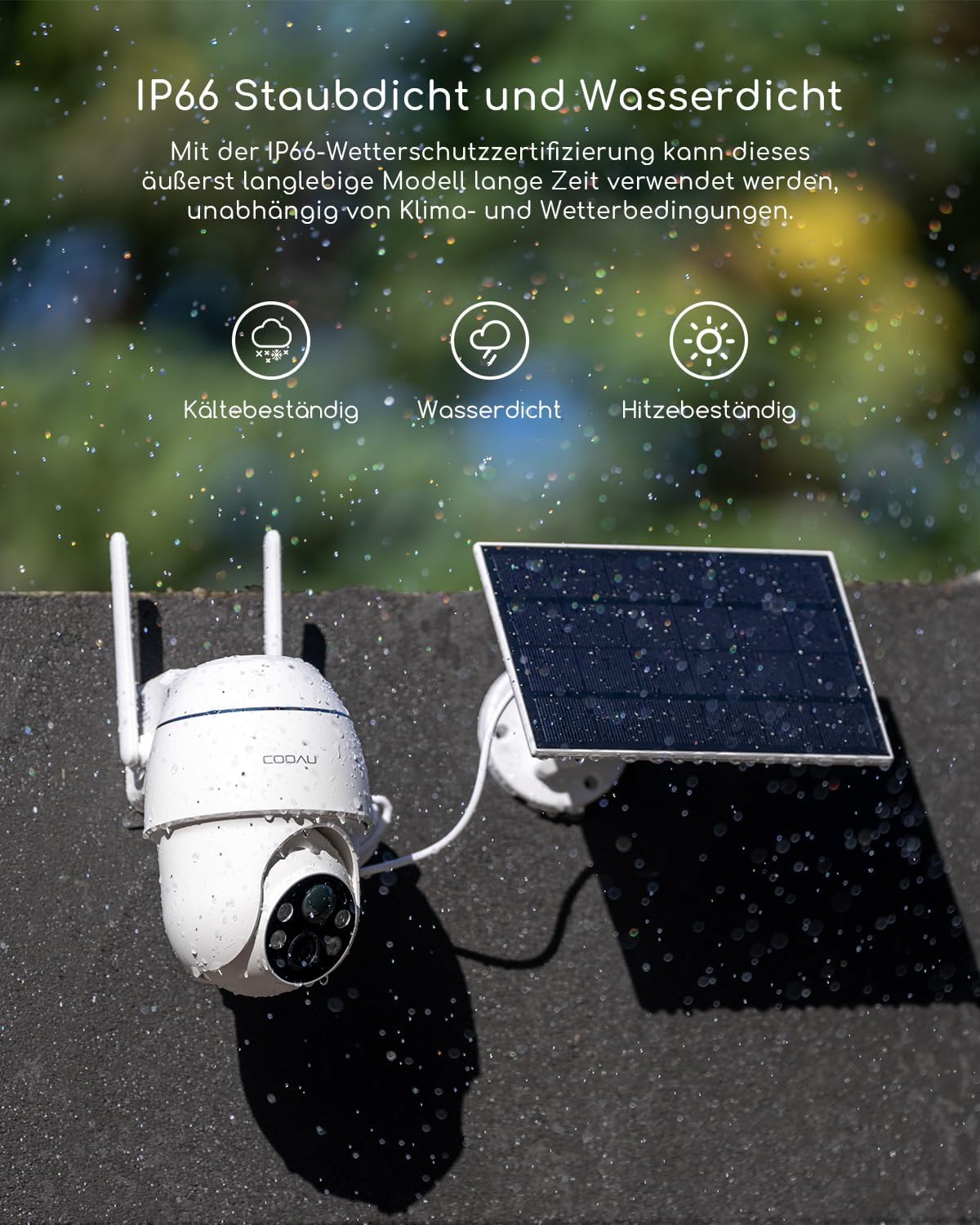
Image 2.4: The camera's IP66 rating ensures durability against dust and water, making it suitable for all weather conditions.

Image 2.5: The camera's PIR human detection system records events and offers both cloud and local storage options.

Image 2.6: Remote monitoring and communication are possible with the camera's two-way audio feature, allowing interaction with individuals at your door.
3. Kontenut tal-Pakkett
Please check the package contents upon receipt. If any items are missing or damaged, contact customer support.
- COOAU 5MP Outdoor Surveillance Camera (Model Q02)
- Panel Solari
- Bracket(i) tal-immuntar
- Viti u Plakek tal-Ħitan
- Kejbil tal-Iċċarġjar USB (L-adapter tal-enerġija mhux inkluż)
- Manwal għall-Utent

Image 3.1: The complete package contents, including the camera, solar panel, mounting hardware, and cables.
4. Setup
4.1 Iċċarġjar inizjali
Before installation, it is recommended to fully charge the camera's built-in battery using the provided USB cable and a standard 5V/2A USB power adapter (not included). This ensures the camera has sufficient power for initial setup and operation.
4.2 App Download u Installazzjoni
Download the official COOAU App or CloudEdge App from your smartphone's app store (iOS App Store or Google Play Store). Follow the on-screen instructions to create an account and log in.
4.3 Tqabbil tal-Apparat
- Ixgħel il-kamera.
- Open the COOAU App and tap 'Add Device' or the '+' icon.
- Select your camera model and follow the in-app instructions to connect the camera to your Netwerk Wi-Fi 2.4 GHz. (Note: 5 GHz Wi-Fi is not supported).
- Ensure your camera is close to your Wi-Fi router during the pairing process for a stable connection.
4.4 Installazzjoni Fiżika
The camera is 100% wireless, allowing flexible placement. Choose a location with good Wi-Fi signal and sufficient sunlight exposure for the solar panel.
- Post tal-Immuntar: Identify a suitable wall or ceiling location for the camera and solar panel. Ensure the solar panel is positioned to receive direct sunlight for most of the day.
- Tħaffir: Use the provided drilling template (if applicable) to mark and drill holes for the mounting bracket. Insert wall plugs if necessary.
- Bracket Sikur: Attach the mounting bracket securely to the wall or ceiling using the screws.
- Waħħal il-Kamera: Mount the camera onto the bracket. Adjust the angle of the camera and solar panel for optimal coverage and charging.
- Qabbad Solar Panel: Qabbad il-kejbil tal-pannell solari mal-port tal-iċċarġjar tal-kamera.

Image 4.1: Step-by-step guide for easy wall and ceiling installation of the camera.
5. Istruzzjonijiet Operattivi
5.1 Ħaj View u Kontroll Pan/Tilt
Open the COOAU App and select your camera to access the live video feed. Use the on-screen controls to pan (355° horizontally) and tilt (90° vertically) the camera, allowing you to monitor different areas remotely.

Image 5.1: Control the camera's 360-degree view (355° pan, 90° tilt) directly from your smartphone app.
5.2 Awdjo b'żewġ direzzjonijiet
Waqt li tkun ħaj view, tap the microphone icon in the app to speak through the camera's speaker. Tap the speaker icon to listen to audio from the camera's surroundings.
5.3 Reġistrazzjoni u Daqq
- Ħażna Lokali: Insert a Micro SD card (up to 128GB, not included) into the camera's SD card slot for local storage of recorded events.
- Ħażna Cloud: The camera supports cloud storage (a 6-second trial is often included). Refer to the app for subscription options.
- Daqq: Access recorded videos via the 'Playback' or 'Event' section in the app.

Image 5.2: The camera supports both secure cloud storage and local storage via an SD card.
5.4 Sejbien tal-Mozzjoni u Twissijiet
Configure motion detection settings in the app:
- Sensittività: Adjust the PIR sensor's sensitivity to minimize false alarms.
- Żoni ta' sejbien: Set specific areas for motion detection to focus on critical zones.
- Notifiki: Enable push notifications to receive instant alerts on your smartphone when motion is detected.
- Allarmi: Activate the camera's light and/or sound alarms to deter intruders upon detection.

Image 5.3: The camera provides effective warnings against suspicious individuals using light and audio alarms.
5.5 Modi ta' Viżjoni bil-Lejl
The camera automatically switches to night vision in low light. You can typically choose between infrared (black and white) and color night vision (using the spotlights) via the app settings.
5.6 Qsim ta' Multi-Utent
You can share access to your camera with family members or trusted individuals through the app. Navigate to the camera settings and look for the 'Share Device' option.

Image 5.4: The camera feed can be shared and viewed by multiple authorized users simultaneously.
6. Manutenzjoni
- Tindif tal-Panew Solari: Regularly clean the surface of the solar panel to ensure maximum sunlight absorption and efficient charging. Use a soft, damp drapp biex tneħħi t-trab u d-debris.
- Kura tal-batterija: While the solar panel provides continuous power, avoid prolonged periods of complete discharge. In areas with limited sunlight, occasional direct charging via USB may be necessary.
- Tindif tal-Lenti: Gently clean the camera lens with a microfiber cloth to maintain clear image quality.
- Aġġornamenti tal-Firmware: Keep your camera's firmware and the COOAU App updated to the latest versions to benefit from new features and security enhancements.

Image 6.1: The solar panel efficiently charges the camera's internal batteries, ensuring continuous operation.
7 Issolvi l-problemi
- Camera not powering on/charging:
- Ensure the battery is charged. Connect the camera directly to a USB power adapter for a few hours.
- Check the solar panel connection and ensure it receives adequate direct sunlight. - Ma tistax tikkonnettja mal-Wi-Fi:
- Confirm your Wi-Fi network is 2.4 GHz. The camera does not support 5 GHz Wi-Fi.
- Kun żgur li l-kamera tinsab fil-firxa tar-router Wi-Fi tiegħek.
- Restart your router and the camera, then try pairing again. - Frequent false alarms from motion detection:
- Adjust the PIR sensitivity settings in the app to a lower level.
- Define specific detection zones to exclude areas with frequent non-human movement (e.g., trees swaying). - Kwalità fqira tal-immaġni:
- Clean the camera lens with a soft cloth.
- Ensure the camera has a stable Wi-Fi connection. Weak signals can affect streaming quality.
- Check for any obstructions in the camera's field of view. - App not responding or crashing:
- Ensure your COOAU App is updated to the latest version.
- Clear the app's cache or reinstall the app.
- Check your smartphone's operating system for updates.
8. Speċifikazzjonijiet
| Karatteristika | Speċifikazzjoni |
|---|---|
| Numru tal-Mudell | Q02 (also referred to as Q01) |
| Riżoluzzjoni | 5 Megapixels (2592 x 1944P) |
| Riżoluzzjoni ta' Reġistrazzjoni tal-Vidjo | 2K |
| Angolu Pan/Tilt | Pan Orizzontali ta' 355°, Inklinazzjoni Vertikali ta' 90° |
| Konnettività | 2.4 GHz Wi-Fi (4 dBi antenna) |
| Kompressjoni tal-vidjo | H.265 |
| Viżjoni bil-lejl | Color Night Vision (4 Spotlights) |
| Sors tal-Enerġija | Integrated Lithium-ion Battery, Solar Powered |
| Reżistenza għat-temp | IP66 (Reżistenti għat-Trab u għall-Ilma) |
| Karatteristiċi Speċjali | Two-Way Audio, PIR Human Detection, Light/Sound Alarm |
| Għażliet ta' Ħażna | Karta Mikro SD (sa 128GB), Ħażna fis-Sħab |
| Dimensjonijiet (L x W x H) | 2.54 x 2.54 x 2.54 ċm |
| Piż | 1 Kilogramma |
9. Garanzija u Appoġġ
COOAU is committed to product quality. This product comes with a garanzija ta' sentejn from the date of purchase. Additionally, COOAU provides appoġġ tekniku tul il-ħajja for all its products.
For any technical assistance, warranty claims, or product-related inquiries, please contact COOAU customer support through the official webis-sit jew l-informazzjoni ta' kuntatt ipprovduta fl-app.

Image 9.1: COOAU provides a high-quality product guarantee, including a two-year warranty and lifetime technical support.


