1. Introduzzjoni
Grazzi tax-xiriasing the BYINTEK R17 Pro Portable Smart 3D DLP Projector. This manual provides essential information for safe and effective use of your device. Please read it thoroughly before operation and retain it for future reference.
The BYINTEK R17 Pro is a versatile portable projector featuring Android 9.0 OS, 4K decoding support, 3D capabilities, and a built-in battery, making it ideal for various entertainment and presentation needs. It also supports multiple languages including English, Russian, Arabic, Korean, Japanese, French, German, Italian, Spanish, Chinese, Vietnamese, Polish, and Traditional Chinese.
2. Informazzjoni dwar is-Sigurtà
- Tħarisx direttament fil-lenti tal-proġettazzjoni meta tkun qed taħdem.amp hija mixgħula.
- Keep the projector away from water or other liquids to prevent electric shock.
- Timblokkax il-fetħiet tal-ventilazzjoni biex tevita sħana żejda.
- Uża biss l-adapter tal-enerġija pprovdut mill-manifattur.
- Evita li tpoġġi l-proġekter fuq uċuħ instabbli.
- Tippruvax tiżżarma jew issewwi l-proġettur int stess. Ikkuntattja persunal tas-servizz kwalifikat.
- Aħżen il-proġekter f'post frisk u niexef meta ma jkunx qed jintuża.
3. Kontenut tal-Pakkett
Jekk jogħġbok iċċekkja l-kontenut tal-pakkett meta tiftaħ il-kaxxa biex tiżgura li l-oġġetti kollha huma preżenti:
- BYINTEK R17 Pro Projector
- Adapter tal-Enerġija
- Kontroll mill-bogħod
- Manwal għall-Utent (dan id-dokument)
- Kejbil HDMI (jista' jvarja skont ir-reġjun)

Immaġni: Naħa dettaljata view of the BYINTEK R17 Pro projector, highlighting its compact and portable design.
4. Gwida ta' Setup
4.1 Tixgħel/Jitfi
- Qabbad l-Enerġija: Plug the power adapter into the projector's DC input port and then into a power outlet.
- Qawwa Mixgħul: Agħfas il-buttuna tal-qawwa fuq il-proġettazzjoni jew il-kontroll remot. Id-dawl indikatur jixgħel.
- Itfi: Agħfas il-buttuna tal-qawwa mill-ġdid. Ikkonferma t-tmiem tal-programm jekk tintalab.
4.2 Placement and Projection
Position the projector on a stable, flat surface. Ensure there are no obstructions in front of the lens. The ideal projection distance ranges from 1 to 8 meters, producing a screen size of 30 to 300 inches.
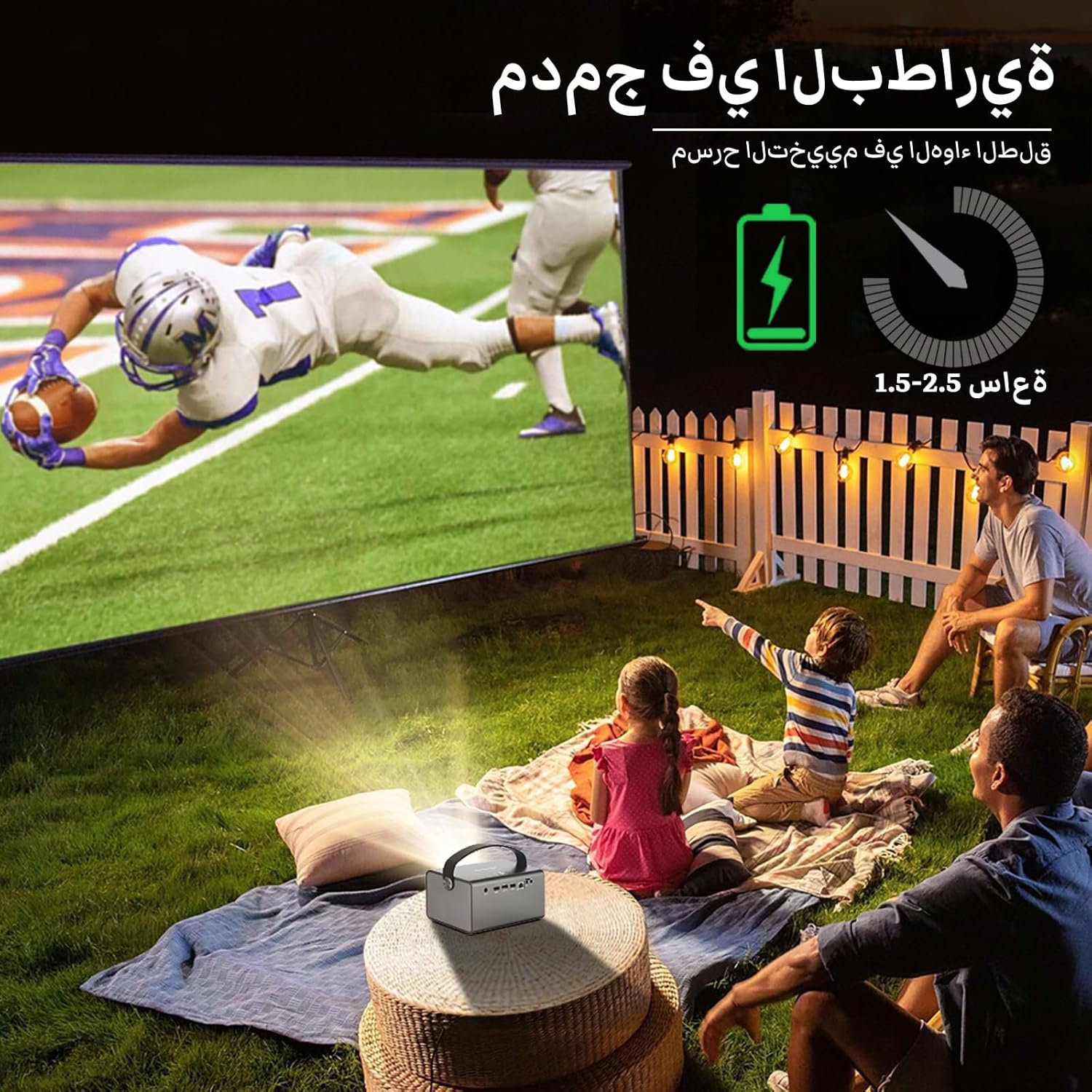
Image: The BYINTEK R17 Pro projector in an outdoor setting, demonstrating its portable use for entertainment. The image shows a football game projected onto a large screen, with people watching comfortably. This highlights the projector's battery life and suitability for outdoor events.
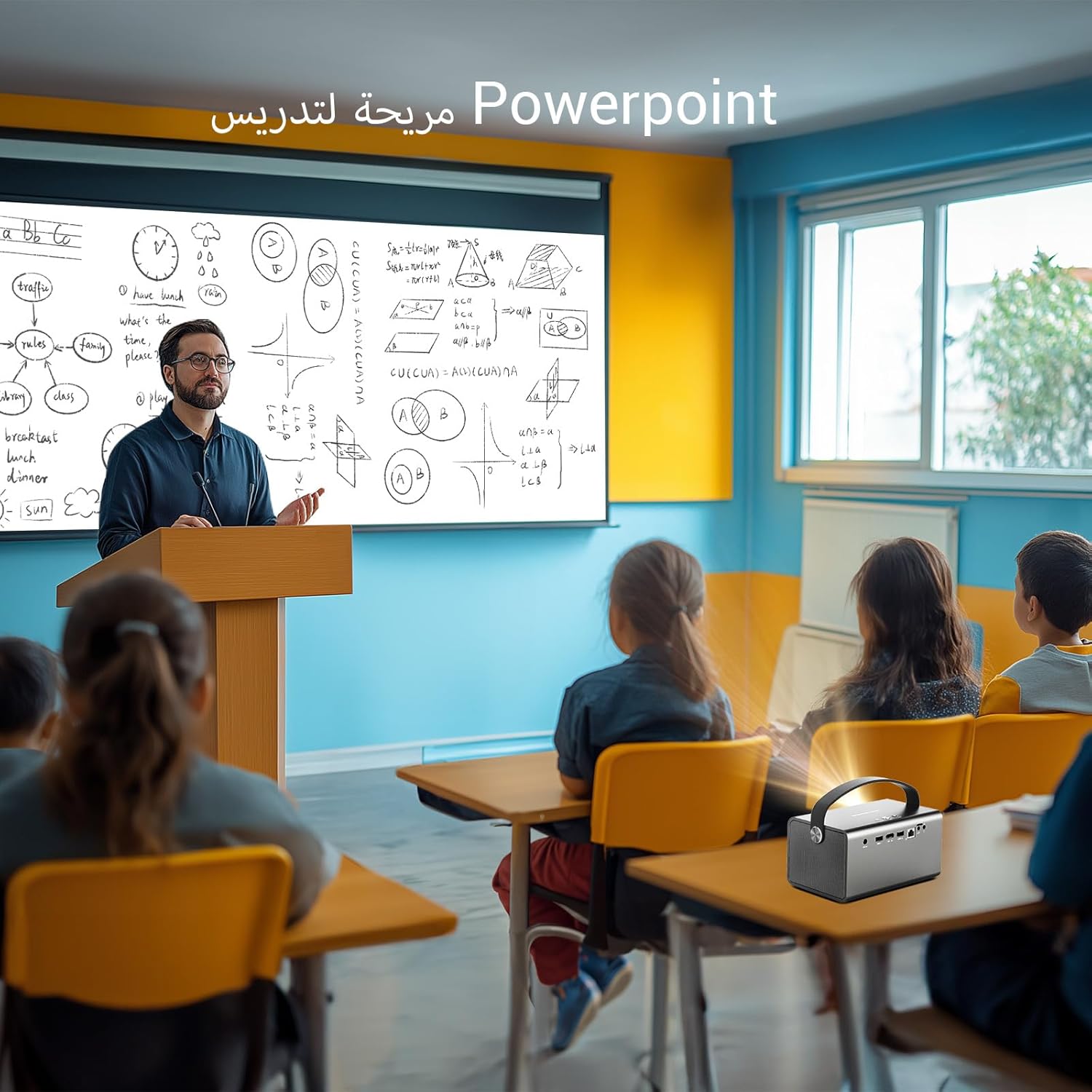
Image: The BYINTEK R17 Pro projector being used in a classroom to display a PowerPoint presentation. This illustrates its utility for educational purposes and presentations in various environments.
4.3 Korrezzjoni tal-Fokus u l-Keystone
- Fokus Elettriku: Use the remote control to adjust the focus until the image is clear.
- Korrezzjoni Awtomatika Keystone: The projector supports automatic vertical keystone correction.
- Korrezzjoni Manwal Keystone: For side projections or specific adjustments, use the manual keystone correction feature via the settings menu. This includes corner keystone correction.
5. Operazzjoni
5.1 Navigazzjoni tas-Sistema Android 9.0
The BYINTEK R17 Pro runs on Android 9.0, providing a smart interface. Use the remote control or a connected air mouse to navigate through menus, launch applications, and adjust settings.
- Skrin tad-dar: Access pre-installed apps and system settings.
- App Store: Download additional applications for streaming, productivity, or gaming.
- Settings: Configure Wi-Fi, Bluetooth, display, sound, and other system preferences.
5.2 Daqq tal-Midja
The projector supports various media formats and sources:
- Ħażna USB: Connect a USB drive or SSD (up to 32GB) to play videos, music, or view ritratti.
- Streaming onlajn: Use pre-installed or downloaded streaming apps via Wi-Fi.
- Kontenut 3D: The projector supports Blu-ray 3D. Ensure your 3D content and glasses are compatible.

Image: A couple enjoying a Blu-ray 3D movie projected by the BYINTEK R17 Pro. The image showcases the projector's ability to display immersive 3D content with vivid colors.
5.3 Screen Mirroring (Wi-Fi Display)
Mirror your smartphone, tablet, or computer screen wirelessly to the projector using Airplay, Miracast, or DLNA (Eshare app is pre-installed).
- Ensure both your device and the projector are connected to the same Wi-Fi network.
- Open the Eshare app on the projector.
- On your mobile device, activate screen mirroring (e.g., Airplay for iOS, Smart View/Screen Cast for Android).
- Agħżel il-proġettazzjoni mil-lista ta' apparati disponibbli.

Image: The BYINTEK R17 Pro projector wirelessly displaying a racing game from a smartphone. This demonstrates the screen mirroring feature for gaming and mobile content.
6. Konnettività
The BYINTEK R17 Pro offers multiple connectivity options:
- HDMI 2.0: Connect external devices like game consoles (e.g., PS4), computers, Blu-ray players, or TV boxes. Supports up to 4K input.
- USB 2.0 / USB 3.0: For connecting USB storage devices, external mice, game controllers, or 2.4GHz air mice.
- Out tal-Awdjo: Qabbad kelliema esterni jew headphones għal awdjo mtejjeb.
- Wi-Fi (2.4GHz/5GHz): For internet access and wireless screen mirroring.
- Bluetooth 5.0: For connecting Bluetooth speakers, headphones, or other compatible accessories.
7. Manutenzjoni
7.1 Tindif tal-Lenti
Uża drapp artab u mingħajr suf iddisinjat speċifikament għal lentijiet ottiċi. Tużax prodotti tat-tindif li joborxu jew forza eċċessiva, għax dan jista' jħokk il-lenti.
7.2 Tindif tal-Korp tal-Proġettur
Wipe the exterior of the projector with a soft, dry cloth. Avoid using chemical cleaners that may damage the finish.
7.3 Ħażna
When not in use for extended periods, store the projector in its original packaging or a protective case in a cool, dry, dust-free environment.
8 Issolvi l-problemi
| Problema | Kawża Possibbli | Soluzzjoni |
|---|---|---|
| Ebda immaġini murija | Power not connected; input source incorrect; lens cap on. | Check power connection; select correct input source (HDMI, USB, etc.); remove lens cap. |
| L-immaġni hija mċajpra | Focus not adjusted; projector too far/close. | Adjust electric focus using the remote; reposition the projector within optimal distance. |
| L-immaġni hija distorta (forma ta' trapeżojde) | Keystone correction needed. | Use auto or manual keystone correction in settings. |
| L-ebda ħoss | Volume too low; external speakers not connected/configured; audio output muted. | Increase volume; check external speaker connection; unmute audio. |
| Kwistjonijiet ta 'konnessjoni Wi-Fi | Incorrect password; out of range; router issues. | Verify password; move closer to router; restart router and projector. |
| Il-proġettur jintefa bla mistenni | Tisħin żejjed; batterija baxxa. | Ensure ventilation is clear; charge the battery or connect to power. |
9. Speċifikazzjonijiet
| Karatteristika | Dettall |
|---|---|
| Brand | BYINTEK |
| Mudell | R17 Pro |
| Magna Dawl | TI 0.47 inch DMD WVGA |
| Sors tad-Dawl | OSRAM RGB 3LED |
| Ħajja Ħafifa | 50,000 sigħat |
| Luminożità | 750 lumens ANSI |
| Proporzjon ta' Kuntrast | 10,000:1 |
| Riżoluzzjoni Nattiva | 1280 x 800 (supports up to 4K input) |
| Proporzjon ta' l-aspett | 16:10 / 16:9 / 4:3 |
| Barra l-assi | 100% |
| Tarmi Proporzjon | 1.2:1 |
| Daqs tal-Projezzjoni | 30 - 300 pulzieri |
| Distanza ta' Projezzjoni | 1 - 8 metru |
| Modalità Focus | Electric Motor Focus |
| Zoom | Remote Electric Zoom |
| Korrezzjoni Keystone | Auto/Manual Vertical, Manual Corner |
| Sistema Operattiva | Android 9.0 |
| CPU | MTK Contex A53 Quad-core |
| GPU | Mali-G52 |
| RAM | 2GB DDR3 |
| ROM | 32GB EMMC |
| Wi-Fi | Doppju band 2.4GHz / 5GHz |
| Bluetooth | Bluetooth 5.0 |
| Wi-Fi Wiri | Airplay, Miracast, DLNA (Eshare pre-installed) |
| Batterija | Built-in 11.1V 5200mAh (15600mAh equivalent) Lithium-ion, 1.5-2.5 hours life |
| Kelliema | Kelliema Stereo 2 x 5W |
| Portijiet tad-dħul | HDMI 2.0 (supports 4K input), USB 2.0, USB 3.0 |
| Portijiet tal-ħruġ | Awdjo Out |
| Dimensjonijiet tal-Prodott | 19.3 x 12.3 x 10 ċm |
| Piż tal-oġġett | 2.34 kg |
| Karatteristiċi Speċjali | Auto Focus, Built-in Wi-Fi Receiver, Built-in 3D Display, Portable, Built-in Speaker |
10. Garanzija u Appoġġ
BYINTEK products come with a standard manufacturer's warranty. Please refer to the warranty card included in your package for specific terms and conditions. For technical support, service, or warranty claims, please contact BYINTEK customer service or visit the official BYINTEK websit.
BYINTEK has a service center in Saudi Arabia to provide professional after-sales service. For more information, please visit the BYINTEK Store on Amazon.


