1. Introduzzjoni
Welcome to the user manual for your GOODTEL G10 10-inch Android 12 Tablet. This guide provides essential information for setting up, operating, maintaining, and troubleshooting your device. The G10 tablet is designed for versatility, featuring an Octa-Core processor, 4GB RAM, 64GB internal storage (expandable), a 10-inch IPS display, and an 8000mAh battery. It comes with a suite of accessories including a Bluetooth keyboard, mouse, stylus, protective case, and screen protector, allowing it to function as a portable workstation.

Stampa 1.1: Fuqview of GOODTEL G10 Tablet key features including Android 12 OS, 64GB ROM, 10.1-inch Smart Display, 4GB RAM, 4GB-1TB MicroSD/TF Expansion, Octa-Core processor, 8000mAh Battery, 2-in-1 Tablet functionality with Bluetooth Keyboard and Wireless Mouse, Bluetooth, WiFi, Dual Camera (5MP front, 8MP rear), Screen Record, Parental Controls, SD/TF Card Slot, and Type-C charging/data ports.
2. Setup
2.1 Tneħħija tal-kaxxa u Spezzjoni Inizjali
Carefully remove all items from the packaging. Verify that all accessories are present:
- Pillola GOODTEL G10
- Tastiera Bluetooth
- Ġurdien mingħajr fili
- Adapter OTG
- Ċarġer tal
- Kejbil USB Type-C
- Screen Protector (pre-applied or spare)
- Kawża Protettiva
- Stylus
2.2 Charging the Tablet and Keyboard
Before first use, fully charge the tablet and the Bluetooth keyboard. Connect the charger to the tablet's Type-C port and to a power outlet. The keyboard typically charges via a Micro USB cable (included).
2.3 Tixgħel/Jitfi
- Biex Tixgħel: Agħfas u żomm il-buttuna tal-Qawwa (ġeneralment fuq il-ġenb) sakemm l-iskrin jixgħel.
- Biex Tifi: Press and hold the Power button, then select 'Power off' from the on-screen options.
- Biex terġa' tibda: Press and hold the Power button, then select 'Restart' from the on-screen options.
2.4 Wizard tas-Setup Inizjali
Malli tixgħelha għall-ewwel darba, it-tablet jiggwidak fil-proċess inizjali tas-setup:
- Agħżel il-lingwa preferuta tiegħek.
- Qabbad ma 'netwerk Wi-Fi.
- Idħol bil-kont tal-Google tiegħek jew oħloq wieħed ġdid. Dan huwa essenzjali biex tniżżel apps mill-Google Play Store.
- Review u taċċetta t-termini u l-kundizzjonijiet.
- Issettja l-illokkjar tal-iskrin (PIN, mudell, jew password).
2.5 Aċċessorji tal-Konnessjoni
Tastiera u Maws Bluetooth:
- Kun żgur li t-tastiera u l-maws huma ċċarġjati u mixgħula.
- Fuq il-pillola, mur Settings > Apparati konnessi > Bluetooth.
- Ixgħel il-Bluetooth.
- It-tablet se jiskennja għal apparati disponibbli. Agħżel it-tastiera u l-maws mil-lista biex tqabbadhom. Segwi kwalunkwe struzzjonijiet fuq l-iskrin.
Stilus: The included stylus is typically a passive capacitive stylus and does not require pairing. Simply use it directly on the screen.
Adapter tal-OTG: The OTG adapter allows you to connect USB devices (like flash drives) to your tablet's Type-C port.
2.6 Inserting a MicroSD/TF Card
To expand storage, locate the MicroSD/TF card slot on the side of the tablet. Gently insert the card with the gold contacts facing down until it clicks into place. The tablet supports up to 256GB expansion.
3. Istruzzjonijiet Operattivi
3.1 Navigazzjoni Bażika u Karatteristiċi ta' Android 12
The G10 tablet runs on Android 12, offering an intuitive user experience. Use touch gestures for navigation:
- Tektek: Agħżel oġġett.
- Swipe: Skrollja minn paġni jew listi.
- Agħfas biex tiżżumja: Iżżumja 'l ġewwa jew 'il barra fuq l-immaġnijiet u web paġni.
- Agħfas fit-tul: Aċċessa l-menus kuntestwali jew iċċaqlaq l-ikoni.
Android 12 includes features like multi-user support, multi-window mode for multitasking, and enhanced parental controls via Google Family Link.

Stampa 3.1: The GOODTEL G10 Tablet displaying a game, illustrating the smooth performance provided by the Octa-Core processor and Android 12 OS for application processing.
3.2 Wirja u Viżwali
The 10-inch IPS display provides clear and rich colors. It features flexible response and anti-blue light technology for comfortable viewing.
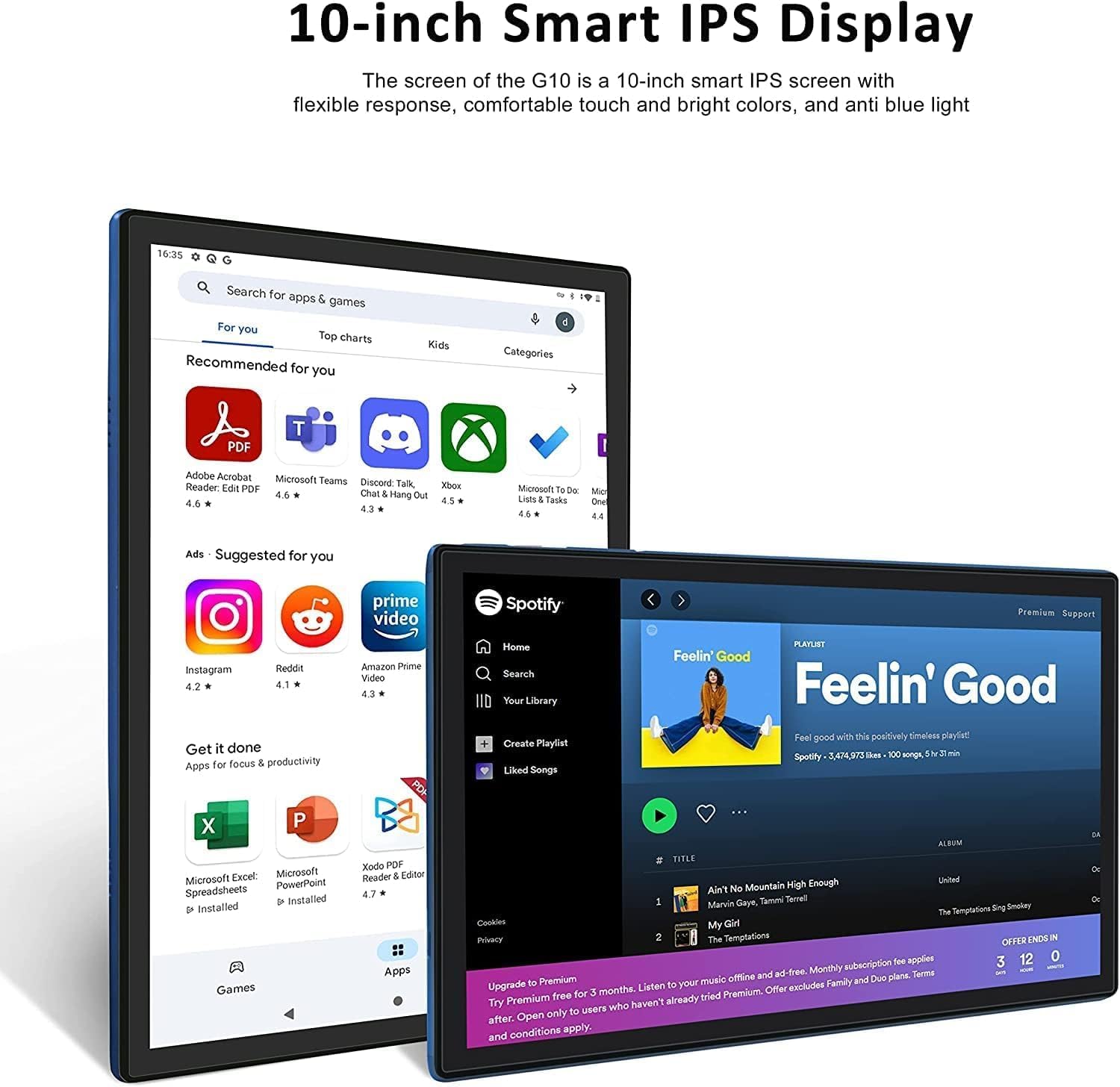
Stampa 3.2: The 10-inch Smart IPS Display of the GOODTEL G10 Tablet, showcasing its ability to render applications like PDF readers, communication apps, and media players with clarity and vibrant colors.
3.3 Connectivity (Wi-Fi and Bluetooth)
Wi-Fi: The tablet supports both 2.4GHz and 5GHz Wi-Fi for faster and more stable internet access. To connect, go to Settings > Netwerk u internet > Wi-Fi, turn it on, and select your network.

Stampa 3.3: The GOODTEL G10 Tablet highlighting its 2.4G/5G WiFi support for faster internet access, enabling smoother browsing and application usage.
Bluetooth: For connecting wireless headphones, speakers, or other Bluetooth devices, go to Settings > Apparati konnessi > Bluetooth, turn it on, and pair with your desired device.
3.4 Kameras
The tablet features a 5MP front camera and an 8MP rear camera. Open the Camera app to take photos or record videos. These are suitable for video calls and casual photography.
3.5 Ġestjoni tal-Ħażna
The tablet comes with 64GB of internal storage. You can expand this by inserting a MicroSD/TF card (up to 256GB, sold separately). To manage storage, go to Settings > Ħażna. Here you can see storage usage and free up space.
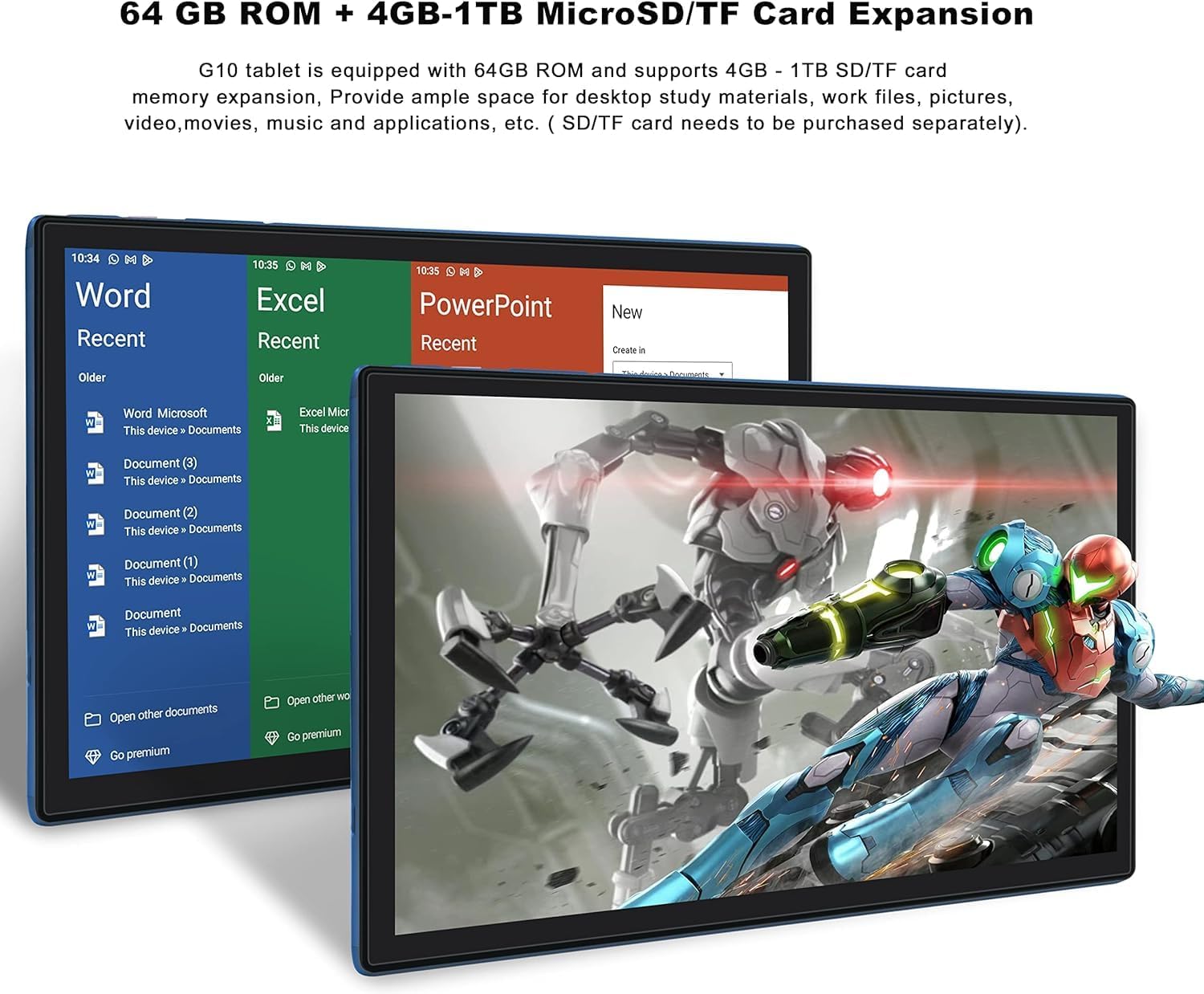
Stampa 3.4: The GOODTEL G10 Tablet illustrating its 64GB ROM and 4GB RAM, with support for 4GB-1TB MicroSD/TF card expansion for additional storage of documents, media, and applications.
3.6 Kontrolli tal-Ġenituri
Utilize Google Family Link to set up parental controls. This allows remote management of the device, setting usage limits, and content filtering for children's profiles.
4. Manutenzjoni
4.1 Tindif tal-Apparat
Uża drapp artab u mingħajr suf biex tnaddaf l-iskrin u l-qafas tat-tablet. Għal tbajja' persistenti, neħħi ftit.ampNaddaf id-drapp bl-ilma jew b'soluzzjoni tat-tindif li ma tagħmilx ħsara lill-iskrin. Evita kimiċi ħarxa jew materjali li joborxu.
4.2 Kura tal-Batterija
The G10 tablet is equipped with an 8000mAh battery. To prolong battery life:
- Evita temperaturi estremi.
- Tħallix il-batterija tixxotta kompletament regolarment.
- Use the provided charger for optimal charging.
- Unplug the charger once the tablet is fully charged.
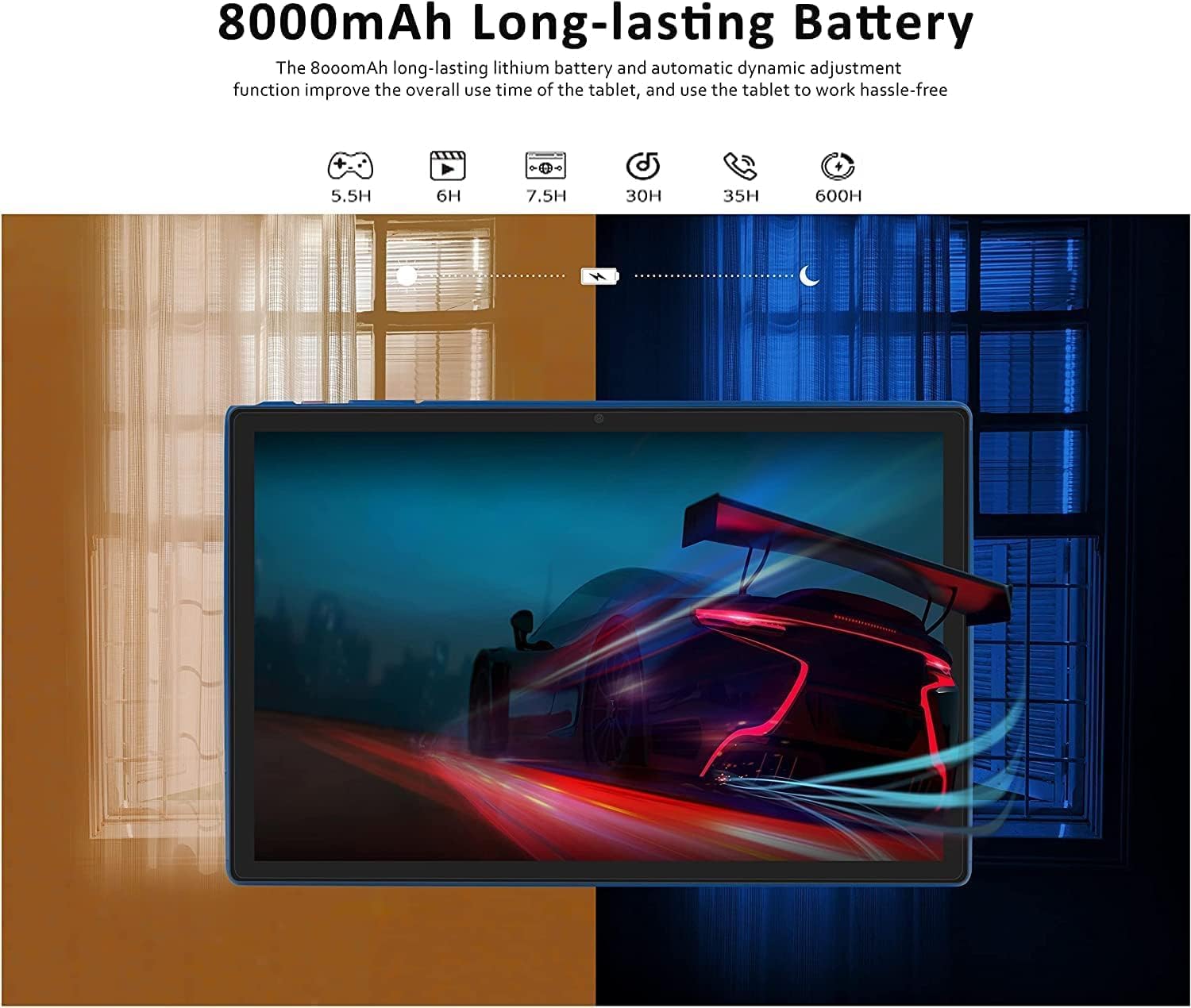
Stampa 4.1: The GOODTEL G10 Tablet highlighting its 8000mAh long-lasting battery, with estimated usage times for various activities such as gaming (5.5H), video playback (6H), web browsing (7.5H), standby (30H), call time (35H), and music playback (600H).
4.3 Aġġornamenti tas-Software
Iċċekkja regolarment għal aġġornamenti tas-sistema biex tiżgura li t-tablet tiegħek għandu l-aħħar karatteristiċi u irqajja tas-sigurtà. Mur fuq Settings > Sistema > Aġġornament tas-sistema.
4.4 Ottimizzazzjoni tal-Ħażna
Periodically clear cache data from apps, uninstall unused applications, and transfer large files (photos, videos) to your MicroSD card or cloud storage to maintain optimal performance.
5 Issolvi l-problemi
5.1 Kwistjonijiet Komuni u Soluzzjonijiet
- It-tablet mhux qed jixgħel: Kun żgur li l-batterija hija ċċarġjata. Qabbad il-ċarġer u erġa' pprova. Jekk ma jirrispondix, agħfas u żomm il-buttuna tal-qawwa għal 10-15-il sekonda biex terġa' tibda taħdem.
- Problemi ta' konnettività tal-Wi-Fi: Iċċekkja jekk il-Wi-Fi huwiex attivat fis-settings. Erġa' ibda r-router u t-tablet tiegħek. Insieh in-netwerk u erġa' qabbad.
- Prestazzjoni bil-mod: Close unused apps, clear app caches, free up storage space, and restart the tablet.
- L-apps jiġġarraf jew jiffriża: Neħħi l-cache u d-dejta tal-app Settings > AppsJekk il-problema tippersisti, iddiżinstalla u erġa' installa l-app.
- L-iskrin tattili ma jirrispondix: Restart the tablet. If the issue continues, ensure the screen is clean and free of debris.
5.2 Irrisettjar tal-Fabbrika (L-Aħħar Soluzzjoni)
If persistent issues cannot be resolved, a factory reset may be necessary. Warning: This will erase all data on your tablet. Back up important files qabel ma tipproċedi.
- Mur fuq Settings > Sistema > Irrisettja l-għażliet.
- Agħżel Ħassar id-dejta kollha (reset tal-fabbrika).
- Ikkonferma d-deċiżjoni tiegħek u segwi l-istruzzjonijiet fuq l-iskrin.
6. Speċifikazzjonijiet
| Karatteristika | Speċifikazzjoni |
|---|---|
| Mudell | G10 |
| Sistema Operattiva | Android 12 OS |
| Proċessur | Octa-Core, 2 GHz |
| RAM | 4GB |
| Ħażna Interna (ROM) | 64GB |
| Ħażna espansibbli | MicroSD/TF card up to 256GB |
| Daqs tal-Wiri | 10 pulzieri |
| Teknoloġija tal-Wiri | IPS Smart Touchscreen |
| Riżoluzzjoni tal-Wiri | 1280 x 800 pixel |
| Kamera ta' Quddiem | 5MP |
| Kamera ta' wara | 8MP |
| Kapaċità tal-batterija | 8000mAh Lithium-ion |
| Wi-Fi | 2.4G/5G (802.11ac) |
| Bluetooth | Bluetooth 5.0 |
| Portijiet | 1x Type-C, 1x 3.5mm AUX, 1x MicroSD/TF slot |
| Konnettività oħra | Hotspot, AGPS, Gravity Sensor, FM Radio |
| Dimensjonijiet (L x W x H) | 26 x 17.6 x 0.9 ċm |
| Piż | 450 Gramm |
7. Garanzija u Appoġġ
Specific warranty details are not available in the provided product information. For warranty claims, technical support, or service inquiries, please refer to the documentation included with your purchase or contact GOODTEL customer support directly through their official websit jew il-bejjiegħ bl-imnut minn fejn inxtara l-prodott.


