Introduzzjoni
This manual provides essential information for the safe and efficient use of your SHARP 24EA4E 24-inch HD-Ready LED TV. Please read these instructions thoroughly before operating the television and retain them for future reference. This television is designed for use in living rooms, bedrooms, or guest rooms, offering an elegant design and intuitive operation.
Kontenut tal-Pakkett
Before beginning installation, ensure all items listed below are present in your package:
- SHARP 24EA4E LED TV Unit
- Kontroll mill-bogħod
- 2 x Batteriji AAA (għall-kontroll remot)
- TV Stand Installation Kit
- Gwida Quick Start

Image: SHARP 24EA4E LED TV with its included stand.
Setup
1. Installazzjoni Fiżika
Your television can be placed on a flat surface using the included stand or mounted on a wall using a VESA-compatible bracket (not included). The VESA standard for this model is 100 x 100 mm.
- Installazzjoni tal-istand: Carefully attach the TV stand to the bottom of the television using the screws provided in the installation kit. Ensure the stand is securely fastened before placing the TV on a stable surface.
- Immuntar tal-ħajt: If wall mounting, refer to the instructions provided with your VESA 100 x 100 mm wall mount bracket. Ensure proper ventilation around the TV.

Immaġni: Ġenb view of the SHARP 24EA4E LED TV, illustrating the stand attachment.
2. Konnessjoni ta 'Tagħmir Estern
The SHARP 24EA4E offers various connection options for your external devices:
- Portijiet HDMI (x2): Connect Blu-Ray players, game consoles, satellite boxes, or other HDMI-enabled devices.
- Port tal-USB (x1): For playing media (music, movies, photos) from USB storage devices.
- SCART Input: Għall-konnessjoni ta' apparati eqdem.
- Satellite Input (DVB-S/S2): Connect your satellite dish.
- RF Input (DVB-T/T2/C): Connect your terrestrial antenna or cable TV.
- Headphone Jack (3.5mm Audio): Għal smigħ privat.
- CI Port: Għal Moduli ta' Aċċess Kondizzjonali (CAM) biex jiddeċifraw kanali kriptati.
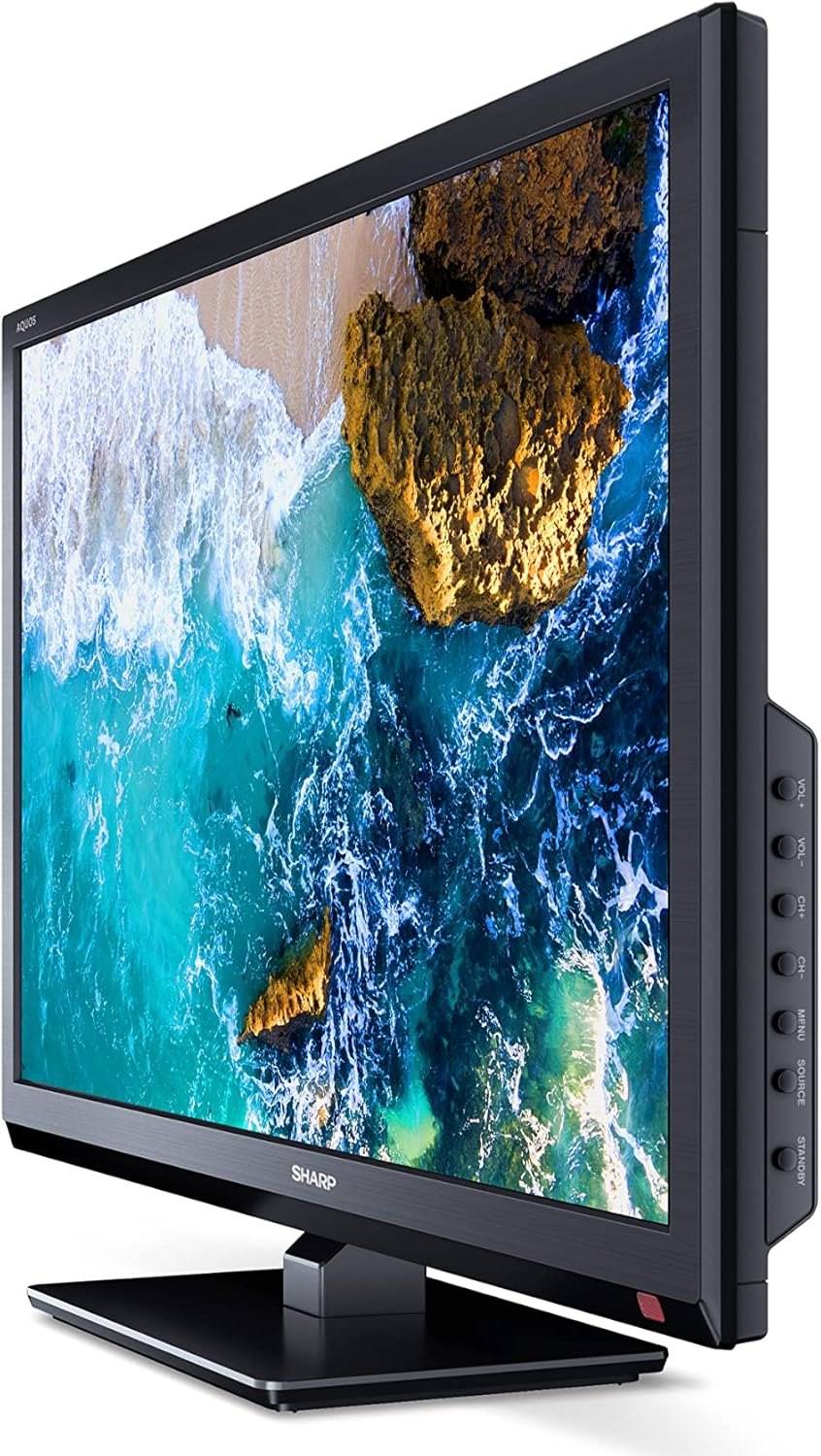
Immaġni: Ġenb view of the SHARP 24EA4E LED TV, highlighting the various input ports.
After connecting all desired devices, plug the TV's power cord into a suitable electrical outlet (220V).
Istruzzjonijiet Operattivi
1. First-Time Setup and Channel Scan
Upon first power-on, the TV will guide you through an initial setup process. Follow the on-screen prompts to select your language, country, and perform a channel scan for DVB-T/T2 (terrestrial), DVB-C (cable), or DVB-S/S2 (satellite) signals.
2. Funzjonijiet ta 'Kontroll mill-bogħod
The included infrared remote control allows full operation of your TV. Insert the 2 AAA batteries into the remote control, ensuring correct polarity.
- Buttuna tal-Qawwa: Ixgħel jew jitfi t-TV.
- Channel Buttons (CH+/-): Tibdel il-kanali.
- Volume Buttons (VOL+/-): Jaġġusta l-livell tal-volum.
- Buttuna tas-Sors: Jagħżel sorsi ta' input (HDMI, AV, USB, TV).
- Buttuna tal-menu: Jaċċessa l-menù prinċipali tat-TV għall-aġġustamenti tas-settings.
- Buttuni tan-Navigazzjoni: Użat biex tinnaviga l-menus u tagħżel l-għażliet.
- Buttuna OK: Jikkonferma l-għażla.
- Buttuna tal-Ħruġ: Exits menus.
- Buttuni Numeriċi (0-9): Għażla diretta tal-kanal.

Immaġni: Ġenb view of the SHARP 24EA4E LED TV, showing the physical control buttons on the side panel.
3. Daqq tal-Midja permezz tal-USB
Tista' tilgħab diversi midja files directly from a USB storage device:
- Insert your USB drive into the USB port on the TV.
- Select the USB input source using the remote control's Source button.
- Innaviga permezz tal- files and folders using the remote control and select the desired media (music, video, or photo) to play.
Manutenzjoni
To ensure the longevity and optimal performance of your SHARP 24EA4E TV, follow these maintenance guidelines:
- Tindif tal-Iskrin: Imsaħ l-iskrin bil-mod b'ċarruta ratba u mingħajr suf. Għal marki persistenti, nixxef ftit.ampLaħlaħ id-drapp bl-ilma jew b'prodott speċjalizzat għat-tindif tal-iskrin. Qatt ma tisprejja likwidu direttament fuq l-iskrin.
- Tindif tal-Kabinett: Uża drapp artab u niexef biex timsaħ il-kabinett tat-TV. Evita li tuża prodotti tat-tindif jew solventi li joborxu.
- Ventilazzjoni: Kun żgur li l-fetħiet tal-ventilazzjoni fuq wara tat-TV mhumiex imblukkati biex tevita li jisħon iżżejjed.
- Korda tal-Enerġija: Regularly check the power cord for any damage. If damaged, contact qualified service personnel for replacement.
Issolvi l-problemi
Jekk tiltaqa' ma' problemi bit-TV tiegħek, irreferi għall-passi komuni li ġejjin għas-soluzzjoni tal-problemi:
| Problema | Soluzzjoni Possibbli |
|---|---|
| Ebda qawwa | Check if the power cord is securely plugged into both the TV and the wall outlet. Ensure the wall outlet is functional. |
| L-ebda stampa, iżda l-ħoss huwa preżenti | Iċċekkja l-għażla tas-sors tad-dħul. Kun żgur li l-apparati esterni huma mixgħula u konnessi b'mod korrett. |
| L-ebda ħoss, iżda l-istampa hija preżenti | Check the volume level and mute status. Ensure audio cables are connected correctly for external devices. |
| Kwalità fqira tal-istampa | Check antenna/cable connections. Adjust picture settings in the TV menu. For external devices, check their output resolution. |
| Il-kontroll mill-bogħod ma jaħdimx | Replace the AAA batteries. Ensure there are no obstructions between the remote and the TV's IR sensor. |
Jekk il-problema tippersisti wara li tipprova dawn is-soluzzjonijiet, jekk jogħġbok ikkuntattja l-appoġġ għall-klijenti ta' SHARP.
Speċifikazzjonijiet
Key technical specifications for the SHARP 24EA4E LED TV:
- Mudell: 24EA4E
- Teknoloġija tal-Wiri: LED
- Daqs tal-iskrin: 24 pulzier (60 ċm djagonali)
- Riżoluzzjoni: 1366 x 768 pixel (HD Ready)
- Proporzjon tal-aspett: 16:9
- Rata ta' Aġġornar: 60 Hz (Active Motion 100)
- Proporzjon ta' Kuntrast: 100000:1
- Ħin ta' Rispons: 8 millisekondi
- ViewIng Angolu: 178 grad
- Output Awdjo: 2 x 5W speakers, Dolby Digital, Dolby Digital Plus, Surround Sound
- Teknoloġija tuner: DVB-T/T2 (Terrestrial), DVB-C (Cable), DVB-S/S2 (Satellite) - MPEG4 + HEVC/H.265 (10-bit)
- Konnettività: 2 x HDMI, 1 x USB, 1 x SCART, RF Input, Satellite Input, 3.5mm Audio (Headphone Jack), CI Port
- Sistema Operattiva: Linux
- Konsum tal-Enerġija: 17 Watts (in SDR mode)
- Voltage: 220V
- Dimensjonijiet (bl-istand): 56 ċm (W) x 38.5 ċm (H) x 14 ċm (D)
- Piż: 3.8 kg
- Standard VESA: 100 x 100 mm

Image: Diagram showing the dimensions of the SHARP 24EA4E LED TV.
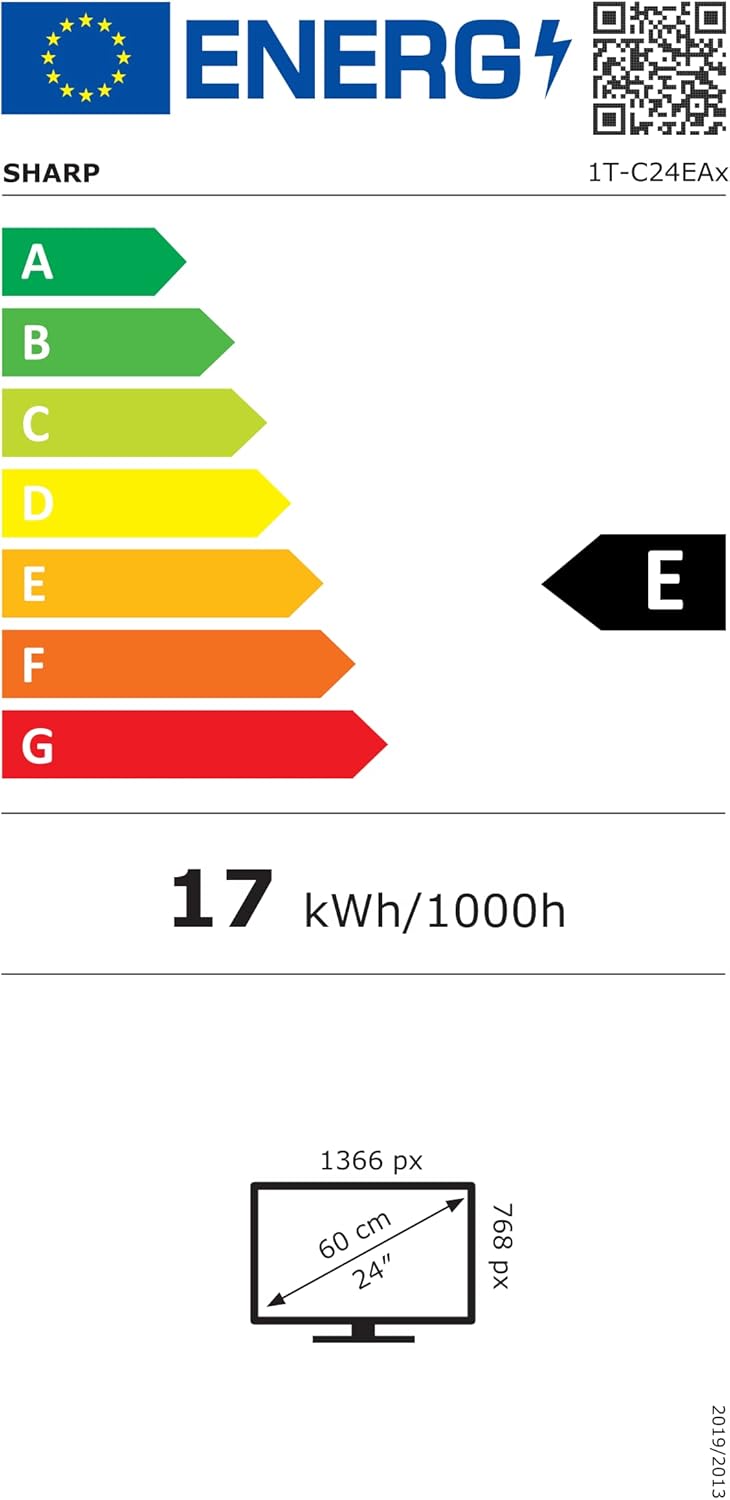
Image: EU Energy Label for the SHARP 24EA4E LED TV, indicating Energy Class E and 17 kWh/1000h consumption.
Għal aktar informazzjoni dettaljata dwar il-prodott, irreferi għad-database uffiċjali tal-EPREL tal-UE: https://eprel.ec.europa.eu/qr/1242293
Garanzija u Appoġġ
Your SHARP 24EA4E LED TV comes with a manufacturer's warranty. The minimum guaranteed product support is 2 years, and the minimum guaranteed availability of spare parts is 8 years from the date of market introduction.
For warranty claims, technical assistance, or further support, please contact your retailer or visit the official SHARP support websit. Żomm il-prova tax-xiri tiegħek għall-validazzjoni tal-garanzija.


