1. Introduzzjoni
The Phomemo D30 is a compact, portable, and wireless label maker designed for convenient label creation and printing from your smartphone. Utilizing direct thermal technology, it operates without ink, toner, or ribbons, offering a cost-effective and eco-friendly labeling solution. Its lightweight design allows for easy portability, enabling you to print labels anytime, anywhere.
Karatteristiċi ewlenin:
- Stampar Termali mingħajr Linka: No ink, toner, or ribbons required.
- Konnettività Bluetooth: Seamless connection to mobile devices.
- Disinn portabbli: Mini size for easy carrying and use on the go.
- Kontroll tal-App mobbli: Create and customize labels using a dedicated smartphone application.
- Riżultat ta' Kwalità Għolja: Provides clear, crisp, and dark imaging.
- Tikketti Ħielsa mill-BPA: Ensures safety and environmental consideration.
2. Kontenut tal-Pakkett
Jekk jogħġbok ivverifika li l-oġġetti kollha huma preżenti fil-pakkett tiegħek:
- 1x Phomemo D30 Label Maker Machine
- 3x Black on Gold Label Tape Rolls
- 1x Rectangle Label Tape Black on White
- 1x USB Iċċarġjar Cable
- 1x Manwal għall-Utent

Image: Phomemo D30 label tapes and their packaging, illustrating the included label rolls.
3. Prodott Aktarview
The Phomemo D30 label maker is designed for ease of use and portability. It features a simple, minimalist design with a single power button and a label output slot.

Image: The Phomemo D30 Label Maker Machine, showcasing id-disinn kompatt tiegħu.
4. Setup
4.1 Iċċarġjar tal-Apparat
Before initial use, fully charge the Phomemo D30 label maker. Connect the provided USB cable to the charging port on the device and a power source (e.g., USB wall adapter, computer USB port). The indicator light will show charging status.
4.2 Installazzjoni tar-Romblu tat-Tikketti
- Iftaħ l-għatu tal-kompartiment tat-tikketti fuq l-apparat.
- Insert the label roll with the printing surface facing upwards, ensuring it is properly aligned.
- Iġbed porzjon żgħir mit-tejp tat-tikketti 'l barra mill-islott tal-ħruġ.
- Agħlaq l-għatu tal-kompartiment tat-tikketti sew.

Image: A hand demonstrating the self-adhesive nature of the Phomemo D30 labels by peeling one off its backing.
4.3 Installazzjoni tal-App u Konnessjoni Bluetooth
- Download the Phomemo app from your smartphone's app store (available for iOS and Android).
- Turn on the Phomemo D30 label maker by pressing and holding the power button. The indicator light will illuminate.
- Ippermetti Bluetooth fuq l-ismartphone tiegħek.
- Open the Phomemo app and follow the on-screen instructions to connect to your D30 device via Bluetooth.
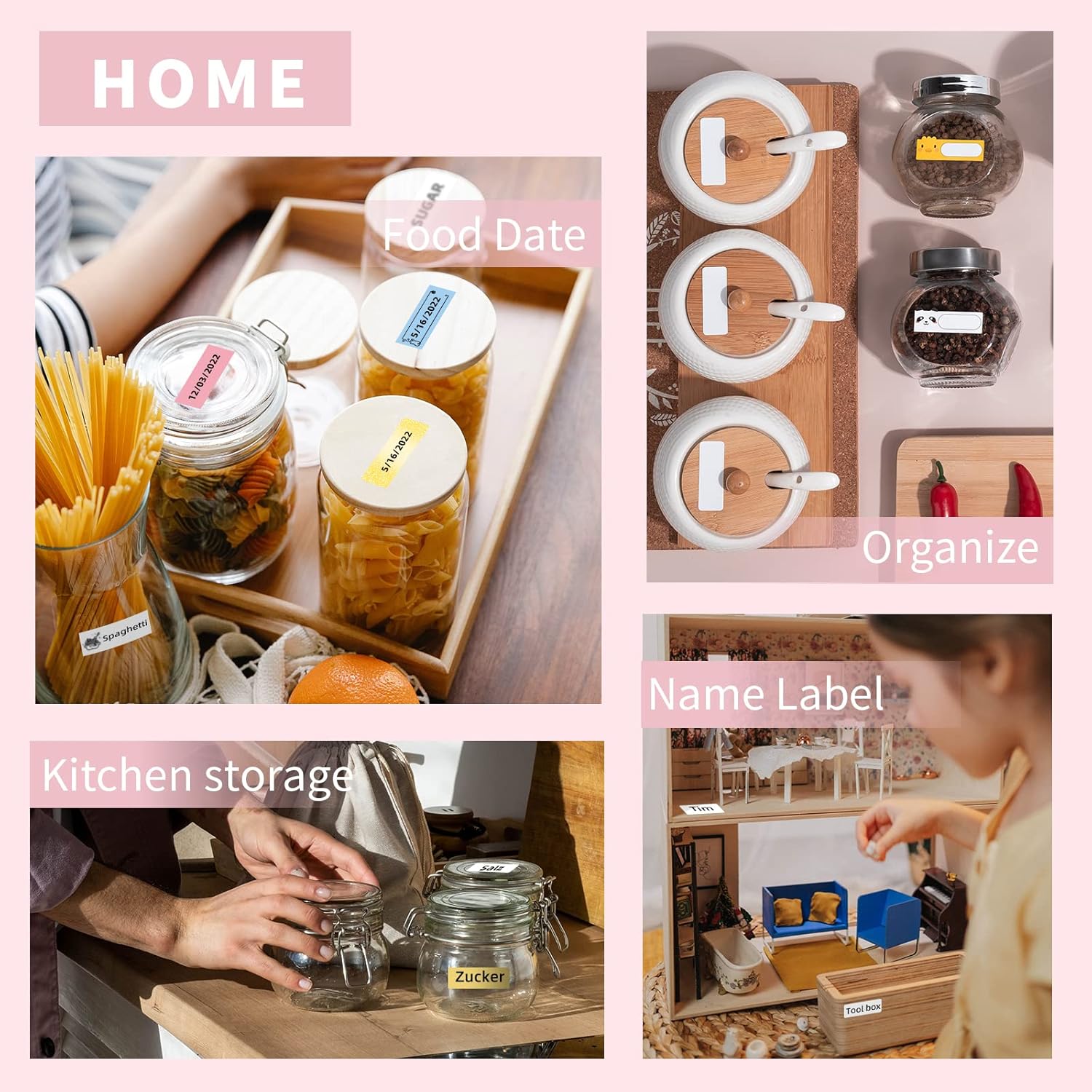
Image: A smartphone displaying the Phomemo app interface for label creation, with the D30 label maker visible in the background.
5. Operazzjoni
5.1 Il-Ħolqien ta' Tikketti
- Open the Phomemo app on your connected smartphone.
- Select a label template or start a new blank label.
- Use the app's editing tools to add text, icons, borders, and other elements.
- Aġġusta d-daqs, l-istil u l-allinjament tat-tipa kif meħtieġ.
5.2 Stampar ta' Tikketti
- After designing your label in the app, tap the 'Print' button.
- Confirm the print settings, such as the number of copies.
- The label maker will print the label. Gently tear off the printed label from the output slot.

Image: The Phomemo D30 label maker actively printing custom labels, demonstrating its high-quality output.
5.3 Customization Options
The Phomemo app offers various customization features to personalize your labels:
- Editjar tat-Test: Multiple fonts, sizes, and styles.
- Icons & Borders: A library of pre-designed icons and decorative borders.
- Mudelli: Pre-made templates for common uses (e.g., kitchen, office, school).
- Kodiċi tal-bar/Kodiċi QR: Ability to generate and print barcodes or QR codes.
Video: A demonstration of creating and printing labels with the Phomemo D30 Label Maker, showcasing various customization options within the app.
6. Manutenzjoni
6.1 Tindif
- Kun żgur li l-apparat ikun mitfi qabel ma tnaddaf.
- Uża drapp artab u niexef biex timsaħ il-barra tal-magna tat-tikketti.
- Għar-ras tal-istampar, uża swab tal-qoton imxarrab ħafifampened with alcohol to gently clean any residue. Allow it to dry completely before use.
6.2 Ħażna
- Aħżen il-magna tat-tikketti f'post frisk u niexef 'il bogħod mix-xemx diretta u minn temperaturi estremi.
- Remove any label rolls if the device will not be used for an extended period.
- Keep thermal labels away from heat sources and direct light to preserve their quality.
7 Issolvi l-problemi
| Problema | Kawża Possibbli | Soluzzjoni |
|---|---|---|
| L-apparat mhux se jixgħel | Batterija baxxa; Ħsara fl-apparat | Iċċarġja l-apparat; Ikkuntattja l-appoġġ għall-klijenti |
| Ma tistax tikkonnettja permezz tal-Bluetooth | Bluetooth off; App issue; Device too far | Ensure Bluetooth is on; Restart app/device; Move closer |
| Kwalità fqira tal-istampar | Ras tal-istampar maħmuġa; Orjentazzjoni mhux korretta tat-tikketta; Batterija baxxa | Clean print head; Reinstall label roll correctly; Charge device |
| Tikketti mhux qed jitimgħu | Label roll empty; Improper installation; Jammed | Replace label roll; Reinstall correctly; Clear any obstruction |
8. Speċifikazzjonijiet
| Karatteristika | Deskrizzjoni |
|---|---|
| Isem tal-Mudell | D30 |
| Brand | Phomemo |
| Teknoloġija tal-Istampar | Termali Diretta (Mingħajr Linka) |
| Konnettività | Bluetooth |
| Metodu ta' Kontroll | App mobbli |
| Output Printer | Monokromu |
| Apparati Kompatibbli | Smartphones (iOS, Android) |
| Midja Stampata | Tikketti Termali |
| Karatteristiċi Speċjali | Portable, Wireless, BPA-Free Labels |

Image: Illustration detailing the dimensions (1/2'' x 1 1/2'') and features of Phomemo D30 thermal label tape, including BPA-free, water-resistant, strong adhesion, and abrasion-resistant properties.
9. Applikazzjonijiet
The Phomemo D30 label maker is versatile and can be used for various organizational and creative tasks in different environments:
- Organizzazzjoni tad-Dar: Labeling food containers, spice jars, storage bins, and personal items.
- Użu tal-Uffiċċju: Jorganizza files, fowlders, kejbils, u provvisti tal-uffiċċju.
- School & Study: Labeling notebooks, textbooks, and school projects.
- Retail & Small Business: Il-ħolqien tal-prezz tags, tikketti tal-prodotti, u ġestjoni tal-inventarju.
- Snajja' u Passatempi: Personalizing gifts, scrapbooking, and other creative projects.

Immaġni: Wirja ta' kollaġġasing various applications of the Phomemo D30 label maker in home, kitchen, office, and school settings, including labeling food dates, organizing kitchen storage, name labels, office files, cable identification, and school supplies.

Image: A small label created with the Phomemo D30, reading 'RESERVED', attached to a pinecone as a decorative item on a table setting.

Image: Various gift boxes adorned with custom labels created using the Phomemo D30, demonstrating its use for personalizing gifts.
10. Garanzija u Appoġġ
Phomemo products come with a standard manufacturer's warranty. For detailed warranty information, technical support, or service inquiries, please refer to the official Phomemo webis-sit jew ikkuntattja lis-servizz tal-konsumatur tagħhom direttament. Tista' wkoll iżżur il- Ħanut Phomemo fuq Amazon għal aktar informazzjoni dwar il-prodott u riżorsi ta' appoġġ.


