1. Introduzzjoni
Thank you for choosing the Roseland Boombox 20W TWS Bluetooth Speaker. This manual provides essential information for the safe and efficient operation of your device. Please read it thoroughly before use and retain it for future reference.
The Roseland Boombox 20W TWS Bluetooth Speaker delivers rich, powerful sound. Connect wirelessly via Bluetooth, or use AUX and USB inputs for versatile playback. Enjoy up to 5.5 hours of playtime on a single charge. The integrated color-changing light enhances your listening experience. This lightweight speaker features a convenient handle for portability and supports True Wireless Stereo (TWS) pairing for an expanded soundstage.
2. Kontenut tal-Pakkett
Kun żgur li l-oġġetti kollha huma preżenti fil-pakkett:
- Roseland Boombox 20W TWS Bluetooth Speaker
- Cable tal-Iċċarġjar tal-USB-C
- Kejbil Awżiljarju (AUX).
- Manwal ta 'Istruzzjoni (dan id-dokument)
3. Karatteristiċi tal-prodott
- Output Awdjo: 20W for powerful sound.
- Stereo bla fili veru (TWS): Connect two speakers wirelessly for stereo sound.
- Konnettività: Bluetooth, AUX Input, USB Port.
- Ħajja tal-batterija: Sa 5.5 siegħa ta 'logħob.
- Ħin tal-Iċċarġjar: Madwar sagħtejn.
- Dawl: Integrated color-changing light.
- Metodu ta' Kontroll: Touch kontrolli.
- Portabbiltà: Lightweight design with a convenient handle.
- Durabilità: Kostruzzjoni li ma jgħaddix ilma minnha.
4. Kontrolli u Indikaturi
The control panel is located on the rear of the speaker. Specific button functions are detailed below. (Refer to the image for visual reference).
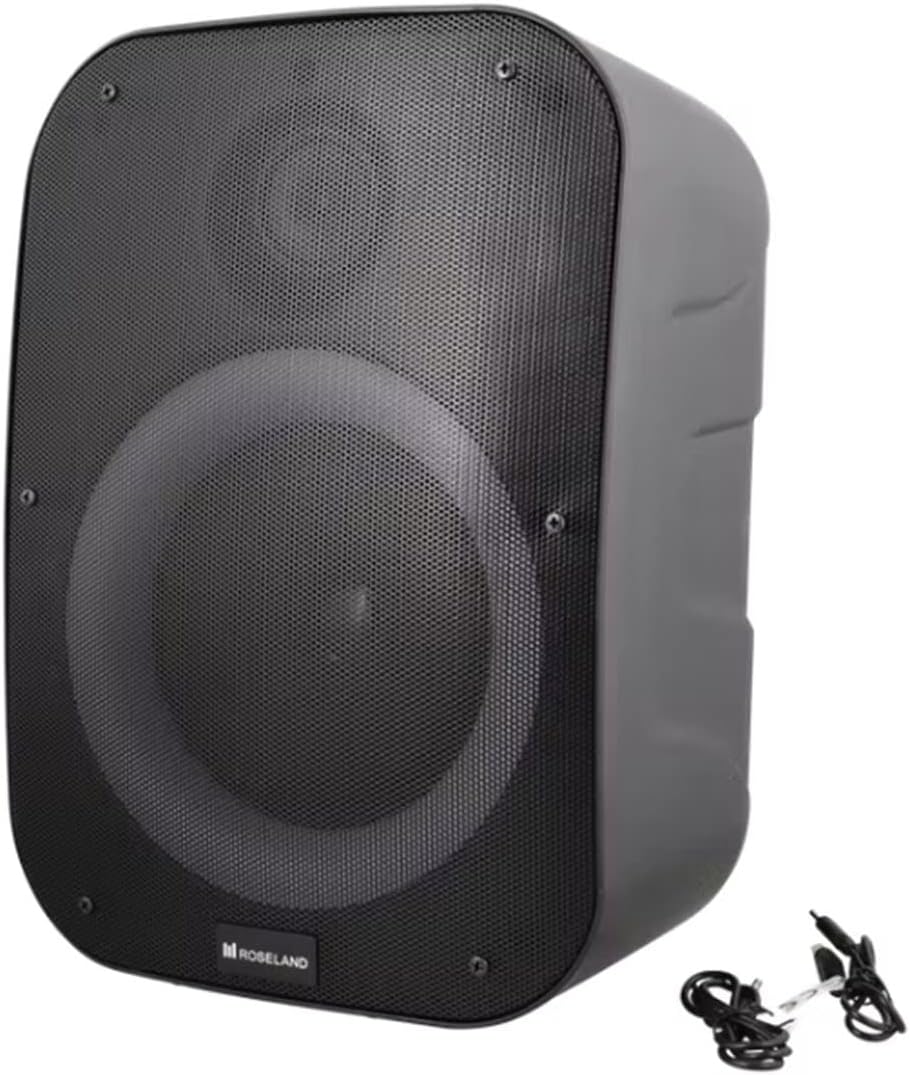
Immaġni: Wara view of the Roseland Boombox, highlighting the control panel and integrated handle for portability.
- Buttuna tal-Qawwa: Agħfas u żomm biex tixgħel jew titfi l-ispiker.
- Buttuna tal-Modalità (M): Press to switch between Bluetooth, AUX, and USB playback modes.
- Play/Pause Button (▶❚❚): Agħfas biex tilgħab jew twaqqaf l-awdjo.
- Buttuna Volum 'l isfel / Trakka Preċedenti (-): Agħfas biex tnaqqas il-volum. Agħfas u żomm biex tmur għat-trakka ta' qabel.
- Buttuna Volum 'il Fuq / Trakka li Jmiss (+): Agħfas biex iżżid il-volum. Agħfas u żomm biex tmur għat-trakka li jmiss.
- Buttuna tal-Modalità Dawl: Press to cycle through different color-changing light modes or turn the lights off.
- TWS Pairing Button: Agħfas biex tibda l-akkoppjar True Wireless Stereo (ara t-Taqsima 5.4).
- Port tal-Iċċarġjar (USB-C): Qabbad il-kejbil USB-C għall-iċċarġjar.
- Port tal-Input AUX: Connect an external audio device using the auxiliary cable.
- Port USB: Daħħal flash drive tal-USB biex iddoqq l-awdjo.
5. Setup
5.1 Iċċarġjar tal-Ispeaker
- Connect the supplied USB-C charging cable to the speaker's USB-C charging port.
- Qabbad it-tarf l-ieħor tal-kejbil USB-C ma' adapter tal-enerġija USB kompatibbli (mhux inkluż) jew mal-port USB tal-kompjuter.
- The charging indicator light will illuminate, typically red, during charging. It will turn off or change color (e.g., blue) when fully charged.
- Ċarġ sħiħ jieħu madwar 2.5 sigħat.
5.2 Tixgħel/Jitfi
- Biex Tixgħel: Press and hold the Power Button for a few seconds until you hear an audible prompt or see an indicator light.
- Biex Tifi: Press and hold the Power Button again for a few seconds until the speaker powers down.
5.3 Tqabbil tal-Bluetooth
- Ensure the speaker is powered on and in Bluetooth mode. If not, press the Mode Button (M) until you hear a "Bluetooth mode" prompt or see a flashing blue indicator light.
- Ippermetti l-Bluetooth fuq l-ismartphone, it-tablet, jew apparat ieħor li jaħdem bil-Bluetooth tiegħek.
- Fittex għal "Roseland Boombox" in the list of available Bluetooth devices.
- Select "Roseland Boombox" to connect. Once connected, you will hear a confirmation sound, and the indicator light will become solid blue.
- L-ispiker jipprova awtomatikament jerġa' jikkonnettja mal-aħħar apparat imqabbad meta jinxtegħel.
5.4 Tqabbil ta' Stereo Veru Wireless (TWS)
TWS allows you to connect two Roseland Boombox speakers wirelessly for a stereo sound experience.
- Ensure both Roseland Boombox speakers are powered on and in Bluetooth mode, but not yet connected to any device.
- On one of the speakers (this will be the primary speaker), press the TWS Pairing Button. You will hear a prompt indicating it's searching for another speaker.
- Iż-żewġ kelliema jikkonnettjaw ma' xulxin awtomatikament. Se tisma' ħoss ta' konferma ladarba t-tqabbil tat-TWS ikun b'suċċess.
- Now, connect your Bluetooth device to the primary speaker (the one you pressed the TWS button on) as described in Section 5.3. The audio will now play in stereo through both speakers.
5.5 Konnessjoni AUX
- Connect one end of the supplied AUX cable to the AUX Input Port on the speaker.
- Connect the other end of the AUX cable to the headphone jack or audio output of your external audio device.
- Press the Mode Button (M) on the speaker until you hear an "AUX mode" prompt.
- Control playback and volume directly from your connected audio device.
5.6 Daqq tal-USB
- Daħħal flash drive USB li fih awdjo MP3 files into the USB Port on the speaker.
- Press the Mode Button (M) on the speaker until you hear a "USB mode" prompt.
- L-ispiker jibda jdoqq l-awdjo awtomatikament files mill-USB drive.
- Use the Play/Pause, Volume Up/Down, and Next/Previous Track buttons on the speaker to control playback.
6. Istruzzjonijiet Operattivi
6.1 Daqq tal-Mużika
- Play/Pawsa: Agħfas il-buttuna Play/Pause.
- Track li jmiss: Agħfas u żomm il-buttuna 'l fuq tal-Volum (+).
- Track preċedenti: Agħfas u żomm il-buttuna Volum 'l isfel (-).
- Aġġustament tal-Volum: Agħfas il-buttuni Volume Up (+) jew Volume Down (-) biex taġġusta l-volum.
6.2 Modi ta 'Dawl
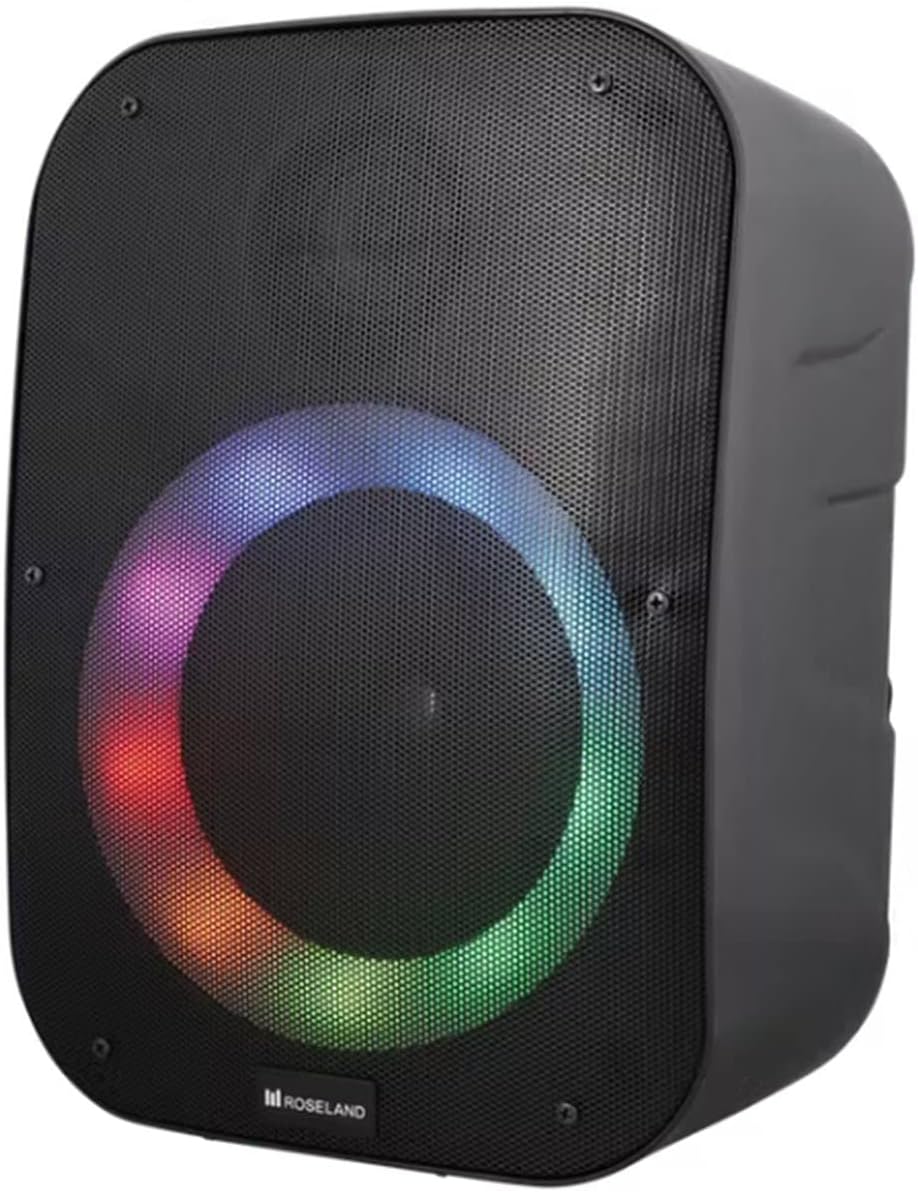
Immaġni: Quddiem view of the Roseland Boombox showcasing its dynamic color-changing light feature.
Press the Light Mode Button on the control panel to cycle through various color-changing light patterns. Continue pressing to find your preferred mode or to turn the lights off.
7. Manutenzjoni
- Tindif: Uża drapp artab u niexef biex tnaddaf il-wiċċ tal-ispiker. Tużax prodotti tat-tindif jew solventi li joborxu.
- Ħażna: Aħżen l-ispiker f'post frisk u niexef 'il bogħod mix-xemx diretta u minn temperaturi estremi meta ma jkunx qed jintuża għal perjodi twal.
- Kura tal-batterija: To prolong battery life, fully charge the speaker before first use and recharge it at least once every three months if not used regularly.
8 Issolvi l-problemi
| Problema | Kawża Possibbli | Soluzzjoni |
|---|---|---|
| L-ispiker ma jixgħelx. | Batterija baxxa. | Charge the speaker using the supplied USB-C cable. |
| L-ebda ħoss. | Volum baxx wisq; mod mhux korrett; apparat mhux imqabbad. | Increase volume; ensure correct mode (Bluetooth/AUX/USB); re-pair Bluetooth device or check AUX/USB connection. |
| Tqabbil Bluetooth ifalli. | L-ispiker mhux fil-modalità ta' tqabbil; l-apparat wisq 'il bogħod; interferenza. | Ensure speaker is in Bluetooth pairing mode; move device closer; turn off other Bluetooth devices. |
| It-tqabbil tat-TWS ifalli. | Speakers too far apart; one speaker already paired to a device. | Ensure both speakers are in TWS pairing mode and close to each other; disconnect any Bluetooth devices from both speakers before TWS pairing. |
9. Speċifikazzjonijiet
| Karatteristika | Dettall |
|---|---|
| Isem tal-Mudell | Roseland Boombox 20W TWS Bluetooth Speaker |
| Brand | Roseland |
| Qawwa tal-Ħruġ tal-Ispeaker | 20 Watts |
| Teknoloġija tal-Konnettività | Bluetooth, Auxiliary (AUX), USB |
| Komunikazzjoni bla fili | Bluetooth |
| Modalità tal-Ħruġ tal-Awdjo | Stereo |
| Surround Sound Channel Konfigurazzjoni | 2.0 |
| Metodu ta' Kontroll | Mess |
| Sors tal-Enerġija | Wireless (Rechargeable Battery) |
| Ħajja tal-batterija | Sa 5.5 sigħat |
| Ħin tal-Iċċarġjar | Madwar sagħtejn |
| Karatteristiċi Speċjali | Bluetooth, USB Port, Color-changing Light, Waterproof |
| Użu Rakkomandat | Għal smartphone jew tablet |
| Apparati Kompatibbli | Personal Computer, Television, Tablet, Smartphone, Laptop |
| Tip ta 'Immuntar | Mount Mount |
| ASIN | B0B58VP4RH |
10. Informazzjoni dwar Garanzija
This Roseland Boombox 20W TWS Bluetooth Speaker comes with a Garanzija limitata ta' sentejn mill-manifattur mid-data tax-xiri. Din il-garanzija tkopri difetti fil-materjali u l-abbilità taħt użu normali. Ma tkoprix ħsara kkawżata minn użu ħażin, aċċident, modifika mhux awtorizzata, jew kawżi esterni.
For warranty claims or support, please contact your retailer or the manufacturer's customer service with your proof of purchase.
11. Informazzjoni dwar is-Sigurtà
- Tesponix l-ispiker għal temperaturi estremi, dawl tax-xemx dirett, jew fjammi mikxufa.
- Tiżżarmax, issewwiex, jew timmodifikax l-ispiker int stess. Dan jista' jannulla l-garanzija u joħloq riskji għas-sigurtà.
- Żomm il-kelliem 'il bogħod mit-tfal u l-annimali domestiċi.
- Use only the supplied charging cable. Using incompatible chargers may damage the device or cause fire.
- Evita li tisma' f'volumi għoljin għal perjodi estiżi biex tevita ħsara fis-smigħ.
- Although waterproof, avoid submerging the speaker in water for prolonged periods or exposing it to high-pressure water jets.


