1. Introduzzjoni
Thank you for choosing the GEEKOM Wireless Keyboard and Mouse Combo. This essential work duo provides a reliable and comfortable wireless experience for your PC. Featuring a compact design and quiet click functionality, this combo is designed to enhance your productivity and comfort.
This manual provides detailed instructions on setting up, operating, and maintaining your new wireless keyboard and mouse combo. Please read it carefully before use and retain it for future reference.
2. Kontenut tal-Pakkett
Jekk jogħġbok iċċekkja l-kontenut tal-pakkett biex tiżgura li l-oġġetti kollha huma preżenti:
- 1 x GEEKOM Wireless Keyboard
- 1 x GEEKOM Wireless Mouse
- 1 x 2.4GHz USB Receiver (stored inside the mouse battery compartment)
- 1 x Manwal għall-Utent
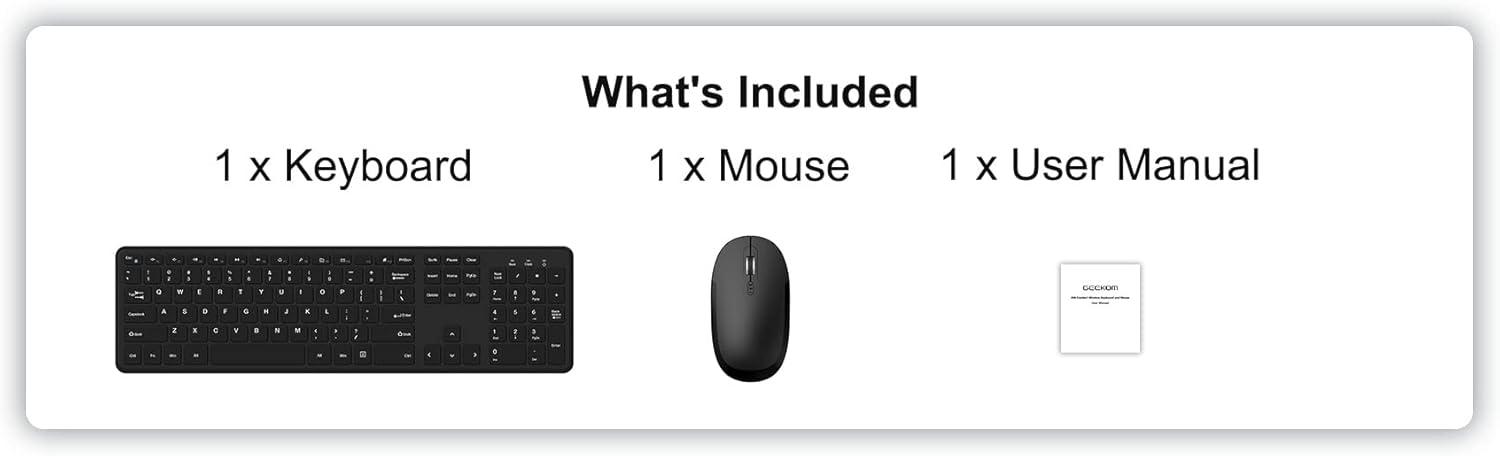
Image: The package contents, showing one keyboard, one mouse, and one user manual.
3. Setup u Installazzjoni
3.1 Installazzjoni tal-batterija
It-tastiera u l-maws jeħtieġu batteriji (mhux inklużi) biex jaħdmu.
- Għat-Tastiera: Locate the battery compartment on the underside of the keyboard. Insert 2 x AAA batteries, ensuring correct polarity (+/-). Close the battery compartment cover.
- Għall-Ġurdien: Locate the battery compartment on the underside of the mouse. Insert 2 x AAA batteries, ensuring correct polarity (+/-). The 2.4GHz USB receiver is typically stored in this compartment for safekeeping during transport. Remove the receiver before inserting batteries. Close the battery compartment cover.
3.2 Connecting the Combo
The GEEKOM Wireless Keyboard and Mouse Combo uses a single 2.4GHz USB receiver for both devices, offering a simple plug-and-play connection.
- Remove the 2.4GHz USB receiver from the mouse battery compartment.
- Ipplaggja r-riċevitur USB f'port USB disponibbli fuq il-kompjuter tiegħek.
- Turn on the power switch located on the underside of the mouse.
- Your computer should automatically detect and install the necessary drivers. The keyboard and mouse will be ready for use within a few seconds.

Image: A laptop with the small USB receiver plugged into its side, illustrating the plug-and-play wireless connection for the keyboard and mouse.
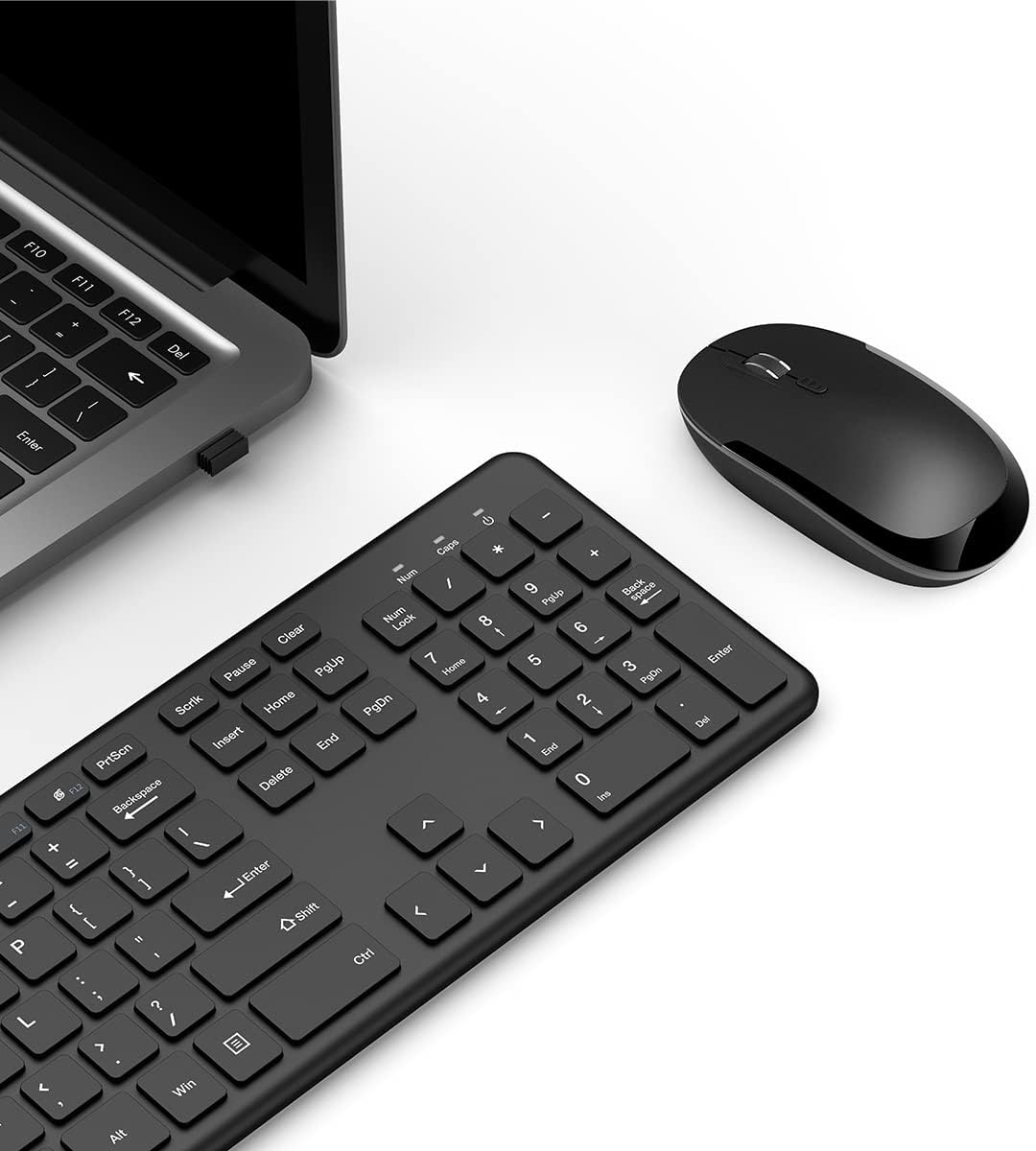
Immaġni: Ritratt minn fuq view of the GEEKOM wireless keyboard and mouse, with the USB receiver visible in a laptop's USB port, demonstrating the complete setup.
4. Istruzzjonijiet Operattivi
4.1 Karatteristiċi tat-Tastiera
The GEEKOM wireless keyboard is a full-size keyboard designed for comfort and efficiency.
- Whisper-Quiet Keys: Designed to minimize typing noise for a more peaceful work environment.
- F-Keys and Number Pad: Includes a full set of function keys and a dedicated number pad for comprehensive input.
- Ergonomic Keycaps: Shaped for comfortable typing during extended use.
- Hotkeys Multimedjali: Provides instant access to functions such as media player control, homepage, and volume adjustment for convenience.

Immaġni: Close-up, angolat view of the GEEKOM wireless keyboard, showcasing its full layout and ergonomic keycap design.

Immaġni: Tnejn views of the GEEKOM wireless keyboard, showing the full key layout from the top and the battery compartment and feet from the bottom.
4.2 Karatteristiċi tal-Maws
The GEEKOM wireless optical mouse is designed for comfortable and precise navigation.
- Slim Size and Ergonomic Design: Provides all-day comfort for your hand.
- DPI aġġustabbli: Features three levels of adjustable DPI (800/1200/1600) for smooth cursor control and accurate tracking on most surfaces. To change DPI, press the DPI button located behind the scroll wheel.

Immaġni: Close-up, angolat view of the GEEKOM wireless optical mouse, emphasizing its ergonomic shape and the DPI adjustment button.

Immaġni: Tlieta distinti views of the GEEKOM wireless mouse: top-down, bottom-up showing the power switch and battery compartment, and a side profile illustrating its slim design.
5. Speċifikazzjonijiet
5.1 Keyboard Specifications
| Karatteristika | Deskrizzjoni |
|---|---|
| Konnettività bla fili | 2.4 GHz wireless USB receiver |
| Firxa Wireless | 8-il metru |
| Ħajja tas-Servizz | 3 miljun keystrokes |
| Batterija | 2 x batterija AAA (mhux inkluża) |
| Dawl Indikatur | Iva |
| Ħin ta' Ħidma Kontinwu | 85 sigħat |
| Modalità Sleep | 5 seconds after stop using |
| Wake-up Way | Click any key for about 3 seconds |
| Daqs | 428.10 x 125.07 x 16.26 mm |
| Sistema Operattiva | Windows 7 jew aktar tard |

Image: A table detailing the specifications of the GEEKOM wireless keyboard.
5.2 Mouse Specifications
| Karatteristika | Deskrizzjoni |
|---|---|
| Konnettività bla fili | 2.4 GHz wireless USB receiver |
| Firxa Wireless | 8-il metru |
| Batterija | 2 x batterija AAA (mhux inkluża) |
| DPI Frequency | 800/1200/1600 |
| Ħin ta' Ħidma Kontinwu | 85 sigħat |
| Modalità Sleep | 10 minutes after stop using |
| Wake-up Way | Click any key for about 3 seconds |
| Daqs | 107.5 x 60 x 27.5 mm |

Image: A table detailing the specifications of the GEEKOM wireless mouse.
6. Manutenzjoni
To ensure the longevity and optimal performance of your GEEKOM Wireless Keyboard and Mouse Combo, follow these maintenance guidelines:
- Tindif: Uża drapp artab u niexef biex tnaddaf l-uċuħ tat-tastiera u l-maws. Għal ħmieġ iebes, nixxef ftit.ampLaħlaħ id-drapp bl-ilma jew b'soluzzjoni ħafifa tat-tindif. Evita li tuża kimiċi ħarxa jew materjali li joborxu.
- Sostituzzjoni tal-batterija: When the devices become unresponsive or the indicator light (if present) signals low battery, replace the batteries with new ones (2 x AAA for each device). Ensure correct polarity.
- Ħażna: When not in use for extended periods, turn off the mouse to conserve battery life. Store the USB receiver in the mouse's battery compartment to prevent loss.
- Evita Likwidi: Keep the devices away from liquids to prevent damage to internal components.
- Temperatura u Umdità: Avoid exposing the devices to extreme temperatures or high humidity.
7 Issolvi l-problemi
If you encounter issues with your GEEKOM Wireless Keyboard and Mouse Combo, please refer to the following common troubleshooting steps:
- L-ebda Rispons mit-Tastiera/Maws:
- Kun żgur li l-maws huwa mixgħul.
- Check if the batteries in both the keyboard and mouse are correctly installed and have sufficient charge. Replace them if necessary.
- Verify that the USB receiver is securely plugged into a working USB port on your computer. Try a different USB port.
- Mexxi t-tastiera u l-maws eqreb lejn ir-riċevitur USB biex tiżgura li jkunu fil-medda mingħajr fili ta' 8 metri.
- Ibda mill-ġdid il-kompjuter tiegħek.
- Konnessjoni Dewmien jew Intermittenti:
- Ensure there are no large metal objects or other electronic devices (like Wi-Fi routers, cordless phones) operating on the 2.4GHz frequency that might cause interference.
- Naqqas id-distanza bejn l-apparati u r-riċevitur USB.
- Try plugging the USB receiver into a different USB port, preferably one on the front of your computer if using a desktop.
- Il-Kurser tal-Maws Jaqbeż jew Mhux Preċiż:
- Naddaf is-senser ottiku fil-qiegħ tal-maws.
- Kun żgur li qed tuża l-maws fuq wiċċ adattat. Uċuħ li jirriflettu ħafna jew trasparenti jistgħu jaffettwaw it-traċċar. Huwa rakkomandat mouse pad.
- Aġġusta s-setting tad-DPI billi tuża l-buttuna DPI fuq il-maws.
- Multimedia Hotkeys Not Working:
- Kun żgur li s-sistema operattiva u s-softwer tal-media player tiegħek huma aġġornati.
- Some hotkeys may require specific software or drivers, though this combo is generally plug-and-play. Check the GEEKOM support website for any specific driver updates if issues persist.
8. Garanzija u Appoġġ
GEEKOM products are designed for reliability and performance. For warranty information, technical support, or further assistance, please visit the official GEEKOM webis-sit jew ikkuntattja lis-servizz tal-klijenti tagħhom direttament.
Jekk jogħġbok żomm il-prova tax-xiri tiegħek għal kwalunkwe talba ta' garanzija.
GEEKOM Official Websit: www.geekompc.com


