1. Introduzzjoni
This manual provides detailed instructions for the Vanja USB-C SD Card Reader, Model 430C. This device is designed for high-speed data transfer between various memory cards and USB-C enabled devices. Please read this manual thoroughly to ensure proper usage and optimal performance.
2. Prodott Aktarview
The Vanja USB-C SD Card Reader (Model 430C) is a compact and efficient tool for managing data from various memory card formats. It features a USB-C interface for broad compatibility and high-speed data transfer.
Karatteristiċi ewlenin:
- Interfaċċja tal-USB 3.2 Ġen 1: Supports data transfer speeds up to 5 Gbps, enabling quick transfer of large files.
- Universal Card Compatibility: Reads SD, MicroSD, SDXC, SDHC, MMC, and UHS-I cards up to 2TB capacity.
- Appoġġ Wiesgħa għall-Apparat: Compatible with iPhone 15/16 series, MacBook Pro, iPad, Mac desktops, Windows laptops, and USB-C Android devices.
- Konnessjoni bil-fili: Ensures stable and reliable data transfer without wireless interference or battery concerns.
- Plug & Play: No drivers or complex setup required for most operating systems (iOS, iPadOS, macOS, Windows, Android).
- Disinn kompatt u Durabbli: Features an aluminum shell for heat dissipation and a nylon cable for enhanced durability.
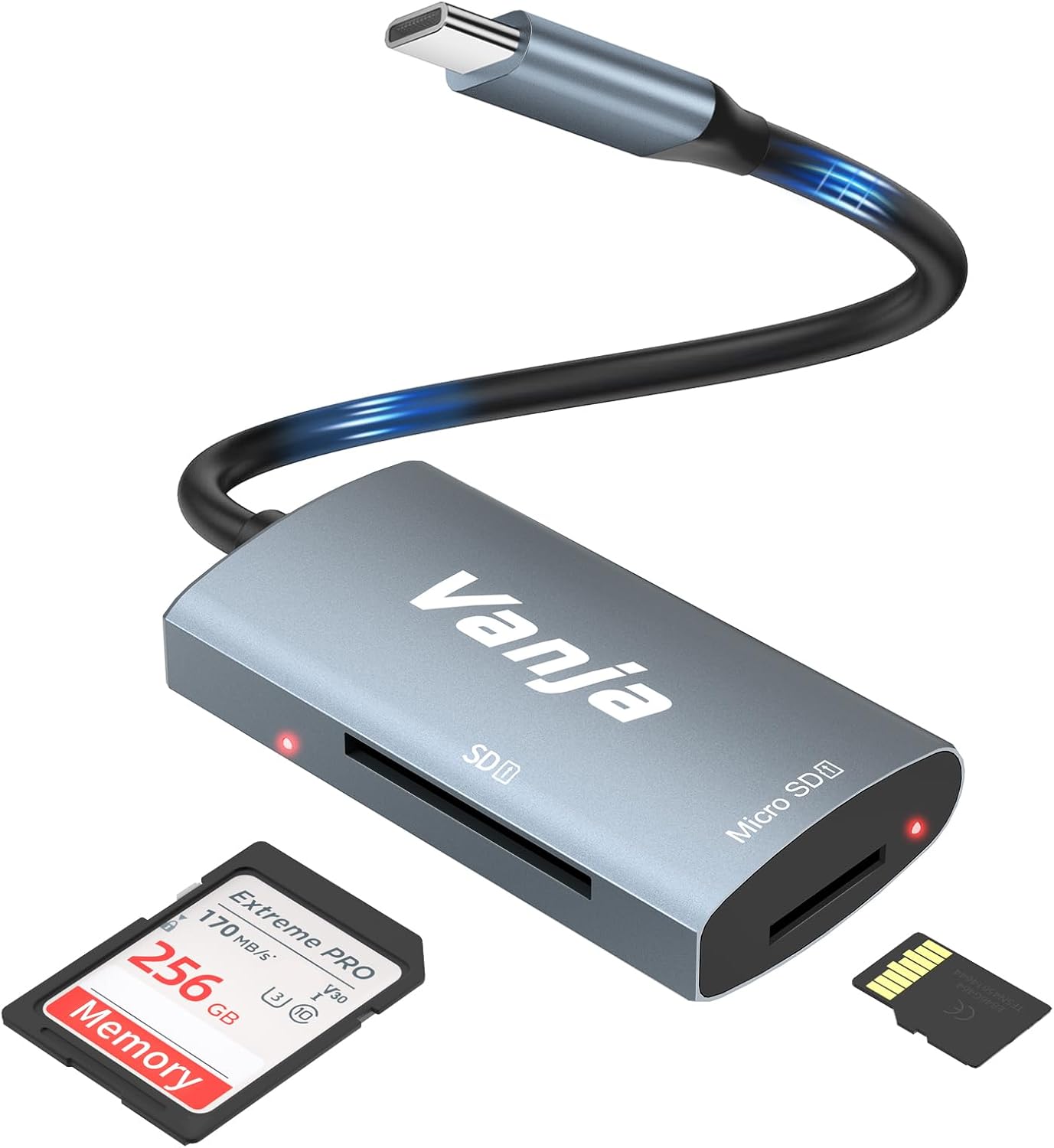
Figure 1: The Vanja USB-C SD Card Reader, showing its USB-C connector, SD card slot, and MicroSD card slot, alongside an SD card and a MicroSD card.
3. Istruzzjonijiet ta' Setup
The Vanja USB-C SD Card Reader is designed for simple plug-and-play operation. No software installation or drivers are typically required.
- Daħħal il-Kard tal-Memorja: Gently insert your SD card into the SD slot or your MicroSD card into the MicroSD slot on the card reader. Ensure the card is inserted correctly with the contacts facing down. A slight click indicates it is securely in place.
- Qabbad mal-Apparat: Plug the USB-C connector of the card reader into an available USB-C port on your compatible device (e.g., iPhone 15/16, MacBook, iPad, Windows laptop, Android phone).
- Aċċess Files: Your device should automatically detect the card reader and the inserted memory card. You can then access the files through your device's file manager or photo application.
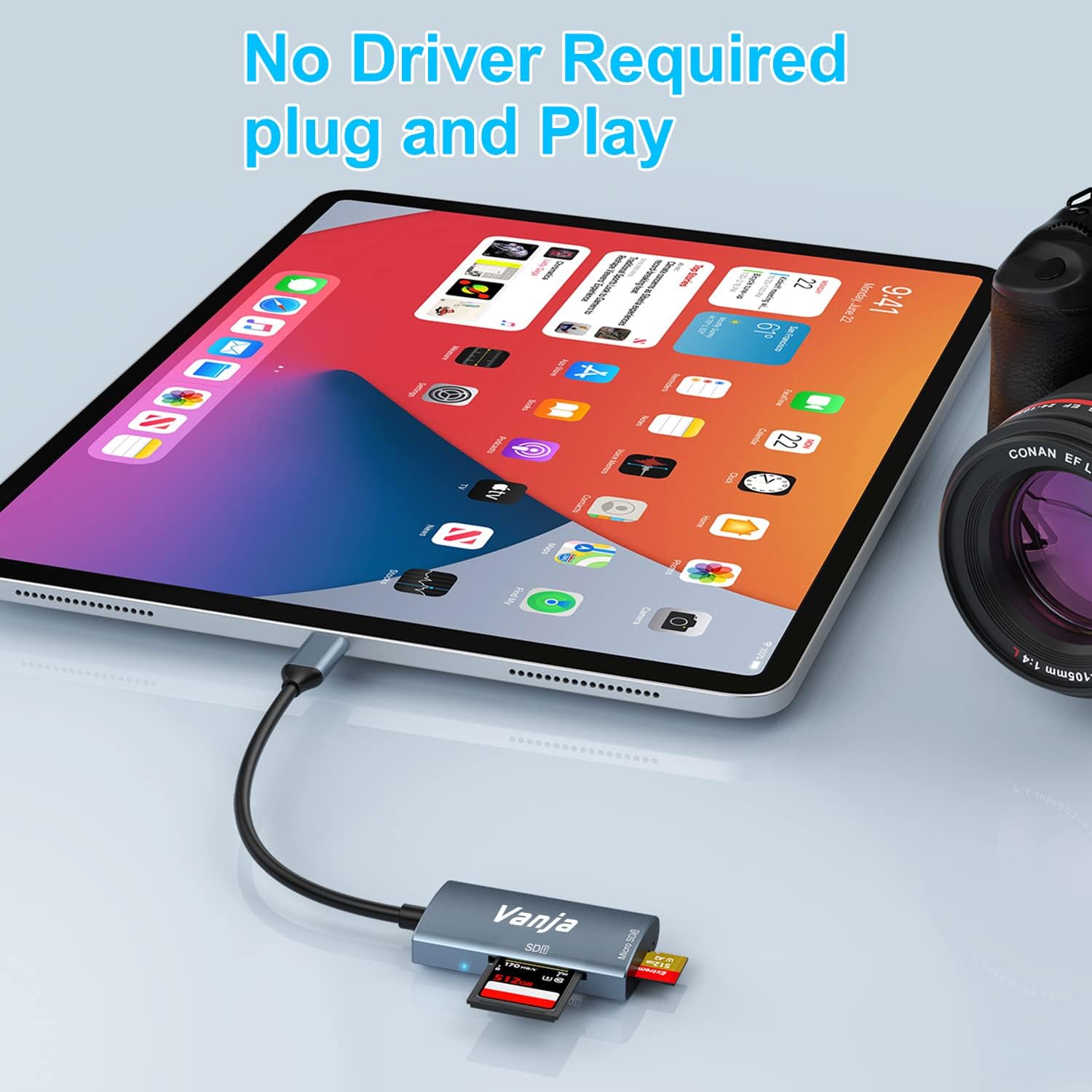
Figure 2: The card reader connected to an iPad Pro, demonstrating the plug-and-play functionality with a MicroSD card inserted.
4. Istruzzjonijiet Operattivi
Once connected, the card reader functions like any external storage device.
Trasferiment tad-Data:
- Locate Drive: On Windows, the card will appear as a removable drive under "This PC." On macOS, it will appear on the desktop or in Finder. On iOS/iPadOS, access it via the "Files" app. On Android, use your device's file maniġer.
- Ikkopja/Ċaqlaq Files: Iddreggja u qiegħed files between the memory card and your device's internal storage, or use the copy/paste functions provided by your operating system.
- Oħroġ b'mod Sikur: Always safely eject the memory card or card reader from your operating system before physically disconnecting it to prevent data corruption.

Figure 3: The card reader connected to a laptop, illustrating high-speed data transfer (5 Gbps) between a memory card and the computer.
5. Kompatibilità
Tipi ta' Karti tal-Memorja Appoġġjati:
- Karta SD
- MicroSD Card (TF Card)
- Sdhc
- SDXC
- MMC
- UHS-I Cards
- Supports capacities up to 2TB.
Compatible Devices and Operating Systems:
- Apparat tat-tuffieħ: iPhone 15/16 series (USB-C models), MacBook Pro, iPad (USB-C models), Mac desktops.
- Tagħmir tal-Windows: Laptops and desktops with USB-C ports.
- Apparat Android: Samsung Galaxy smartphones and other USB-C enabled Android phones/tablets.
- Sistemi Operattivi: iOS, iPadOS, macOS, Windows, Android, Linux, Chrome OS.

Figure 4: Visual representation of the universal compatibility of the card reader with different memory card formats and USB-C enabled devices.
6. Speċifikazzjonijiet
| Brand | Vanja |
| Numru tal-Mudell | 430C |
| Teknoloġija tal-Konnettività | USB Type C (USB 3.2 Gen 1) |
| Veloċità tat-Trasferiment tad-Data | Sa 5 Gbps |
| Tipi ta 'Midja appoġġjati | SD Card, SDHC, SDXC, microSD, microSDHC, MMC, UHS-I |
| Kapaċità Massima Appoġġjata | 2TB (depending on card type) |
| Kompatibilità tas-Sistema Operattiva | Android, iOS, Linux, Mac OS, Windows |
| Piż tal-oġġett | 1.13 uqija (madwar 32 gramma) |
| Dimensjonijiet tal-Pakkett | 5.35 x 3.35 x 0.55 pulzieri (madwar 13.6 x 8.5 x 1.4 ċm) |
| Kulur | Blue-Gray |
| Karatteristiċi Speċjali | Compact, Easy Setup, Plug & Play, Aluminum Housing, Nylon Cable |
7 Issolvi l-problemi
If you encounter issues with your Vanja USB-C SD Card Reader, try the following solutions:
- Apparat Mhux Rikonoxxut:
- Ensure the card reader is firmly plugged into the USB-C port of your device.
- Try a different USB-C port on your device, if available.
- Erġa' ibda l-kompjuter jew l-apparat tiegħek.
- Check if the memory card is properly inserted into the card reader.
- Test the card reader with a different memory card to rule out card issues.
- Kun żgur li s-sistema operattiva tat-tagħmir tiegħek hija aġġornata.
- Trasferiment tad-Data bil-mod:
- Verify that your device's USB-C port supports USB 3.0/3.1/3.2 speeds. Older USB 2.0 ports will result in slower transfers.
- Ensure your memory card is a high-speed card (e.g., UHS-I or faster).
- Evita li tittrasferixxi ħafna intrapriżi żgħar files simultanjament; il-kompressjoni tagħhom f'arkivju xi kultant tista' ttejjeb il-veloċità.
- Agħlaq applikazzjonijiet oħra li jistgħu jkunu qed jikkunsmaw riżorsi tas-sistema.
- Memory Card Not Reading:
- Check if the memory card is damaged or corrupted. Try it in another device if possible.
- Ensure the memory card is inserted in the correct orientation.
- Clean the contacts on the memory card with a soft, dry cloth.
8. Manutenzjoni
To ensure the longevity and optimal performance of your Vanja USB-C SD Card Reader, follow these maintenance guidelines:
- Żomm Nadif: Uża drapp artab u niexef biex tnaddaf il-barra tal-qarrej tal-kards. Evita li tuża prodotti tat-tindif likwidi jew solventi.
- Ipproteġi l-Portijiet: Keep the card slots and USB-C connector free from dust and debris. Use compressed air if necessary, but gently.
- Aħżen sew: Meta ma tkunx qed tuża l-card reader, aħżen il-card reader f'post frisk u niexef, 'il bogħod mix-xemx diretta u minn temperaturi estremi.
- Immaniġġja b'Kura: Avoid dropping the device or subjecting it to strong impacts. Do not force memory cards into the slots.
9. Garanzija u Appoġġ
For warranty information, technical support, or further assistance with your Vanja USB-C SD Card Reader, please refer to the official Vanja webis-sit jew ikkuntattja lis-servizz tal-klijenti tagħhom direttament.
You can visit the official Vanja store for more product information and support resources: Vanja Store on Amazon.


