1. Introduzzjoni
Thank you for choosing the FEANS Q8 Wireless Earbuds. These earbuds are designed to provide a high-quality audio experience with advanced features for daily use, gaming, and calls. This manual will guide you through the setup, operation, and maintenance of your new earbuds.
The FEANS Q8 earbuds incorporate a Qualcomm QCC3040 chip for stable Bluetooth 5.2 connectivity, CVC8.0 noise cancellation for clear calls, and aptX audio support for enhanced sound quality. They are compatible with a wide range of devices including iPhone, Android, and Windows systems.
2. X'hemm fil-Kaxxa
- FEANS Q8 Wireless Earbuds
- Kawża tal-Iċċarġjar
- Kejbil tal-Iċċarġjar USB (Tip Ċ)
- Multiple sizes of soft ear tips (Small, Medium, Large)
- Manwal għall-Utent
3. Prodott Aktarview & Karatteristiċi Ewlenin
The FEANS Q8 earbuds are engineered with several key technologies to optimize your listening experience:
- Qualcomm QCC3040 Chip & Bluetooth 5.2: Ensures seamless, high-speed transmission and low-latency audio. Supports HSP/HFP/A2DP/AVRCP protocols.
- Qualcomm CVC8.0 & 4 Microphones: Advanced call noise reduction technology filters environmental sound to enhance voice clarity during calls.
- AptX High Quality Sound: Features 6mm dynamic drivers for deep bass, clear mids, and bright highs, delivering balanced premium sound.
- Ħajja Estiża tal-Batterija: Up to 7 hours of playback on a single charge. The charging case provides approximately 4 additional charges.
- Hall Switch & IPX5 Water Resistance: Enables quicker pairing upon opening the case. IPX5 rating provides sweat-resistant and waterproof protection for daily use and light rain.
- TrueWireless Mirroring Technology: Ensures stable connection and automatic pairing with the last connected device.
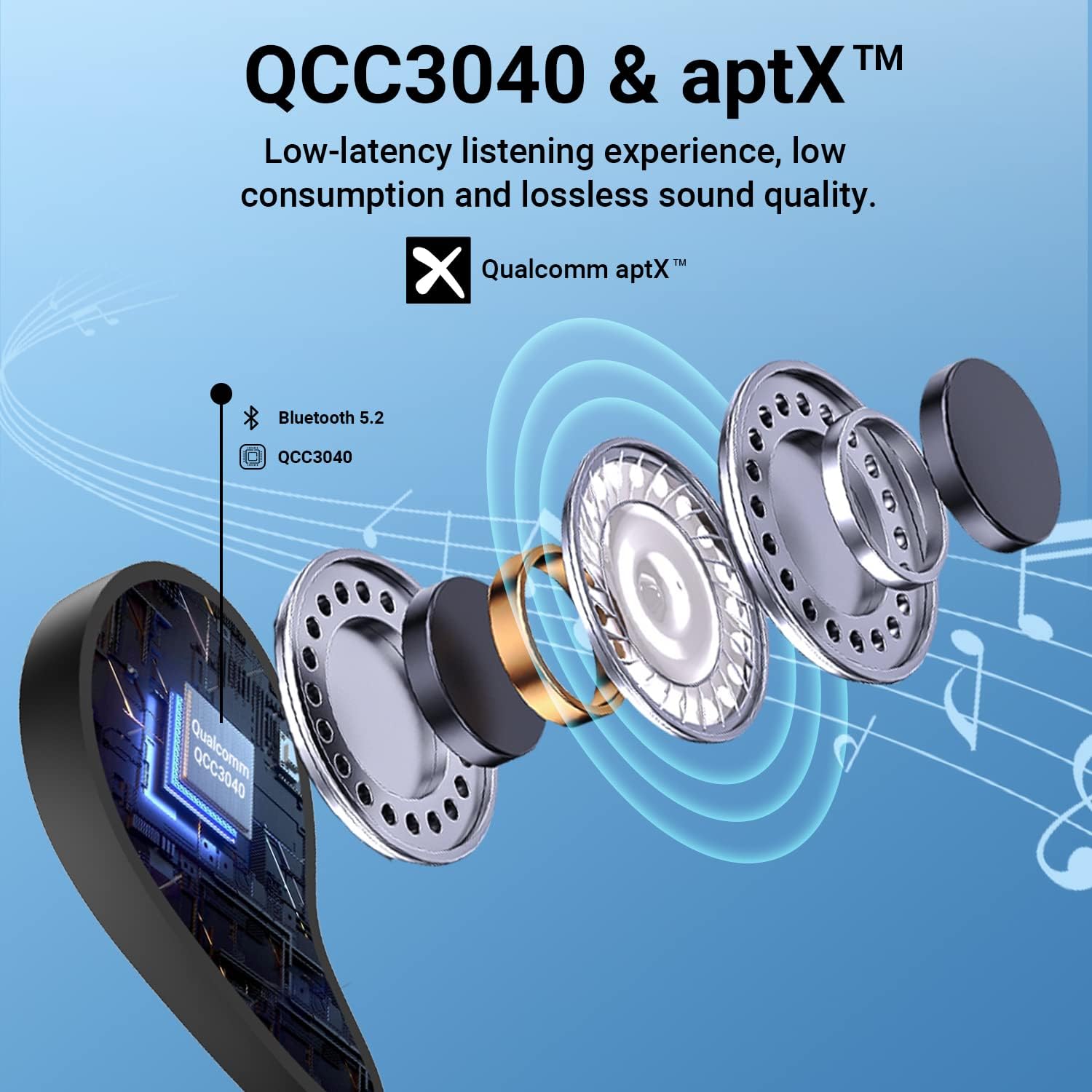
Figure 1: Internal structure highlighting the QCC3040 chip and Bluetooth 5.2.

Figure 2: CVC 8.0 technology for clear call quality.
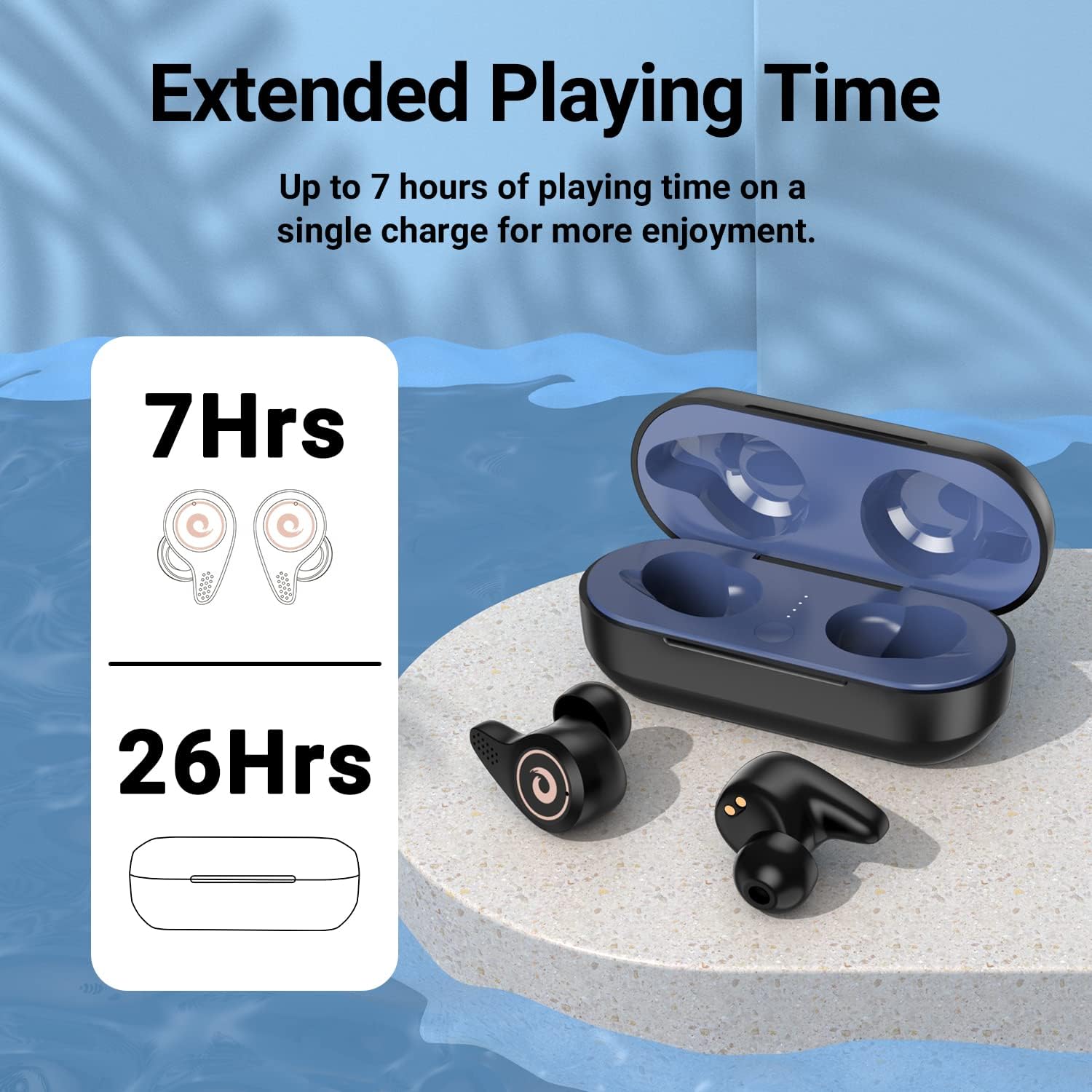
Figure 3: Battery life indication for earbuds and charging case.
4. Setup
- Iċċarġjar inizjali:
- Qabel l-ewwel użu, kun żgur li l-earbuds u l-kaxxa tal-iċċarġjar ikunu ċċarġjati kompletament.
- Open the charging case. Remove any protective plastic films from the charging contacts on the earbuds.
- Place the earbuds back into the charging case. Connect the USB Type-C cable to the charging port on the case and to a power source.
- The LED indicators on the charging case will show the charging status. A full charge is indicated by all four blue lights being solid.
- Għażla tal-ponta tal-widna:
- Select the ear tips that provide the most comfortable and secure fit for your ears. A good seal is crucial for optimal sound quality and noise isolation.
- Tqabbil mat-Tagħmir Tiegħek:
- Kun żgur li l-Bluetooth tat-tagħmir tiegħek huwa mixgħul.
- Iftaħ l-għatu tal-kaxxa tal-iċċarġjar. Il-earbuds jidħlu awtomatikament fil-modalità ta' tqabbil.
- On your device, search for Bluetooth devices and select "Q8" from the list.
- Ladarba tkun konness, tisma' konferma li tinstema', u l-earbuds ikunu lesti għall-użu.
- The Hall Switch feature allows for quick re-connection to the last paired device simply by opening the case.
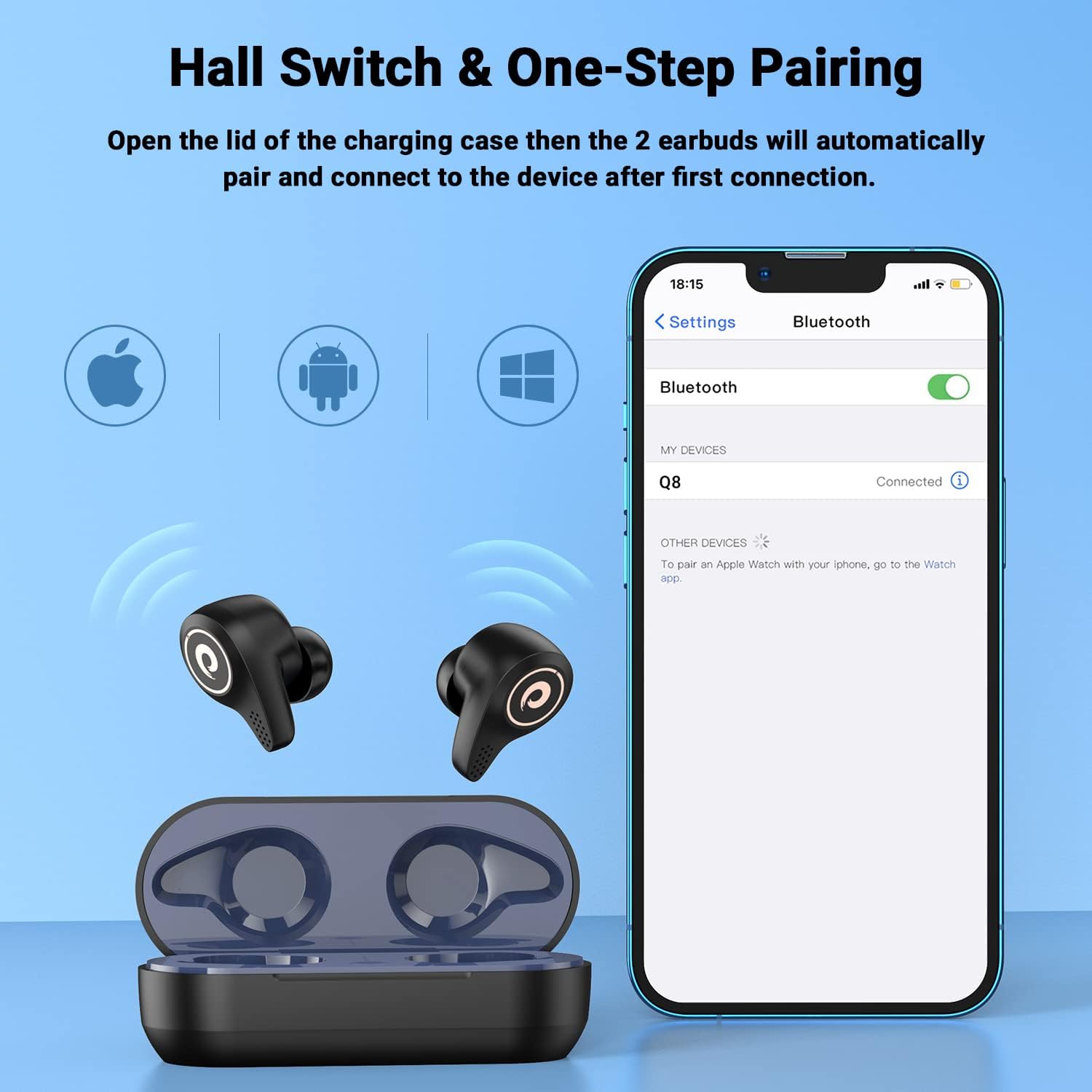
Figure 4: Hall Switch and one-step pairing process.
5. Istruzzjonijiet Operattivi
- Power On/Off:
- To power on, open the charging case. The earbuds will automatically turn on.
- To power off, place the earbuds back into the charging case and close the lid. They will automatically disconnect and begin charging.
- Kontrolli touch:
- The earbuds feature intuitive touch controls for media playback and call management. Refer to the quick start guide for specific tap functions (e.g., single tap for play/pause, double tap for next track, etc.).
- Mod tal-Logħob:
- For a lag-free gaming experience, triple tap the left earbud to enter gaming mode. This reduces latency for synchronized audio and visuals.
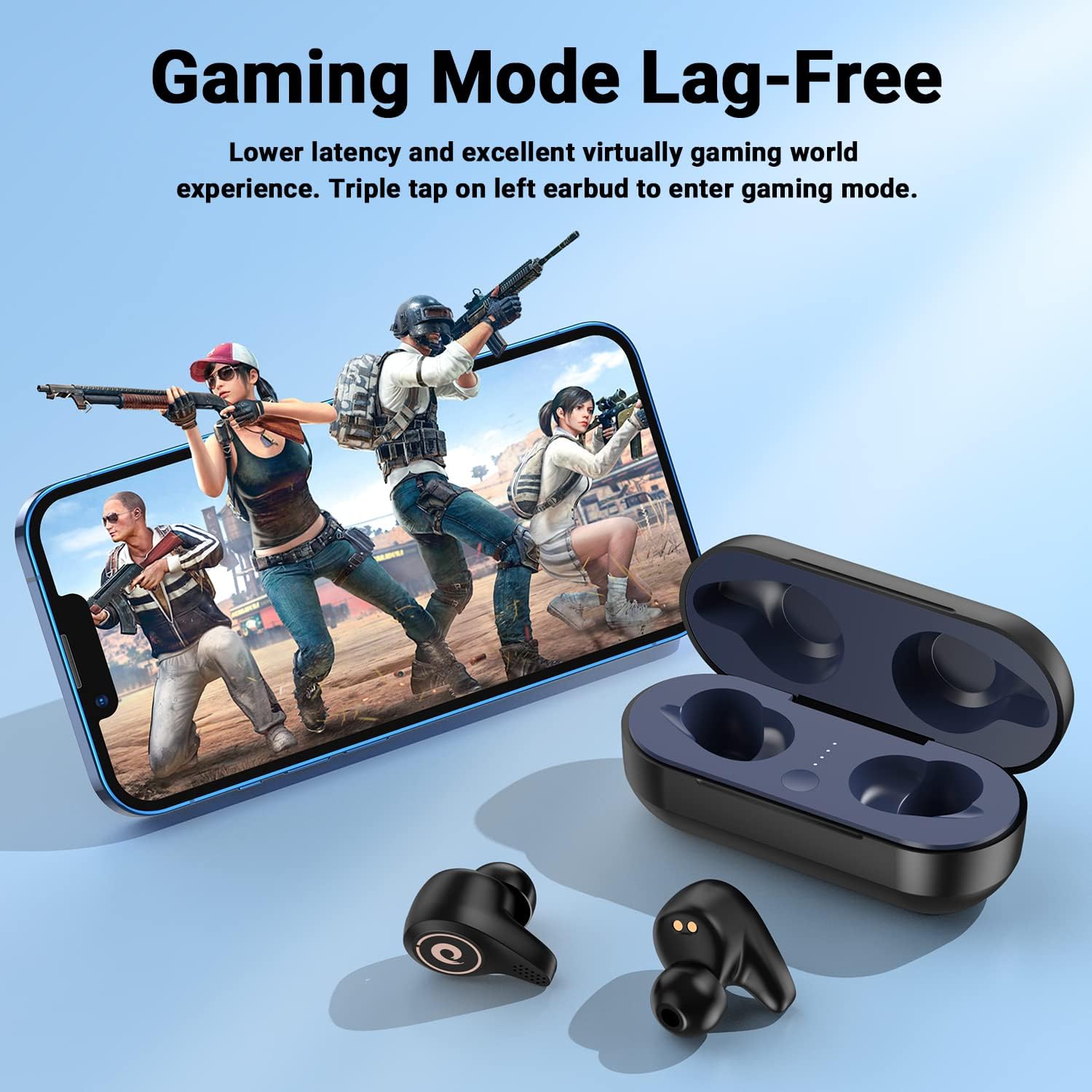
Figure 5: Activating Gaming Mode for reduced latency.
- Sejħiet:
- Utilize the CVC8.0 noise cancelling technology and four microphones for clear conversations in various environments.
6. Manutenzjoni
- Tindif:
- Naddaf il-earbuds u l-kaxxa tal-iċċarġjar regolarment b'ċarruta ratba u niexfa.
- Neħħi l-ponot tal-widnejn u naddafhom b'sapun ħafif u ilma jekk meħtieġ, waqt li tiżgura li jkunu niexfa għalkollox qabel ma terġa' twaħħalhom.
- Keep charging contacts on both earbuds and case free from dust and debris.
- Reżistenza għall-Ilma (IPX5):
- The earbuds are IPX5 water-resistant, meaning they can withstand sweat and light rain. They are not designed for submersion in water.
- Avoid exposing the charging case to water.
- If earbuds get wet, wipe them dry thoroughly before placing them back in the charging case.

Figure 6: IPX5 water resistance for daily use.
7 Issolvi l-problemi
- Il-earbuds mhux qed jitqabbdu:
- Ensure the earbuds are charged and removed from the charging case.
- Itfi u ixgħel il-Bluetooth tat-tagħmir tiegħek, imbagħad erġa' pprova fittex.
- Jekk diġà kien imqabbad, ipprova tinsa l-apparat fuq it-telefon tiegħek u erġa' waħħalh.
- Il-earbuds mhux qed jiċċarġjaw:
- Check that any protective plastic films have been removed from the earbud charging contacts.
- Kun żgur li l-kejbil tal-iċċarġjar huwa konness sew kemm mal-kaxxa kif ukoll mas-sors tal-enerġija.
- Verify that the charging case itself has power (check LED indicators).
- Volum baxx jew kwalità ħażina tal-ħoss:
- Aġġusta l-volum kemm fuq l-apparat tiegħek kif ukoll fuq il-earbuds.
- Ensure ear tips are properly seated and provide a good seal in your ear canal. Try different sized ear tips.
- Naddaf kwalunkwe debris mill-ispikers tal-earbuds.
8. Speċifikazzjonijiet
| Isem tal-Mudell | Q8 |
| Brand | FEANS |
| Teknoloġija tal-Konnettività | Mingħajr fili (Bluetooth 5.2) |
| Teknoloġija tal-Komunikazzjoni mingħajr Fili | Bluetooth |
| Verżjoni Bluetooth | 5.2 |
| Medda Bluetooth | 10 Meters |
| Tip ta' Sewwieq Awdjo | Dynamic Driver (6mm diameter) |
| Ħajja tal-Batterija (Earbuds) | Sa 7-il Siegħa |
| Ħlasijiet Addizzjonali tal-Kaxxa tal-Iċċarġjar | Appross. 4 darba |
| Livell ta 'Reżistenza għall-Ilma | IPX5 |
| Metodu ta' Kontroll | Mess |
| Karatteristika Speċjali | Noise Cancellation (CVC8.0) |
| Apparati Kompatibbli | Cellphones, Laptops, Desktops, Tablets (iOS/Android/Windows) |
| Piż tal-oġġett | 4.2 uqija |
9. Vidjo Uffiċjali tal-Prodott
Vidjo 1: Overview of the FEANS Q8 Wireless Bluetooth Earbuds, showcasing their design, features, and functionality. This video provides a visual guide to the product's capabilities and highlights key selling points.
10. Garanzija u Appoġġ
For warranty information, technical support, or any inquiries regarding your FEANS Q8 Wireless Earbuds, please refer to the contact details provided on the product packaging or visit the official FEANS websit. Żomm l-irċevuta tax-xiri tiegħek għal pretensjonijiet ta' garanzija.


