Introduzzjoni
Welcome to the Alecto FR-115RD Kids Walkie Talkie Set instruction manual. This guide provides essential information for setting up, operating, maintaining, and troubleshooting your new walkie-talkies. Designed for children, these walkie-talkies offer reliable communication with a range of up to 7 kilometers, featuring an integrated flashlight and an illuminated display.
X'hemm fil-Kaxxa
- 2 x Alecto FR-115RD Walkie Talkies
- 2 x Clips taċ-ċinturin
- Manwal ta 'Istruzzjoni (dan id-dokument)
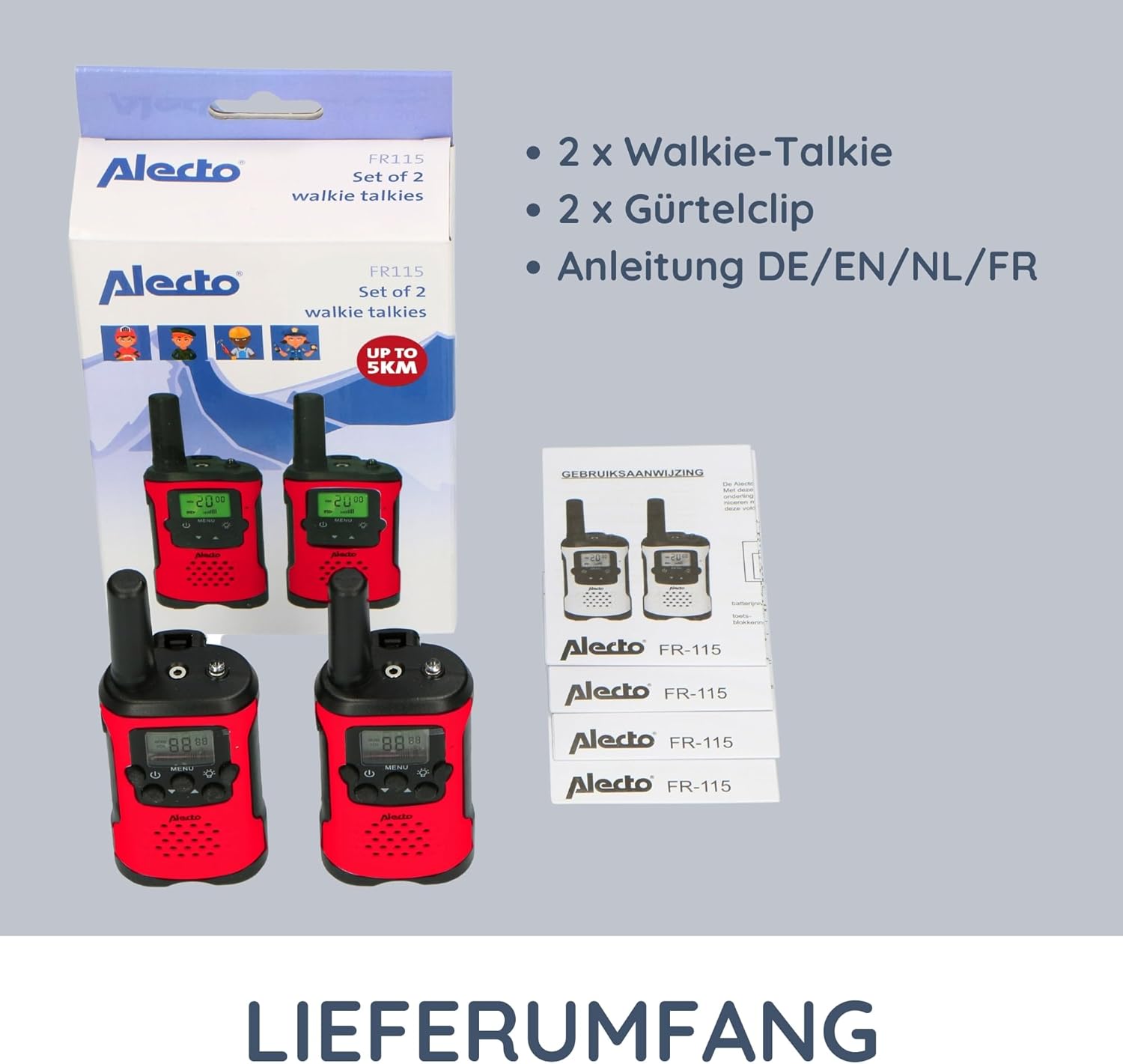
Image: The complete contents of the Alecto FR-115RD package, including the two walkie-talkies, their respective belt clips, and the instruction manual.
Setup
Installazzjoni tal-batterija
The Alecto FR-115RD walkie-talkies require 3 AAA batteries each (not included).
- Locate the battery compartment cover on the back of the walkie-talkie.
- Żerżaq jew neħħi l-għatu biex tiftaħ.
- Insert 3 AAA batteries, ensuring correct polarity (+ u -).
- Agħlaq l-għatu tal-kompartiment tal-batterija sew.
Note: A battery warning indicator will appear on the display when batteries are low.
It-twaħħil tal-Klip taċ-Ċinturin
Each walkie-talkie comes with a removable belt clip for convenient carrying.
- Align the belt clip with the slot on the back of the walkie-talkie.
- Slide the clip downwards until it clicks into place.
- To remove, push the release tab (if present) and slide the clip upwards.
Istruzzjonijiet Operattivi
Qawwa mixgħul/mitfi
Agħfas u żomm il- Buttuna tal-qawwa (usually marked with a power symbol) to turn the walkie-talkie on or off.
Għażla tal-Kanal
The FR-115RD features 8 main channels. To change channels:
- Agħfas il- buttuna MENU. The channel number will flash.
- Uża l- Buttuni 'l fuq /' l isfel to select your desired channel (1-8).
- Agħfas il- buttuna MENU again to confirm, or wait a few seconds for it to auto-confirm.
For optimal communication, ensure both walkie-talkies are on the same channel.
Sub-Tone (CTCSS) Selection
The device supports 38 CTCSS codes to reduce interference from other users on the same channel.
- Agħfas il- buttuna MENU twice. The sub-tone code will flash.
- Uża l- Buttuni 'l fuq /' l isfel to select your desired CTCSS code (0-38).
- Agħfas il- buttuna MENU mill-ġdid biex tikkonferma.
Both walkie-talkies must have the same channel and CTCSS code for communication.
It-Trażmissjoni u r-Riċevuta
To transmit (speak): Press and hold the Buttuna Push-to-Talk (PTT). (usually on the side of the device). Speak clearly into the microphone. Release the PTT button to listen.
To receive: Ensure the PTT button is not pressed. The walkie-talkie will automatically receive signals on the selected channel.
Aġġustament tal-Volum
Uża l- Buttuni 'l fuq /' l isfel (when not in menu mode) to adjust the speaker volume.
Flashlight Integrata
Agħfas il- Buttuna tal-flashlight (usually marked with a light bulb icon) to turn the integrated flashlight on or off. Useful in low-light conditions.
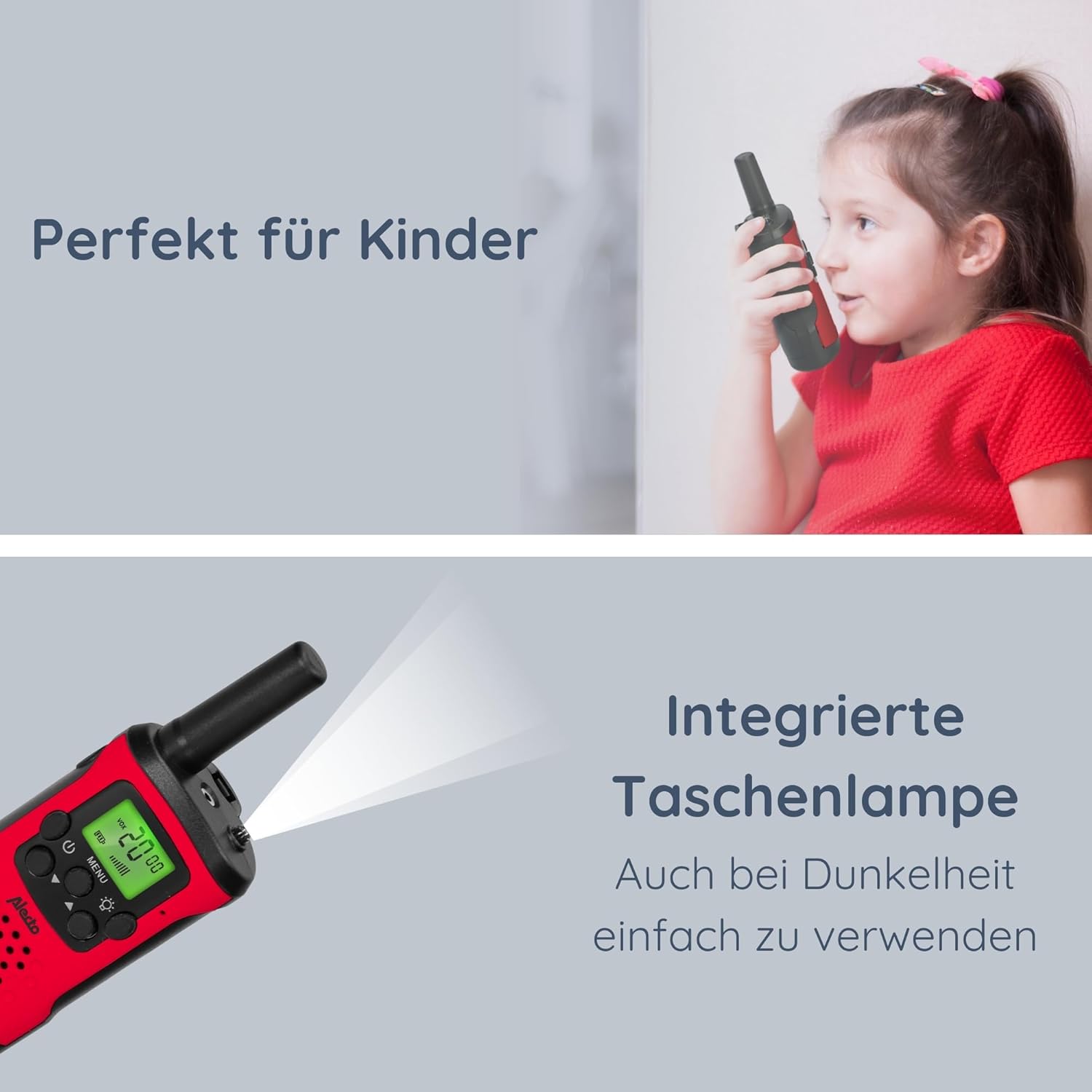
Image: The Alecto FR-115RD walkie-talkie in use by a child, highlighting the integrated flashlight feature for visibility in dark environments.

Image: The illuminated LCD display of the Alecto FR-115RD, showing channel and VOX status, emphasizing its readability and the voice-activated transmission feature.
VOX Function (Voice-Activated Transmission)
The VOX function allows for hands-free transmission. When activated, the walkie-talkie will transmit automatically when it detects your voice.
- Agħfas il- buttuna MENU three times. "VOX" will appear on the display.
- Uża l- Buttuni 'l fuq /' l isfel to select the VOX sensitivity level (e.g., 1-3, with 3 being most sensitive) or "OFF" to disable.
- Agħfas il- buttuna MENU biex tikkonferma.
When VOX is active, the walkie-talkie will only transmit when speech is detected.
Output tal-headphones
A 2.5 mm headphone output is available for private listening. Connect compatible headphones (not included) to this port.
Manutenzjoni
Tindif
Wipe the walkie-talkies with a soft, damp drapp. Tużax tindif jew solventi li joborxu.
Ħażna
If storing for extended periods, remove the batteries to prevent leakage and damage.
Aħżen f'post frisk u niexef 'il bogħod mix-xemx diretta u temperaturi estremi.
Reżistenza għall-Ilma
These walkie-talkies are mhux reżistenti għall-ilma. Avoid exposure to rain, splashes, or submersion in water.
Issolvi l-problemi
| Problema | Kawża Possibbli | Soluzzjoni |
|---|---|---|
| Ebda qawwa | Il-batteriji huma mejta jew installati ħażin. | Ibdel il-batteriji jew iċċekkja l-polarità. |
| Cannot communicate with other walkie-talkie | Different channels or CTCSS codes. Out of range. | Ensure both units are on the same channel and CTCSS code. Move closer to the other unit. |
| Kwalità tal-ħoss fqira / Statika | Sinjal dgħajjef. Interferenza. Batterija baxxa. | Move to an open area. Change channel/CTCSS. Replace batteries. |
| Il-flashlight ma taħdimx | Low battery. Faulty button. | Ibdel il-batteriji. Jekk il-problema tippersisti, ikkuntattja l-appoġġ. |
Speċifikazzjonijiet
- Mudell: FR115
- Ditta: Aletto
- Kulur: Aħmar
- Dimensjonijiet: 3 x 4.9 x 12.9 ċm (L x W x H)
- Piż: 224 grams (per set, approximate)
- Sors tal-Enerġija: 3 x AAA batteries (per unit)
- Voltage: 4.5 V DC
- Numru ta' kanali: 8 main channels
- Kodiċi CTCSS: 38
- Medda ta' Frekwenzi: 446 MHz
- Max. Speaking Range: Up to 7 kilometers (in optimal conditions)
- Karatteristiċi Speċjali: Integrated flashlight, Illuminated LCD display, VOX function, 2.5 mm Headphone output
- Reżistenza għall-Ilma: Mhux reżistenti għall-ilma
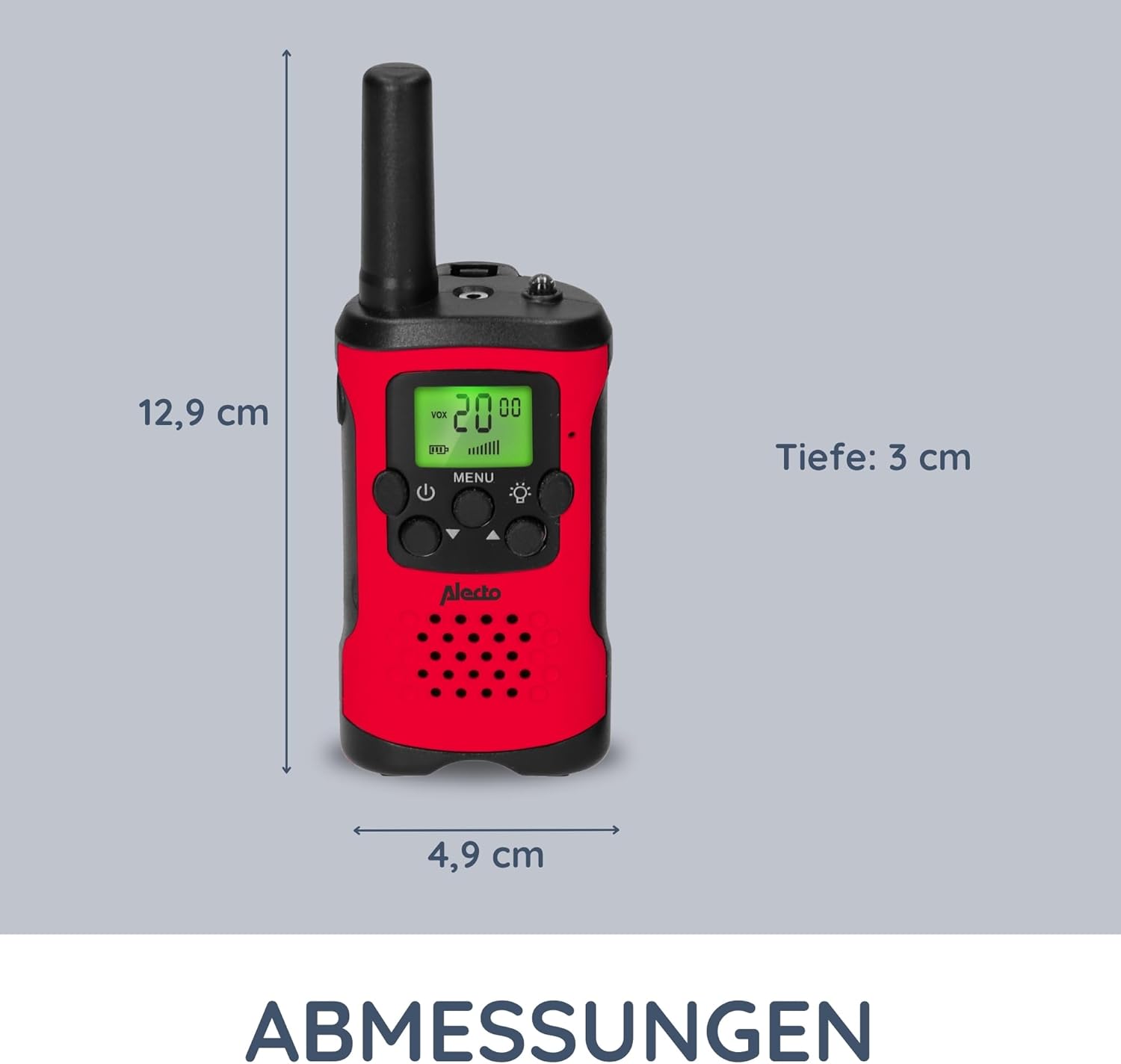
Image: Detailed dimensions of the Alecto FR-115RD walkie-talkie for reference.

Immaġni: Fuqview of the main benefits and features of the Alecto FR-115RD walkie-talkies.

Image: Visual representation of the impressive 7-kilometer communication range of the walkie-talkies.
Garanzija u Appoġġ
For warranty information or technical support, please refer to the official Alecto webis-sit jew ikkuntattja lis-servizz tal-konsumatur tagħhom direttament. Żomm l-irċevuta tax-xiri tiegħek bħala prova tax-xiri.
Alecto Baby is committed to providing reliable products and support. You can find more information and contact details on the Alecto Brand Store.


