1. Introduzzjoni
This manual provides detailed instructions for the JJC USB 3.0 Multi-Card Reader. This versatile device is designed for efficient data transfer from various memory card types to compatible devices such as computers, laptops, OTG-enabled smartphones, and tablets. Constructed from durable aluminum alloy and high-quality ABS material, it offers robust performance and effective heat dissipation.

Figure 1: JJC USB 3.0 Multi-Card Reader with its protective caps and compatible memory cards (SD, MicroSD, NM).
2. Setup
The JJC Multi-Card Reader features a plug-and-play design, requiring no additional drivers for most operating systems. Simply connect the appropriate USB connector to your host device.
2.1 Konnessjoni mat-Tagħmir Tiegħek
- Port USB-A 3.0: For computers and laptops with standard USB-A ports.
- Port USB-C 3.0: For modern computers, laptops, and OTG-enabled smartphones/tablets with USB-C ports.
- Port Mikro USB 2.0: For older OTG-enabled smartphones and tablets with Micro USB ports.
Ensure your smartphone or tablet supports the full USB OTG (On-The-Go) function and that the OTG storage function is enabled in your device's settings menu.

Figura 2: Aktarview of the card reader's multi-port design for broad compatibility.
3. Istruzzjonijiet Operattivi
This card reader supports various memory card types and allows for simultaneous reading and writing on two cards.
3.1 Supported Card Types
- Huawei Nano Memory (NM) cards
- SD, SDHC, SDXC cards
- microSD, microSDHC, and microSDXC cards
The device supports card capacities up to 1TB. Nota: This card reader is not compatible with SIM or Nano SIM cards.

Figura 3: Dettaljat view of the card reader's three distinct card slots.
3.2 Daħħal il-Memory Cards
- Identify the correct slot for your memory card (NM, SD, or MicroSD).
- Gently insert the memory card into its designated slot until it clicks into place or is fully seated.
- Connect the card reader to your computer, laptop, or OTG-enabled mobile device.
- Your device should automatically detect the card reader and the inserted memory cards. You can then access the files through your device's file esploratur.
3.3 Simultaneous Read/Write Functionality
The card reader allows for simultaneous reading and writing operations between:
- SD and NM cards
- Micro SD and NM cards
This feature enables efficient data transfer directly between different card types without needing to transfer to the host device first.

Figura 4: Eżample of the card reader in use with an iPad Pro for convenient photo and video browsing.
3.4 Veloċità tat-Trasferiment tad-Data
The card reader supports data transfer speeds up to 90MB/s, facilitating quick and efficient movement of large files.

Figure 5: Data transfer speed test results demonstrating performance up to 90MB/s.
3.5 Apparat Appoġġjati
The card reader is compatible with a wide range of devices, including:
- Computers and Laptops (Windows, Mac OS, Linux, Chrome OS)
- OTG-enabled Smartphones and Tablets (e.g., Huawei Mate series, P series, Nova series, Matepad Pro; Samsung Galaxy series, Tab series; Apple MacBook Pro/Air, iPad Pro)
For a detailed list of compatible Huawei devices, refer to the product specifications.

Figure 6: Video demonstrating the SmartQ Card Reader's features and usage.
Vidjo 1: Wirja uffiċjali tal-vidjo tal-prodottasing the JJC USB 3.0 USB-C HUAWEI NM SD Micro SD Card Reader's functionality and design.
4. Manutenzjoni
The JJC Multi-Card Reader is designed for durability with its aluminum alloy housing. To ensure longevity:
- Żomm l-apparat nadif u ħieles mit-trab u l-fdalijiet.
- Evita li tesponi l-apparat għal temperaturi estremi jew umdità.
- Use the provided caps to protect the connectors when not in use.

Figure 7: The card reader's aluminum alloy construction contributes to durability and heat dissipation.
5 Issolvi l-problemi
If you encounter issues with your JJC Multi-Card Reader, consider the following:
- Apparat Mhux Rikonoxxut: Ensure the card reader is fully inserted into the USB port of your host device. Try a different USB port or a different host device to rule out port-specific issues.
- Memory Card Not Detected: Verify that the memory card is correctly inserted into the appropriate slot. Ensure the card is not damaged.
- Veloċitajiet ta' Trasferiment Baxxi: While the device supports up to 90MB/s, actual speeds may vary based on the memory card's speed class, the host device's USB port (e.g., USB 3.0 vs. USB 2.0), and the operating system.
- Funzjonalità tal-OTG: For mobile devices, confirm that OTG is enabled in your device's settings.
- Incompatible Cards: Remember that SIM and Nano SIM cards are not supported. SD and Micro SD cards cannot transfer data directly to each other through this reader.
6. Speċifikazzjonijiet
| Karatteristika | Dettall |
|---|---|
| Brand | JJC |
| Mudell | NM Card Reader Writer |
| Teknoloġija tal-Konnettività | Mikro USB, USB Tip A, USB Tip Ċ |
| Tipi ta 'Midja Appoġġjati | SD Card, SDHC, SDXC, microSD, microSDHC, microSDXC, Huawei NM Card |
| Kapaċità Massima Appoġġjata | Sa 1TB |
| Veloċità tat-Trasferiment tad-Data | Sa 90MB / S |
| Kompatibilità tas-Sistema Operattiva | Linux, Windows 10/8.1/8/7/XP/Vista, Mac OS, Mac OSX, Chrome OS |
| Materjal | Liga tal-Aluminju, ABS |
| Kulur | Iswed |
| Piż tal-oġġett | 1.13 uqija |
| Dimensjonijiet tal-Pakkett | 3.74 x 1.97 x 0.75 pulzieri |
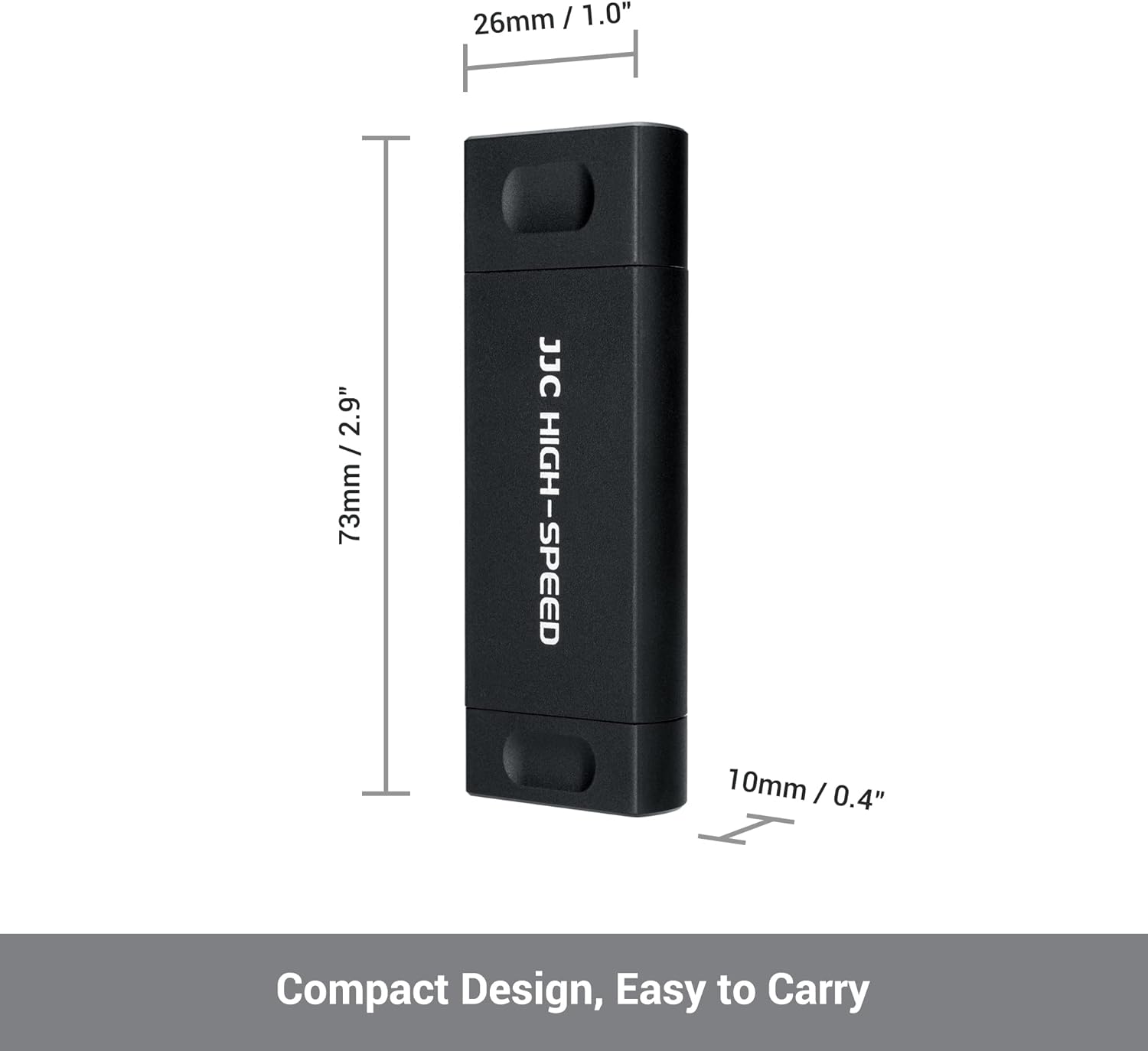
Figure 8: Compact design for easy portability.

Figure 9: The card reader supports storage capacity up to 1TB.
7. Garanzija u Appoġġ
For warranty information and customer support, please refer to the product packaging or contact JJC customer service directly. Ensure to keep your proof of purchase for any warranty claims.


