Introduzzjoni
The WOLFBOX i07 is a high-performance 3-channel dash camera system designed to provide comprehensive video surveillance for your vehicle. It simultaneously records footage from the front, interior, and rear of your car, ensuring 360-degree protection. Equipped with advanced features such as 4K resolution, infrared night vision, built-in GPS, Wi-Fi connectivity, and multiple parking modes, the i07 offers reliable evidence collection and enhanced driving safety.

Immaġni: Fuqview of the WOLFBOX i07 Dash Cam system, including the main unit, rear camera, and mobile app interface.
X'hemm fil-Kaxxa
Please verify that all components are present and in good condition upon unboxing:
- i07 Dash Cam (Main Unit)
- 1080P IP68 Rear Camera
- Modulu GPS
- 32GB Karta MicroSD
- 20-foot Rear Camera Cable
- Type-C Power Supply Cable with Car Charger
- Manwal għall-Utent
- Stiker Elettrostatiku
- Għodda tal-Wajer tal-Karozza

Image: Contents of the WOLFBOX i07 package.
Setup
1. Inserzjoni tal-Kard tal-Memorja
Before initial use, insert the provided 32GB MicroSD card into the dash cam's card slot. Ensure the card is inserted correctly until it clicks into place. It is recommended to format the card within the dash cam's settings before first use.

Image: Inserting the 32GB MicroSD card.
2. Main Unit Installation
- Naddaf iż-żona tal-windskrin fejn se titwaħħal il-kamera tad-dashboard.
- Apply the electrostatic sticker to the clean windshield.
- Attach the main unit onto the electrostatic sticker using the adhesive mount. Ensure it does not obstruct your driving view.
- Connect the Type-C power cable to the dash cam and route it along the windshield edge and A-pillar to the car's cigarette lighter socket.
3. Installazzjoni tal-Kamera ta' Wara
- Immonta l-kamera ta' wara fuq il-windskrin ta' wara, filwaqt li tiżgura viżjoni ċara. view.
- Connect the 20-foot rear camera cable to the main unit and route it discreetly along the vehicle's interior trim to the rear camera.
- Ensure the rear camera's headphone jack is firmly inserted for proper detection.

Image: Easy installation and cable routing for the dash cam and rear camera.
Istruzzjonijiet Operattivi
1. Power On/Off
The dash cam will automatically power on and begin recording when connected to the car's power supply and the vehicle is started. It will power off automatically when the car is turned off.
2. Modi ta' Reġistrazzjoni
The WOLFBOX i07 supports various recording configurations:
- Reġistrazzjoni bi 3 Kanali: Simultaneously records Front (2.5K), Interior (1080P), and Rear (1080P) footage.
- Dual-Channel Recording: Records Front (4K UHD) and Interior (1080P FUD) footage.

Image: Triple Channel Recording overview.

Image: Dual Channel Recording overview.
3. Viżjoni bil-lejl infrared
The interior camera features 6 infrared LED lights and advanced STARVIS technology to capture clear and balanced video in low-light conditions, ensuring visibility inside the cabin even at night.

Image: Infrared Night Vision capability.
4. Parking Modes (24/7 Protection)
The i07 offers two parking monitoring modes for continuous vehicle protection:
- Collision Boot Recording: The dash cam will automatically power on and record when an impact is detected while the vehicle is parked.
- Time-Lapse Record: Captures 24-hour time-lapse footage at 1 frame per second (FPS) when the vehicle is parked. Note: Collision Boot Recording does not function in Time-Lapse Mode.
A hardwire kit (sold separately) is required for 24/7 parking monitoring functionality.

Image: Parking Modes (Collision Boot Recording and Time-Lapse).
5. Built-in GPS & Wi-Fi
The integrated GPS module accurately records driving routes, speeds, and times, embedding this data into video files for evidence. Built-in Wi-Fi allows you to connect the dash cam to your smartphone via the WOLFBOX app for easy management, video playback, editing, and sharing.

Image: Built-in Wi-Fi and GPS features with app connectivity.
6. G-Sensor & Loop Recording
- G-Sensor: Detects sudden impacts or collisions and automatically locks the current video footage biex tevita li jiġi miktub fuqu.
- Reġistrazzjoni Loop: Continuously records video in short segments. When the memory card is full, the oldest unlocked footage is automatically overwritten by new recordings.
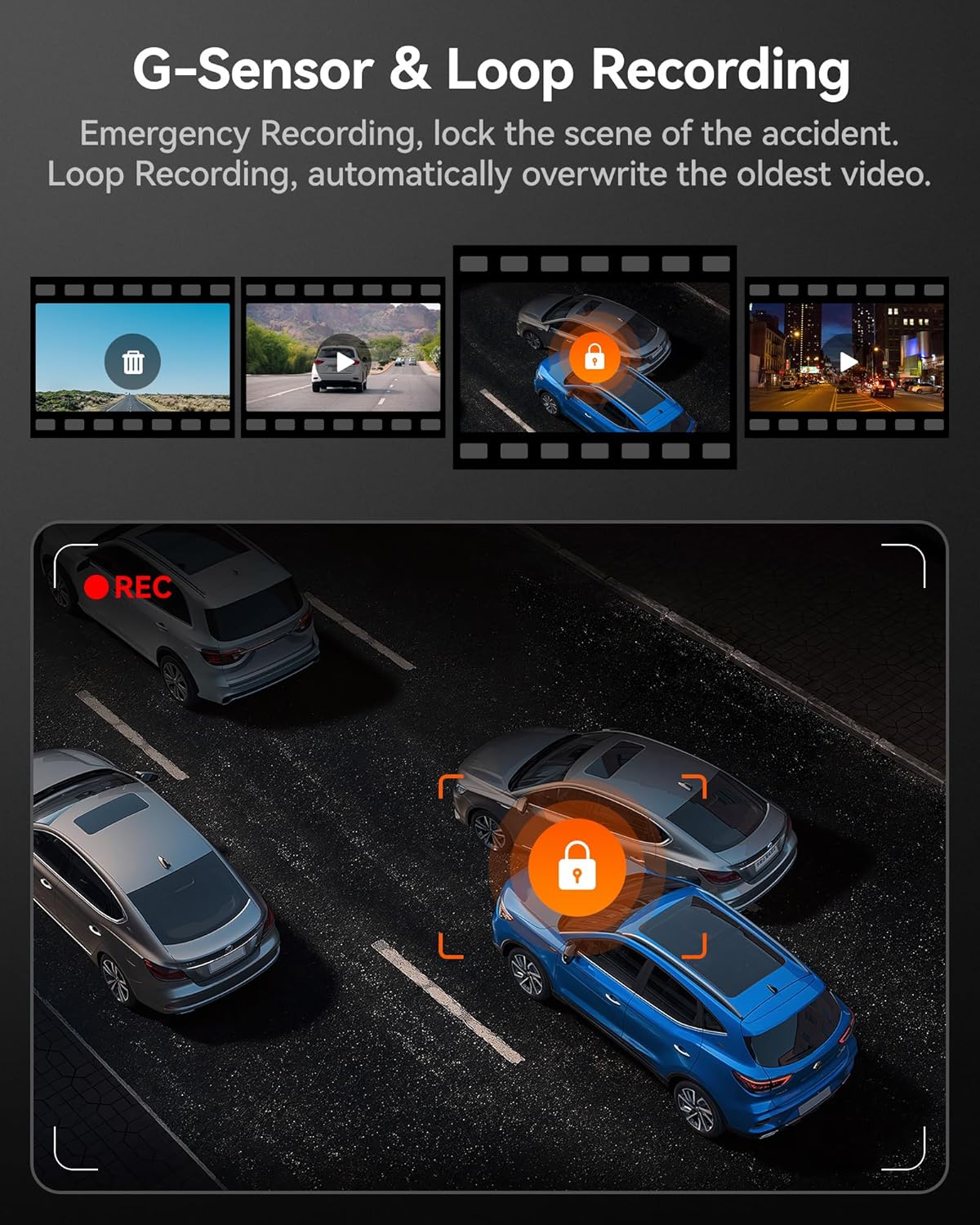
Image: G-Sensor and Loop Recording functionality.
Manutenzjoni
- Formattjar Regolari: To maintain optimal performance and prevent data corruption, it is recommended to format the MicroSD card every 2-4 weeks using the dash cam's settings.
- Tindif tal-Lenti: Gently clean the camera lenses with a soft, lint-free cloth to ensure clear video quality. Avoid abrasive materials.
- Aġġornamenti tal-Firmware: Check the official WOLFBOX webŻur is-sit perjodikament għal aġġornamenti tal-firmware biex tiżgura li d-dash cam tiegħek għandha l-aħħar karatteristiċi u tiswija ta' żbalji.
- Konsiderazzjonijiet tat-Temperatura: The dash cam is designed to operate within a wide temperature range due to its supercapacitor. However, extreme prolonged heat or cold can affect battery life (if applicable) and overall longevity.
Issolvi l-problemi
| Problema | Kawża Possibbli | Soluzzjoni |
|---|---|---|
| Id-dash cam ma tixgħelx. | No power supply; faulty cable; car charger issue. | Check power connection; try a different USB port or car charger; ensure vehicle's ignition is on. |
| Ir-reġistrazzjoni tieqaf jew tiffriża. | Memory card full/corrupted; low-quality SD card; firmware issue. | Format the SD card; use a high-speed (Class 10 or U3) MicroSD card; update firmware. |
| Rear camera not detected. | Loose connection; damaged cable. | Ensure the rear camera cable's headphone jack is firmly inserted into the main unit. Check cable for damage. |
| Problemi bil-konnessjoni tal-Wi-Fi. | Incorrect app usage; interference. | Ensure Wi-Fi is enabled on the dash cam and your phone; restart both devices; try connecting in a different location. |
| Il-GPS mhux qed jakkwista sinjal. | Poor satellite reception; GPS module obstructed. | Kun żgur li l-modulu tal-GPS għandu viżibilità ċara view of the sky; move the vehicle to an open area. |
Speċifikazzjonijiet
| Karatteristika | Dettall |
|---|---|
| Isem tal-Mudell | i07 |
| Dimensjonijiet tal-Prodott | 4.72 x 1.38 x 3.07 pulzieri |
| Piż tal-oġġett | 5 uqija |
| Riżoluzzjoni tal-Kamera ta 'quddiem | Up to 4K (2160p) |
| Riżoluzzjoni tal-Kamera Interna | 1080P |
| Riżoluzzjoni tal-Kamera ta 'wara | 1080P |
| Wiri | Skrin LCD ta '3 pulzieri |
| Lens Angle (Front/Interior/Rear) | 150 ° / 160 ° / 155 ° |
| Viżjoni bil-lejl | 6 Infrared LEDs (Interior Camera) |
| Sors tal-Enerġija | Type-C Power Input, Supercapacitor |
| Konnettività | Built-in Wi-Fi, Built-in GPS |
| Ħażna | Supports MicroSD Card (32GB included) |
| Karatteristiċi Speċjali | 4K HDR, 3-channel All-round Protection, App Control, Parking Monitor, Compact Design, WDR, G-Sensor, Loop Recording |
| Tip ta 'Servizz tal-Vettura | Xarabank, Karozza, Minivan, Trakk |
Garanzija u Appoġġ
WOLFBOX is committed to providing high-quality products and excellent customer service.
- Garanzija: The WOLFBOX i07 Dash Cam comes with a 12-month assurance from the date of purchase.
- Politika ta' Ritorn: A 7-day return policy is available for defects.
- Servizz tal-Klijent: For any queries, technical support, or warranty claims, please contact our dedicated after-sale service team.
Email: service@wolfbox.com
Telefon: +1 888 296 8399
Jekk jogħġbok żomm il-mudell tal-prodott tiegħek u l-informazzjoni tax-xiri lesti meta tikkuntattja l-appoġġ.


